
1. Introduction
This manual provides comprehensive instructions for the proper use and maintenance of the Yoursme 61850 Truck Hub Seal Installer Kit. This heavy-duty tool set is designed for efficient and accurate installation of hub seals on various truck and trailer applications. Please read this manual thoroughly before operation to ensure safe and effective use.
2. Package Contents
The Yoursme 61850 Truck Hub Seal Installer Kit includes the following components, neatly organized in a blow-molded storage box:
- 5 x Seal Drivers (sizes: 4-3/16", 6-5/18", 5-31/32", 5-11/16", 6")
- 2 x Handle Extensions
- 1 x Hardened Washer
- 1 x Flanged Nut
- 1 x Blow-Molded Storage Box

Image 2.1: All components of the 61850 kit stored in the blow-molded case.

Image 2.2: The five seal drivers included in the kit, showing their various sizes.

Image 2.3: The two handle extensions, designed to provide additional reach.
3. Product Features
- Multi-Size Hub Seal Installations: Includes five different size drivers to fit popular Class 7 and Class 8 over-the-road trucks and trailers, as well as some medium-duty trucks.
- Wheel Seal Installation: Designed to securely hold seals for easier installation, preventing damage.
- Extended Reach: Handle extensions allow driving seals on hubs with deep brake drums without requiring drum removal.
- Durable Construction: Milled from high-strength aluminum alloy using CNC precision manufacturing for sturdy, impact-resistant, corrosion-resistant, and wear-resistant performance.
- Protective Washer: A hardened washer is included to protect the aluminum driver during installation.
- Organized Storage: Comes with a blow-molded case for convenient storage and transport of all components.

Image 3.1: Details on the superior material and manufacturing process of the seal drivers.
4. Compatibility
The Yoursme 61850 Truck Hub Seal Installer Kit is compatible with most popular sizes of Class 7 and Class 8 over-the-road trucks and trailers, as well as certain medium-duty trucks. The kit includes five different driver sizes to accommodate a wide range of applications.

Image 4.1: Visual representation of the kit's wide compatibility with different truck classes.
5. Setup
Follow these steps to assemble the hub seal installer tool:
- Select the appropriate seal driver size for the hub seal you intend to install.
- Thread the flanged nut onto the threaded end of one of the handle extensions.
- Place the hardened washer onto the threaded end of the handle extension, ensuring it rests against the flanged nut.
- Align the selected seal driver with the threaded end of the handle extension and thread it on until secure.
- If additional length is required, thread the second handle extension onto the first, ensuring a tight connection.
Video 5.1: Demonstration of assembling the Yoursme 61850 Truck Hub Seal Installer Kit. This video shows how to attach the seal driver to the handle extension using the nut and washer, and how to connect multiple handle extensions for increased reach.
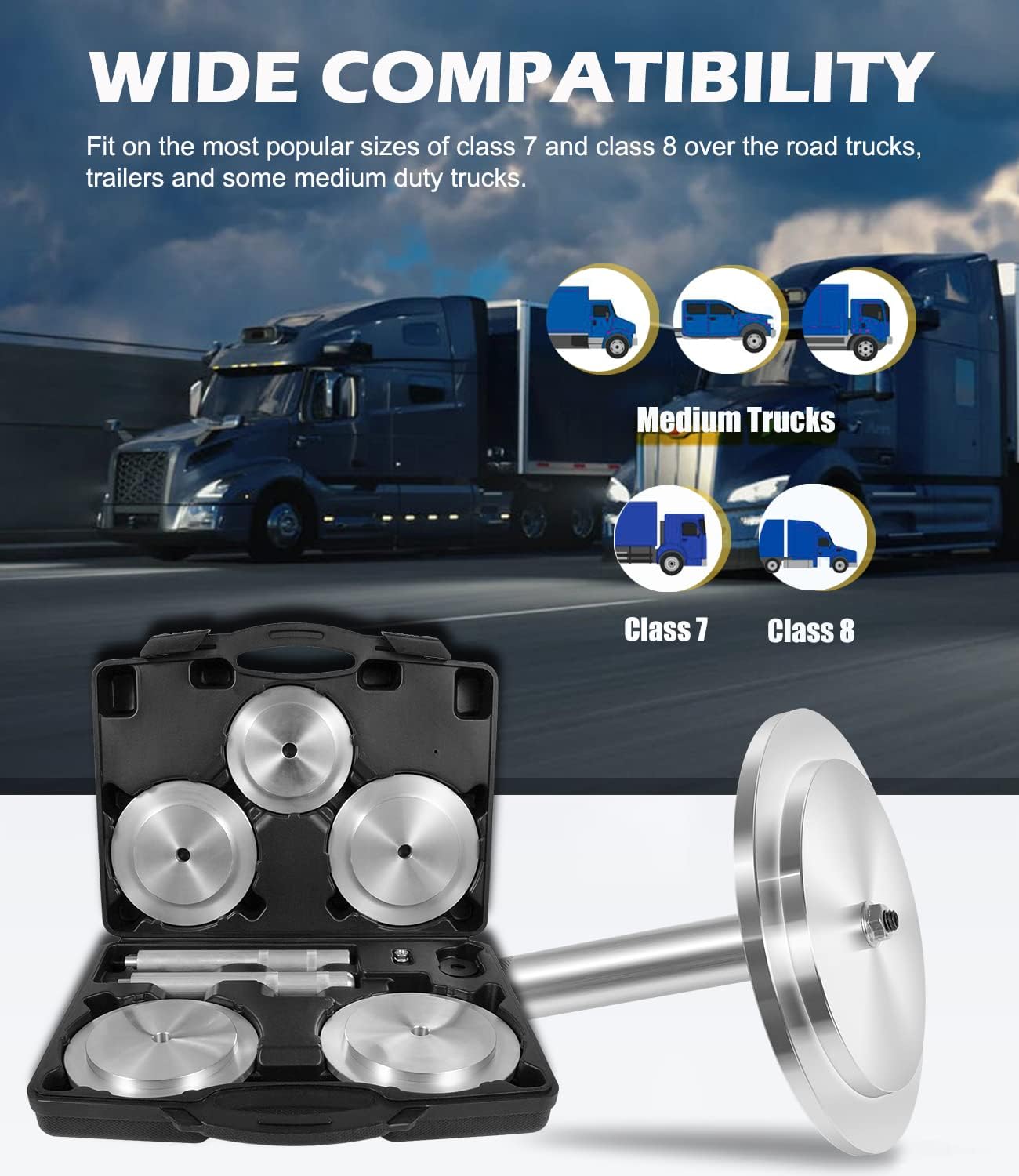
Image 5.1: An assembled seal driver, showing the handle extension, washer, and nut in place.
6. Operating Instructions
Once the tool is assembled with the correct size driver, proceed with the hub seal installation:
- Ensure the hub and the new seal are clean and free of debris. Apply a thin layer of lubricant to the seal's outer diameter if recommended by the seal manufacturer.
- Carefully place the new hub seal onto the hub.
- Position the assembled seal installer tool over the hub seal, ensuring the driver makes even contact with the seal's outer edge.
- Using a mallet or hammer, strike the end of the handle extension firmly and evenly. Apply consistent force to drive the seal into place.
- Continue striking until the seal is fully seated in the hub. Verify that the seal is installed squarely and to the correct depth according to vehicle specifications.
- Remove the installer tool by unthreading the handle extensions and driver.

Image 6.1: The seal installer tool in use, demonstrating the process of driving a seal into a hub.
7. Maintenance
To ensure the longevity and optimal performance of your Yoursme 61850 Truck Hub Seal Installer Kit, follow these maintenance guidelines:
- Cleaning: After each use, wipe down all components with a clean cloth to remove any grease, dirt, or debris.
- Inspection: Regularly inspect the seal drivers and handle extensions for any signs of wear, damage, or deformation. Replace any damaged components immediately.
- Storage: Store the kit in its original blow-molded case in a dry, clean environment to protect it from moisture and physical damage.
8. Troubleshooting
If you encounter issues during the use of the hub seal installer kit, consider the following:
- Seal Not Seating Evenly: Ensure you are using the correct size driver for the seal. Apply even force when striking the handle. Check for any obstructions or damage to the hub or seal.
- Difficulty Driving Seal: Verify that the seal and hub are properly lubricated (if applicable). Ensure the driver is making full contact with the seal. Increase the force of your strikes if necessary, but always maintain control.
- Tool Damage: If any component of the kit appears damaged, discontinue use and inspect for cracks, bends, or excessive wear. Do not use damaged tools.
9. Specifications
| Manufacturer | Yoursme |
| Model Number | YSM-61850 |
| Item Weight | 9.37 pounds |
| Product Dimensions | 15.24 x 12 x 3.15 inches |
| Material | Aluminum Alloy |
| Driver Sizes Included | 4-3/16", 6-5/18", 5-31/32", 5-11/16", 6" |
10. Warranty and Support
For information regarding product warranty, technical support, or replacement parts, please contact Yoursme customer service through their official website or the retailer from whom the product was purchased. Please have your model number (YSM-61850) and purchase date available when contacting support.