
1. Product Overview
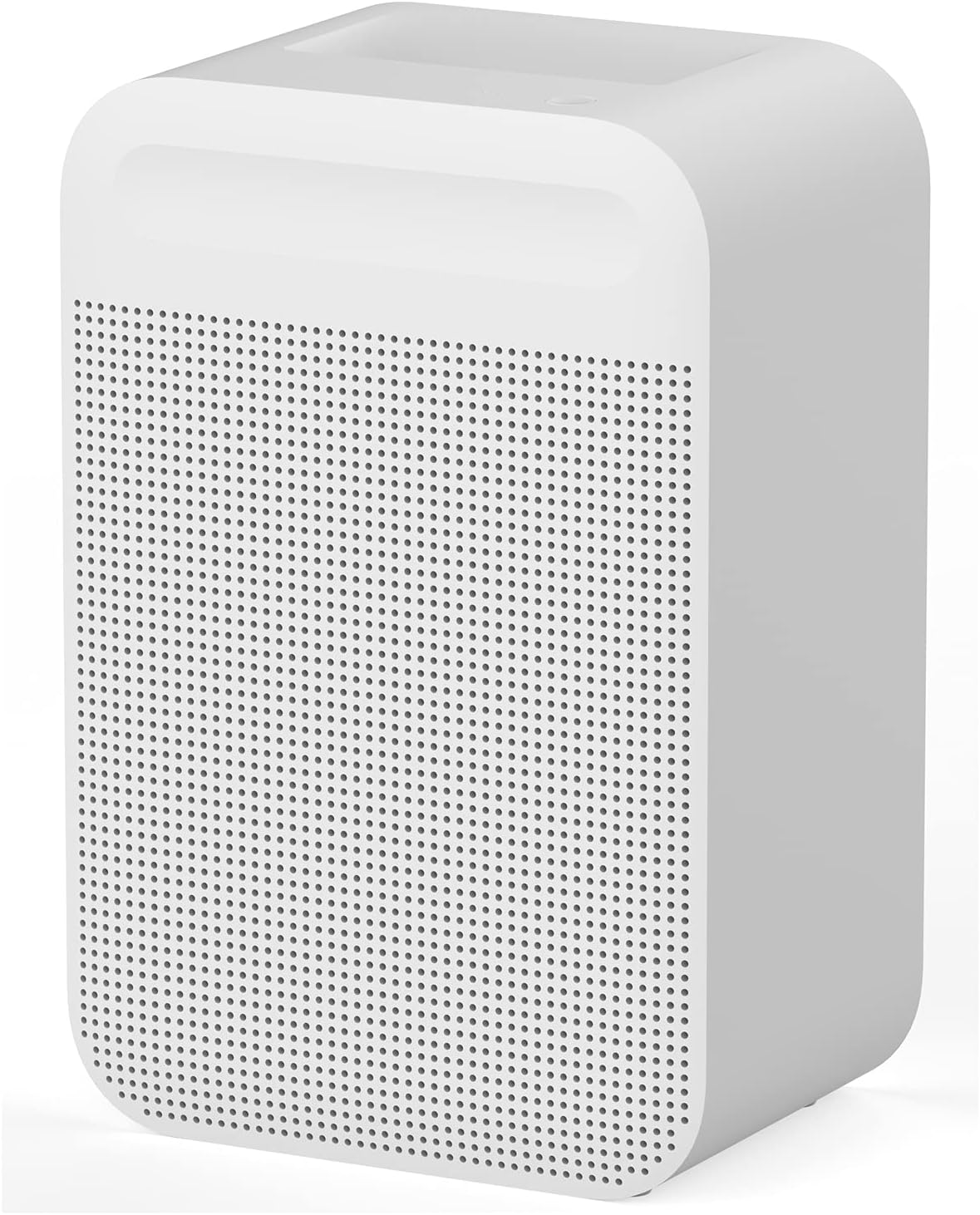
The Deerma CT500 Smart Fog-Free Air Humidifier is designed to provide efficient and clean humidification for your indoor environment. Utilizing an evaporative humidification method, it avoids mist and white powder residue, ensuring a healthier atmosphere. This manual provides detailed instructions for its safe and effective use.
2. Important Safety Instructions
Please read all safety instructions carefully before using the appliance. Failure to follow these instructions may result in electric shock, fire, or serious injury.
- Always place the humidifier on a firm, flat, and waterproof surface.
- Do not place the humidifier near heat sources or in direct sunlight.
- Ensure the power cord is not damaged and is properly plugged into a suitable electrical outlet.
- Do not immerse the appliance in water or other liquids.
- Unplug the humidifier before cleaning, refilling, or moving it.
- Keep out of reach of children and pets.
- Do not block air inlets or outlets.
- Only use clean tap water. Do not add essential oils or other additives directly into the water tank unless specified by the manufacturer.
3. Package Contents
Verify that all items are present in the package:
- 1 x Deerma CT500 Smart Fog-Free Air Humidifier
- 1 x User Manual
- 1 x CN Plug (with adapter for Singapore 3 Pin)
4. Product Features
The Deerma CT500 Humidifier incorporates advanced technology for optimal performance:
- Fog-Free Evaporative Humidification: Provides clean humidification without visible mist or white powder, ideal for sensitive individuals and electronics.
- Efficient Water Separation: A spider-type water separator on the filter element divides water into 15 channels, accelerating evaporation.
- High Humidification Capacity: Optimized waterway design delivers up to 510mL/h double increment moisture content.
- Advanced Water Purification: 21 layers of purification intercept impurities from tap water, preventing air pollution from evaporation.
- Thick Filter Design: A 62mm thick filter effectively absorbs pollutants, enhancing air cleaning.
- Smart APP Remote Control: Adjust humidification levels and monitor water status remotely via a dedicated smartphone application.
- Intelligent Constant Humidity: Built-in sensor continuously monitors indoor humidity and automatically adjusts air volume to maintain a comfortable level.
- Multiple Humidification Modes: Offers 6 gear adjustments, including 4 conventional humidification levels and 2 constant humidity modes.
- Large Water Tank: A 3.6L capacity allows for up to 22 hours of continuous humidification, reducing the need for frequent refills.
5. Setup Guide
- Unpack the Humidifier: Carefully remove all packaging materials and ensure no components are missing.
- Choose a Location: Place the humidifier on a flat, stable surface in the desired room. Ensure it is at least 15 cm away from walls and furniture to allow for proper airflow.
- Add Water:
- Open the top cover of the humidifier.
- Pour clean tap water directly into the water tank. Do not exceed the maximum fill line.
- Close the top cover securely.

Figure 2: Adding water to the Deerma CT500 humidifier. A person is shown pouring water from a glass into the top opening of the humidifier, which features a grid-like design for water distribution. - Connect Power: Plug the power cord into a suitable electrical outlet. Use the provided Singapore 3-pin adapter if necessary.
- Initial Power On: The humidifier is now ready for operation.
6. Operating Instructions
6.1 Control Panel Operation

- Power On/Off: Press the power button to turn the humidifier on or off.
- Adjust Humidification Level: Use the fan speed/mode button to cycle through the 6 available humidification gears. These include 4 sequential humidification levels and 2 constant humidity modes.
- Intelligent Constant Humidity Mode: The humidifier features a built-in sensor that monitors indoor humidity. When this mode is active, the appliance will automatically adjust its output to maintain a preset humidity level.
6.2 Smart APP Remote Control
The Deerma CT500 can be controlled remotely via a smartphone application. Follow these steps to connect and use the app:
- Download the App: Search for the "Deerma" app in your smartphone's app store (iOS App Store or Google Play Store) and install it.
- Register/Log In: Open the app and follow the on-screen instructions to create an account or log in.
- Add Device: Select the option to add a new device and follow the app's pairing instructions for the CT500 humidifier. This typically involves putting the humidifier into pairing mode (refer to the app or humidifier display for specific instructions).
- Remote Control: Once connected, you can adjust humidification amount, monitor water levels, and receive low water reminders directly from your smartphone, regardless of distance.

7. Maintenance and Cleaning
Regular maintenance ensures optimal performance and extends the lifespan of your humidifier.
- Daily Maintenance:
- Unplug the humidifier before any maintenance.
- Refill the water tank with fresh tap water daily.
- Weekly Cleaning:
- Empty any remaining water from the tank.
- Wipe the interior of the water tank and the base with a soft, damp cloth.
- For mineral deposits, use a solution of white vinegar and water (1:1 ratio). Let it soak for 20-30 minutes, then rinse thoroughly.
- Clean the exterior of the humidifier with a soft, dry cloth.
- Filter Maintenance:
The Deerma CT500 features a multi-layer purification system. While specific filter replacement instructions are not provided, regular inspection and cleaning of the filter element are recommended. Refer to the product packaging or manufacturer's website for filter replacement schedules.
- The 21-layer purification and 62mm thick filter are designed to intercept impurities. Ensure these components are free from excessive dust or mineral buildup.
- If the filter element appears discolored or airflow is reduced, it may require cleaning or replacement.
8. Troubleshooting
If you encounter issues with your Deerma CT500 humidifier, refer to the following common problems and solutions:
| Problem | Possible Cause | Solution |
|---|---|---|
| Humidifier does not turn on. | Not plugged in; power outage; faulty outlet. | Ensure power cord is securely plugged in. Check power outlet with another appliance. |
| No humidification/low output. | Water tank empty; filter clogged; air inlets/outlets blocked. | Refill water tank. Clean or replace filter. Ensure clear airflow around the unit. |
| Unusual noise. | Unit not on a flat surface; foreign object inside; fan issue. | Place on a stable, flat surface. Unplug and check for obstructions. If noise persists, contact support. |
| App connection issues. | Incorrect pairing steps; Wi-Fi issues; app malfunction. | Review app pairing instructions. Ensure strong Wi-Fi signal. Restart app and humidifier. |
If the problem persists after trying these solutions, please contact Deerma customer support.
9. Product Specifications
| Feature | Detail |
|---|---|
| Brand | Deerma |
| Model Name | CT500 |
| Operation Mode | Evaporative |
| Capacity | 3.6 Liters |
| Humidification Capacity | 510mL/h (Double Increment) |
| Special Features | Remote Control, Intelligent Constant Humidity, Fog-Free |
| Color | White |
| Material | Plastic |
| Product Dimensions (L x W x H) | 19D x 27W x 40.8H centimetres |
| Room Type | Bedroom, Living Room |
| Batteries Required | No |

10. Warranty and Support
For warranty information and customer support, please refer to the documentation included with your purchase or visit the official Deerma website. Keep your purchase receipt as proof of purchase for any warranty claims.
If you require assistance with setup, operation, or troubleshooting beyond what is covered in this manual, please contact Deerma customer service.


