
1. Introduction
This manual provides essential information for the safe and efficient use of your LUEDD Smart G95 E27 LED Lamp. This smart LED light source features an E27 fitting, a G95 globe shape, and offers dimmable light intensity, adjustable color temperature (2200K-4000K), and RGB color options. It can be controlled via a smartphone application, Google Assistant, or Amazon Alexa.
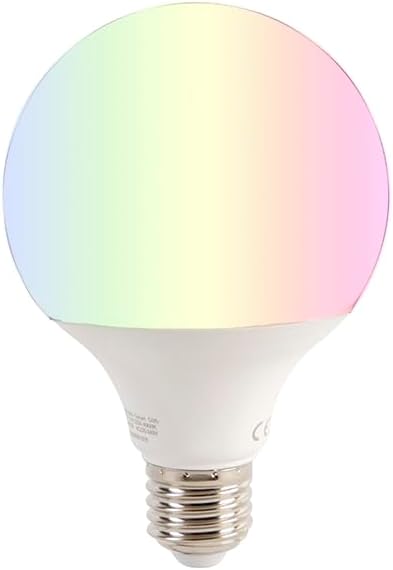
Image 1.1: The LUEDD Smart G95 E27 LED Lamp, capable of displaying a wide range of colors.
2. Safety Information
- Ensure the power is turned off before installing or replacing the lamp.
- Do not use in fully enclosed luminaires, as this may shorten the lamp's lifespan.
- This lamp is designed for indoor use only (IP20 rating).
- Do not disassemble or modify the lamp.
- Keep out of reach of children.
- If the lamp is damaged, discontinue use immediately.
3. Package Contents
The package contains:
- 1 x LUEDD Smart G95 E27 LED Lamp
- 1 x Instruction Manual (this document)
4. Product Overview
The LUEDD Smart G95 E27 LED Lamp is a versatile lighting solution. Its G95 globe shape and E27 screw base make it compatible with many standard fixtures. It provides 1050 lumens of light output and can be adjusted from warm white (2200K) to cool white (4000K), as well as a full spectrum of RGB colors. The lamp is designed for smart home integration, supporting control via a dedicated app and voice assistants.
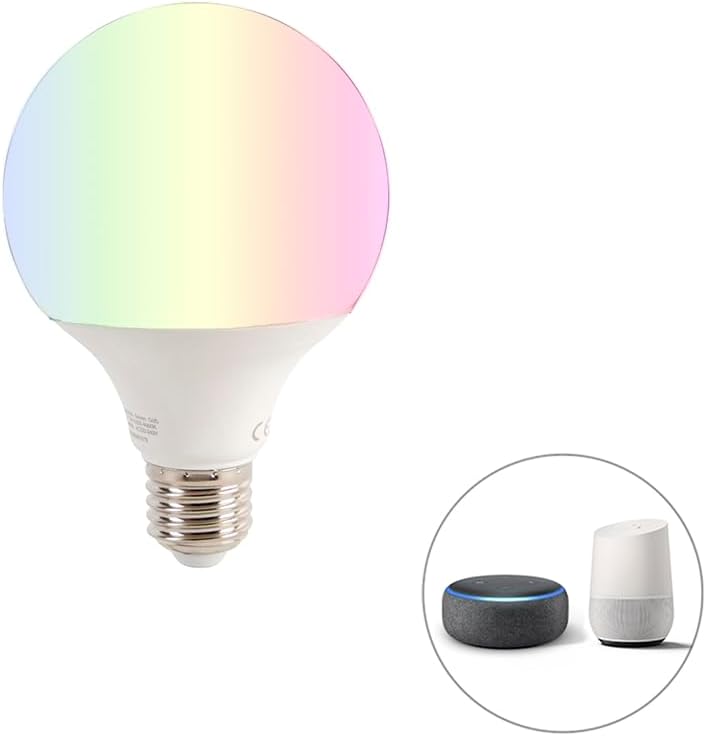
Image 4.1: The smart lamp is compatible with popular voice assistants like Amazon Alexa and Google Home.

Image 4.2: Detail of the standard E27 screw base for easy installation.
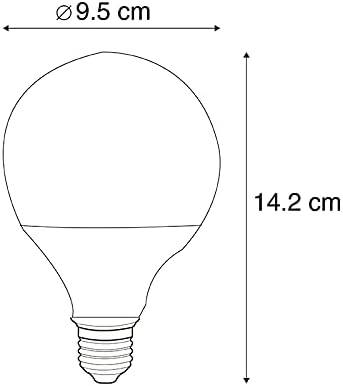
Image 4.3: Dimensional drawing of the G95 lamp, measuring 9.5 cm in diameter and 14.2 cm in height.
5. Setup and Installation
5.1 Physical Installation
- Ensure the power supply to the light fixture is turned off at the main switch.
- Carefully screw the LUEDD Smart G95 E27 LED Lamp into an E27 compatible light fixture. Do not overtighten.
- Turn on the power supply to the light fixture. The lamp should illuminate.
5.2 Smart Control Setup
To enable smart features, you need to connect the lamp to your home Wi-Fi network via a compatible smartphone application.
- Download the App: Search for the "LUEDD Smart" app (or a compatible smart home app like Tuya Smart or Smart Life, if specified by LUEDD) on your smartphone's app store (iOS or Android).
- Register/Log In: Open the app and create a new account or log in if you already have one.
- Add Device: Follow the in-app instructions to add a new device. This typically involves selecting "Lighting" or "Light Source" and then "Wi-Fi Light".
- Pairing Mode: The lamp usually needs to be in pairing mode. This is often achieved by turning the lamp on and off several times (e.g., 3 times) until it starts flashing rapidly.
- Connect to Wi-Fi: Enter your Wi-Fi network name and password in the app. Ensure your phone is connected to a 2.4GHz Wi-Fi network, as most smart devices do not support 5GHz.
- Complete Setup: Once connected, the app will confirm the successful pairing. You can then rename your lamp for easier control.

Image 5.1: The LUEDD Smart G95 E27 LED Lamp is controlled via a dedicated smartphone application.
6. Operating Instructions
6.1 App Control
Once connected, the smartphone app provides full control over your LUEDD Smart G95 E27 LED Lamp:
- On/Off: Toggle the lamp's power.
- Brightness Adjustment: Dim the light intensity from 1% to 100%.
- Color Temperature: Adjust the white light from warm (2200K) to cool (4000K).
- RGB Color Selection: Choose from millions of colors using a color wheel or predefined color palettes.
- Scene Modes: Select from various pre-programmed scenes (e.g., "Night", "Read", "Working", "Leisure") or create custom scenes.
- Music Sync: Some apps allow the light to change in rhythm with music played through your phone's microphone.
- Timers & Schedules: Set schedules for the lamp to turn on/off or change settings at specific times.
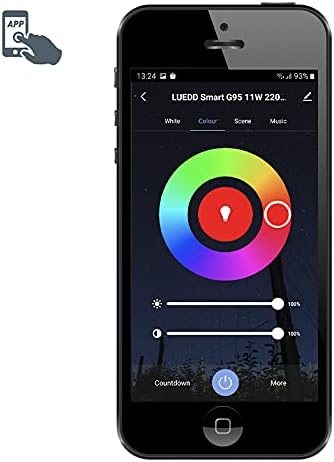
Image 6.1: App interface for adjusting white light brightness and color temperature.

Image 6.2: App interface for selecting RGB colors using a color wheel.

Image 6.3: App interface displaying predefined scene modes for different moods or activities.
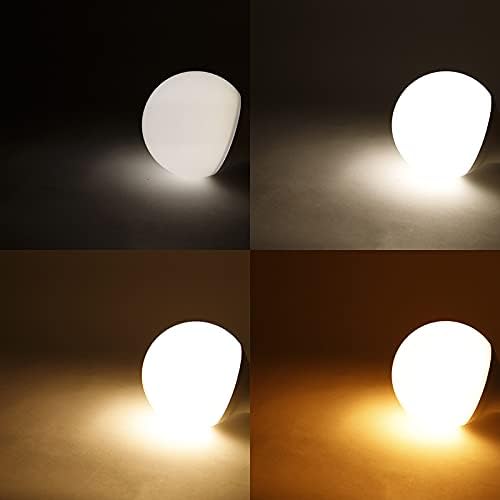
Image 6.4: App interface for music synchronization, where the light reacts to audio.

Image 6.5: Visual representation of the lamp's ability to produce various white light temperatures.
6.2 Voice Control
To use voice control, link your LUEDD Smart app account with your Google Assistant or Amazon Alexa account. Refer to the respective voice assistant's app for detailed instructions on linking smart home devices. Once linked, you can use commands such as:
- "Hey Google, turn on [Lamp Name]."
- "Alexa, set [Lamp Name] to 50% brightness."
- "Hey Google, change [Lamp Name] to warm white."
- "Alexa, make [Lamp Name] red."
7. Maintenance
- Ensure the lamp is off and cooled down before cleaning.
- Wipe the lamp with a soft, dry cloth. Do not use liquid cleaners or abrasive materials.
- Do not immerse the lamp in water or any other liquid.
8. Troubleshooting
| Problem | Possible Cause | Solution |
|---|---|---|
| Lamp does not turn on. | No power to the fixture; lamp not screwed in correctly; lamp is faulty. | Check power supply; ensure lamp is securely screwed in; test with another lamp if possible. |
| Cannot connect to Wi-Fi. | Incorrect Wi-Fi password; 5GHz Wi-Fi network; lamp not in pairing mode; weak Wi-Fi signal. | Verify password; ensure 2.4GHz network is used; re-enter pairing mode (on/off cycle); move lamp closer to router. |
| Voice control not working. | App account not linked to voice assistant; incorrect device name; internet connection issue. | Link accounts in voice assistant app; verify device name; check internet connectivity. |
| Lamp flickers or behaves erratically. | Unstable power supply; interference; faulty lamp. | Check electrical connections; try lamp in a different fixture; contact support if problem persists. |
9. Specifications
| Feature | Detail |
|---|---|
| Brand | LUEDD |
| Model | G95 11W |
| Fitting Type | E27 |
| Wattage | 11 Watt |
| Luminous Flux | 1050 Lumens |
| Color Temperature | 2200K - 4000K (Tunable White) |
| Color Options | RGB (Full Color Spectrum) |
| Voltage | 230 Volt |
| Dimensions (Diameter x Height) | 9.5 cm x 14.2 cm |
| IP Rating | IP20 (Indoor Use) |
| Special Features | Dimmable, Smart Control (App, Google Assistant, Alexa) |
| Manufacturer Reference | 02506 |

Image 9.1: Energy efficiency label for the LUEDD Smart G95 E27 LED Lamp. For more details, refer to the EPREL database (QR code link).
10. Warranty and Support
LUEDD products are manufactured to high-quality standards. For warranty information and technical support, please refer to the official LUEDD website or contact your retailer. Keep your proof of purchase for any warranty claims.
