
CATIGA CS-229
CATIGA Scientific Calculator CS-229 User Manual
Model: CS-229 | Brand: CATIGA
Introduction
This manual provides comprehensive instructions for the CATIGA Scientific Calculator CS-229. Designed for students and professionals, this calculator features graphic functions, multiple operating modes, and over 360 functions to support a wide range of mathematical and scientific calculations, from basic arithmetic to advanced calculus and statistics.

Image: The CATIGA Scientific Calculator CS-229, showcasing its graphic display and the product packaging. This calculator is designed for a wide range of mathematical and scientific applications.
Setup
Battery Installation
The CATIGA CS-229 calculator requires one LR44 battery, which is included. To install or replace the battery:
- Locate the battery compartment on the back of the calculator.
- Carefully open the battery cover.
- Insert the LR44 battery, ensuring the correct polarity (+/-) as indicated inside the compartment.
- Close the battery cover securely.
Initial Power On and Reset
After installing the battery, press the ON button to power on the calculator. If the calculator does not turn on or behaves unexpectedly, locate the small reset button on the back of the unit. Use a thin, pointed object (like a paperclip) to gently press the reset button. This will restore the calculator to its default settings.
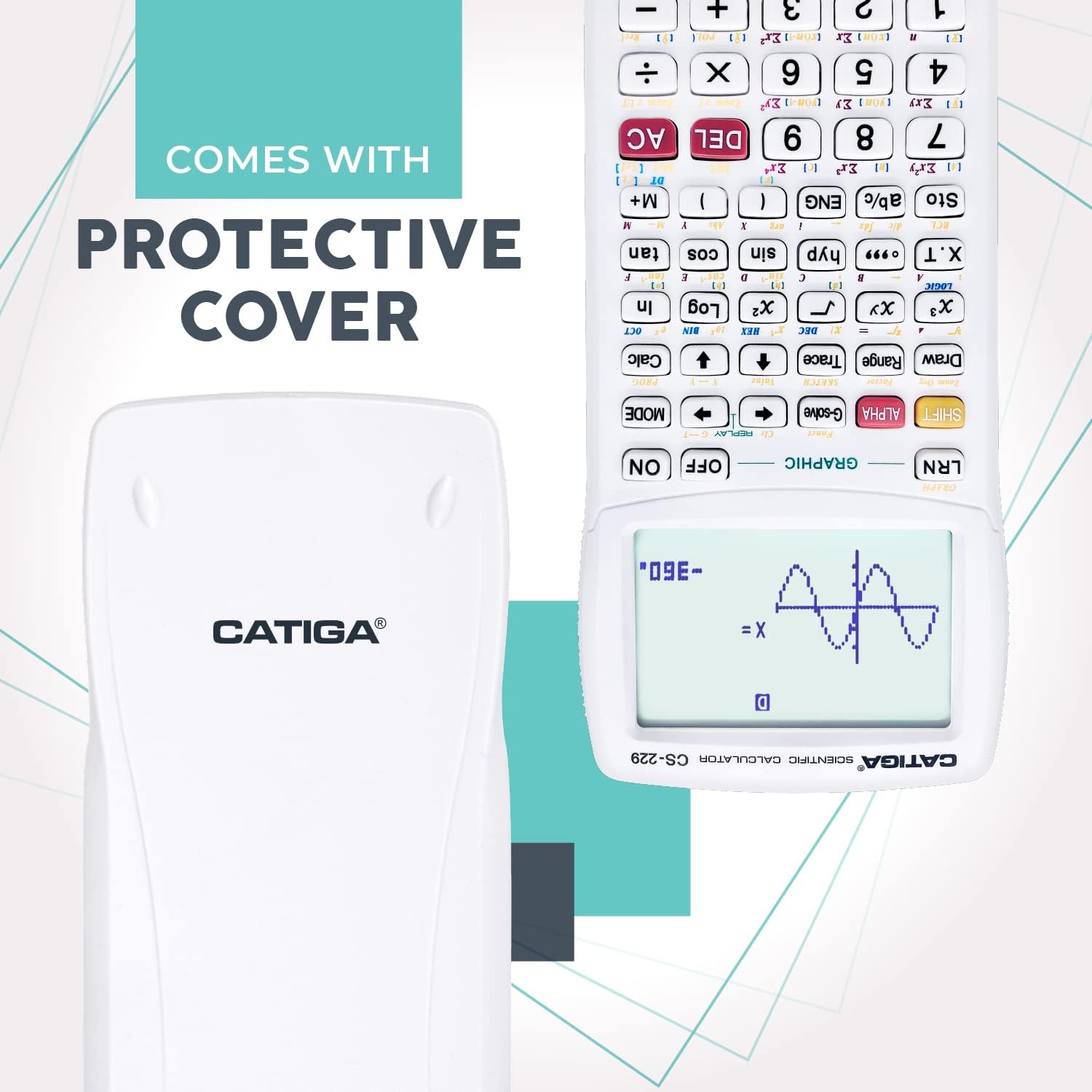
Image: The CATIGA Scientific Calculator CS-229 shown with its protective sliding cover, which helps safeguard the calculator when not in use.
Operating Modes
The CATIGA CS-229 offers three primary operating modes to suit various calculation needs. Use the MODE button to cycle through these options.
- Angle Measurement Mode: This mode allows you to perform calculations using different units for angles.
- Degrees
- Radians
- Grads
- Calculation Mode: This mode provides various computational functionalities.
- Computation (general calculations)
- Complex (complex number calculations)
- Standard Deviation (statistical analysis)
- Regression (statistical analysis)
- Base-n (calculations in different number bases)
- Display Mode: This mode controls how results are presented on the screen.
- Normal (standard display)
- Fixed Decimals (set number of decimal places)
- Significant Digits (set number of significant figures)
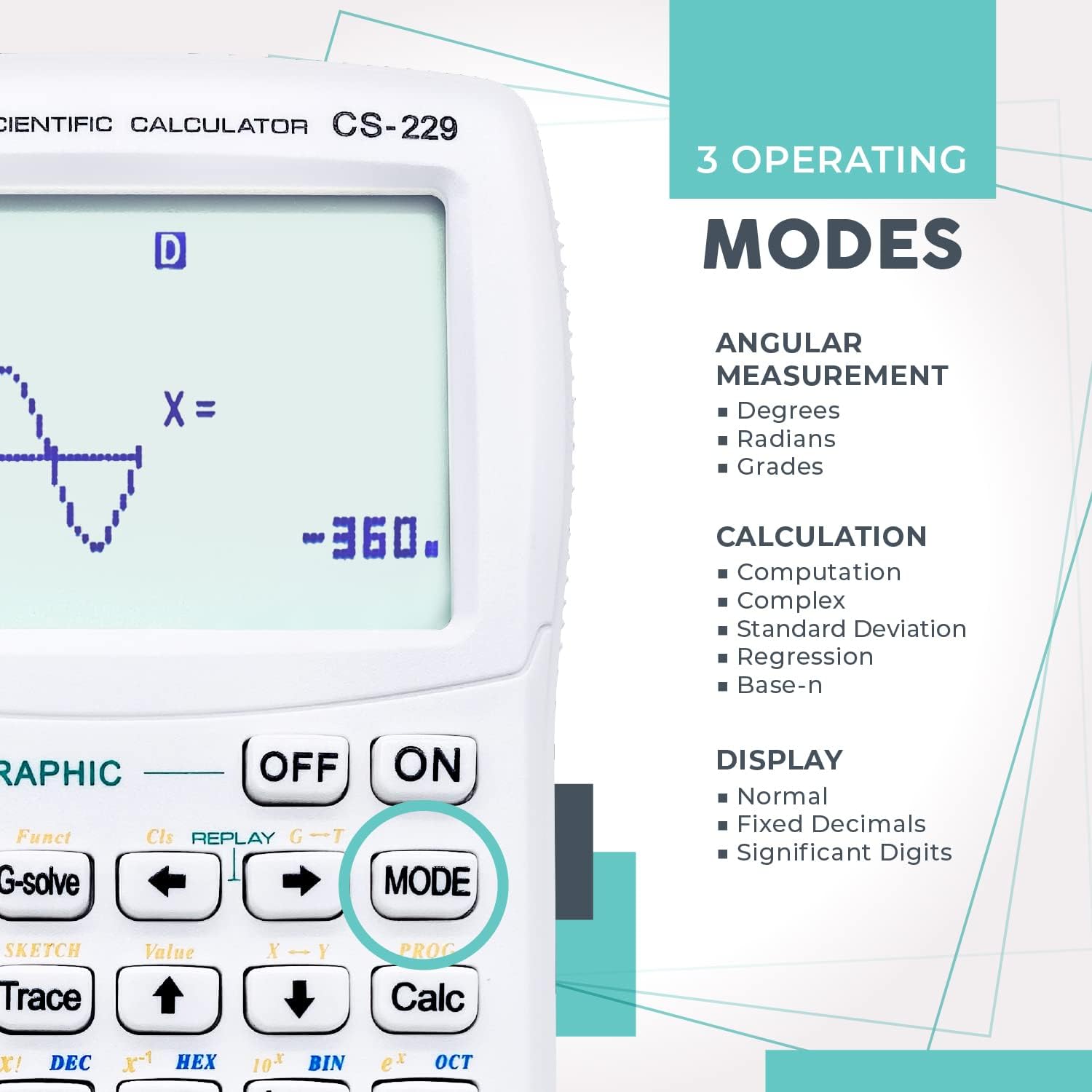
Image: A visual representation of the calculator's display highlighting the three operating modes: Angular Measurement, Calculation, and Display, accessible via the MODE button.
Graphic Functions
The CS-229 is equipped with powerful graphic capabilities, allowing you to visualize mathematical functions and data. The large display screen (2 inches) is ideal for viewing diagrams and equations simultaneously.
- Built-In Graphs: Access a variety of pre-programmed graph types.
- Graph Composition: Combine multiple functions on a single graph.
- Trace and Plot: Explore points on a graph and plot specific values.
- Line Scroll, Zoom-In/Out: Navigate and adjust the view of your graphs for detailed analysis.
- Statistical Graph: Visualize statistical data, such as linear regression.
Use the GRAPHIC section keys, including Draw, Range, and Trace, to manipulate and analyze your graphs.

Image: A visual representation of the calculator's display highlighting the three operating modes: Angular Measurement, Calculation, and Display, accessible via the MODE button.
Key Functions (Over 360 Functions)
The CATIGA CS-229 is equipped with over 360 functions, making it suitable for a wide array of courses including Pre-Algebra, Algebra I & II, Geometry, Trigonometry, Calculus, AP Calculus, AP Statistics, Biology, Chemistry, Physics, Finance, and Business.
Common Functions Include:
- Fractions: Display and calculate fractions, improper fractions, and their decimal equivalents.
- Statistics: Perform calculations for standard deviation, linear regression, and other statistical analyses.
- Complex Numbers: Handle calculations involving complex numbers.
- Algebra: Solve equations, simplify radicals, and work with polynomial equations.
- Trigonometry: Functions for sine, cosine, tangent, and their inverses.
- Logarithmic & Exponential: Logarithms, natural logarithms, and exponential functions.
- Utilities: Equation solver and 9 variable memories for storing values.
- Probability: Permutation and combination calculations.
Many functions are accessed using the SHIFT and ALPHA keys, which activate the secondary functions printed above the primary keys.

Image: An overview of the calculator's key features, including its graphic function, ability to handle fractions, instant replay for corrections, and statistical calculation capabilities.
Maintenance
Proper maintenance ensures the longevity and optimal performance of your CATIGA CS-229 calculator.
- Cleaning: Use a soft, dry cloth to clean the calculator's exterior. Avoid abrasive cleaners or solvents.
- Storage: Store the calculator in a cool, dry place away from direct sunlight and extreme temperatures. Always use the provided protective cover to prevent scratches and damage to the screen and keys.
- Battery Care: If the calculator will not be used for an extended period, it is recommended to remove the LR44 battery to prevent leakage.
Troubleshooting
If you encounter issues with your CATIGA CS-229, try the following solutions:
- Calculator Does Not Turn On:
- Ensure the LR44 battery is correctly installed and has sufficient charge.
- Press the reset button on the back of the calculator using a thin, pointed object.
- Display Issues:
- If the display is dim, replace the battery.
- If characters are incomplete or distorted, try resetting the calculator.
- Incorrect Calculations:
- Verify that you are in the correct operating mode (e.g., Degrees vs. Radians for trigonometric functions).
- Ensure all previous calculations are cleared using the AC (All Clear) button.
- Perform a reset if persistent errors occur.
For further assistance, please refer to the Warranty and Support section.
Specifications
| Feature | Detail |
|---|---|
| Model | CS-229 |
| Dimensions | 7.12 x 4.5 x 0.04 inches |
| Item Weight | 4.8 ounces |
| Power Source | 1 LR44 battery (included) |
| Screen Size | 2 Inches |
| Functions | Over 360 (including graphic, statistical, trigonometric, algebraic) |
| Operating Modes | Angle Measurement, Calculation, Display |
Warranty and Support
CATIGA offers a limited warranty of 365 days for the CS-229 Scientific Calculator. This warranty covers manufacturing defects and ensures your product functions as intended under normal use.
If you experience any problems or have questions regarding your calculator, please contact CATIGA customer support. We aim to provide a response within 24 hours.
For the most up-to-date support information and contact methods, please visit the official CATIGA website or refer to the documentation included with your purchase.

Image: Illustration representing customer support, indicating availability for assistance with the product.
Related documentsCS-229


Ask a question about this manual
Ask about setup, troubleshooting, compatibility, parts, safety, or missing instructions. Manuals+ will review the question and use this page’s manual context to help answer it.