
1. Product Overview
The Tonies Jet Audio Toy Figurine is an interactive character designed to be used with a Toniebox Audio Player (sold separately). When placed on the Toniebox, this figurine unlocks a collection of audio stories and songs, providing screen-free entertainment for children.

Image 1.1: The Tonies Jet Audio Toy Figurine, featuring the character Jet from Super Wings, presented with a background depicting other Super Wings characters and their world.
This Tonie figurine features the character Jet from the popular animated series Super Wings. It is designed to teach children about tackling new challenges, problem-solving skills, and the importance of cultural diversity through engaging audio content.
2. Setup Instructions
- Unpack the Figurine: Carefully remove the Jet Audio Toy Figurine from its packaging.
- Ensure Toniebox is Ready: Make sure your Toniebox Audio Player is charged and connected to Wi-Fi for initial setup and content download. If this is your first Tonie, the Toniebox may need to download the content for the figurine.
- Place on Toniebox: Gently place the Jet Audio Toy Figurine on top of your Toniebox Audio Player. The Toniebox will recognize the figurine and begin playing its associated audio content.
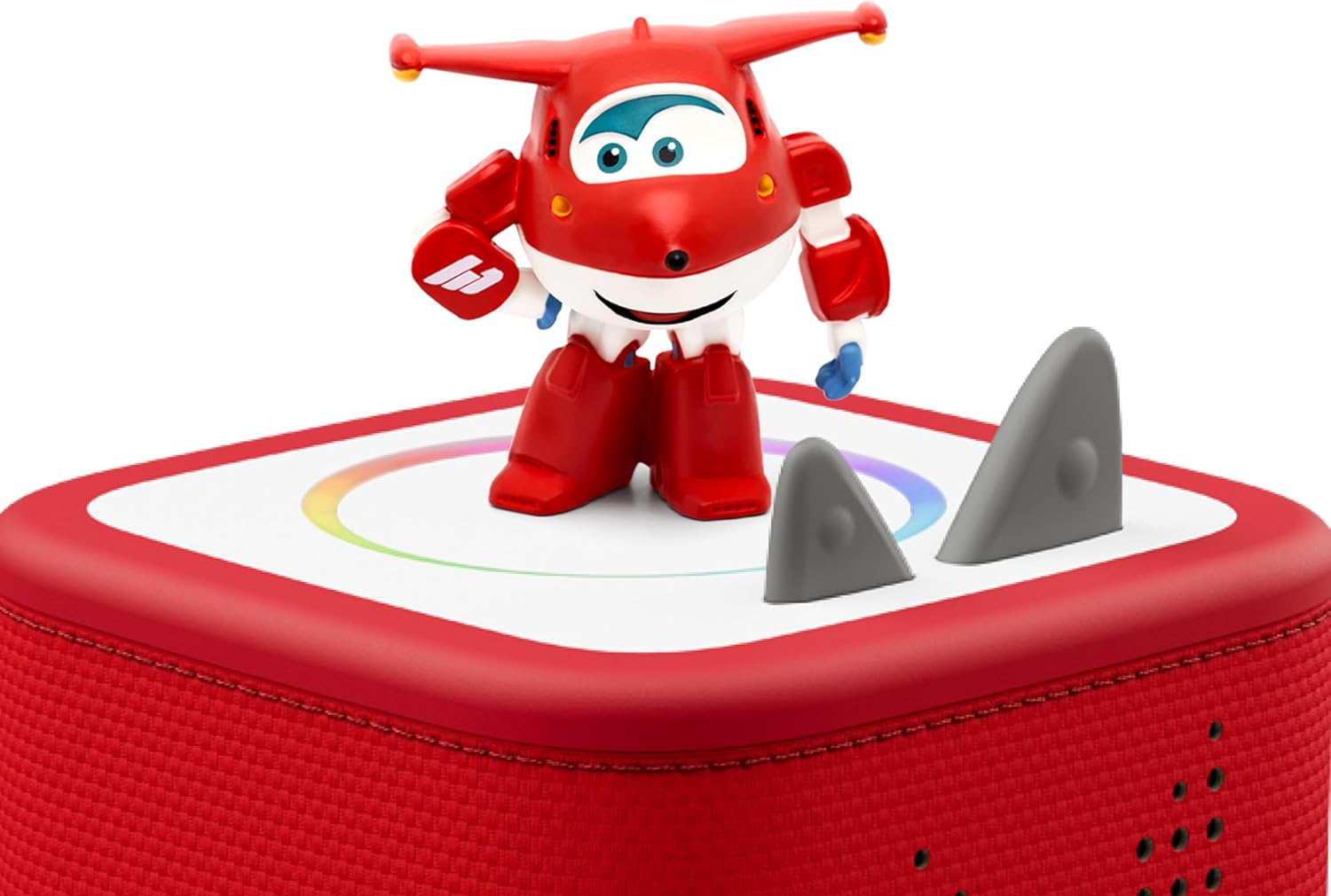
Image 2.1: The Tonies Jet figurine positioned on a red Toniebox, illustrating how the figurine interacts with the audio player.
3. Operating the Tonie Figurine
The Tonie Jet Figurine operates by simply placing it on a Toniebox. The audio content will automatically begin playing. To pause or resume playback, remove the figurine from the Toniebox and place it back on. To skip tracks, tap the side of the Toniebox. To adjust volume, squeeze the larger ear of the Toniebox for louder, or the smaller ear for quieter.

Image 3.1: An illustration demonstrating the simple steps for independent play with a Tonie figurine and Toniebox: picking a Tonie, placing it on the Toniebox, and squeezing an ear for audio.
4. Audio Content and Tracklist
The Tonies Jet Audio Toy Figurine includes 5 distinct stories from the Super Wings series, offering a total run time of approximately 72 minutes. The content is in English and is recommended for ages 3 and up.
Tracklist:
- Whale Tale
- Baursaki Blast-Off
- Shark Surf Surprise
- Noah’s Dinosaur Eggs
- Save World Aircraft

Image 4.1: The Tonies Jet figurine displayed alongside the complete tracklist of stories included with the audio toy.
5. Specifications
| Feature | Detail |
|---|---|
| Product Dimensions | 4.2 x 0.7 x 7.88 inches |
| Item Weight | 1.6 ounces |
| Item Model Number | 10000632 |
| Manufacturer Recommended Age | 3 years and up |
| Audio Language | English |
| Total Run Time | Approximately 72 minutes |
6. Maintenance and Care
- Cleaning: Wipe the figurine with a soft, dry cloth. Avoid using harsh chemicals or abrasive cleaners.
- Storage: Store the figurine in a cool, dry place away from direct sunlight and extreme temperatures.
- Handling: Handle the figurine with care to prevent damage. While durable, excessive force or dropping may cause breakage.
7. Troubleshooting
- Figurine not playing audio:
- Ensure the Toniebox is powered on and has sufficient battery.
- Verify the Toniebox is connected to Wi-Fi. New Tonies require an internet connection for their initial content download.
- Remove the figurine and place it back on the Toniebox to re-establish connection.
- Check if the Toniebox firmware is up to date via the Tonies app or website.
- Audio quality issues:
- Ensure the Toniebox speakers are not obstructed.
- Adjust the volume using the Toniebox ears.
8. Warranty and Support
For information regarding product warranty, returns, or technical support, please refer to the official Tonies website or contact Tonies customer service directly. Keep your purchase receipt as proof of purchase.
Online Support: Visit the official Tonies website for FAQs, troubleshooting guides, and contact information.
Contact Information: Refer to your Toniebox packaging or the Tonies website for specific customer service contact details.