
Introduction
Thank you for choosing the mDesign Large L-Shape Home Office Corner Desk with Shelves. This manual provides essential information for the safe assembly, proper use, and maintenance of your new desk. Please read these instructions carefully before beginning assembly and retain them for future reference.
Safety Information
- Always assemble the desk on a soft, clean surface to prevent scratches.
- Ensure all parts are securely fastened before use. Periodically check and tighten all connections.
- Do not overload the desk or shelves. The maximum weight recommendation for the desk is 150 pounds.
- Keep small parts and packaging materials away from children and pets to prevent choking hazards.
- Use the desk on a flat, stable surface to prevent tipping.
- Avoid placing hot items directly on the desk surface without protection.
Package Contents
Before assembly, verify that all components listed below are present and undamaged. If any parts are missing or damaged, please contact customer support.
- Desk Top Panels (L-shaped)
- Metal Frame Components (Legs, Support Bars)
- Shelf Panels (2)
- Assembly Hardware (Screws, Allen Wrench, etc.)
- Instruction Manual
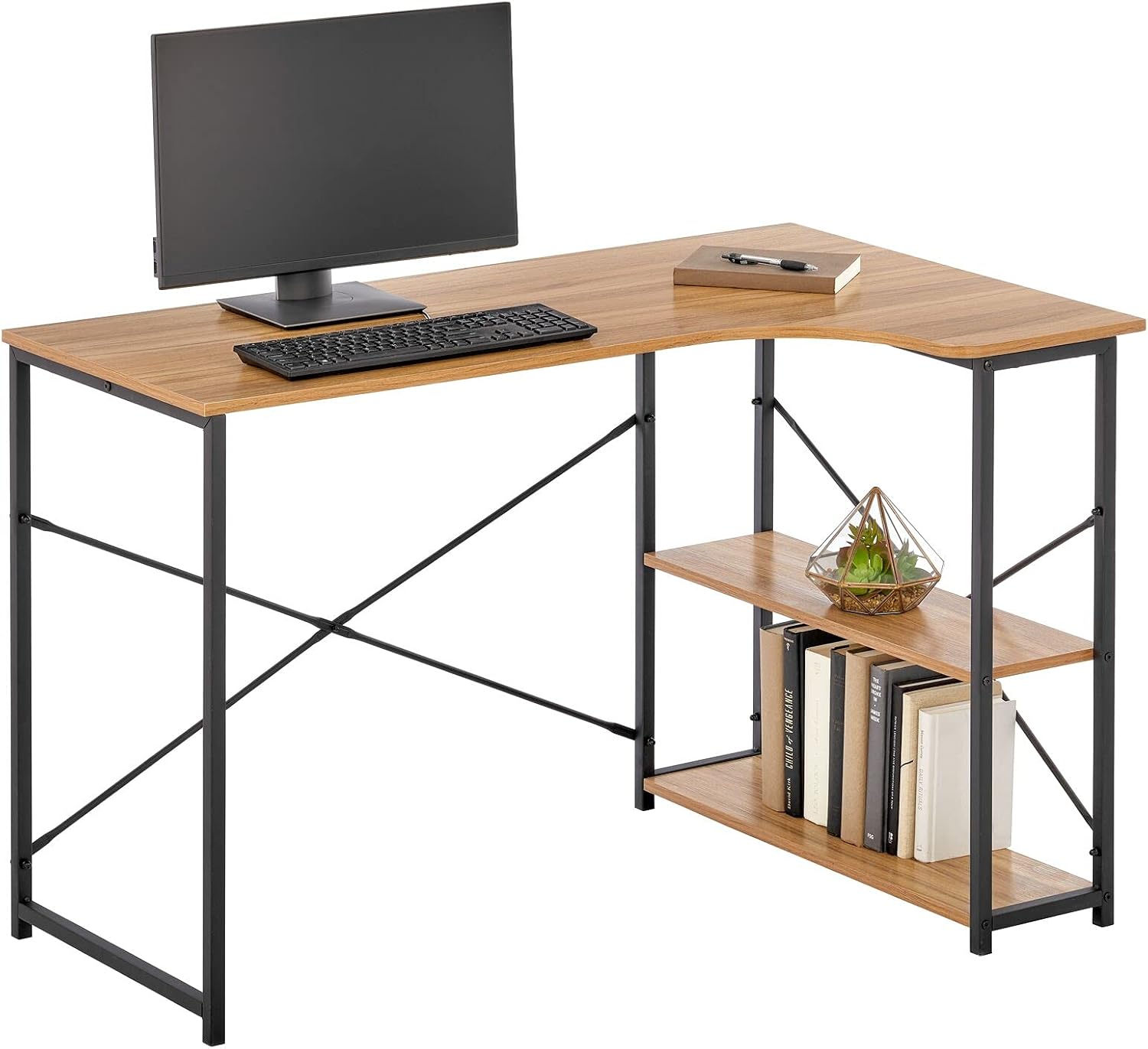
Image: All components of the mDesign L-Shape Home Office Corner Desk with Shelves laid out before assembly.
Assembly Instructions
Follow these steps carefully to assemble your mDesign L-Shape Desk. It is recommended to have two people for assembly.
- Unpack and Identify Parts: Lay out all components on a clean, soft surface. Refer to the package contents list to ensure all parts are present.
- Assemble the Main Frame: Attach the metal leg frames to the main support bars using the provided hardware. Do not fully tighten screws until all parts are aligned.
- Attach Desk Top Panels: Carefully place the L-shaped desk top panels onto the assembled frame. Secure them with the appropriate screws from underneath.
- Install Shelf Supports: Attach the metal supports for the shelves to the designated side of the desk frame.
- Place Shelf Panels: Insert the two shelf panels onto their supports, securing them if necessary with the provided hardware.
- Final Tightening: Once all components are in place and aligned, fully tighten all screws and bolts.
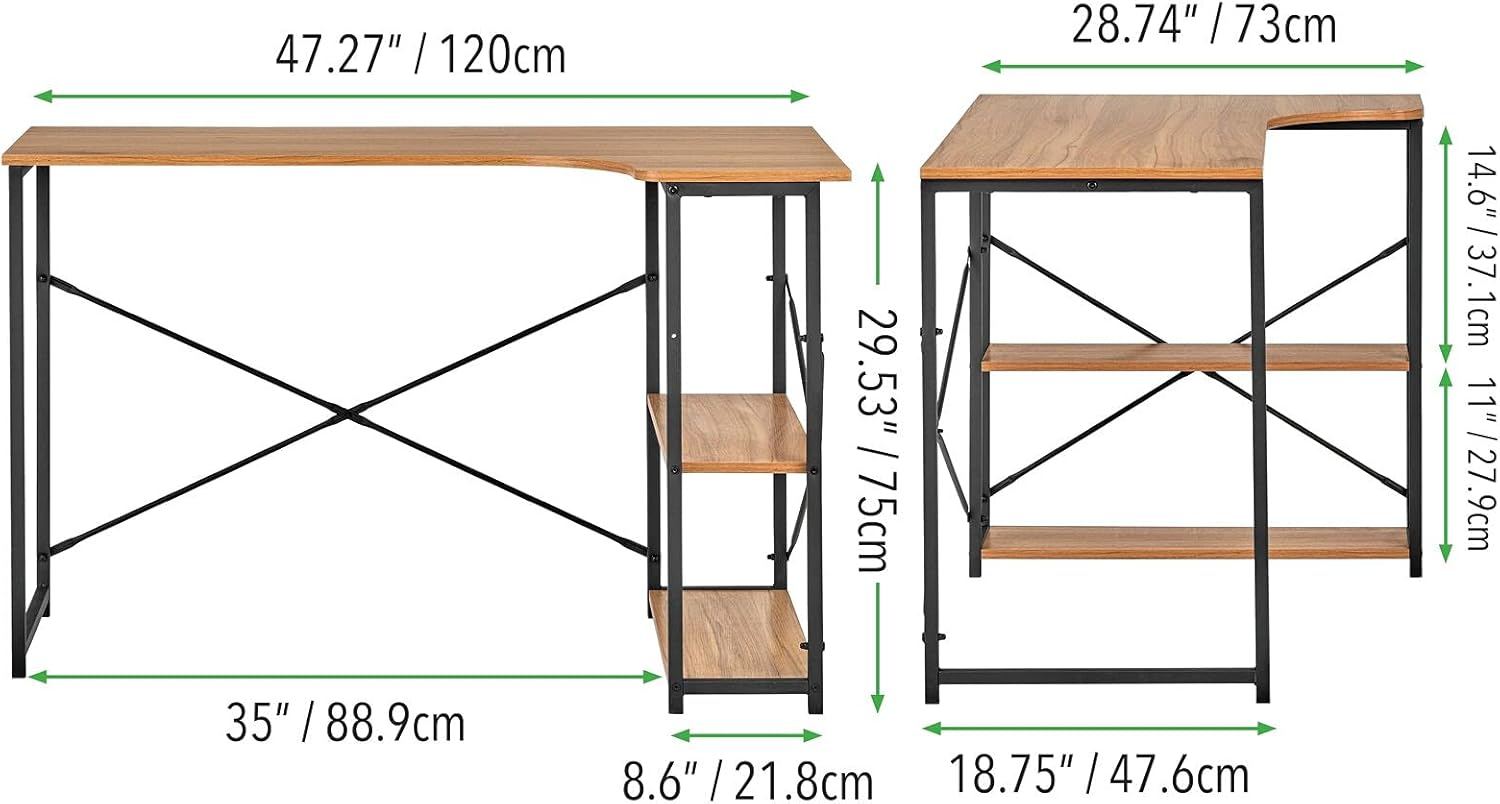
Image: An assembled mDesign L-Shape Desk, showcasing the metal frame and wooden top.
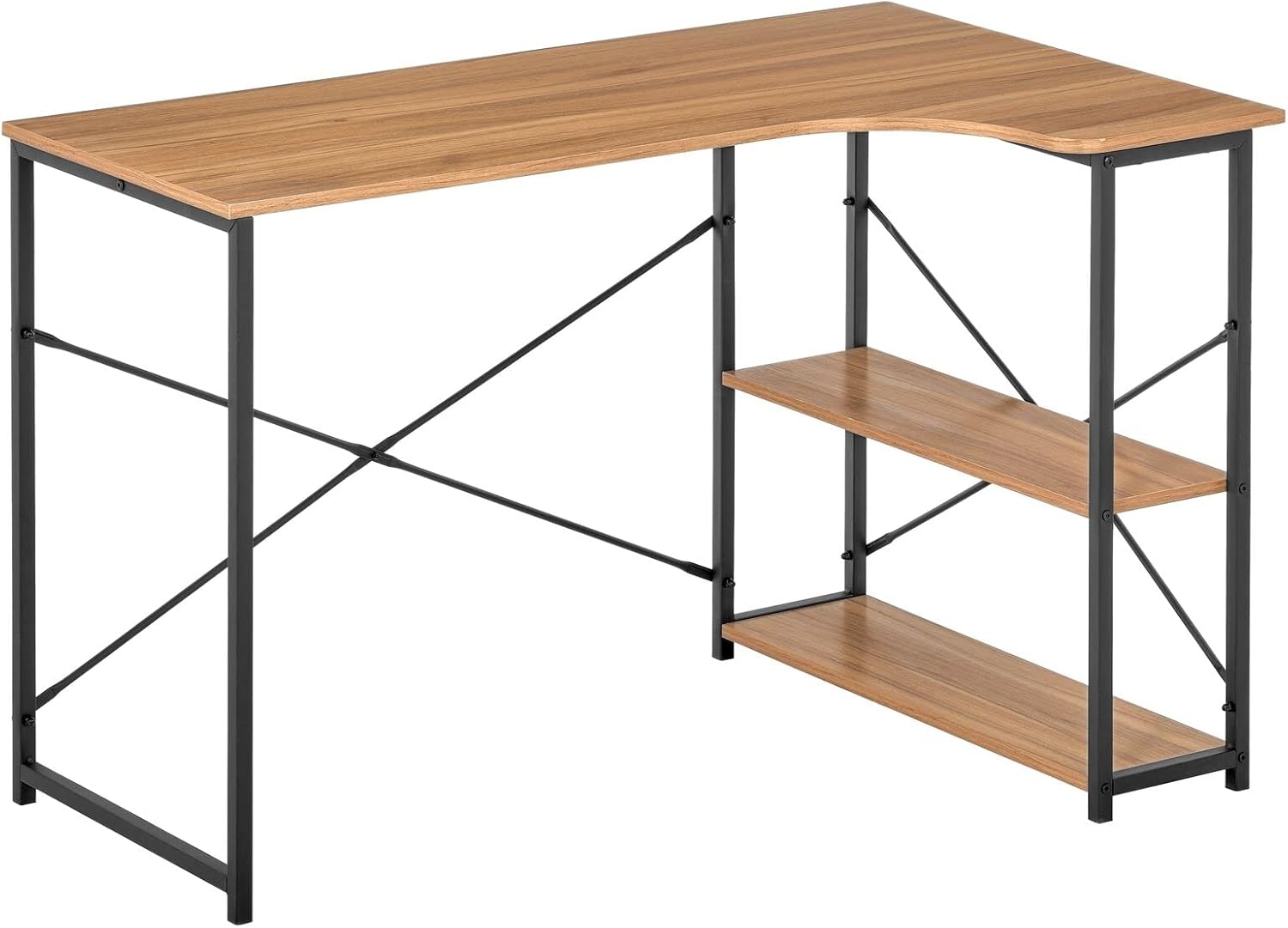
Image: Rear view of the assembled mDesign L-Shape Desk, highlighting the cross-bracing for stability.
Usage
The mDesign L-Shape Home Office Corner Desk is designed for versatile use in various settings, including home offices, bedrooms, and dormitories.
- Work Surface: The spacious L-shaped top provides ample room for a computer, monitor, keyboard, and other work essentials.
- Integrated Shelves: Utilize the two open shelves for storing books, office supplies, decorative items, or small electronic devices.
- Corner Design: Its L-shape is ideal for maximizing corner space, offering an efficient workstation without occupying excessive room.

Image: The mDesign L-Shape Desk set up in a home office, featuring a computer, chair, and books on the shelves.
Video: An overview of mDesign Metal and Wood Workspace Solutions, demonstrating the desk's design and potential uses within a home environment.
Care and Maintenance
Proper care will extend the life and appearance of your desk.
- Cleaning: Wipe the desk surfaces with a damp cloth. For stubborn marks, use a mild soap solution and dry immediately. Avoid harsh chemicals or abrasive cleaners.
- Spills: The desk features a water-resistant top. However, wipe up spills promptly to prevent potential damage.
- Inspection: Periodically check all screws and connections to ensure they remain tight. Tighten as needed.
- Placement: Avoid prolonged exposure to direct sunlight or extreme temperature changes, which can affect the wood finish.

Image: A detailed view of the mDesign L-Shape Desk, highlighting the water-resistant top and the integrated storage shelves.
Troubleshooting
| Problem | Possible Cause | Solution |
|---|---|---|
| Desk is wobbly | Loose screws or uneven floor | Ensure all screws are tightened. Adjust desk on a level surface or use shims if necessary. |
| Missing parts | Packaging error | Review the 'Package Contents' section. Contact customer support with your model number and a description of the missing part. |
| Difficulty assembling | Incorrect step order or misaligned parts | Re-read the 'Assembly Instructions' carefully. Ensure parts are oriented correctly before tightening. Do not force components. |
Specifications
| Feature | Detail |
|---|---|
| Brand | mDesign |
| Model Number | 17127MDHS |
| Shape | L-Shape |
| Desk Design | Computer Desk |
| Product Dimensions (D x W x H) | 28.74"D x 47.27"W x 29.53"H (73cm D x 120cm W x 75cm H) |
| Color | Black/Nordic Walnut |
| Style | Modern |
| Base Material | Metal |
| Top Material Type | Metal, Wood |
| Finish Type | Wood |
| Special Feature | Lightweight |
| Room Type | Bedroom, Dormitory, Living Room |
| Recommended Uses | Office |
| Item Weight | 34.1 Pounds |
| Number of Open Shelves | 2 |
| Required Assembly | Yes |
| Maximum Weight Recommendation | 150 Pounds |
| Product Care Instructions | Wipe with Damp Cloth |

Image: Detailed diagram showing the dimensions of the mDesign L-Shape Home Office Corner Desk in inches and centimeters.
Warranty and Support
For warranty information, missing parts, or any questions regarding your mDesign L-Shape Home Office Corner Desk, please contact mDesign customer support. Keep your purchase receipt and model number (17127MDHS) handy for faster service.
Contact Information: Refer to the mDesign official website or your purchase documentation for the most current customer support contact details.