
1. Introduction
This manual provides instructions for the safe and effective operation of your JYX Karaoke Machine, Model JYX-82. Please read this manual thoroughly before using the product and retain it for future reference.

Figure 1: JYX Karaoke Machine JYX-82
The JYX-82 is a portable PA system designed for karaoke, music playback, and public address. It features Bluetooth 5.0 connectivity, TWS (True Wireless Stereo) function, FM radio, recording capabilities, and supports various input methods including USB, TF card, and Aux-in. It comes with two UHF wireless microphones for enhanced vocal performance.
2. Product Overview
2.1 What's in the Box

Figure 2: Package Contents
- JYX Karaoke Machine (JYX-82)
- 2 UHF Wireless Microphones
- Power Adapter/Charger
- Shoulder Strap
- Remote Control
- User Manual
2.2 Key Features

Figure 3: Feature Overview
- Karaoke Function: Integrated system for vocal performance.
- Voice Changer: Multiple voice effects for entertainment.
- FM Radio: Built-in tuner for radio stations.
- Sound Recording: Record audio directly to a USB drive or TF card.
- Bluetooth 5.0: Wireless audio streaming from compatible devices.
- TWS (True Wireless Stereo): Connect two JYX-82 units for stereo sound.
- Multiple Inputs: Supports USB, TF card, and Aux-in.
- Portable Design: Compact with a handle and shoulder strap for easy transport.
- Long Battery Life: 5200mAh battery provides extended playback.
3. Setup
3.1 Charging the Device
- Connect the provided power adapter to the DC 5V charging port on the karaoke machine.
- Plug the adapter into a standard wall outlet.
- The charging indicator light will illuminate. The device is fully charged when the light changes color or turns off (refer to specific indicator behavior in your manual).
3.2 Powering On/Off
- To power on, press and hold the Power button on the control panel until the display illuminates.
- To power off, press and hold the Power button again until the display turns off.
3.3 Microphone Setup
- Insert 2 AA batteries into each wireless microphone (batteries may be included).
- Turn on the microphone using its power switch. The microphone should automatically pair with the karaoke machine. If not, refer to the microphone pairing instructions in the full manual.
4. Operating Instructions
4.1 Mode Selection
Press the 'MODE' button on the control panel or remote control to switch between different input modes: Bluetooth, FM Radio, USB, TF Card, and AUX.
4.2 Bluetooth Connection
- Turn on the JYX Karaoke Machine.
- Press the 'MODE' button until "BLUE" appears on the display, indicating Bluetooth mode.
- On your mobile device, enable Bluetooth and search for available devices.
- Select "JYX-82BT" from the list to pair. A confirmation tone will sound upon successful connection.
Video 1: Demonstrating Bluetooth connection and use of wireless microphone with the JYX Karaoke Machine.
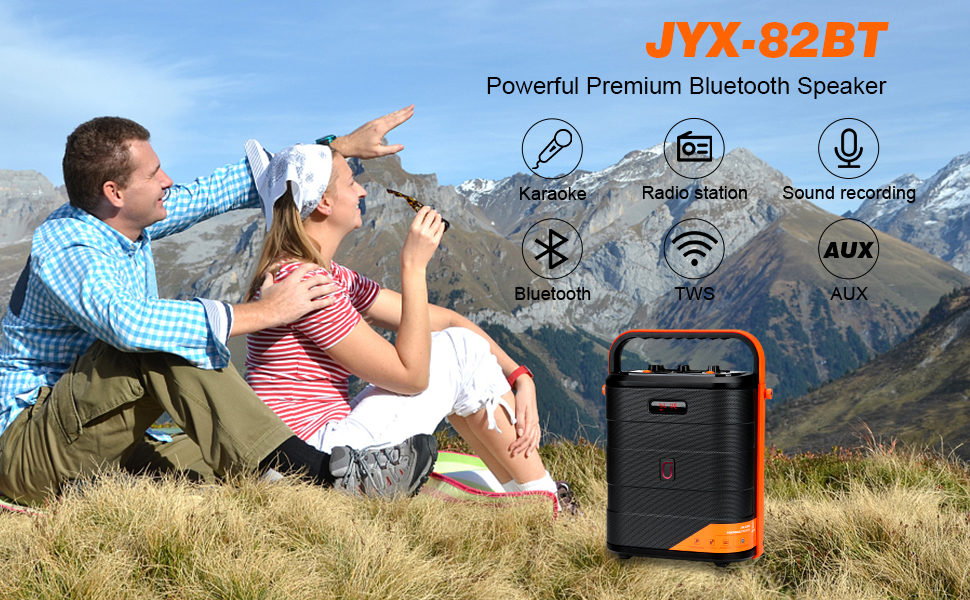
Figure 4: Connecting via Bluetooth
4.3 USB/TF Card Playback
- Insert a USB flash drive or TF card into the corresponding slot.
- The machine will automatically switch to USB/TF card mode and begin playing audio files.
- Use the Play/Pause, Next, and Previous buttons on the control panel or remote to manage playback.
4.4 AUX-in Mode
- Connect an external audio device (e.g., smartphone, tablet, MP3 player) to the AUX-in port using a 3.5mm audio cable.
- Press the 'MODE' button until "AUX" appears on the display.
- Audio will now play through the karaoke machine from your connected device.
4.5 FM Radio Operation
- Press the 'MODE' button to select FM radio mode.
- Press the Play/Pause button to automatically scan and save available FM stations.
- Use the Next and Previous buttons to navigate through saved stations.
4.6 Wireless Microphone Usage
- Ensure microphones are powered on and paired.
- Adjust microphone volume using the dedicated knob on the control panel.
- The microphones feature UHF technology for stable signal transmission.
4.7 TWS (True Wireless Stereo) Function
To connect two JYX-82 units for a stereo experience:
- Ensure both JYX-82 machines are powered on and in Bluetooth mode, but not connected to any device.
- On one of the machines, press and hold the TWS button (refer to the control panel diagram in the full manual for exact location).
- The two machines will automatically pair with each other. A confirmation tone will sound.
- Once paired, connect your mobile device to one of the JYX-82 units via Bluetooth. Audio will now play in stereo through both speakers.
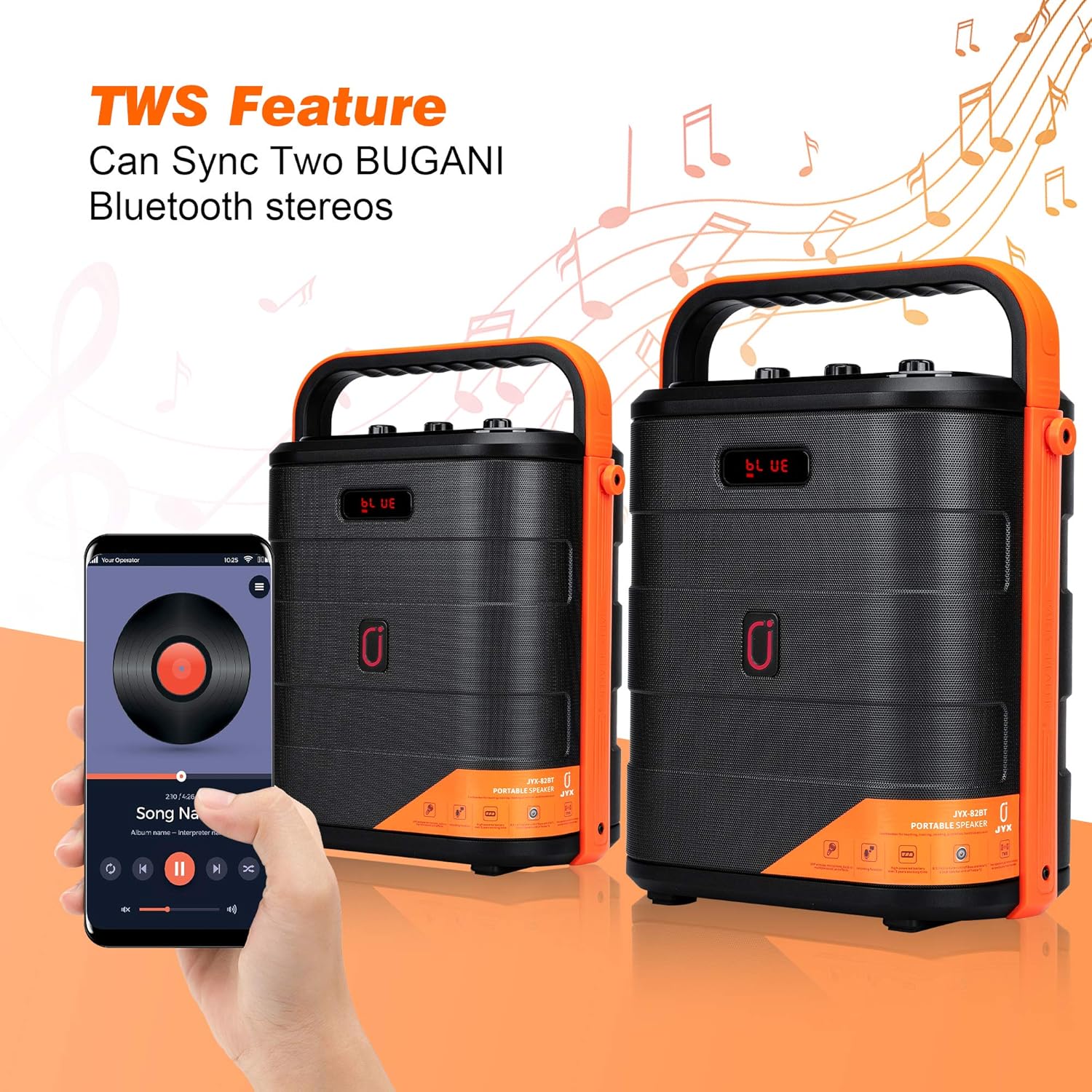
Figure 5: TWS Connection
4.8 Recording Function
- Insert a USB flash drive or TF card into the corresponding slot.
- Press the 'REC' button on the control panel or remote control to start recording.
- Press 'REC' again to stop recording. Recordings will be saved to the inserted storage device.
4.9 Voice Changer Effects
The JYX-82 includes multiple voice changing effects for entertainment. Use the remote control to select different voice modes.

Figure 6: Remote Control with Voice Changer Options
- Press the dedicated voice effect buttons on the remote control to cycle through options such as Male, Female, Child, and Monster voices.
5. Maintenance
- Clean the device with a soft, dry cloth. Do not use abrasive cleaners or solvents.
- Keep the device away from water, moisture, and direct sunlight.
- Store in a cool, dry place when not in use.
- Ensure proper ventilation during operation to prevent overheating.
6. Troubleshooting
| Problem | Possible Cause | Solution |
|---|---|---|
| No power | Battery depleted; Power adapter not connected. | Charge the device; Ensure power adapter is securely connected. |
| No sound | Volume too low; Incorrect input mode; Device not paired (Bluetooth). | Increase volume; Select correct input mode; Re-pair Bluetooth device. |
| Microphone not working | Microphone off; Batteries depleted; Not paired. | Turn on microphone; Replace batteries; Refer to pairing instructions. |
| Bluetooth connection unstable | Device too far; Interference. | Move device closer to speaker; Avoid obstacles or other wireless devices. |
7. Specifications
- Brand: JYX
- Model Number: JYX-82
- Dimensions (L x W x H): 9.84 x 5.91 x 12.99 inches
- Connectivity Technology: AUX, Bluetooth, USB
- Color: Red (Note: Product color may vary)
- Compatible Devices: Radio, Smartphone, Tablet
- Mounting Type: Tabletop
- Power Source: Battery Powered
- Connector Type: Aux, USB
- Number of Channels: 2
- Output Wattage: 15 Watts
- Built-In Media: Microphone, Remote
8. Warranty and Support
For warranty information and customer support, please refer to the documentation included with your product packaging or visit the official JYX website. Keep your purchase receipt for warranty claims.


