
Introduction
This manual provides detailed instructions for the safe and efficient use of your Northpoint LED Night Light. This versatile 4-in-1 device functions as a wall light, night light, portable flashlight, and motion sensor lamp. Please read this manual thoroughly before use and retain it for future reference.

Image: Front view of the Northpoint LED Night Light, highlighting its flat design and integrated motion sensor.
Package Contents
Ensure all items are present and in good condition upon unpacking:
- 1 x Northpoint LED Night Light (Flat with RGB)
- 1 x Induction Charging Station
- 1 x User Manual
Important Safety Instructions
- Do not expose the device to water or excessive moisture. This product is not waterproof.
- Do not attempt to disassemble or repair the device yourself. Contact qualified personnel for service.
- Keep out of reach of children.
- Use only the provided induction charging station.
- Avoid placing the device near heat sources or in direct sunlight for extended periods.
Setup and Installation
- Prepare the Mounting Surface: Choose a clean, dry, and smooth wall surface for installation. Ensure the area is free from dust and grease.
- Attach the Magnetic Plate: Peel off the protective film from one side of the double-sided adhesive tape and apply it firmly to the back of the magnetic mounting plate. Then, peel off the film from the other side of the tape and press the magnetic plate firmly onto your chosen wall surface. Hold for 30 seconds to ensure strong adhesion.

Image: Steps showing how to apply the adhesive to the magnetic plate and then attach the plate to the wall. The night light is then shown being magnetically attached to the plate.
- Mount the Night Light: Align the back of the Northpoint LED Night Light with the magnetic plate on the wall. The light will securely attach magnetically.
- Position the Charging Station: Plug the induction charging station into a standard wall outlet. Ensure it is placed in an accessible location for easy charging.
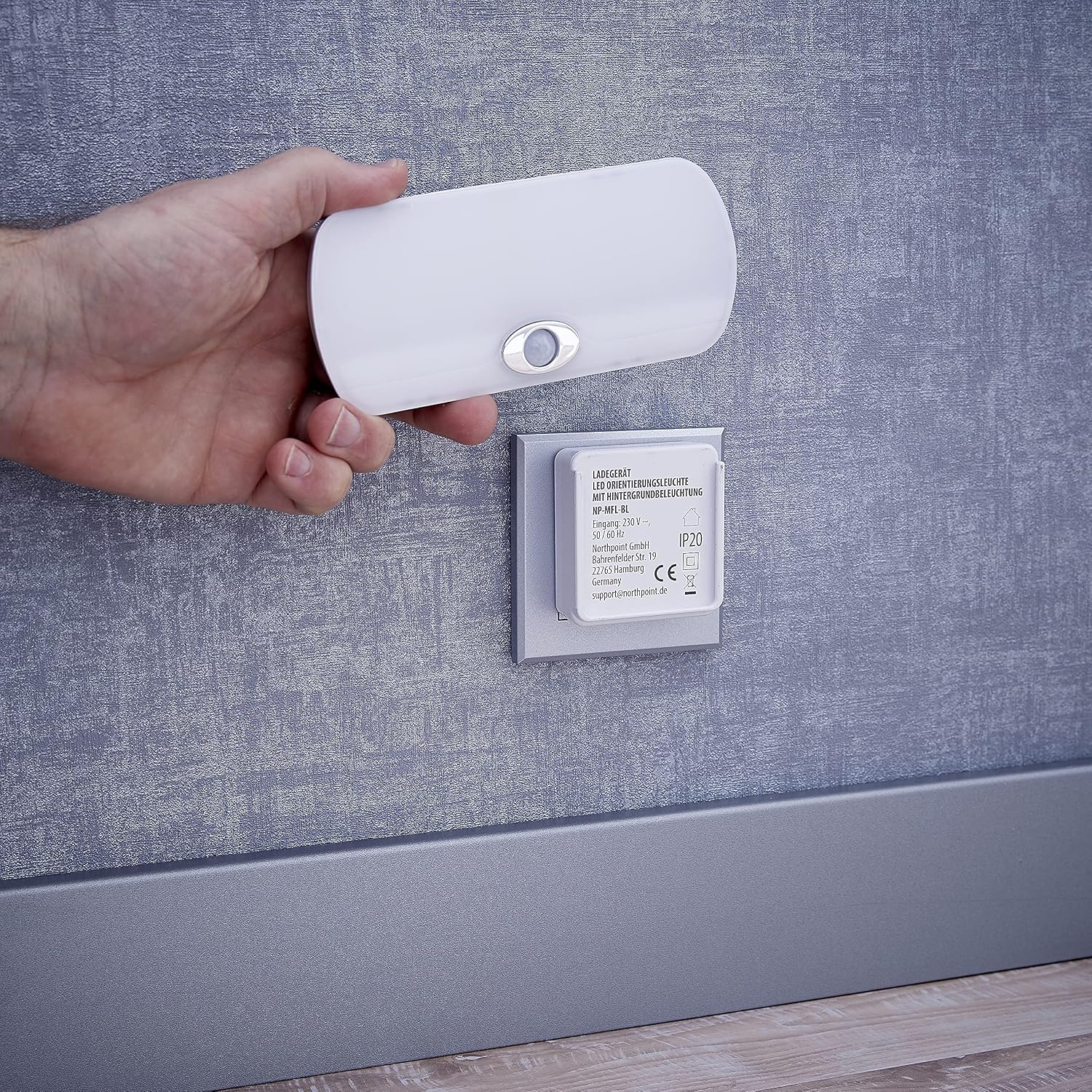
Image: The night light is shown being detached from its charging base, which is plugged into a wall socket, illustrating its portability and charging method.
Operating Instructions
Automatic Mode (Motion and Light Sensor)
The Northpoint LED Night Light features integrated light and motion sensors. In automatic mode, the light will activate under the following conditions:
- Darkness Detection: The light sensor detects low ambient light levels.
- Motion Detection: The motion sensor detects movement within its range.
This mode is ideal for hallways, staircases, and bedrooms, providing illumination only when needed.
Emergency Power Outage Function
In the event of a power outage, the night light will automatically illuminate at full brightness, providing immediate light and acting as an emergency light source.
Portable Flashlight Function
The night light can be easily detached from its magnetic wall mount or charging station to be used as a portable flashlight. Simply pull the light away from the magnetic base to use it handheld.
RGB Color Modes
The "Flat with RGB" model offers various color options. To cycle through the available RGB colors (Red, Green, Blue, and potentially others), gently tap the touch control area on the device. Each tap will switch to the next color mode.

Image: Night light displaying red ambient light.

Image: Night light displaying blue ambient light.

Image: Night light displaying green ambient light.
Charging the Device
The Northpoint LED Night Light features an integrated rechargeable battery that charges wirelessly via the induction charging station.
- Ensure the induction charging station is plugged into a live wall outlet.
- Place the Northpoint LED Night Light onto the charging station. Ensure proper alignment for the charging process to begin.
- A charging indicator (if present, typically an LED) will show the charging status. Once fully charged, the indicator may change color or turn off.
Maintenance
- Cleaning: Wipe the device with a soft, dry cloth. Do not use abrasive cleaners or solvents.
- Storage: If storing for an extended period, ensure the battery is partially charged (around 50%) and store in a cool, dry place. Recharge every 3-6 months to maintain battery health.
Troubleshooting
| Problem | Possible Cause | Solution |
|---|---|---|
| Light does not turn on in automatic mode. | Insufficient darkness; battery is depleted; motion sensor blocked. | Ensure the room is dark enough. Charge the device. Clear any obstructions from the motion sensor. |
| Device not charging. | Charging station not powered; improper alignment on charging station; faulty charging station. | Check if the charging station is properly plugged in. Re-position the night light on the charging station. Contact support if the issue persists. |
| RGB colors not changing. | Incorrect touch input; temporary software glitch. | Ensure you are tapping the correct touch control area. Try detaching and reattaching the light to reset it. |
Technical Specifications
| Feature | Detail |
|---|---|
| Brand | Northpoint |
| Model Number | NP-MFL-Parent-FR |
| Style | Flat with RGB |
| Product Dimensions (L x W x H) | 5 x 5 x 20 cm |
| Material | Plastic |
| Color | White |
| Lamp Type | LED |
| Wattage | 3 Watts |
| Voltage | 3.7 Volts |
| Power Source | Battery Powered (Wireless) |
| Switch Type | Touch |
| Control Method | Motion Control, Touch |
| Features | Motion Sensor, Light Sensor, Emergency Light Function, Portable Flashlight |
| Mounting Type | Wall Mount (Magnetic) |
| Usage | Indoor |
| Waterproof Level | Not Waterproof |
Warranty and Support
Northpoint GmbH prioritizes customer service. For any questions regarding your product or assistance with your order, please contact us via Amazon messaging. We typically respond within 24 hours.
This product is covered by a standard return policy of 30 days for refund or replacement.
For more information about Northpoint, please visit our brand page on Amazon.

