
1. Introduction
Thank you for choosing the Angetube 1080P Webcam with Microphone. This high-definition USB computer camera is designed to provide clear video and audio for various applications, including video conferencing, streaming, and online calls. This manual provides essential information for setting up, operating, and maintaining your webcam.
2. Key Features
- HD Video Quality: Built-in 1080p Full HD 2MP CMOS sensor and 6-layer premium optical lens capture ultra-clear images at 1080P/30FPS.
- Crystal Clear Audio: Equipped with independent IC audio processing enhancement and dual Automatic Noise Reduction technology microphone for optimized sound quality.
- Plug & Play: Easy setup without the need for additional software or drivers. Connect via USB for immediate use.
- Wide Compatibility: Compatible with Windows 7/8/10/11, Mac OS, Android 5.0 or above, Google Chrome OS, and Linux. Supports popular applications like OBS, YouTube, Facebook, Skype, FaceTime, Xsplit, and Zoom.
- Flexible Mounting: Features a versatile clip for secure attachment to monitors, laptops, or tripods, with flexible rotation for optimal viewing angles.
- Manual Focus: Allows for precise focus adjustment to ensure sharp images.
- Auto Light & Color Correction: Automatically adjusts to dim lighting conditions to maintain clear video quality.
3. Package Contents
- Angetube 1080P Webcam with integrated USB cable
- User Manual
4. Setup Guide
Follow these simple steps to set up your Angetube webcam:
- Mount the Webcam: Place the webcam on top of your computer monitor, laptop screen, or desktop. The flexible clip is designed to securely grip various surfaces.
- Connect via USB: Plug the integrated USB cable of the webcam into an available USB port on your computer.
- Automatic Driver Installation: The intelligent system will automatically detect and install the necessary hardware drivers within seconds. No manual software installation is required for basic functionality.
- Open Video Application: Launch your preferred video conferencing or streaming software (e.g., Zoom, Skype, OBS).
- Select Webcam: In your application's settings, select the Angetube webcam as your primary video and audio input device.
- Adjust Focus (Manual Focus Model): If your model features manual focus, gently rotate the lens ring until your image appears sharp and clear.

Image: Step-by-step diagram illustrating the installation process of the Angetube webcam on a computer monitor and connecting its USB cable.

Image: The Angetube webcam demonstrating its flexible mounting bracket, allowing for 720-degree rotation and 180-degree tilt to achieve desired camera angles.
Video: Official Angetube product video demonstrating the webcam's features and ease of use.
5. Operating Instructions
5.1 Basic Operation
- Once connected, the webcam is ready for use with any compatible application.
- The built-in microphone will automatically be detected and used by your application.
- Adjust the webcam's position and angle as needed using its flexible mount.
5.2 Optional Software
For advanced customization of your webcam settings (e.g., brightness, contrast, saturation, sharpness, white balance, exposure), download the optional Angetube Webcam Software. This software supports Windows 7/8/10/11 and MacOS 10.13 or later.
- Visit the official Angetube website to download the latest version of the software.
- Install the software by following the on-screen instructions.
- Launch the software to access and modify various image and audio parameters.

Image: A split image demonstrating the superior clarity and detail of 1080P Full HD video compared to 720P, showcasing the webcam's high-definition capability.

Image: Another visual comparison highlighting the difference in video quality between 1080P and 720P, illustrating the webcam's ability to produce exceptionally clear videos.
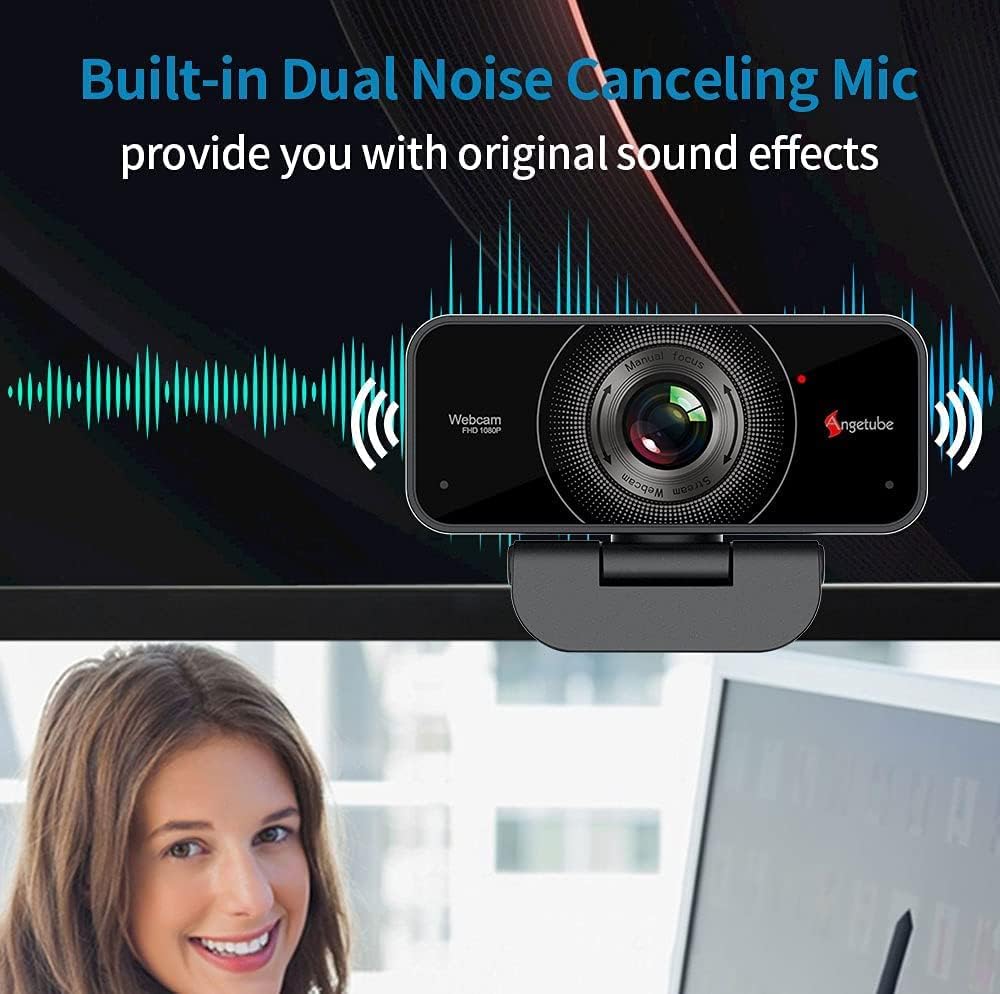
Image: The Angetube webcam positioned on a monitor, with a graphic overlay indicating its built-in dual noise-canceling microphone for clear sound.

Image: A visual representation of the webcam's dual noise-canceling microphone, designed to enhance sound absorption and reduce background noise for clear communication.

Image: A close-up of a hand manually adjusting the focus ring on the webcam, demonstrating the manual focus capability for achieving sharp images.

Image: A comparison showing the Angetube webcam's superior auto light and color correction in dim lighting conditions compared to other webcams, ensuring users look their best during video calls.
6. Compatibility
The Angetube webcam offers broad compatibility with various operating systems and applications:
- Operating Systems: Windows 7/8/10/11, Mac OS, Android 5.0 or above, Google Chrome OS, Linux.
- Applications: OBS, YouTube, Facebook, Skype, FaceTime, Xsplit, Mixer, Zoom, Microsoft Teams, Cisco Webex.

Image: The Angetube webcam with logos of compatible operating systems (Windows, Mac OS, Linux, Ubuntu) and popular applications (WhatsApp, Facebook, YouTube, Skype, Twitter, LINE, TikTok, Mixer, XSplit, Zoom, Xbox, Cisco).

Image: A visual demonstrating the webcam's simple USB plug-and-play connection to a laptop, alongside logos of supported operating systems (Linux, Windows, Mac OS, Ubuntu) and video communication platforms (Facebook, Zoom, Skype, Microsoft Teams, YouTube, OBS Studio).
7. Maintenance
- Keep the lens clean using a soft, dry cloth. Avoid abrasive materials or harsh chemicals.
- Store the webcam in a cool, dry place when not in use.
- Avoid exposing the webcam to extreme temperatures or direct sunlight for prolonged periods.
8. Troubleshooting
- No Video/Audio: Ensure the USB cable is securely connected. Try a different USB port or restart your computer. Verify that the webcam is selected as the input device in your application settings.
- Blurry Image: If your model has manual focus, rotate the lens ring to adjust focus. Ensure the lens is clean.
- Poor Image Quality: Check your lighting conditions. Use the optional Angetube Webcam Software to adjust brightness, contrast, and other settings.
- Microphone Issues: Ensure the webcam's microphone is not muted in your system or application settings. Check for any conflicting audio devices.
9. Specifications
| Feature | Detail |
|---|---|
| Brand Name | Angetube |
| Item Model Number | 525MF |
| Item Weight | 7 ounces |
| Product Dimensions | 4.3 x 2.5 x 4.3 inches |
| Photo Sensor Technology | CMOS |
| Video Capture Resolution | 1080p |
| Maximum Focal Length | 1200 Millimeters |
| Maximum Aperture | 2 f |
| Video Capture Format | MP4 |
| Supported Audio Format | AAC, MP3, PCM |
| Connectivity Technology | USB |
10. Warranty and Support
Angetube is committed to ensuring a perfect customer experience. If you are not satisfied with your webcam, please contact Angetube customer service for immediate assistance or a refund. Our customer service team is available 24/7 to address any needs or concerns you may have.
For further support, please refer to the official Angetube website or contact their customer service directly.


