
Retevis RB29
Retevis RB29 FRS Two-Way Radio User Manual
Model: RB29 FRS
1. Introduction
This manual provides comprehensive instructions for the safe and efficient use of your Retevis RB29 FRS two-way radio. Please read this manual thoroughly before operating the device to ensure proper function and to prevent damage. Keep this manual for future reference.
1.1 Package Contents
The Retevis RB29 FRS two-way radio package typically includes the following items:
- 4 x Retevis RB29 Two-Way Radios
- 4 x Rechargeable Batteries
- 4 x Waterproof Shoulder Microphones
- 4 x USB Charging Bases
- 4 x USB Adapters
- User Manual (this document)

Figure 1.1: Package Contents. This image displays all components included in the Retevis RB29 FRS two-way radio package, ensuring users can verify they have received all necessary items.
2. Parts Diagram
Familiarize yourself with the various parts of your Retevis RB29 radio and its accessories.

Figure 2.1: Radio Components. This image highlights key parts of the radio: the long antenna for signal transmission, the Push-to-Talk (PTT) button for communication, the belt clip for portability, the knobs for volume and channel selection, and the standard Kenwood 2-pin port for accessories like the shoulder microphone.
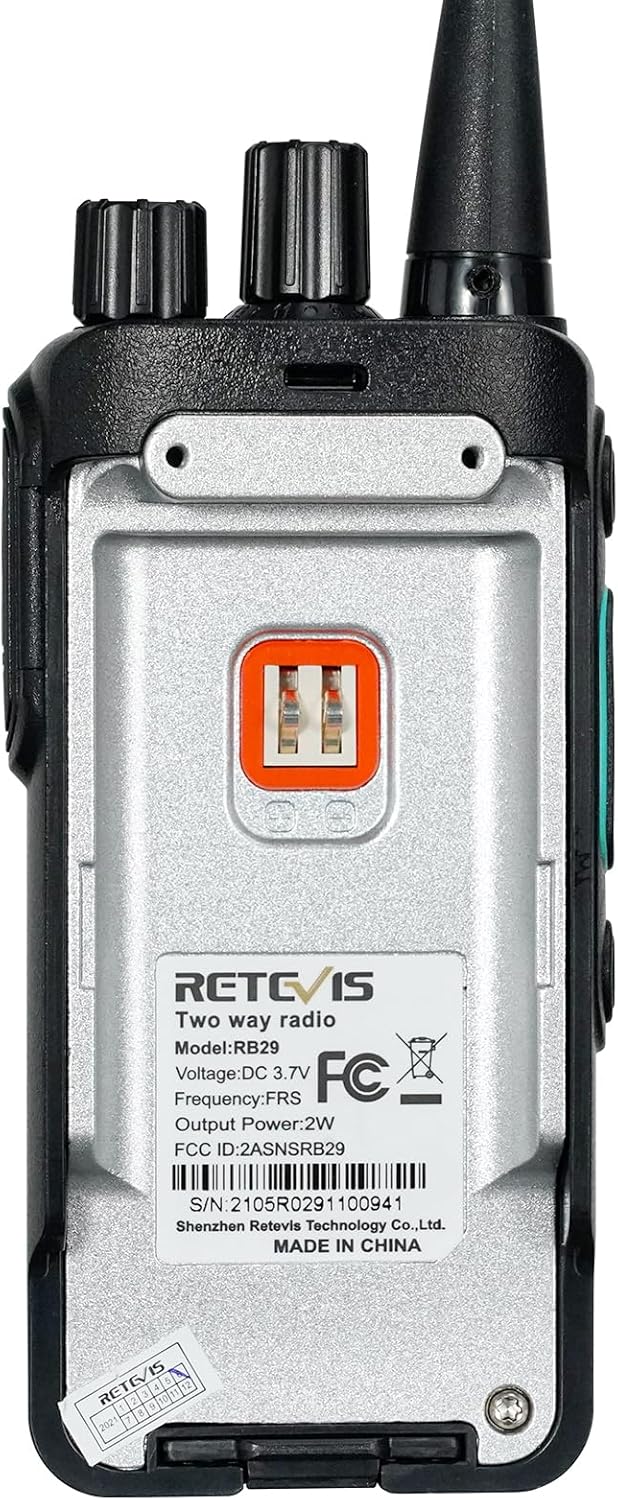
Figure 2.2: Rear Label Details. This image shows the regulatory and identification information on the back of the radio, including the model number RB29, voltage DC 3.7V, FRS frequency, 2W output power, FCC ID 2ASNSRB29, and serial number 2105R0291100941.
3. Setup
3.1 Battery Installation and Charging
- Install the Battery: Align the rechargeable battery with the battery compartment on the back of the radio. Gently push until it clicks into place.
- Charge the Battery: Place the radio (with battery installed) into the USB charging base. Connect the USB adapter to the charging base and plug it into a power source. The charging indicator light will illuminate.
- Charging Status: The charging light will typically be red while charging and turn green when fully charged. A full charge takes approximately 3 hours. Do not leave the radio on the charger indefinitely after it is fully charged to prolong battery life.

Figure 3.1: USB Charging Options. This image demonstrates the versatility of the USB charging system, allowing the radio to be charged via a wall outlet, power bank, car charger, or laptop, providing convenience in various environments.
3.2 Attaching Accessories
- Shoulder Microphone: Plug the 2-pin connector of the waterproof shoulder microphone into the accessory port on the side of the radio. Ensure it is securely connected. The microphone features a 360° rotatable clip for easy attachment to clothing.
- Belt Clip: Attach the belt clip to the designated slot on the back of the radio for convenient carrying.

Figure 3.2: Shoulder Microphone Features. This image details the waterproof shoulder microphone, emphasizing its clear audio output, the practical 360-degree rotatable clip for flexible positioning, its durable elastic cable, and the standard Kenwood 2-pin connection for compatibility.
4. Operating Instructions
4.1 Basic Operation
- Power On/Off: Rotate the top-left knob clockwise to power on the radio. Rotate counter-clockwise until it clicks to power off.
- Adjust Volume: After powering on, continue rotating the top-left knob to adjust the listening volume.
- Select Channel: Rotate the top-right knob to select one of the 16 available FRS channels. The radio will verbally announce the selected channel number. Ensure all radios intended for communication are set to the same channel.
- Transmit (PTT): Press and hold the large Push-to-Talk (PTT) button on the side of the radio to transmit your voice. Speak clearly into the microphone (either the radio's built-in mic or the shoulder mic). Release the PTT button to listen.

Figure 4.1: Ready Out of the Box. This image illustrates the simple three-step process to begin using the radio: unpack the device, power it on and select a common channel, then press the PTT button to communicate.
4.2 Advanced Features
- VOX (Voice Operated Exchange): The RB29 supports VOX for hands-free operation. When activated, the radio transmits automatically when it detects your voice, without needing to press the PTT button. Refer to the full user manual for activation instructions.
- CTCSS/DCS (Privacy Codes): The RB29 supports 50 CTCSS and 210 DCS codes. These codes help filter out unwanted conversations from other users on the same channel, ensuring clearer communication within your group. All radios in your group must be set to the same channel and CTCSS/DCS code to communicate.
- Squelch Level: The radio features a squelch function with 0-9 levels. Squelch suppresses weak signals and background noise when no transmission is present. Adjusting the squelch level can improve listening comfort.
- Emergency Alarm: The radio includes an emergency alarm function. In an emergency, activating this feature can send an alert signal to other radios in your group.
- Wireless Copy: This feature allows for wireless data transmission between two RB29 radios of the same model, simplifying the process of duplicating settings.
- Easy Pairing: The RB29 radios are designed for easy pairing, allowing quick connection with other walkie-talkies, even if they are not on the same channel initially.

Figure 4.2: VOX Hands-Free Operation. This image depicts the VOX feature in use, where the radio automatically transmits when the user speaks, allowing for hands-free communication in busy work environments.

Figure 4.3: CTCSS/DCS Privacy Codes. This image visually represents how CTCSS and DCS codes enhance communication privacy by allowing users to filter out transmissions from other groups on the same channel, ensuring only relevant conversations are heard.

Figure 4.4: Squelch Level Adjustment. This image illustrates the squelch feature, which allows users to adjust the sensitivity of the radio to incoming signals, reducing static and background noise for clearer reception.

Figure 4.5: Emergency Alarm Activation. This image shows the emergency alarm feature, which can be activated to send an urgent signal, providing a safety measure for users in critical situations.
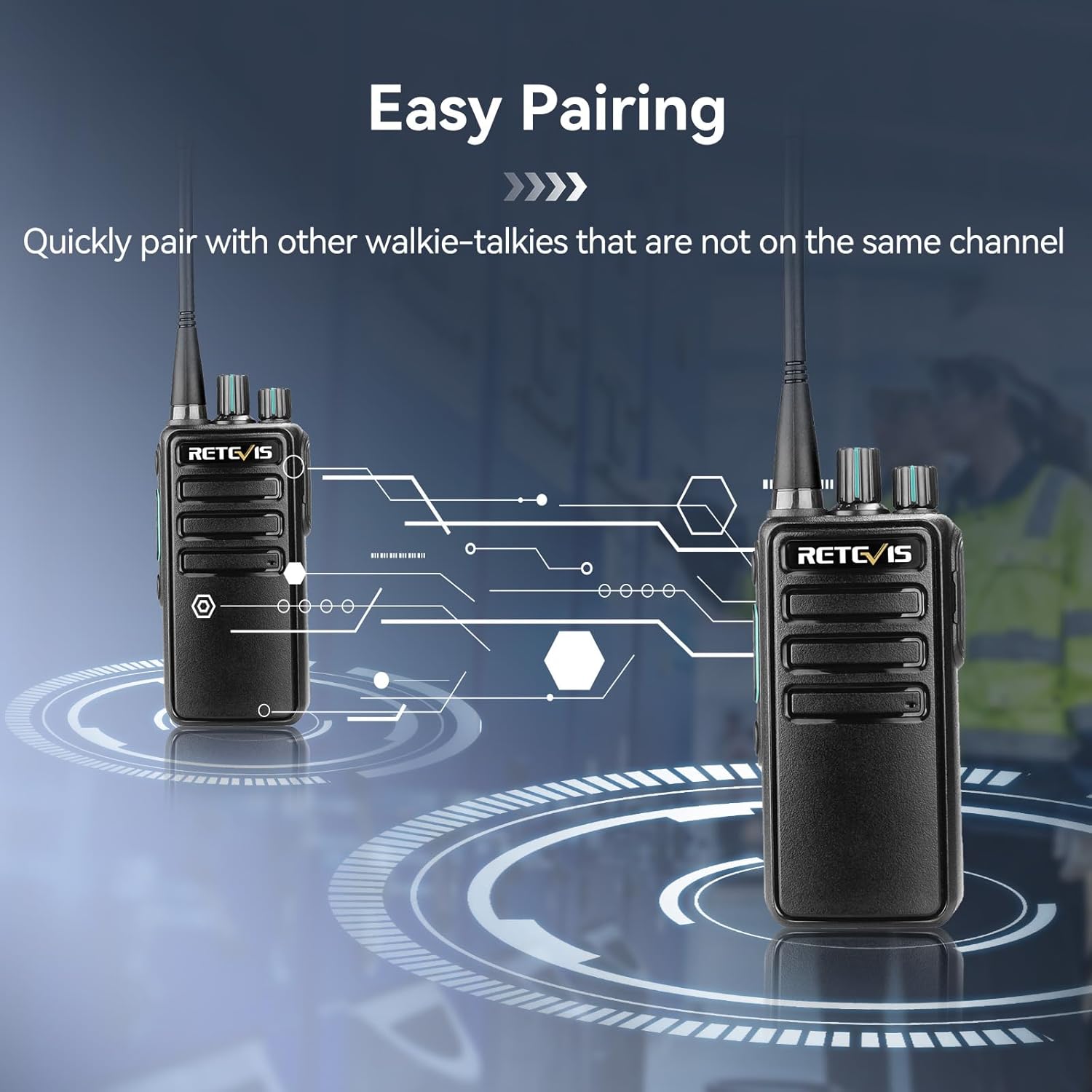
Figure 4.6: Easy Pairing Functionality. This image visually represents the easy pairing feature, showing two radios establishing a connection wirelessly, which simplifies the setup process for group communication.
5. Maintenance
5.1 General Care
- Clean the radio with a soft, damp cloth. Do not use harsh chemicals or abrasive cleaners.
- Keep the radio dry. Although the shoulder microphone is waterproof (IP54), the radio itself is not fully submersible.
- Avoid exposing the radio to extreme temperatures, direct sunlight, or dusty environments for prolonged periods.
5.2 Battery Care
- The RB29 features a built-in 1100mAh Lithium-Ion battery.
- Typical work time is approximately 10 hours, with a standby time of 35 hours.
- Charge the battery fully before first use.
- Do not overcharge the battery. Remove the radio from the charger once fully charged.
- If the radio will not be used for an extended period, charge the battery to about 50% and store it in a cool, dry place.
- The radio has a Low Battery Alert feature to notify you when charging is needed.
- A Power Saving feature helps extend battery life during periods of inactivity.

Figure 5.1: Battery Performance. This image provides key battery specifications for the Retevis RB29, indicating a 1100mAh capacity, approximately 10 hours of work time, 35 hours of standby time, and a 3-hour charging duration.

Figure 5.2: Low Battery Alert. This image illustrates the radio's low battery alert system, which notifies the user when the battery level is critically low, prompting a recharge.

Figure 5.3: Power Saving Feature. This image highlights the power saving function of the radio, designed to conserve battery life during periods of inactivity, extending operational time.
6. Troubleshooting
| Problem | Possible Cause | Solution |
|---|---|---|
| Radio does not power on. | Battery is depleted or not installed correctly. | Ensure battery is fully charged and properly installed. |
| Cannot transmit or receive. | Incorrect channel selected; out of range; PTT button not pressed/released. | Verify all radios are on the same channel. Move closer to other radios. Ensure PTT is pressed to transmit and released to receive. Check CTCSS/DCS settings. |
| Poor audio quality or static. | Weak signal; high squelch level; interference. | Move to an open area. Adjust squelch level (lower it if necessary). Avoid sources of electrical interference. |
| Battery does not charge. | Charger or cable faulty; battery not seated correctly in charging base. | Check charger and cable connections. Ensure the battery is correctly aligned in the charging slot. Try charging the battery separately if possible. |
7. Specifications

Figure 7.1: Technical Specifications. This image presents a detailed table of the Retevis RB29's technical specifications, covering its FRS frequency range, 16 channels, frequency sensitivity, antenna impedance, operational temperature range, modulation noise, and audio power output.
| Feature | Detail |
|---|---|
| Model | RB29 FRS |
| Frequency Range | FRS |
| Number of Channels | 16 |
| Battery Capacity | 1100mAh Lithium Ion (included) |
| Voltage | 3.7 Volts |
| Work Time | Approx. 10 hours |
| Standby Time | Approx. 35 hours |
| Charging Time | Approx. 3 hours |
| Water Resistance Level | Water Repellent (IP54 for shoulder mic) |
| Special Features | Rugged & durable, Shoulder Mic, VOX, Emergency Alert, Power Saving, Low Battery Alert, Wireless Copy, Easy Pairing, 50 CTCSS + 210 DCS, Squelch 0-9 level |
| Product Dimensions | 1.33 x 2.28 x 9.12 inches |
| Item Weight | 1.62 pounds |
| Manufacturer | Retevis |
| Item Model Number | FA9219AX2-C9034AX4-C9060AX4 |
8. Warranty and Support
8.1 Warranty Information
Retevis provides the following warranty for the RB29 FRS two-way radio:
- Radio Body: 2-year warranty
- Accessories: 1-year warranty
- Returns: 30-day no-reason return policy
Beyond the warranty period, maintenance services are still offered. Buyers are responsible for any corresponding costs incurred for repairs or parts.
8.2 Customer Support
For any questions, technical assistance, or warranty claims, please contact Retevis customer support. You can typically reach them through the platform where you purchased the product (e.g., Amazon). They aim to respond within 12 hours.
Related documentsRB29


Ask a question about this manual
Ask about setup, troubleshooting, compatibility, parts, safety, or missing instructions. Manuals+ will review the question and use this page’s manual context to help answer it.