
1. Introduction
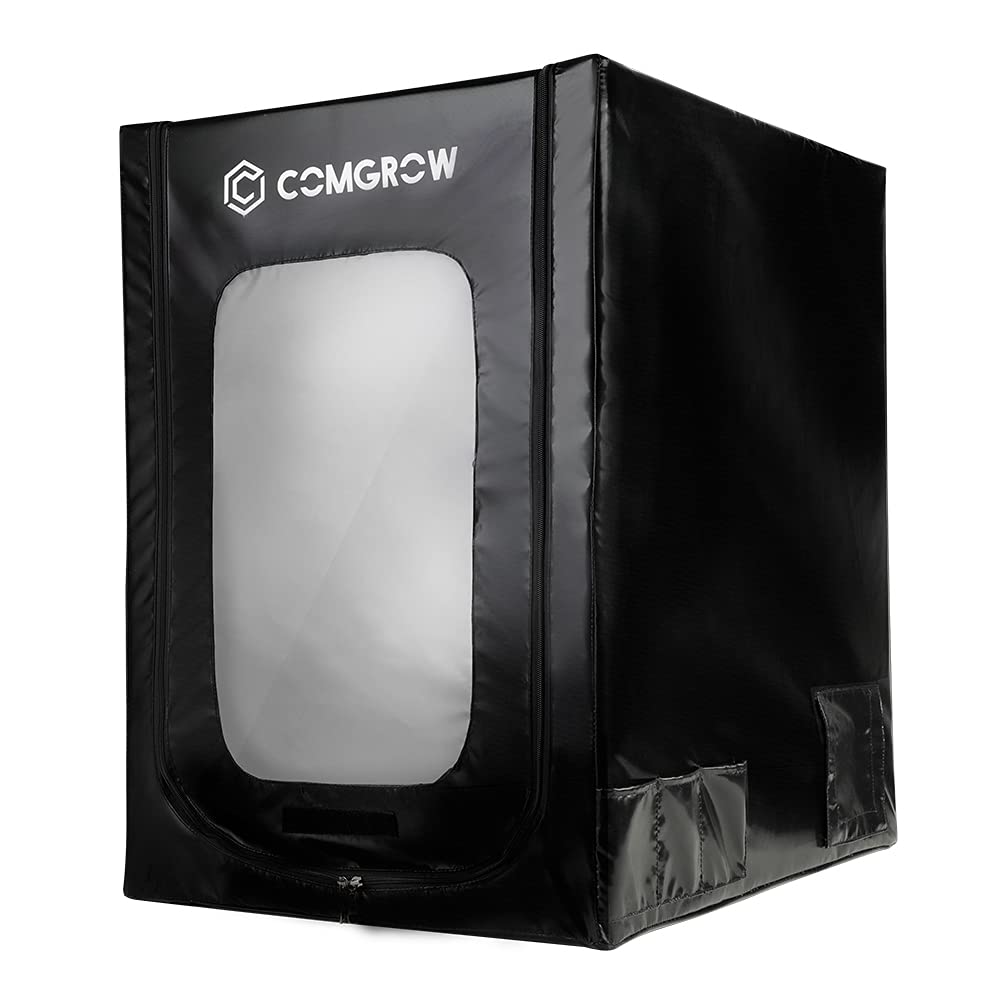
The Comgrow 3D Printer Enclosure is designed to enhance your 3D printing experience by providing a controlled environment for your printer. This enclosure offers several benefits, including temperature stability, dust protection, and noise reduction, contributing to improved print quality and safety.
Key features of your Comgrow 3D Printer Enclosure:
- Constant Temperature: Helps maintain a stable printing environment, crucial for materials sensitive to temperature fluctuations, and improves printing stability.
- Fireproof and Dustproof: Constructed with fire-retardant materials and designed to prevent dust and external drafts from affecting your prints.
- Easy Installation: Features a folding design for convenient storage and quick assembly.
- Wide Compatibility: Suitable for various 3D printer models, including Ender 3, Ender 3 Pro, Ender 3S, Ender 3 V2, Ender 3 S1, Ender 3 S1 Pro, Ender 3 Neo, Ender 3 V2 Neo, Ender 3 Max, CR-6 SE, CR 20, and CR 20 Pro.
- Stable Structure: Equipped with iron pipes for a robust and spacious setup.
2. Setup and Assembly
Follow these steps to assemble your Comgrow 3D Printer Enclosure. It is recommended to lay out all components and sort them by type before beginning.
- Unpack Components: Carefully remove all parts from the packaging. You should find the enclosure fabric, metal pipes, and plastic connectors.
- Identify Parts: The metal pipes are typically labeled (e.g., 1, 2, 3) to indicate their length and position. The plastic connectors are used to join the pipes.
- Assemble Base Frame: Connect the appropriate pipes and connectors to form the rectangular base of the enclosure. Ensure all connections are secure.
- Assemble Vertical Supports: Attach the vertical pipes to the base frame using the designated connectors.
- Assemble Top Frame: Construct the top rectangular frame similar to the base, then connect it to the vertical supports. Ensure the entire frame is stable.
- Install Enclosure Fabric: Drape the enclosure fabric over the assembled metal frame. It is often easiest to start by fitting the bottom corners, then pulling the fabric up and over the top. Ensure the fabric is taut and aligned with the frame.
- Secure Zippers and Velcro: Close all zippers and secure any Velcro flaps to fully enclose the printer.

For a visual guide on assembly, please refer to the official video below:
3. Operating Instructions
Once assembled, the enclosure is ready for use with your 3D printer. Place your compatible 3D printer inside the enclosure.

- Cable Management: Utilize the designated cable pass-through ports located on the sides and back of the enclosure to route power cables and filament. These ports typically feature Velcro closures to maintain the enclosed environment.
- Monitoring Prints: The large transparent PVC viewing window allows for easy monitoring of your print progress without opening the enclosure, thus preserving the internal temperature.
- Tool Storage: The enclosure includes multi-sized multifunctional pockets on the side for convenient storage of your 3D printing tools and accessories.


4. Maintenance
Regular maintenance ensures the longevity and optimal performance of your Comgrow 3D Printer Enclosure.
- Cleaning: Wipe down the exterior and interior surfaces with a damp cloth as needed to remove dust and debris. Avoid abrasive cleaners that could damage the material.
- Zipper Care: Periodically check zippers for smooth operation. If they become stiff, a small amount of zipper lubricant can be applied.
- Frame Inspection: Ensure all pipe connections remain secure. Re-seat any loose pipes into their connectors.
- Storage: When not in use for extended periods, the enclosure can be disassembled and folded for compact storage.
5. Troubleshooting
Here are some common issues and their potential solutions:
- Temperature Fluctuations: Ensure all zippers and Velcro closures are fully sealed. Avoid placing the enclosure near open windows or air vents.
- Dust Inside Enclosure: Verify that all openings, including cable ports, are properly sealed. Regularly clean the interior.
- Difficulty Assembling Frame: Ensure you are using the correct pipes for each section as indicated by any labels. Applying a small amount of dish soap to the ends of the pipes can help them slide into connectors more easily.
- Enclosure Fabric Not Fitting Tightly: Double-check that all frame pipes are fully inserted into their connectors. The fabric is designed to fit snugly.
6. Specifications
| Feature | Detail |
|---|---|
| Product Dimensions | 24.2"D x 20.27"W x 29.53"H (61.47cm D x 51.49cm W x 75.00cm H) |
| Item Weight | 1.95 Kilograms (4.3 Pounds) |
| Material | Aluminum frame, Fire-retardant fabric |
| Color | Black |
| Manufacturer | Creality 3D (for Comgrow) |

7. Support
For technical support or any further questions regarding your Comgrow 3D Printer Enclosure, please feel free to contact us via Amazon message. Our professional technical staff are available to provide solutions for your 3D printing needs.
