
BOMATA B608
BOMATA Waterproof Kitchen Scale User Manual
Model: B608
1. Introduction
Thank you for choosing the BOMATA Waterproof Kitchen Scale. This digital scale is designed for high-precision weighing in various kitchen applications, including food preparation, cooking, baking, and weight management. Its waterproof and dustproof design ensures durability and easy cleaning, making it a reliable tool for your daily needs.
The scale features a high-quality weighing sensor, multiple unit conversions (oz, lb, g, ml), a tare function, and a backlit LCD for clear readability. It offers dual power supply options: a built-in rechargeable lithium battery via a Type-C USB cable, and compatibility with AAA batteries.

Image: The BOMATA Waterproof Kitchen Scale, showcasing its sleek design and waterproof capabilities with water being poured over it.

Image: A collage demonstrating the wide range of uses for the BOMATA kitchen scale, including baking, pet food, water measurement, and DIY making.
2. Safety Information
- Do not submerge the entire scale in water, especially if AAA batteries are installed. While the internal components are waterproof, the battery compartment is not fully sealed against submersion.
- Ensure the Type-C USB charging port cover is securely closed when washing the scale to prevent water ingress.
- Avoid dropping the scale or subjecting it to strong impacts, as this may damage the internal sensors.
- Do not overload the scale beyond its maximum capacity of 5kg (11lb).
- Keep the scale away from extreme temperatures and direct sunlight.
- Use a soft, damp cloth for cleaning. Avoid abrasive cleaners or harsh chemicals.
- This scale is intended for household use only and is not designed for commercial applications.
3. Package Contents
Please check the package contents upon opening to ensure all items are present:
- BOMATA Waterproof Kitchen Scale (Model B608) x 1
- USB Type-C Charging Cable x 1
- User Manual x 1
Note: AAA batteries are not included and must be purchased separately if you choose to use them as a power source.

Image: The retail packaging for the BOMATA Electronic Kitchen Scale, showing the scale and included USB cable.
4. Product Overview
Familiarize yourself with the main components of your BOMATA Kitchen Scale:
- Weighing Platform: Food-grade stainless steel surface for placing items to be weighed.
- LCD Display: Advanced full-view large LCD with blue backlight for clear readings.
- "ON/OFF/ZERO" Button: Powers the scale on/off and performs the tare function.
- "MODE" Button: Cycles through different measurement units.
- Type-C USB Charging Port: For recharging the built-in lithium battery.
- Battery Compartment: Located on the underside, for optional AAA batteries.
- Mechanical Power Switch: Located on the underside, for completely turning off the scale to save power.

Image: A close-up view of the BOMATA Kitchen Scale's display and touch-sensitive buttons, highlighting the advanced backlit LCD and the 'MODE' and 'ON/OFF/ZERO' controls.

Image: An illustration showing the location of the mechanical power switch on the underside of the BOMATA Kitchen Scale, next to the 5V charging port.
5. Setup
5.1 Power Supply
Your BOMATA Kitchen Scale offers two power options:
- Built-in Rechargeable Battery: The scale comes with a built-in lithium battery. To charge, connect the provided Type-C USB cable to the scale's charging port and a compatible USB power source (e.g., computer USB port, wall adapter). The battery indicator on the display will show charging status.
- AAA Batteries (Optional): For alternative power, you can insert 3 AAA batteries into the battery compartment on the underside of the scale. Ensure correct polarity (+/-).
Important: If you intend to wash the scale, ensure you remove any AAA batteries from the compartment to prevent corrosion. The Type-C USB port is waterproof, but the AAA battery compartment is not designed for direct water exposure.

Image: The BOMATA Kitchen Scale highlighting its dual power supply options: Type-C USB rechargeable and AAA battery compatibility (batteries not included).
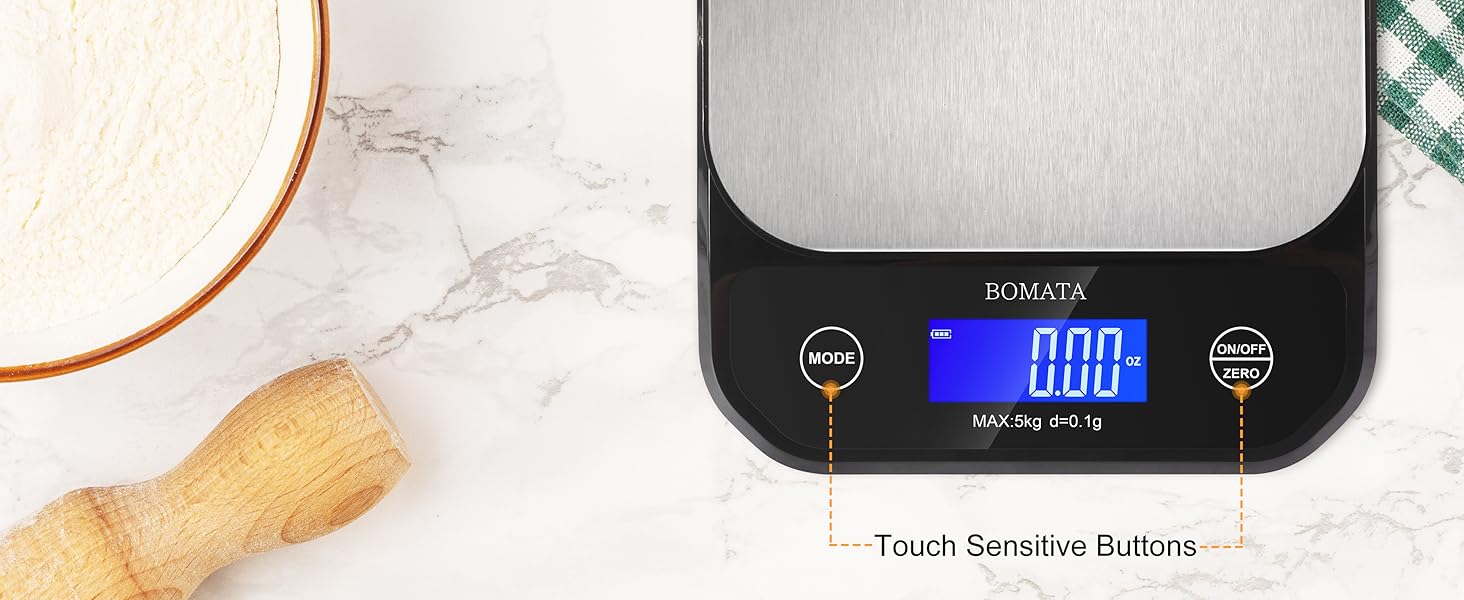
Image: A comparison showing the upgraded waterproof Type-C USB port on the BOMATA Kitchen Scale versus an older, less convenient port type.
5.2 Initial Placement
Place the scale on a hard, flat, and stable surface to ensure accurate readings. Avoid placing it on soft or uneven surfaces, or near strong electromagnetic fields.
6. Operating Instructions
6.1 Power On/Off
- To turn on the scale, press the "ON/OFF/ZERO" button. The display will light up and show "0.0" or "0.00".
- To turn off the scale, press and hold the "ON/OFF/ZERO" button for a few seconds until the display turns off. The scale also features an auto-off function to conserve battery, which can be configured (see 6.5).
- For complete power disconnection, use the mechanical power switch on the underside of the scale.
6.2 Unit Conversion
Press the "MODE" button to cycle through the available measurement units: grams (g), ounces (oz), pounds (lb), and milliliters (ml).

Image: The BOMATA Kitchen Scale displaying a measurement in milliliters, with icons for grams, ounces, pounds, and milliliters indicating available units.
6.3 Tare Function
The tare function allows you to subtract the weight of a container or previous ingredients, so you only measure the new item's weight.
- Place an empty container on the weighing platform. The display will show its weight.
- Press the "ON/OFF/ZERO" button. The display will reset to "0.0" (or "0.00").
- Add the item you wish to weigh into the container. The display will now show only the net weight of the added item.
- To clear the tare and return to normal weighing mode, remove all items from the scale and press the "ON/OFF/ZERO" button again.

Image: A three-step visual guide demonstrating the tare function: 1) Place container, 2) Press ZERO, 3) Add ingredients and measure net weight.
6.4 High Precision Weighing
This scale is equipped with a high-precision weighing sensor, providing accuracy down to 0.1g (0.01oz). It is ideal for measuring small quantities of ingredients like yeast, spices, or baking powder, as well as larger items up to 5kg (11lb).

Image: The BOMATA Kitchen Scale displaying a precise measurement of 10.0g, emphasizing its high precision capabilities.
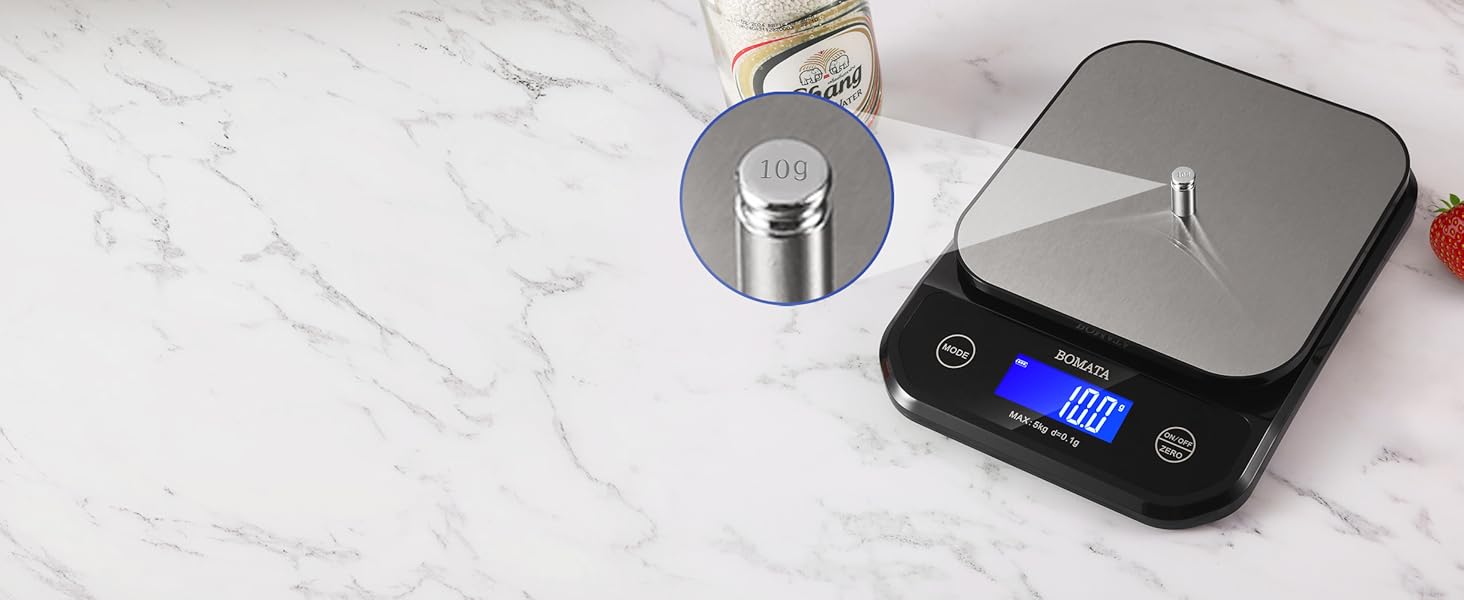
Image: The BOMATA Kitchen Scale with a small 10g calibration weight on its platform, demonstrating its ability to measure small increments accurately.
6.5 Auto-Off and Beep Settings
The scale has configurable settings for auto-off time and the button beep sound:
- To access settings, press and hold the "MODE" button.
- The first setting displayed is the auto-off time in minutes. Press "ON/OFF/ZERO" to cycle through options or disable auto-off.
- Press "MODE" again to move to the second setting, which controls the beep sound (on/off). Press "ON/OFF/ZERO" to toggle the beep.
- Exit settings by pressing "MODE" or waiting for the display to return to weighing mode.
7. Maintenance
7.1 Cleaning
The BOMATA Kitchen Scale is designed to be waterproof (IPX6 rated) and dustproof, making cleaning simple:
- You can rinse the scale under running water if necessary.
- Always ensure the Type-C USB charging port cover is securely closed before washing.
- If using AAA batteries, remove them before rinsing the scale to prevent water from entering the battery compartment and causing corrosion.
- Wipe the scale with a soft, damp cloth. For stubborn stains, use a mild detergent.
- Dry the scale thoroughly after cleaning, especially around the buttons and display area.
- Do not use abrasive cleaning agents, scouring pads, or harsh chemicals, as these can damage the surface and electronic components.

Image: The BOMATA Kitchen Scale being rinsed under a faucet, demonstrating its IPX6 waterproof and dustproof capabilities. Note: Remove AAA batteries before flushing.

Image: A hand wiping the stainless steel platform of the BOMATA Kitchen Scale with a cloth, illustrating its easy-to-clean surface.
7.2 Storage
Store the scale in a cool, dry place when not in use. Avoid placing heavy objects on the scale during storage, as this can affect its accuracy over time.
8. Troubleshooting
| Problem | Possible Cause | Solution |
|---|---|---|
| Scale does not turn on. | Low battery or no power. Mechanical switch off. | Charge the built-in battery using the USB cable. If using AAA batteries, replace them. Ensure the mechanical power switch on the underside is in the "ON" position. |
| Inaccurate readings. | Uneven surface. Overload. Damaged sensor. | Place the scale on a flat, stable surface. Do not exceed the maximum weight capacity. If the problem persists, contact customer support. |
| "EEEE" or "O-Ld" displayed. | Overload indication. | Remove the item immediately. The weight exceeds the scale's maximum capacity. |
| Display flickers or behaves erratically. | Low battery. Electromagnetic interference. Water ingress (if AAA batteries are present). | Recharge or replace batteries. Move the scale away from other electronic devices. If water ingress is suspected, remove AAA batteries and allow the scale to dry completely. |
| Beep sound is annoying. | Beep function is enabled. | Refer to section 6.5 "Auto-Off and Beep Settings" to disable the beep sound. |
9. Specifications
| Feature | Detail |
|---|---|
| Model | B608 |
| Brand | BOMATA |
| Capacity | 5 kg / 11 lb |
| Readout Accuracy | 0.1 g / 0.01 oz |
| Units | g, oz, lb, ml |
| Display Type | LCD with Backlight |
| Material | Stainless Steel Platform |
| Waterproof Rating | IPX6 |
| Power Supply | Built-in Rechargeable Lithium Battery (Type-C USB) or 3 x AAA Batteries (not included) |
| Product Dimensions | 8.27 x 6.3 x 1.18 inches (21 x 16 x 3 cm) |
| Item Weight | 1.28 pounds (approx. 0.58 kg) |

Image: The BOMATA Kitchen Scale with its dimensions clearly marked (8.27" x 6.3" x 1.18"), shown next to a smartphone for size comparison.

Image: The BOMATA Kitchen Scale shown alongside a smartphone, illustrating its compact dimensions of 8.27" x 6.3" / 21cm x 16cm.
10. Warranty & Support
BOMATA products are manufactured with high-quality materials and craftsmanship. For information regarding warranty coverage, technical support, or service inquiries, please refer to the contact information provided with your purchase or visit the official BOMATA website.
Please retain your purchase receipt as proof of purchase for any warranty claims.
For further assistance, you may contact BOMATA customer service through the platform where you purchased the product or via their official support channels.
Ask a question about this manual
Ask about setup, troubleshooting, compatibility, parts, safety, or missing instructions. Manuals+ will review the question and use this page’s manual context to help answer it.