
LAUNCH CRT511
LAUNCH CRT511 TPMS Relearn Tool User Manual
Model: CRT511 | Brand: LAUNCH
1. Introduction
The LAUNCH CRT511 is an advanced TPMS (Tire Pressure Monitoring System) activation and diagnostic tool designed to assist users in managing their vehicle's tire pressure sensors. This comprehensive device supports activation, reading, programming, and relearning procedures for TPMS sensors operating at both 315 MHz and 433 MHz frequencies. Additionally, it offers full OBD2 diagnostic capabilities, making it a versatile tool for automotive maintenance.
Key features include:
- Activation and matching of all 315 MHz and 433 MHz sensors.
- Ability to read, copy, and write sensor IDs.
- Display of tire pressure, temperature, and battery status.
- Guided TPMS relearn procedures for new sensor IDs.
- Compatibility with 98% of global vehicles equipped with TPMS systems.
- Unlimited programming for LAUNCH RF-sensors.
- Simultaneous programming of up to 8 sensors.
- Integrated display for TPMS status.
- Full OBD II/EOBD diagnostic support.
- Free lifetime Wi-Fi software updates.
2. What's in the Box
Upon unpacking your LAUNCH CRT511, please ensure all the following components are present:
- CRT511 TPMS Diagnostic Tool (1 unit)
- Metal RF-sensors (4 pieces)
- Rubber RF-sensors (4 pieces)
- OBD2 Connector (1 unit)
- Memory Card & Adaptor (1 set)
- Charging Cable & Power Adaptor (1 set)
- User Manual (1 copy)
- Padded Carrying Case (1 unit)
- Package Box (1 unit)

Image: The LAUNCH CRT511 diagnostic tool shown alongside the eight included TPMS sensors (four metal, four rubber).
3. Setup
Follow these steps to set up your LAUNCH CRT511 TPMS Relearn Tool for first-time use:
- Unpacking: Carefully remove all components from the padded carrying case. Inspect for any visible damage.
- Charging: Connect the provided charging cable and power adaptor to the CRT511 tool and a power outlet. Allow the device to fully charge before initial use. The charging indicator will show the charging status.
- Memory Card: Insert the memory card into the designated slot on the device. This card is essential for storing diagnostic data and software updates.
- Power On: Press and hold the power button (usually marked with a power symbol) until the screen illuminates. The device will boot up and display the main menu.
- Initial Configuration: Follow any on-screen prompts for initial setup, such as language selection and time zone settings.
4. Operating Instructions
The LAUNCH CRT511 offers a range of functions for TPMS management and OBD2 diagnostics. Navigate the menu using the directional buttons and the 'OK' button.

Image: The LAUNCH CRT511 tool held in a hand, illustrating its compact size and ease of use for DIY TPMS diagnostics.
4.1. TPMS Sensor Activation and Reading
This function allows you to activate TPMS sensors and read their current status, including ID, pressure, temperature, voltage, and battery status.
- From the main menu, select the 'TPMS' option.
- Choose 'Activate Sensor' or 'Read Sensor' depending on your need.
- Follow the on-screen instructions to position the tool near each tire's sensor. The tool will emit a signal to activate the sensor.
- Once activated, the tool will display the sensor's data.

Image: A close-up of the LAUNCH CRT511 screen showing various sensor data points such as ID, pressure, temperature, voltage, and battery status, indicating accurate data retrieval.
4.2. Programming LAUNCH RF-Sensors
The CRT511 can program LAUNCH brand RF-sensors. It is crucial to program the sensors before installing them into the tires. There are four programming options:
- Auto Create: This option generates random IDs for the LAUNCH-sensor based on the test vehicle's specifications, useful when the original sensor ID is unavailable.
- Manual Input: Allows the user to manually enter a sensor ID. This can be a random ID or the original sensor ID if known.
- Copy ID by Activation: This method allows you to write the retrieved original sensor data to a new LAUNCH-sensor after the original sensor has been activated and its data read.
- Program Multi-sensor: This feature enables programming of multiple sensors simultaneously, supporting up to 8 sensors at one time.

Image: Two types of LAUNCH TPMS sensors, one with a black stem and one with a silver stem, highlighting their compatibility with both 315MHz and 433MHz frequencies.
4.3. TPMS Relearn Procedure
After replacing TPMS sensors or rotating tires, the vehicle's ECU needs to learn the new sensor IDs. The CRT511 guides you through this relearning process to ensure the TPMS warning light is turned off and the system functions correctly.
- From the 'TPMS' menu, select 'Relearn'.
- Choose the vehicle make, model, and year.
- Follow the on-screen instructions, which will typically involve specific steps like driving the vehicle, performing a stationary relearn, or using the OBD2 connection to write IDs directly to the ECU.
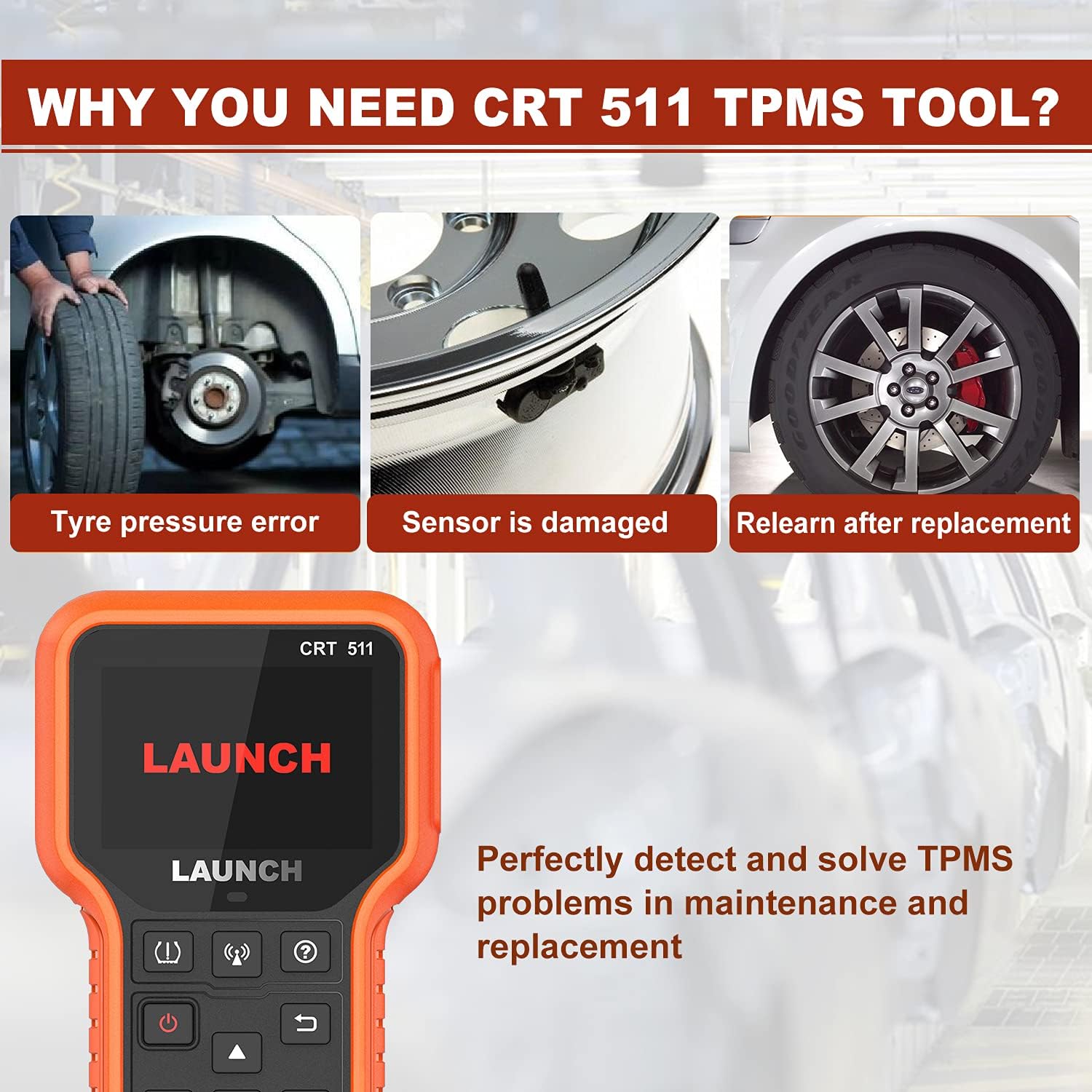
Image: Visual representation of common scenarios requiring the CRT511: addressing tire pressure errors, replacing damaged sensors, and performing relearn procedures after sensor replacement.
4.4. Full OBD2 Diagnostic Functions
The CRT511 also functions as a full OBD2 scanner, allowing you to diagnose engine-related issues. Connect the OBD2 connector to your vehicle's OBD-II port (usually located under the dashboard).
- Read/Erase Codes: Retrieve Diagnostic Trouble Codes (DTCs) and clear them after repairs.
- Live Data: View real-time sensor data from the vehicle's ECU.
- Freeze Frame: Capture a snapshot of vehicle conditions at the moment a DTC was set.
- I/M Readiness: Check the status of emission-related monitors.
- O2 Sensor Test: Monitor oxygen sensor performance.
- On-Board Monitor Test: Access results of on-board diagnostic monitoring tests.
- EVAP System Test: Perform tests on the evaporative emission control system.
- Vehicle Information: Retrieve vehicle identification number (VIN), calibration ID, and calibration verification number (CVN).
- DTC Lookup: Built-in library to provide immediate definitions for diagnostic trouble codes.

Image: The LAUNCH CRT511 displaying its comprehensive list of OBD2 diagnostic functions, including reading and erasing codes, viewing live data, and performing various system tests.
5. Maintenance
Proper maintenance ensures the longevity and optimal performance of your LAUNCH CRT511 tool:
- Cleaning: Use a soft, damp cloth to clean the device. Avoid abrasive cleaners or solvents.
- Storage: Store the tool in its padded carrying case in a dry, cool environment, away from direct sunlight and extreme temperatures.
- Software Updates: The device supports free lifetime Wi-Fi software updates. Regularly check for and install updates to ensure compatibility with new vehicle models and improved functionalities. Connect the device to a Wi-Fi network and navigate to the 'Update' section in the menu.
- Battery Care: For optimal battery life, avoid fully discharging the battery frequently. If storing for extended periods, charge the battery to about 50% every few months.
6. Troubleshooting
If you encounter issues with your LAUNCH CRT511, consider the following general troubleshooting steps:
- Device Not Powering On: Ensure the device is fully charged. If it still doesn't power on, try connecting it to the charger and attempting to power on again.
- Unable to Activate/Read Sensor: Ensure the tool is positioned correctly near the sensor. Verify the sensor is functional and within the supported frequency range (315MHz/433MHz). Check the vehicle's battery voltage.
- OBD2 Connection Issues: Ensure the OBD2 connector is securely plugged into both the tool and the vehicle's OBD-II port. Verify the vehicle's ignition is in the 'ON' position (engine off).
- Software Glitches: Try restarting the device. If issues persist, check for available software updates and install them.
- Inaccurate Readings: Ensure the sensors are correctly installed and the vehicle's tires are at the recommended pressure.
For persistent issues, refer to the 'Warranty and Support' section for contact information.
7. Specifications
| Specification | Detail |
|---|---|
| Model | CRT511 Pro |
| Item Weight | 3.19 pounds |
| Package Dimensions | 12.17 x 9.72 x 3.19 inches |
| Item Model Number | 301050570 |
| Manufacturer Part Number | CRT511 |
| Operating System | Android 4.4 |
| UPC | 884508006715 |
| Date First Available | June 23, 2021 |
8. Warranty and Support
LAUNCH provides comprehensive after-sales support for the CRT511 TPMS Relearn Tool:
- Warranty: The LAUNCH CRT511 TPMS Tool comes with a 12-month warranty from the date of purchase.
- Technical Support: Enjoy lifetime technical support for all LAUNCH diagnostic tools. A professional after-sales team is available in the US to assist with any questions or issues you may encounter during use.
- Contact: For support, please refer to the contact information provided in your product packaging or visit the official LAUNCH website. You may also find support resources via the following link: WeChat Support Link (This link may lead to a QR code for WeChat support).
Related documentsCRT511


Ask a question about this manual
Ask about setup, troubleshooting, compatibility, parts, safety, or missing instructions. Manuals+ will review the question and use this page’s manual context to help answer it.