
1. Introduction
Thank you for purchasing the SONA 6.0L Smart Multi Cooker SPC 2503. This appliance is designed to provide versatile and efficient cooking solutions with its digital control system and multiple pre-programmed functions. Please read this manual thoroughly before operating the appliance to ensure safe and optimal performance. Keep this manual for future reference.
2. Important Safeguards
When using electrical appliances, basic safety precautions should always be followed, including the following:
- Read all instructions before use.
- Do not touch hot surfaces. Use handles or knobs.
- To protect against electrical shock, do not immerse cord, plugs, or the main unit in water or other liquid.
- Close supervision is necessary when any appliance is used by or near children.
- Unplug from outlet when not in use and before cleaning. Allow to cool before putting on or taking off parts.
- Do not operate any appliance with a damaged cord or plug, or after the appliance malfunctions or has been damaged in any manner.
- The use of accessory attachments not recommended by the appliance manufacturer may cause injuries.
- Do not use outdoors.
- Do not let cord hang over edge of table or counter, or touch hot surfaces.
- Do not place on or near a hot gas or electric burner, or in a heated oven.
- Extreme caution must be used when moving an appliance containing hot oil or other hot liquids.
- Always attach plug to appliance first, then plug cord into the wall outlet. To disconnect, turn any control to 'off', then remove plug from wall outlet.
- Do not use appliance for other than intended use.
- This appliance cooks under pressure. Improper use may result in scalding injury. Ensure unit is properly closed before operating.
- Never force open the multi cooker. Ensure the pressure has been completely released before opening.
- Do not fill the unit above the MAX fill line.
- This appliance has 9 built-in safety features to ensure safe operation.
3. Product Overview
3.1 Main Components
- Main Unit (Stainless Steel Outer Housing)
- Lid with Safety Guard and Micro Switch
- Digital Control Panel
- Non-Stick Inner Pot (6.0L Capacity)
- Stainless Steel Inner Pot (6.0L Capacity)
- Detachable Power Cord

Figure 1: Sona 6.0L Smart Multi Cooker SPC 2503. This image displays the multi cooker with its digital control panel, highlighting its 6L capacity, 1000W power, and 15 cooking modes.
3.2 Dual Inner Pots
The multi cooker includes two interchangeable inner pots: one non-stick and one stainless steel. This allows for versatility in cooking and easy cleaning.
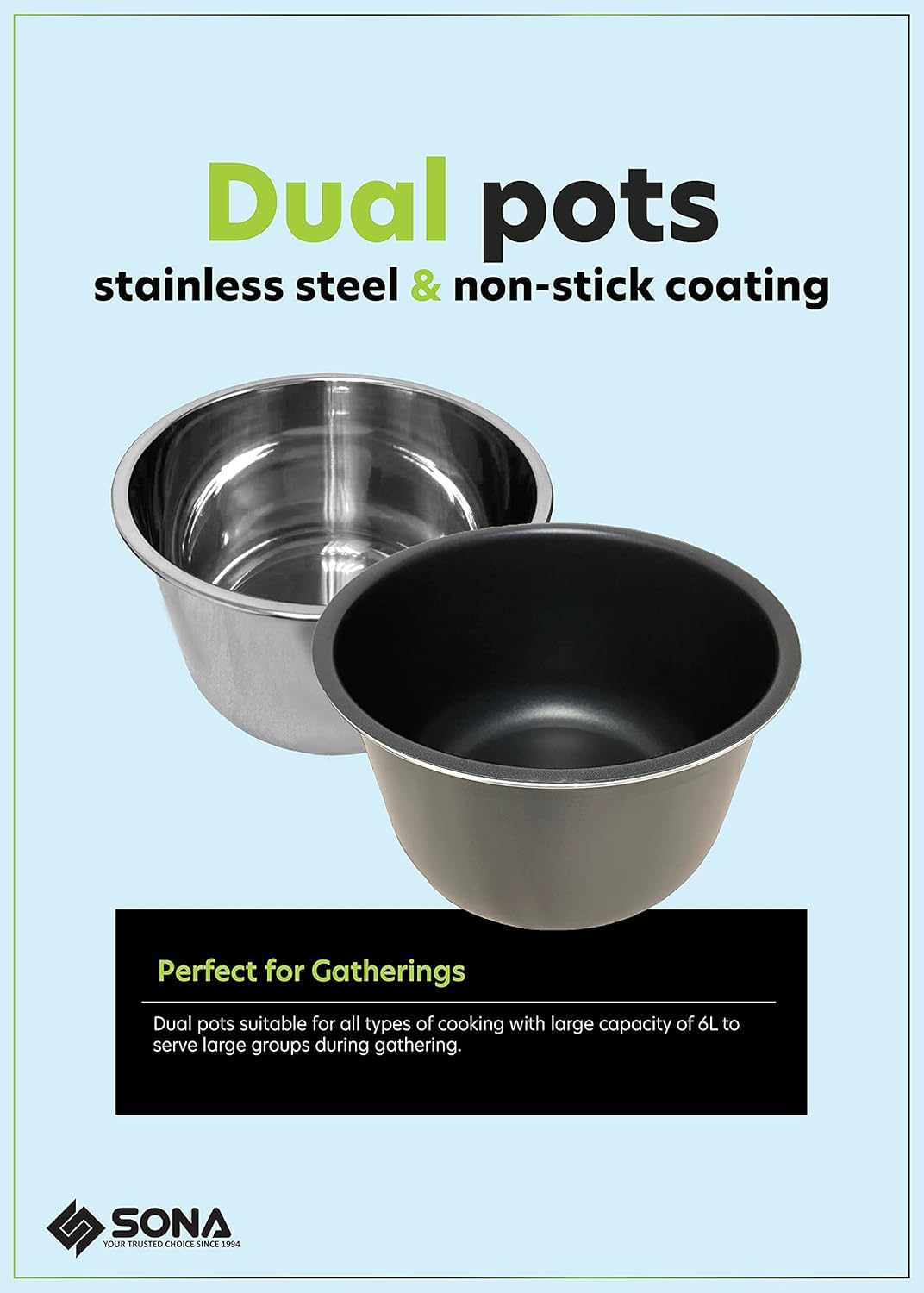
Figure 2: Dual Inner Pots. This image shows both the stainless steel and non-stick inner pots, emphasizing their suitability for different cooking requirements.
3.3 Control Panel Overview
The digital control panel features an LED display and various buttons for selecting cooking functions, adjusting time, and setting pressure levels.

Figure 3: Digital Control Panel. A close-up view of the multi cooker's control panel, showing the display, function buttons, and timer controls.
3.4 Product Features
- Lid Safety Guard: Locks the lid and prevents opening when pressure is inside.
- Micro Switch: Ensures the lid is properly secured before operation can begin.
- Detachable Power Cord: For easy storage and portability.
- Stainless Steel Finishing: Durable and easy to clean exterior.

Figure 4: Key Product Features. This image details the Lid Safety Guard, Micro Switch, Detachable Power Cord, and Stainless Steel Finishing of the multi cooker.
4. Setup and First Use
4.1 Unpacking
Carefully remove the multi cooker and all accessories from the packaging. Retain the packaging for future storage or transport.
4.2 Initial Cleaning
- Wash the inner pots, sealing ring, and lid components with warm, soapy water. Rinse thoroughly and dry completely.
- Wipe the exterior of the main unit with a damp cloth. Do not immerse the main unit in water.
4.3 Assembly
- Place the desired inner pot (non-stick or stainless steel) into the main unit. Ensure it sits correctly.
- Ensure the sealing ring is properly seated around the lid.
- Place the lid onto the multi cooker, aligning the arrow on the lid with the arrow on the base. Rotate clockwise until it locks into place.
- Connect the detachable power cord to the appliance and then to a grounded electrical outlet (220-240V~ 50/60Hz).
5. Operating Instructions
5.1 Basic Operation
- Add ingredients and liquid to the inner pot. Do not exceed the MAX fill line.
- Close the lid securely. The micro switch will prevent operation if the lid is not properly closed.
- Ensure the pressure release valve is in the correct position for pressure cooking (usually sealed).
5.2 Pre-programmed Functions
The multi cooker features 15 pre-programmed functions for various dishes:
- Meat
- Poultry
- Vegetables
- Steam
- Sauté
- Slow Cook
- White Rice
- Brown Rice
- Beans
- Broth
- Curry
- Soup
- Multigrain
- Congee
- Yogurt

Figure 5: 15 Pre-programmed Functions. This image displays icons for each of the 15 cooking functions, including a 'Keep Warm' feature.
To use a pre-programmed function:
- Press the 'Menu' button repeatedly until the desired function is selected on the display.
- The cooker will automatically set the appropriate cooking time and pressure level.
- Press 'Start' (if available, or it may start automatically after a few seconds).
5.3 Manual Setting
For custom cooking, use the 'Manual Setting' button. You can adjust the cooking time and pressure level (Low, Medium, High) using the '+' and '-' buttons.
5.4 Preset Timer (Delay Start)
The 24-hour preset timer allows you to delay the start of cooking. This is useful for preparing meals in advance.

Figure 6: 24-Hour Preset Timer. This diagram illustrates how to use the preset timer for delayed cooking, with examples for breakfast and dinner preparation.
To use the preset timer:
- Select your desired cooking function and adjust time if necessary.
- Press the 'Delay Timer' button.
- Use the '+' and '-' buttons to set the desired delay time (up to 24 hours).
- The cooker will start automatically after the set delay time.
5.5 Keep Warm Function
After cooking is complete, the multi cooker will automatically switch to the 'Keep Warm' function for up to 60 minutes, maintaining the food at a serving temperature.
6. Care and Cleaning
Regular cleaning ensures the longevity and proper functioning of your multi cooker.
- Always unplug the appliance and allow it to cool completely before cleaning.
- Inner Pots: Both the non-stick and stainless steel inner pots are dishwasher-safe. For hand washing, use warm, soapy water and a non-abrasive sponge.
- Lid: Remove the sealing ring and wash it with warm, soapy water. Clean the lid, including the steam release valve and float valve, with a damp cloth. Ensure all parts are dry before reassembly.
- Main Unit: Wipe the exterior with a damp cloth. Do not immerse the main unit in water or any other liquid.
- Ensure all parts are completely dry before storing the appliance.
7. Troubleshooting
| Problem | Possible Cause | Solution |
|---|---|---|
| Cooker does not turn on. | Power cord not connected; Lid not properly closed. | Ensure power cord is securely plugged in; Close the lid correctly until it locks. |
| Steam leaks from lid during cooking. | Sealing ring not properly installed or damaged; Food debris on sealing ring or lid rim. | Check and re-install sealing ring; Clean sealing ring and lid rim; Replace sealing ring if damaged. |
| Pressure does not build up. | Steam release valve open; Insufficient liquid in inner pot. | Ensure steam release valve is in 'Sealing' position; Add more liquid as per recipe. |
| Lid cannot be opened after cooking. | Pressure still inside the cooker. | Allow pressure to release naturally or use quick release method (if safe for recipe) until float valve drops. Never force open. |
8. Technical Specifications
- Model Number: SPC 2503
- Voltage: 220-240V~
- Frequency: 50/60Hz
- Wattage: 1000W
- Capacity: 6.0 Liters
- Material: Stainless Steel (outer housing), Non-Stick / Stainless Steel (inner pots)
- Control Method: Touch / Push Button
- Item Weight: 5.8 Kilograms
- Special Features: Keep Warm Setting, 24 Hours Preset Timer, 60 Minutes Cooking Timer, 9 Built-In Safety Features
- Dishwasher Safe: Yes (Inner Pots)

Figure 7: 9 Safety Functions. This image highlights the comprehensive safety features integrated into the Sona Multi Cooker.

Figure 8: Electricity Saver. This logo indicates the energy-efficient design of the multi cooker.
9. Warranty and Customer Support
This SONA 6.0L Smart Multi Cooker SPC 2503 comes with a 3 Years Warranty on Electrical Parts from the date of purchase. Please retain your proof of purchase for warranty claims.
For technical assistance, troubleshooting, or warranty inquiries, please contact Sona customer support through their official channels. Refer to the warranty card included with your product for specific contact details.