
Introduction
This manual provides comprehensive instructions for the proper use, setup, operation, and maintenance of your Quantum Powertech Dual Time Brown Round Dial Men's Watch, model PWG970.852. Please read this manual thoroughly before using your watch to ensure optimal performance and longevity.
Product Overview
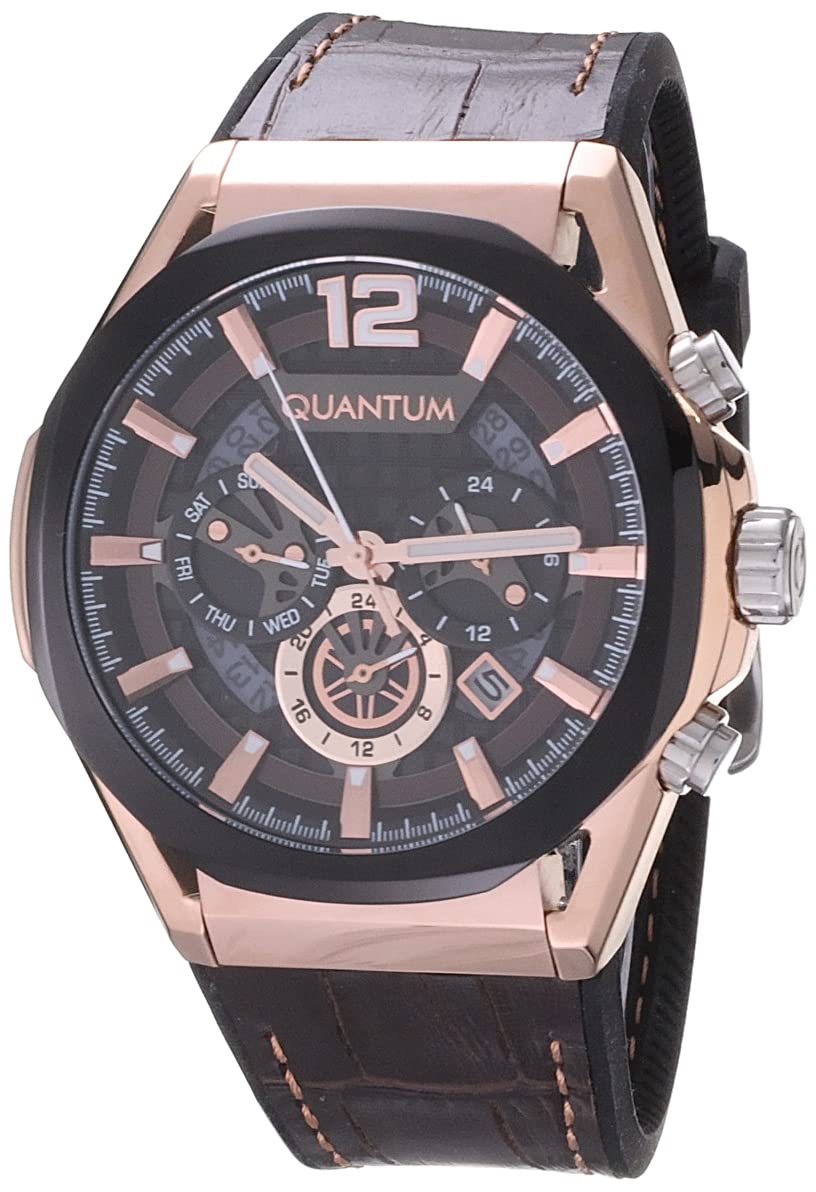
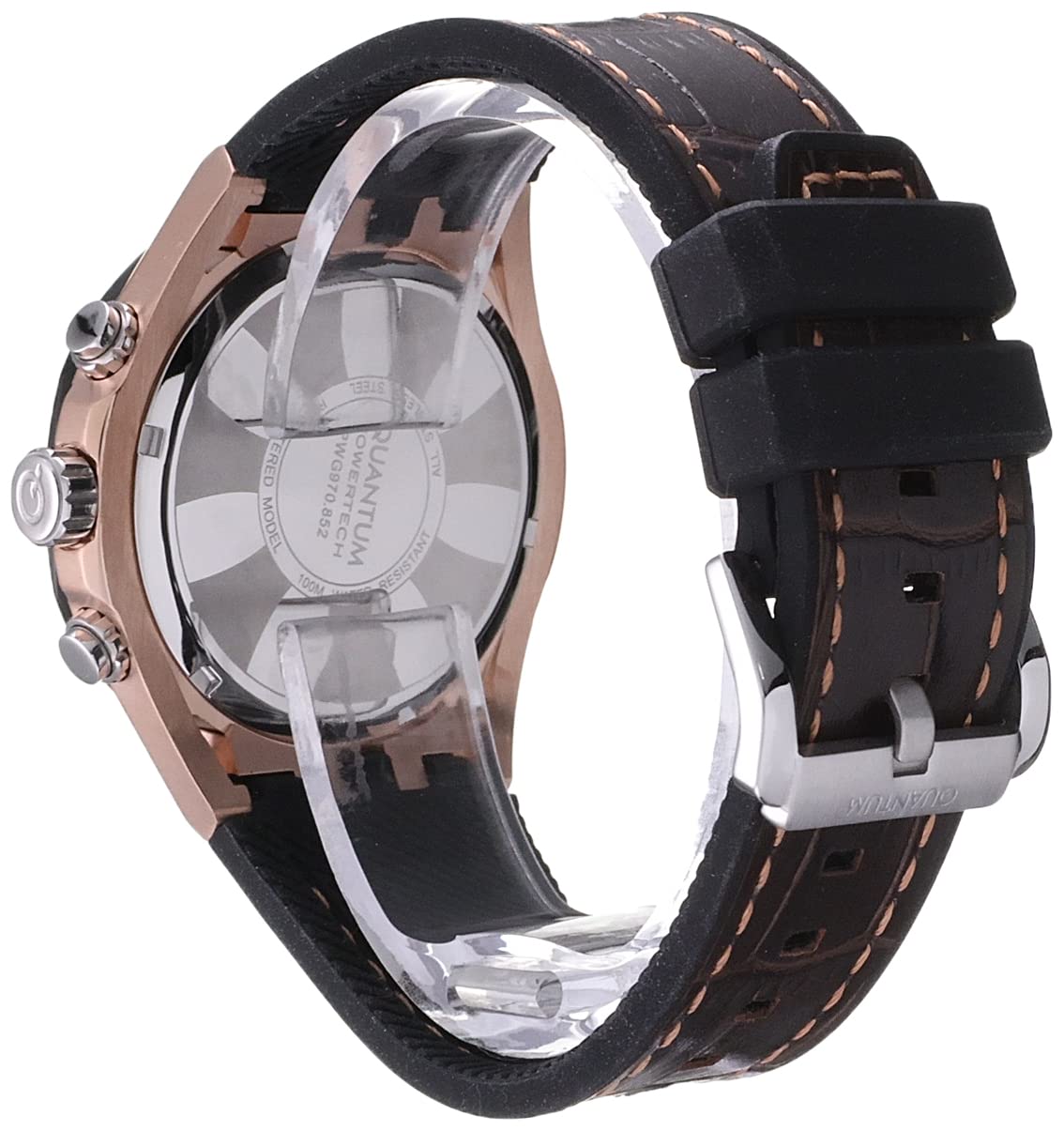
The Quantum Powertech Dual Time watch is designed with a robust stainless steel case, a brown round dial, and a comfortable brown silicone strap. It features a multifunction dual time display and is water-resistant up to 50 meters.

Setup
Initial Setup and Time Setting
- Unpacking: Carefully remove the watch from its packaging. Ensure all protective films are removed from the crystal and case.
- Crown Operation: The watch features a crown on the right side of the case. Pull the crown out to the first or second click position to adjust time or date.
- Setting Main Time:
- Pull the crown out to the outermost position (usually the second click).
- Rotate the crown to set the hour and minute hands to the desired time.
- Push the crown back in to the normal position to start the watch.
- Setting Dual Time/Sub-dials: Refer to the specific markings on your watch dial. Typically, sub-dials for dual time or day/date functions are adjusted using the pushers located above and below the main crown, or by pulling the crown to a specific click position and rotating.
- For Date: Pull the crown to the first click position. Rotate the crown to adjust the date. Push back in.
- For Day: Some models may have a pusher or a specific crown rotation for day adjustment. Consult the dial for indicators.
- For Dual Time: If applicable, use the designated pusher(s) to advance the dual time sub-dial in one-hour increments.
Operating Instructions
Wearing the Watch
Adjust the silicone strap to fit comfortably around your wrist. The strap should be snug enough to prevent the watch from sliding freely, but not so tight as to restrict circulation.
Water Resistance
Your Quantum Powertech watch is water-resistant up to 50 meters (5 ATM). This means it is suitable for everyday use, including splashes, rain, and brief immersion in water. It is not suitable for swimming, diving, or prolonged water activities. Do not operate the crown or pushers when the watch is wet or submerged.
Warning: Operating the crown or pushers while the watch is submerged or wet can compromise its water resistance and lead to internal damage.
Maintenance
Cleaning
- Wipe the watch case and crystal regularly with a soft, dry, lint-free cloth.
- For the silicone strap, you can use a slightly damp cloth with mild soap and water. Ensure the strap is completely dry before wearing.
- Avoid using chemical cleaners, solvents, or abrasive materials, as these can damage the watch's finish or strap.
Storage
When not in use, store your watch in a cool, dry place, away from direct sunlight and extreme temperatures. Keeping it in its original box or a watch case can protect it from dust and scratches.
Battery Replacement
This watch uses 1 Lithium Ion battery. When the watch stops or the hands move erratically, it may be time for a battery replacement. It is recommended to have the battery replaced by a qualified watch technician to ensure proper sealing and maintain water resistance.
Troubleshooting
| Problem | Possible Cause | Solution |
|---|---|---|
| Watch stops or runs intermittently. | Low battery. | Replace the battery. (Recommended by a professional) |
| Hands do not move after setting time. | Crown not fully pushed in. | Ensure the crown is fully pushed back into the normal operating position. |
| Condensation inside the crystal. | Exposure to extreme temperature changes or water ingress. | Immediately take the watch to a qualified service center. Do not attempt to dry it yourself. |
| Date/Day not changing correctly. | Incorrect setting or setting during restricted hours. | Adjust the date/day outside of 9 PM - 3 AM to avoid damaging the mechanism. Re-set if necessary. |
If you encounter issues not listed here or if the suggested solutions do not resolve the problem, please contact customer support.
Specifications
- Model Number: PWG970.852
- Case Material: Stainless Steel
- Case Shape: Round
- Case Diameter: 47 Millimetres
- Dial Colour: Brown
- Strap Material: Silicone
- Strap Colour: Brown
- Movement Type: Quartz
- Function Type: Multifunction Dual Time
- Glass: Anti Reflective
- Water Resistance: 50 meters (5 ATM)
- Battery: 1 Lithium Ion battery (included)
- Product Dimensions: 1 x 2.6 x 1.3 cm
- Item Weight: 260 g (0.26 Kilograms)
Warranty Information
Your Quantum Powertech Dual Time Watch comes with a 2-year International Warranty from the manufacturer. This warranty covers manufacturing defects under normal use.
The warranty type is Manufacturer. Please retain your proof of purchase for warranty claims. For detailed terms and conditions, refer to the warranty card included with your product or contact the manufacturer directly.
Note: Damage caused by improper use, accidents, unauthorized repairs, or normal wear and tear is not covered under warranty.
Customer Support
For any questions, technical assistance, or warranty claims regarding your Quantum Powertech watch, please contact the manufacturer or the authorized seller.
Manufacturer: AWC International Ltd
While specific contact details are not provided in this manual, you can typically find support information on the official Quantum website or through the retailer where the watch was purchased.

