
Introduction
Thank you for choosing the Goplus 88-Key Digital Piano. This portable electronic keyboard is designed for music enthusiasts, offering a full 88-key experience with the flexibility of a detachable design, allowing it to be split into two 44-key sections. It features MIDI and Bluetooth connectivity, a sustain pedal, and a built-in battery for extended use. This manual provides essential information for the safe and efficient operation of your digital piano.
Key features include 128 built-in tones, 128 rhythms, 15 demonstration songs, adjustable touch sensitivity, and recording/playback functions for learning and practice. Its compact and lightweight design, along with a convenient carry bag, makes it ideal for both home and outdoor use.

Image: Overview of the Goplus 88-Key Digital Piano's features, including 15 demos, 128 tones, 128 rhythms, Bluetooth, MIDI, teaching modes, adjustable speed, and adjustable touch sensitivity.
Package Contents
Please check the package carefully to ensure all items are present and in good condition. If any items are missing or damaged, please contact customer support.
- 1 x 88-Key Digital Piano
- 1 x Piano Carry Bag
- 1 x Charger (Power Adapter)
- 1 x Sustain Pedal
- 1 x User Manual (this document)
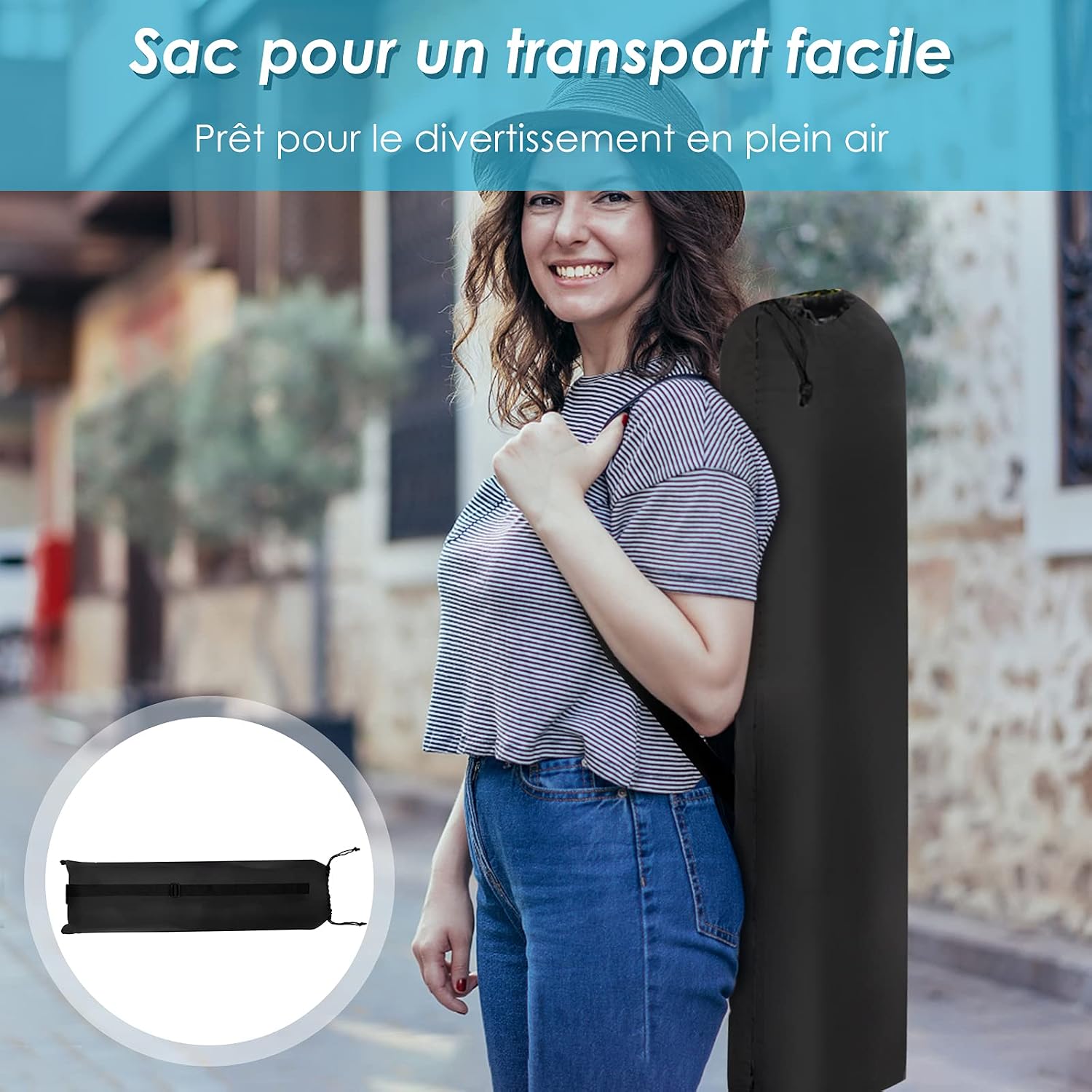
Image: A person carrying the Goplus 88-Key Digital Piano in its included carry bag, highlighting its portability. An inset shows the folded carry bag.
Safety Instructions
- Read all instructions before using the product.
- Keep the manual for future reference.
- Do not expose the piano to water, moisture, or extreme temperatures.
- Use only the provided power adapter for charging.
- Avoid placing heavy objects on the piano.
- Do not attempt to disassemble or repair the piano yourself. Contact qualified service personnel.
- Keep out of reach of small children to prevent choking hazards from small parts.
Setup
1. Assembling the Piano
The Goplus 88-Key Digital Piano features a detachable design, allowing it to be used as a full 88-key keyboard or split into two 44-key sections. To assemble, align the two sections and gently push them together until they click into place. Ensure the connection is secure.

Image: Close-up view of the Goplus 88-Key Digital Piano showing the two sections being connected, illustrating its easy assembly and detachable design.
2. Powering On and Charging
Connect the provided charger to the piano's power input port and then to a standard electrical outlet (220V input voltage). The piano has a built-in 1000 mAh battery. A full charge takes approximately 4 hours and provides 10 to 12 hours of playing time. Press the power button to turn the piano on or off.

Image: Diagram illustrating the battery capacity (1000 mAh), charging time (4 hours), and playing duration (10-12 hours) of the Goplus 88-Key Digital Piano, along with the included charger.
3. Connecting the Sustain Pedal
Locate the sustain pedal input port on the piano (labeled "SUS"). Insert the pedal's cable firmly into this port. The sustain pedal allows you to prolong the sound of notes, similar to an acoustic piano.
4. Music Stand and Anti-slip Pads
The piano includes a practical music stand that can be attached to hold sheet music or a tablet. Ensure the anti-slip foot pads on the bottom of the piano are properly positioned to prevent movement during play.

Image: Close-up views of the Goplus 88-Key Digital Piano's accessories: the practical music stand, the sustain pedal, and the anti-slip foot pads on the underside of the piano.
Operating Instructions
1. Basic Playback
Once powered on, the piano is ready for use. Simply press the keys to produce sound. Adjust the master volume using the dedicated controls.
2. Selecting Tones, Rhythms, and Demos
The piano features 128 built-in tones, 128 rhythms, and 15 demonstration songs. Use the control panel buttons to navigate and select your desired tone, rhythm, or demo track. Refer to the specific button labels on your piano for precise operation.
3. Adjusting Touch Sensitivity
The touch sensitivity of the keys can be adjusted to match your playing style and the emotional expression of the music. Consult your piano's control panel or specific function buttons for this adjustment.
4. Recording and Playback
The recording function allows you to capture your performances, which can then be played back for review and improvement. Use the dedicated record and playback buttons on the control panel.
5. Connectivity Options
The Goplus 88-Key Digital Piano offers various connectivity options:
- Bluetooth: Connect wirelessly to compatible devices for audio playback or MIDI data transfer.
- MIDI: Connect to computers or other MIDI devices using a USB cable for advanced music production and software integration.
- Headphone Jack (3.5mm): Connect headphones for private practice without disturbing others.
- Microphone Input: Connect a microphone for vocal accompaniment.
- USB Port: For MIDI connectivity and potentially other data transfer.

Image: Close-up view of the Goplus 88-Key Digital Piano's interface, showing ports for headphones, MP3 input, microphone, sustain pedal, and USB connection.

Image: A user playing the Goplus 88-Key Digital Piano, which is connected to a computer setup, demonstrating its use with external devices for music production or learning.
Maintenance
Cleaning
Wipe the piano's surface with a soft, dry, or slightly damp cloth. Do not use abrasive cleaners, solvents, or waxes, as these can damage the finish. Avoid spraying cleaning solutions directly onto the piano.
Storage
When not in use, store the piano in a cool, dry place away from direct sunlight and extreme temperatures. Use the provided carry bag for protection during transport and storage.
Troubleshooting
- No Sound:
- Ensure the piano is powered on and charged.
- Check the volume level.
- If headphones are connected, disconnect them to hear sound from the built-in speakers.
- Keys Not Responding:
- Ensure the piano is fully assembled if using the 88-key configuration.
- Restart the piano.
- Bluetooth Connection Issues:
- Ensure Bluetooth is enabled on both the piano and your device.
- Move your device closer to the piano.
- Try pairing again.
- Sustain Pedal Not Working:
- Ensure the pedal is fully inserted into the "SUS" port.
For issues not covered here, please refer to the official Goplus support resources or contact customer service.
Specifications
| Model Name | GOPLUS 88-key Piano |
| Number of Keys | 88 (detachable into 2 x 44 keys) |
| Color | Black |
| Dimensions (L x W x H) | 137 x 16.5 x 5 cm (53.9 x 6.5 x 2 inches) |
| Net Weight | 3 kg (6.6 lbs) |
| Battery Capacity | 1000 mAh |
| Charging Time | Approx. 4 hours |
| Playing Time | 10-12 hours (on full charge) |
| Charger Input Voltage | 220V |
| Connectivity | Bluetooth, MIDI (USB), Headphone Jack (3.5mm), Microphone Input, Sustain Pedal Input |
| Built-in Tones | 128 |
| Built-in Rhythms | 128 |
| Demonstration Songs | 15 |
| Special Features | Adjustable Touch Sensitivity, Recording/Playback, Teaching Function |
| Recommended Age | 3 years + (Beginner to Adult) |
| Country of Origin | China |

Image: Diagram showing the dimensions of the Goplus 88-Key Digital Piano: 137 cm (length), 16.5 cm (width), and 5 cm (height). Also shows the carry bag dimensions.
Warranty and Support
For warranty information, technical support, or service inquiries, please refer to the documentation included with your purchase or visit the official Goplus website. Keep your purchase receipt as proof of purchase.
An installation manual (PDF) is available for download here.

