
1. Introduction
The TOA MA-725F-AM 3CU is an integrated matrix mixer and amplifier designed for multi-channel and multi-zone audio applications. This unit combines a 6 x 4 audio matrix, Digital Signal Processing (DSP), and a 4-channel Class-D amplifier within a single chassis. It features four independent line inputs and two priority MIC/LINE inputs, offering flexible audio routing to four amplifier outputs. Each output channel provides 250 W at 70 V/100 V, making it suitable for various commercial sound installations such as restaurants, retail stores, schools, and offices.
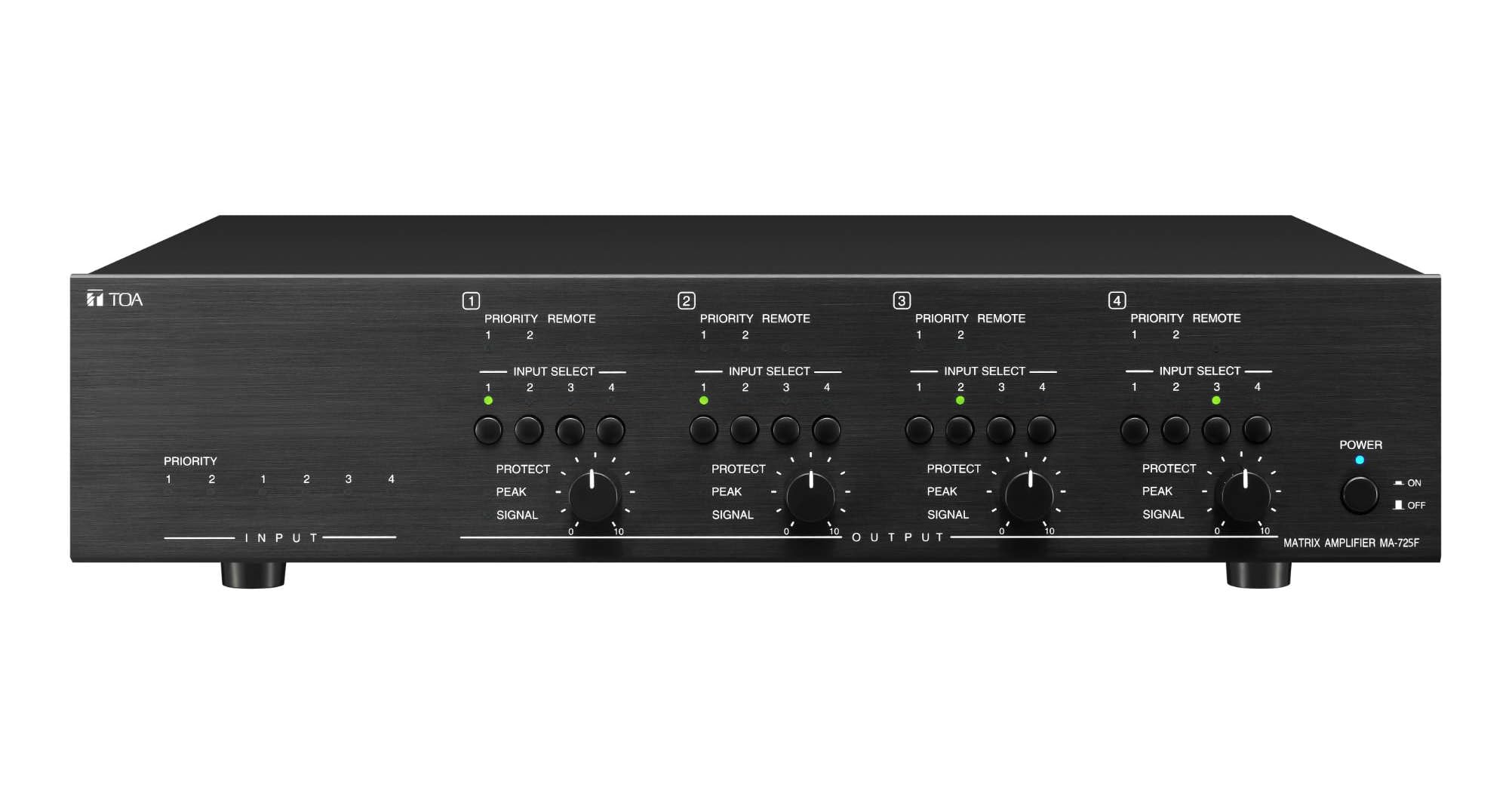
Figure 1: Front view of the TOA MA-725F-AM 3CU Matrix Mixer and Amplifier. This image shows the general appearance of the unit.
2. Key Features
- 4 Stereo-Summing Line Inputs: Allows matrix routing to 4 amplifier outputs.
- Input Level Adjustment: Each line input includes independent level adjustment and output restriction settings.
- 2 Priority MIC/LINE Inputs: Designed for paging or pre-recorded sources with different priority levels.
- Priority Input Adjustments: Each priority input offers level, mute sensitivity, and mute hold time adjustments.
- 4-Channel Class-D Amplifier: Each output channel delivers 250 W at 70 V/100 V, selectable with independent DSP preset selection.
- 50 Hz HPF: High-Pass Filter for speaker protection on each output channel.
3. Setup and Connections
Proper setup is crucial for optimal performance. Refer to the rear panel diagram for connection points.

Figure 2: Rear panel of the TOA MA-725F-AM 3CU, showing all input, output, and control connections.
3.1 Power Connection
- Connect the supplied AC power cord to the 100-240V AC, 50/60Hz power inlet on the rear panel.
- Ensure the power switch is in the OFF position before connecting to a power source.
3.2 Input Connections
- Line Inputs (CH 1-4): Connect stereo audio sources (e.g., CD players, media players) to the RCA input jacks labeled LINE INPUT. These inputs are stereo-summing.
- MIC/LINE Priority Inputs (PRIORITY 1 & 2): Connect microphones or other line-level priority sources to the Phoenix connector terminals. Adjust input levels and priority settings as needed.
- Remote Inputs: Use the RJ45 ports labeled REMOTE CH 1-4 for remote control units, if applicable.
3.3 Output Connections
- Speaker Outputs (CH 1-4): Connect 70V or 100V constant voltage speakers to the Phoenix connector terminals labeled OUTPUT. Ensure correct polarity.
- Verify the output voltage setting (70V/100V) matches your speaker system requirements using the DIP switches or software settings.
3.4 Network Connection
- Connect an Ethernet cable to the LAN port for network control and configuration via dedicated software.
4. Operating Instructions
The MA-725F-AM 3CU offers flexible control over audio routing and levels.
4.1 Powering On/Off
- To power on, ensure all connections are secure, then flip the power switch to the ON position.
- To power off, flip the power switch to the OFF position.
4.2 Input Level Adjustment
- Adjust the input level for each line input using the corresponding controls, typically found on the front panel or via software.
- For MIC/LINE priority inputs, use the dedicated level controls and sensitivity adjustments on the rear panel or via software.
4.3 Matrix Routing
- The unit allows routing of any input to any output. This is typically configured using the dedicated control software connected via the LAN port.
- Each line input can have restriction settings assigned for each output, controlling which outputs receive its signal.
4.4 Priority Functions
- The two MIC/LINE priority inputs can override other audio sources. Priority levels can be configured.
- Adjust Mute Sensitivity to determine the signal level at which the priority input activates muting of other sources.
- Adjust Mute Hold Time to set how long the priority input remains active after the signal drops below the threshold.
4.5 DSP Settings
- Each output channel has independent DSP preset adjustment capabilities. These settings are typically accessed and configured through the control software.
- The 50 Hz High-Pass Filter (HPF) is active on each output for speaker protection.
5. Maintenance
Regular maintenance ensures the longevity and reliable operation of your MA-725F-AM 3CU.
- Cleaning: Use a soft, dry cloth to clean the exterior of the unit. Do not use liquid cleaners or solvents.
- Ventilation: Ensure adequate ventilation around the unit. Do not block ventilation openings. Overheating can lead to malfunction.
- Connections: Periodically check all input and output connections to ensure they are secure.
- Environment: Operate the unit in a clean, dry environment, away from direct sunlight, excessive heat, moisture, and dust.
6. Troubleshooting
If you encounter issues, refer to the following common troubleshooting steps.
6.1 No Power
- Check if the power cord is securely connected to both the unit and the AC outlet.
- Verify that the AC outlet is functional.
- Ensure the power switch on the unit is in the ON position.
6.2 No Audio Output
- Check all speaker connections for proper polarity and secure fit.
- Verify that the input source is active and producing audio.
- Ensure input levels are appropriately set and not muted.
- Confirm that the matrix routing is correctly configured to send the desired input to the intended output channel.
- Check for active priority inputs that might be muting other sources.
- Ensure the output voltage setting (70V/100V) matches your speaker system.
6.3 Distorted Audio
- Reduce input levels to prevent clipping.
- Check speaker impedance and ensure it is compatible with the amplifier's output.
- Inspect all cables for damage.
If problems persist after attempting these steps, contact TOA technical support or your authorized dealer for assistance.
7. Specifications
| Feature | Specification |
|---|---|
| Power Source | 100 - 240V AC, 50/60Hz |
| Rated Output | 250W x 4 channels: 70V line (20 Ohm) / 100V line (40 Ohm) |
| Power Consumption | 1350 W (rated output) |
| Frequency Response | 20Hz - 20 kHz (-3 dB / +/- 1 dB, LPF OFF) |
| Total Harmonic Distortion | 1% or less, at 1kHz, rated output |
| Signal to Noise Ratio | Mic: 60 dB or more, Line: 75dB or more (A-weighted) |
| Dimensions (WxHxD) | 16.54 x 4.24 x 13.78 inches |
| Item Weight | 41.2 pounds |
| Number of Channels | 4 |
| Connectivity Technology | Auxiliary |
| Audio Input | Auxiliary |
8. Warranty and Support
For warranty information, please refer to the documentation included with your product or visit the official TOA website. For technical support, contact your authorized TOA dealer or TOA customer service directly. Please have your model number (MA-725F-AM 3CU) and purchase details available when seeking support.


