
1. Introduction
The Dolphin Wave 140 is an automatic robotic pool cleaner designed for commercial pools up to 127 feet in length. It features smart navigation, dual drive mobility, and a multi-purpose caddy for ease of use. This manual provides essential information for the safe and efficient operation and maintenance of your Dolphin Wave 140.
2. Setup
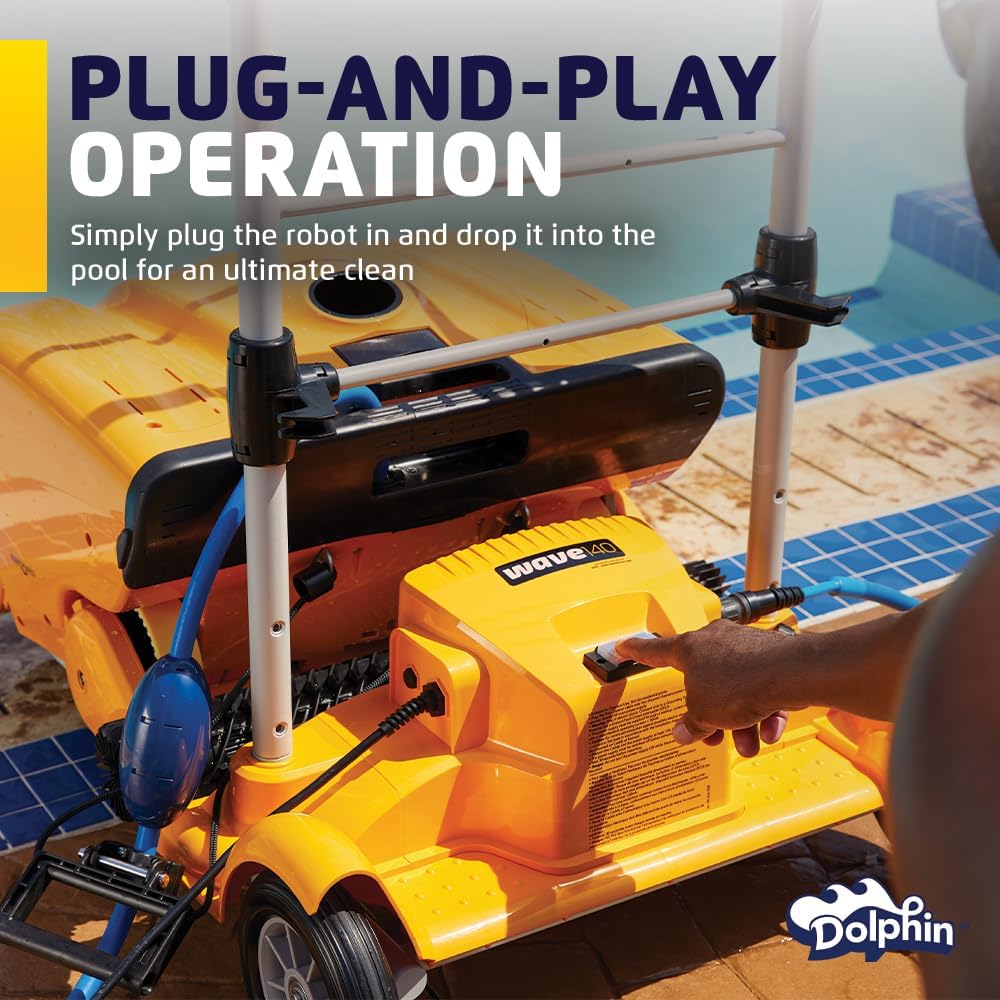
The Dolphin Wave 140 is designed for plug-and-play operation, making setup straightforward.
- Unpack the Cleaner: Carefully remove the robotic cleaner and its components from the packaging.
- Assemble the Caddy: If not already assembled, attach the handle and power supply unit to the multi-purpose caddy. The caddy is designed for easy transport and storage of the cleaner and its cable.
- Connect Power Supply: Connect the floating cable from the cleaner to the power supply unit. Ensure the connection is secure.
- Place in Pool: Gently lower the Dolphin Wave 140 into the pool. Ensure it sinks to the bottom and is fully submerged before starting operation.

3. Operating Instructions
The Dolphin Wave 140 offers efficient cleaning with user-friendly controls.
3.1 One-Touch Operation
Once the cleaner is submerged and connected to the power supply, simply press the one-touch operation button on the power supply unit to begin a cleaning cycle. The cleaner will automatically navigate and clean the pool floor and walls.
3.2 Smart Navigation and Dual Drive System
The Wave 140 utilizes Smart Navigation technology to ensure effective and efficient cleaning coverage of the pool floor. Its dual drive mobility system allows for agile maneuvering around obstacles, ensuring no area is missed.

3.3 Cleaning Modes
The Wave 140 offers various cleaning modes (Quick, Standard, Enhanced) to suit different cleaning needs. Refer to the remote control instructions for selecting specific modes and manual operation.

3.4 Remote Control
The included remote control allows for manual steering and selection of cleaning programs. This is particularly useful for spot cleaning or guiding the robot to specific areas of the pool.
4. Maintenance
Regular maintenance ensures optimal performance and longevity of your Dolphin Wave 140.
4.1 Filter Cleaning
The Wave 140 features a top-load fine filter cartridge system. The full filter indicator will alert you when it's time to clean or change the filter. To clean, simply open the top access, remove the filter basket, and rinse it thoroughly with a hose.

4.2 Fast Water Release
When removing the cleaner from the pool, the fast water release feature allows water to drain quickly, making the unit lighter and easier to handle.

5. Specifications
| Feature | Detail |
|---|---|
| Model Name | Wave 140 |
| Item Model Number | 99997140-US |
| Brand | Dolphin |
| Manufacturer | Maytronics |
| Power Source | AC |
| Item Weight | 125 Pounds |
| Product Dimensions | 38.5"L x 26.6"W x 20.9"H |
| Hose Length | 140 Feet |
| Special Feature | Self Propelled |
| Control Method | Remote |
| Installation Type | Plug-and-play / Portable |
| Material | Plastic |
| Color | Yellow |
6. Troubleshooting
If you encounter issues with your Dolphin Wave 140, consider the following common solutions:
- Cleaner Not Moving: Check if the power supply is properly connected and turned on. Ensure the filter basket is not excessively clogged.
- Poor Cleaning Performance: Clean the filter basket thoroughly. Inspect the brushes for wear and tear and replace if necessary. Ensure the pool water chemistry is balanced.
- Cleaner Getting Stuck: Verify that the floating cable is not tangled. Remove any large debris from the pool that might obstruct the cleaner's path.
- Remote Control Issues: Check the batteries in the remote control. Ensure there are no obstructions between the remote and the power supply unit.
For persistent issues, please refer to the full troubleshooting guide available on the manufacturer's website or contact customer support.
7. Warranty and Support
The Dolphin Wave 140 comes with a Full Warranty. For warranty claims, technical support, or replacement parts, please contact Maytronics customer service or visit their official website. Ensure you have your model number (99997140-US) and proof of purchase available.


