
1. Introduction
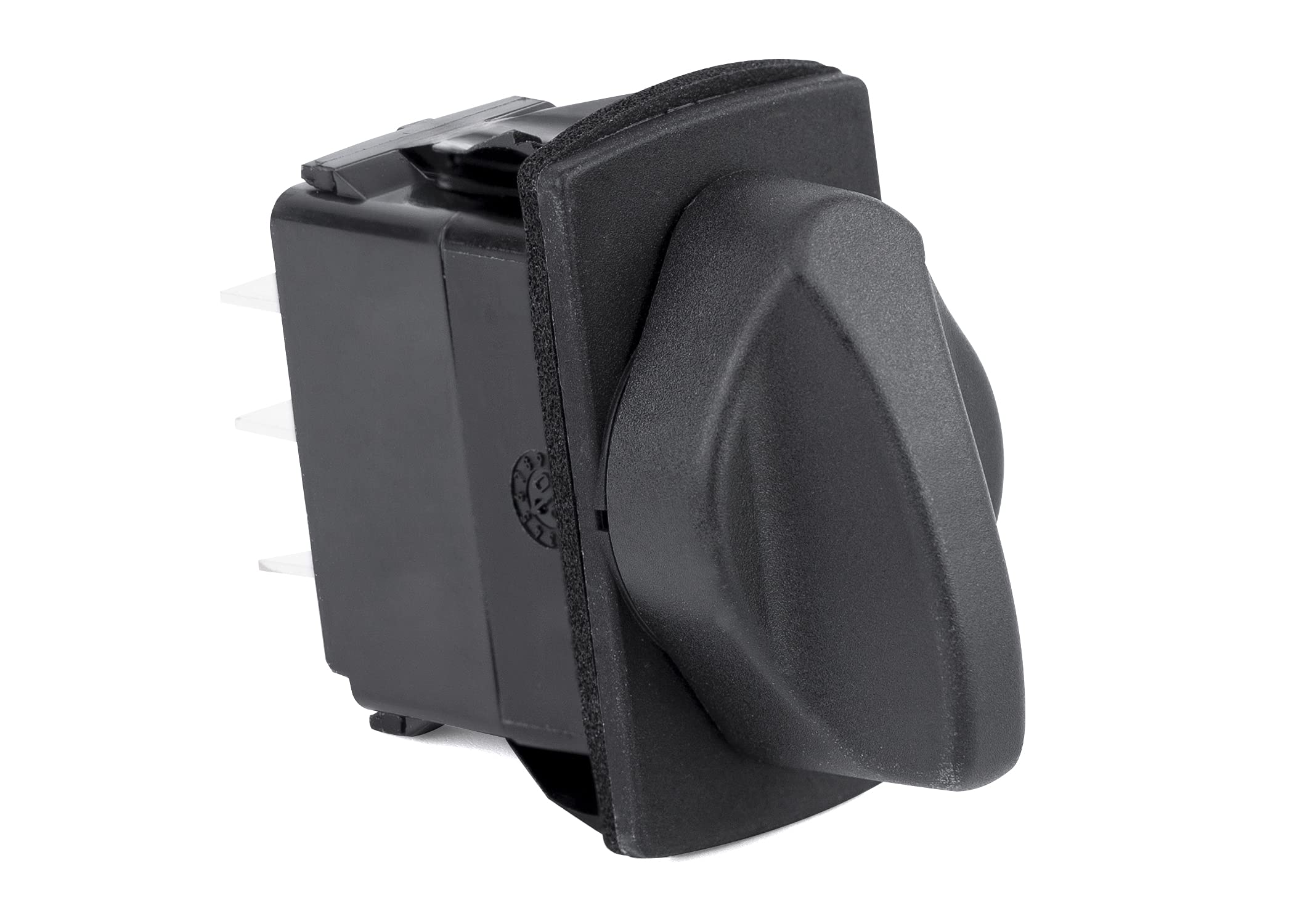
This manual provides essential information for the proper installation, operation, and maintenance of your Sierra RS20060 Rotary Switch. The RS20060 is a Contura progressive rotary switch designed for reliable performance in various applications, including marine environments. It features a patented mechanism for rotary-to-linear motion translation, definitive detent positions, and integrated illumination capabilities.
2. Product Overview
The Sierra RS20060 Rotary Switch is engineered for durability and ease of use. Key features include:
- Designed to fit industry-standard panel openings.
- Patented mechanism for precise rotary-to-linear motion translation.
- Secondary cam provides clear, definitive detent positions for positive feedback.
- Integrated illumination module, supporting up to 3 LEDs for simplified installation and visibility.
- IP67 sealing protection for all above-panel components, ensuring resistance against dust and water ingress.
3. Setup and Installation
Proper installation is crucial for the optimal performance and longevity of your RS20060 Rotary Switch. This switch is designed for panel mounting.
3.1 Panel Mounting
- Ensure the panel opening matches industry standards for Contura switches.
- Carefully insert the switch into the prepared panel opening.
- Secure the switch using the appropriate mounting hardware (not included unless specified).
3.2 Electrical Connections
The RS20060 features an integrated illumination module. Refer to the wiring diagram provided with your specific product packaging for correct electrical connections. Ensure all connections are secure and insulated to prevent short circuits.
- Connect power and ground wires according to the wiring diagram.
- If utilizing the illumination feature, connect the LED power supply as indicated.
- Verify all connections before applying power.
Caution: Disconnect all power sources before performing any installation or wiring to prevent electrical shock or damage to the switch.
4. Operating Instructions
The Sierra RS20060 is a progressive rotary switch, meaning its positions are distinct and provide tactile feedback.
- To operate, grasp the rotary knob firmly.
- Rotate the knob clockwise or counter-clockwise to select the desired position.
- The secondary cam mechanism ensures that each detent position is clearly felt, preventing accidental over-rotation or ambiguous settings.
- If equipped with illumination, the integrated LEDs will light up according to the selected function or power status, as per your wiring configuration.
5. Maintenance
The Sierra RS20060 Rotary Switch is designed for minimal maintenance due to its robust construction and IP67 sealing protection.
- Cleaning: Periodically wipe the exposed surface of the switch with a clean, damp cloth. Avoid using harsh chemicals or abrasive cleaners, which can damage the plastic material or markings.
- Inspection: Regularly inspect the switch for any signs of physical damage, loose connections, or wear. Ensure the panel seal remains intact to maintain IP67 protection.
- Environmental Protection: The IP67 rating protects against dust and temporary immersion in water. While robust, avoid prolonged submersion or exposure to high-pressure water jets.
6. Troubleshooting
If you encounter issues with your Sierra RS20060 Rotary Switch, consider the following troubleshooting steps:
- Switch Not Responding:
- Check all electrical connections for looseness or corrosion.
- Verify that the power supply to the switch is active.
- Inspect the wiring for any breaks or short circuits.
- Illumination Not Working:
- Ensure the illumination module is correctly wired and receiving power.
- Check for blown fuses in the illumination circuit.
- Confirm that the LEDs themselves are not damaged (though rare).
- Difficulty Rotating Switch:
- Ensure no foreign objects are obstructing the rotary mechanism.
- Verify the switch is correctly seated in the panel opening and not binding.
If problems persist after following these steps, contact Sierra technical support for further assistance.
7. Specifications
| Feature | Specification |
|---|---|
| Model Number | RS20060 |
| Brand | Sierra |
| Product Dimensions (L x W x H) | 12.7 x 5.84 x 7.87 cm |
| Item Weight | 40.8 g |
| Material | Plastic |
| Operation Mode | Rotary Switch |
| Switch Type | Rotary |
| Mounting Type | Panel Mount |
| Actuator Type | Rotary |
| International Protection Rating | IP67 |
8. Warranty and Support
Sierra products are backed by an industry-leading warranty, ensuring quality and reliability. For specific warranty details, please refer to the documentation included with your purchase or visit the official Sierra Marine website.
Should you require technical assistance, have questions regarding installation, or need support for your RS20060 Rotary Switch, Sierra's technical support representatives are available to provide expert guidance. Contact information can typically be found on the product packaging or the Sierra Marine website.
