
Tek Styz TS-1937
Tek Styz Portable Bluetooth Speaker User Manual
Model: TS-1937
1. Introduction
Thank you for choosing the Tek Styz Portable Bluetooth Speaker. This compact and versatile speaker is designed for on-the-go audio, featuring a clip-on and magnetic mount for easy portability. With IPX5 water resistance, Bluetooth 5.4 connectivity, and a long-lasting battery, it's perfect for various indoor and outdoor activities. This manual provides detailed instructions for setup, operation, maintenance, and troubleshooting to ensure you get the most out of your device.
2. What's in the Box
- Tek Styz Portable Bluetooth Speaker (Model TS-1937)
- USB Type-C Charging Cable
- User Manual
3. Product Overview
Familiarize yourself with the components and features of your Tek Styz Portable Bluetooth Speaker.
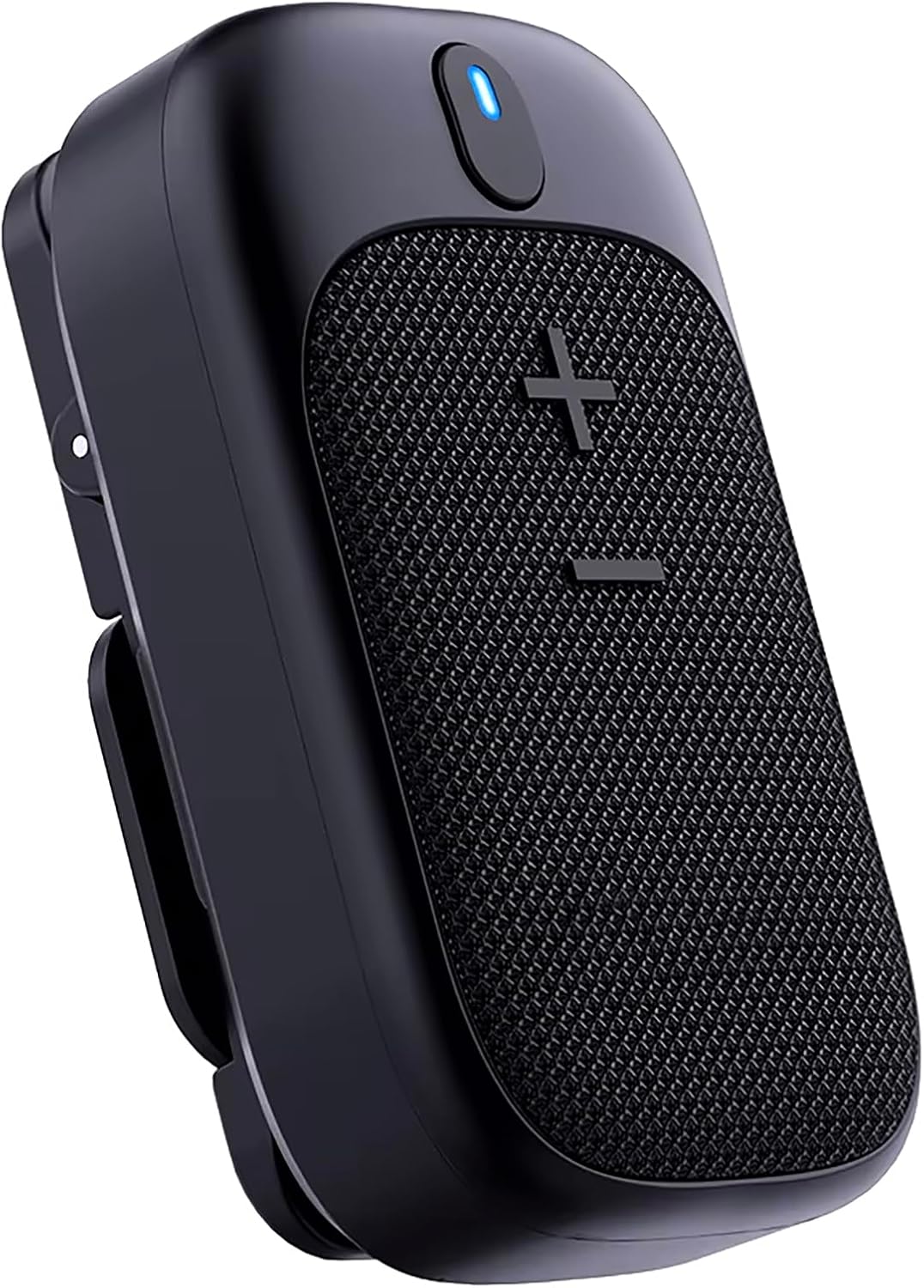
Front view of the Tek Styz Portable Bluetooth Speaker, showing the speaker grille and control buttons.
3.1 Wearing Styles
The speaker offers multiple convenient ways to wear or mount it:

Illustration demonstrating the magnetic base and clip-on mount for versatile attachment to clothing, bags, or other surfaces.
- Double-sided Magnet: For secure placement on clothing or other magnetic surfaces.
- Built-in Magnet: Allows attachment to metal objects or use with the included magnetic clip.
- Spring Clip: Provides a firm grip for attaching to pockets, straps, or other fabric.
3.2 Control Buttons

Detailed view of the speaker's control buttons and their respective functions.
- Power Button (Top):
- Long press 3 seconds: Power On / Power Off
- Short press: Talk / Hang up (for calls)
- Volume Up / Previous Track Button (+):
- Short press: Volume Up
- Long press: Previous Song
- Volume Down / Next Track Button (-):
- Short press: Volume Down
- Long press: Next Song
4. Setup
4.1 Charging the Speaker
Before first use, fully charge the speaker. A full charge takes approximately 1 hour.
- Connect the included USB Type-C charging cable to the speaker's charging port.
- Connect the other end of the cable to a USB power source (e.g., computer USB port, USB wall adapter).
- The LED indicator will show charging status (refer to product for specific LED behavior).
- Once fully charged, disconnect the cable.
4.2 Bluetooth Pairing
Pair your speaker with your device (smartphone, tablet, etc.) to begin audio playback.
- Ensure the speaker is powered off.
- Long press the Power Button for 3 seconds to turn on the speaker. The LED indicator will flash, indicating it's in pairing mode.
- On your device, go to Bluetooth settings and enable Bluetooth.
- Search for available devices. The speaker will appear as "TS-1937" or similar.
- Select the speaker from the list to connect. Once connected, the LED indicator will change (e.g., solid blue), and you may hear a confirmation tone.
- If prompted for a password, enter "0000".
Note: The speaker supports Bluetooth 5.4 for a stable and efficient connection up to 800 feet in open areas.
5. Operating Instructions
5.1 Power On/Off
- To Power On: Long press the Power Button for 3 seconds.
- To Power Off: Long press the Power Button for 3 seconds.
5.2 Music Playback
- Play/Pause: Use your connected device's controls.
- Volume Up: Short press the "+" button.
- Volume Down: Short press the "-" button.
- Next Song: Long press the "-" button.
- Previous Song: Long press the "+" button.
5.3 Hands-Free Calling
The speaker features a built-in microphone for hands-free calls.

The speaker's built-in microphone allows for clear hands-free communication.
- Answer Call: Short press the Power Button.
- End Call: Short press the Power Button.
- Reject Call: Long press the Power Button.
- Voice Assistant: The speaker is compatible with AI voice assistants like Alexa, Siri, Google Voice, and ChatGPT. Activate via your connected device.
5.4 Dual Stereo Mode (TWS Pairing)
You can connect two Tek Styz TS-1937 speakers together for a true wireless stereo experience.
- Ensure both speakers are powered off and not connected to any device.
- Power on both speakers. They will automatically enter pairing mode.
- On one of the speakers (this will be the primary speaker), double-press the Power Button. The speakers will attempt to pair with each other.
- Once successfully paired, you will hear a confirmation tone, and the LED indicators will synchronize.
- Now, connect your device to the primary speaker via Bluetooth as described in Section 4.2. Audio will play through both speakers in stereo.
6. Features and Benefits
- Compact & Lightweight: Small enough to fit in your pocket, making it ideal for travel.
- Durable & Water-Resistant: IPX5 standard ensures protection against splashes and light rain, suitable for outdoor use.
- Long Battery Life: Up to 18 hours of playtime on a single charge (at medium volume) with a 600mAh battery.
- High-Quality Audio: Features a 3W stereo output and 72mm dynamic driver for crisp, clear sound with deep bass.
- Low Latency: 6 milliseconds audio latency for synchronized audio and video.
- Omnidirectional Noise-Canceling Microphone: Ensures clear hands-free calls and voice assistant interaction.
7. Maintenance
- Cleaning: Wipe the speaker with a soft, dry cloth. Do not use abrasive cleaners or solvents.
- Storage: Store the speaker in a cool, dry place away from direct sunlight and extreme temperatures.
- Battery Care: To prolong battery life, avoid fully discharging the speaker frequently. Charge it regularly, even if not in use for extended periods.
- Water Resistance: While IPX5 rated, avoid submerging the speaker in water. Ensure the charging port cover is securely closed when near water.
8. Troubleshooting
| Problem | Possible Cause | Solution |
|---|---|---|
| Speaker does not turn on. | Battery is dead. | Charge the speaker for at least 1 hour. |
| Cannot pair with device. | Bluetooth is off on device; speaker is not in pairing mode; device is too far. | Ensure Bluetooth is enabled on your device. Long press power button to enter pairing mode. Move device closer to speaker (within 33 feet). |
| No sound or low volume. | Volume too low on speaker or device; speaker not connected. | Increase volume on both speaker and connected device. Re-establish Bluetooth connection. |
| Poor sound quality. | Interference; device too far; low battery. | Move speaker closer to device. Charge the speaker. Avoid obstacles between speaker and device. |
| Cannot connect two speakers for TWS. | Speakers already paired to a device; incorrect pairing procedure. | Ensure both speakers are disconnected from any device. Follow TWS pairing instructions carefully (Section 5.4). |
9. Specifications
| Feature | Specification |
|---|---|
| Model Name | TS-1937 |
| Bluetooth Version | 5.4 |
| Wireless Range | Up to 800 feet (243 meters) |
| Speaker Output Power | 3 Watts |
| Audio Driver Size | 72 Millimeters |
| Battery Capacity | 600 Milliamp Hours |
| Battery Life | Up to 18 Hours (Medium Volume) |
| Charging Time | Approximately 1 Hour |
| Water Resistance Level | IPX5 (Water Resistant) |
| Product Dimensions | 2.87"D x 1.11"W x 1.68"H |
| Item Weight | 4 Ounces |
| Material | Aluminum, Hi Strength Plastic |
| Connectivity Protocol | Bluetooth |
| Audio Output Mode | Stereo |
| Microphones | 2 |
| Audio Latency | 6 Milliseconds |
| UPC | 647010014292 |
10. Warranty and Support
Tek Styz products are designed for durability and performance. For warranty information or technical support, please refer to the contact details provided with your purchase or visit the official Tek Styz website. Keep your purchase receipt as proof of purchase for any warranty claims.
Ask a question about this manual
Ask about setup, troubleshooting, compatibility, parts, safety, or missing instructions. Manuals+ will review the question and use this page’s manual context to help answer it.