
1. Introduction
This manual provides essential information for the safe and effective use of your CS BATTERY BP-173 replacement battery. Please read these instructions carefully before use and retain them for future reference.
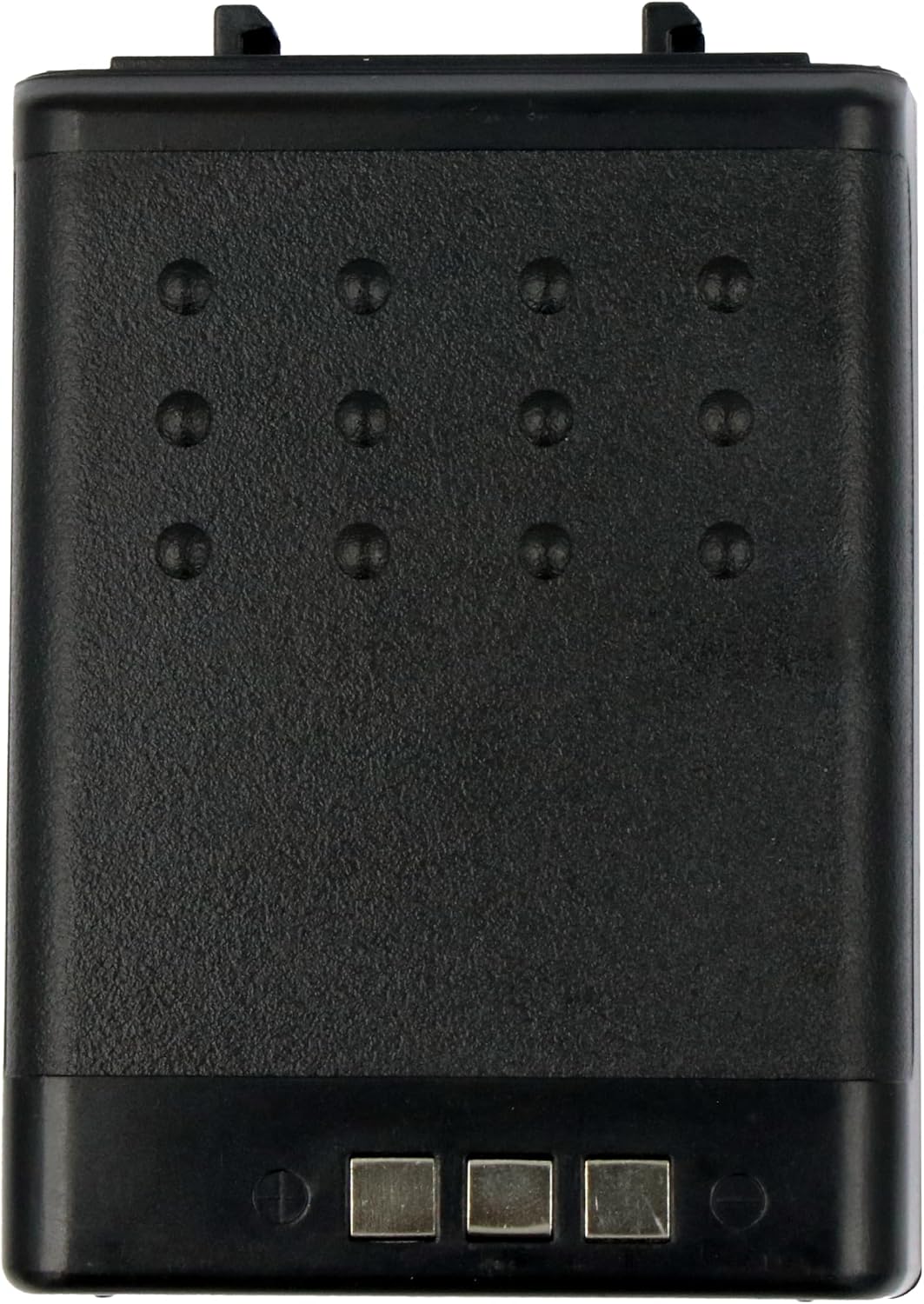
The BP-173 is a high-capacity replacement battery designed to power compatible Icom two-way radios, ensuring reliable performance and extended operational time.
2. Product Overview

3. Compatibility
The CS BATTERY BP-173 replacement battery is compatible with the following Icom radio models:
- IC-W31A
- IC-W31E
- IC-W32
- IC-W32A
- IC-W32E
- IC-Z1
- IC-Z1A
- IC-Z1E
Please ensure your device model matches one of the listed compatible models before use.
4. Specifications
| Feature | Specification |
|---|---|
| Model Number | BP-173 |
| Battery Type | Ni-MH |
| Voltage | 7.2V |
| Capacity | 1100mAh / 7.92Wh |
| Dimensions (L x W x H) | 80.10 x 56.70 x 29.70 mm |
| Weight | 201g |
| Certifications | ROSH, CE, UL |
| Protection Features | Over-charge, over-discharge, over-heat, over-current, short-circuit protection |
5. Safety Information and Warnings
To prevent damage, injury, or fire, observe the following safety precautions:
- Keep the battery dry: Avoid exposure to moisture or liquids.
- Avoid metallic objects: Do not place the battery terminals near metallic objects, which can cause a short-circuit.
- Do not short-circuit: Never intentionally short-circuit the battery terminals.
- Use specified charger only: Only use a charger specifically designed for Ni-MH batteries and compatible with your Icom radio model.
- Never expose to fire: Do not dispose of the battery in fire or expose it to high temperatures.
- Do not disassemble: Do not attempt to open, modify, or disassemble the battery pack.
- Proper disposal: Dispose of used batteries according to local regulations. Do not dispose of with household waste.
6. Installation and Setup
- Initial Charge: For optimal performance, fully charge the battery before its first use. Refer to your radio's instruction manual for specific charging procedures.
- Inserting the Battery:
- Ensure your radio is powered off.
- Align the battery with the battery compartment on your Icom radio.
- Gently slide the battery into place until it clicks securely. Do not force the battery.
- Removing the Battery:
- Ensure your radio is powered off.
- Locate the battery release latch (if present on your radio model) and disengage it.
- Carefully slide the battery out of the compartment.
7. Operation
Once installed and charged, the BP-173 battery will power your compatible Icom radio. Operate your radio as per its original instruction manual. The battery's high capacity circulation function ensures consistent power delivery.
8. Maintenance
- Regular Charging: Charge the battery regularly, even if not in constant use, to maintain its health.
- Avoid Deep Discharge: Do not allow the battery to fully discharge frequently, as this can reduce its lifespan.
- Storage: If storing the battery for an extended period, charge it to approximately 50% capacity and store it in a cool, dry place away from direct sunlight and extreme temperatures.
- Clean Contacts: Periodically clean the battery's metal contacts with a dry, clean cloth to ensure good connection with the radio.
9. Troubleshooting
- Battery not charging: Ensure the battery is correctly inserted into the charger and the charger is connected to a power source. Verify the charger is compatible with Ni-MH batteries.
- Radio not powering on: Check if the battery is fully charged and properly installed in the radio.
- Reduced operating time: If your wireless device's operating time is significantly reduced even after a full charge, the battery may be nearing the end of its lifespan and should be replaced.
10. Warranty and Support
This product is manufactured with quality certifications including ROSH, CE, and UL, ensuring adherence to safety and quality standards.
For any questions, technical support, or warranty inquiries, please contact your retailer or the manufacturer directly. Refer to your purchase documentation for contact information.


