
FITE ON HAA-2510, HAA-2912
FITE ON UL Listed AC/DC Adapter User Manual
For Sega Mega Drive Genesis HAA-2510 and CD 2 HAA-2912 Consoles
1. Introduction
This manual provides essential information for the safe and effective use of your FITE ON UL Listed AC/DC Adapter. This power supply is designed for compatibility with Sega Mega Drive Genesis HAA-2510 and CD 2 HAA-2912 console systems. Please read this manual thoroughly before use and retain it for future reference.
2. Safety Information
Your FITE ON AC/DC Adapter is designed with multiple safety features to ensure reliable operation and protection for your devices. It is UL Listed, indicating compliance with safety standards for sale in the US and Canada.
2.1 Built-in Protections
- Over Voltage Protection (OVP): Safeguards against excessive voltage input.
- Over Current Protection (OCP): Prevents damage from excessive current flow.
- Over Temperature Protection (OTP): Protects against overheating.
- Short Circuit Protection (SCP): Automatically shuts down in case of a short circuit.
These protections help prevent fire hazards, circuit damage, and excessive heat during prolonged use.

Image: Built-in Safety Protections Diagram
2.2 General Safety Guidelines
- Keep the adapter dry.
- Do not store or use the adapter in hot or cold environments.
- Ensure adequate ventilation when using the charger for extended periods.
- Avoid bending or stressing the cable excessively.

Image: Compliance and Certification Logos (RoHS, Double Insulation, UL)
3. Product Overview
3.1 Package Contents
- 1 x FITE ON AC Power Adapter
3.2 Specifications
| Input Voltage | 100-240 VAC, 50-60 Hz |
| DC Line Length | 5 ft (1.5 meters) |
| Connector Type | Barrel Connector |
| Compatible Devices | Sega Mega Drive Genesis HAA-2510, CD 2 HAA-2912 Consoles |
| Safety Certifications | UL Listed |
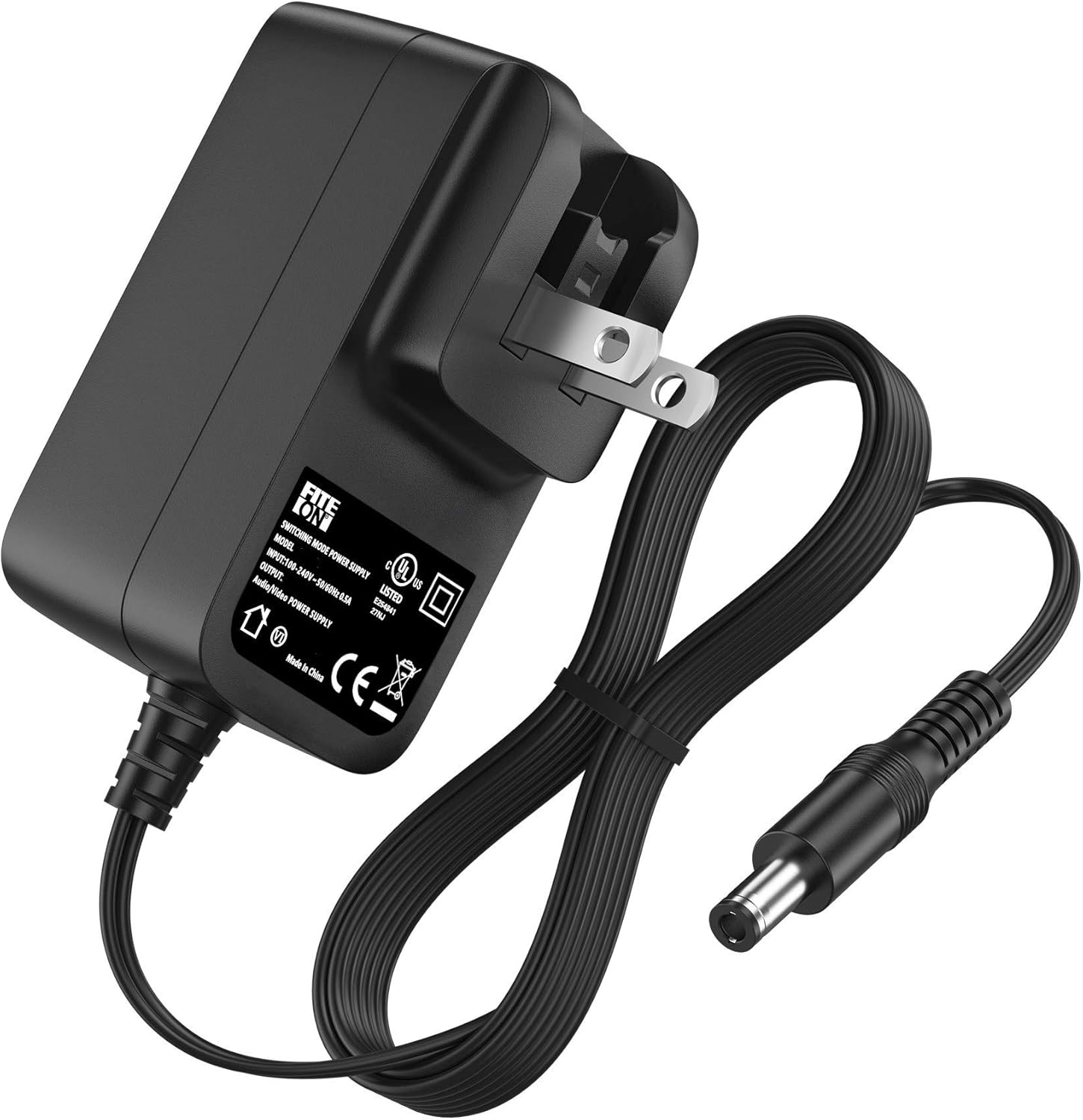
Image: FITE ON AC/DC Adapter

Image: Adapter Dimensions and Cable Length
4. Setup and Installation
- Verify Compatibility: Ensure your Sega Mega Drive Genesis console is model HAA-2510 or CD 2 HAA-2912.
- Connect to Console: Insert the barrel connector end of the FITE ON AC/DC Adapter into the power input port on your Sega console.
- Connect to Power Outlet: Plug the AC adapter into a standard 100-240 VAC wall outlet.
- Power On: Turn on your console using its power switch.
The adapter is designed for efficient power delivery, ensuring your console receives stable and consistent power.
Image: Power Efficiency Illustration
5. Operating Instructions
Once connected, the FITE ON AC/DC Adapter provides continuous power to your Sega console. No specific operational steps are required for the adapter itself beyond proper connection.
- Ensure the adapter is securely plugged into both the console and the wall outlet.
- Avoid disconnecting the adapter during critical console operations to prevent data loss or system errors.
- If the console is not in use for an extended period, it is recommended to unplug the adapter from the wall outlet.
6. Maintenance and Care
- Cleaning: Use a dry, soft cloth to clean the adapter. Do not use liquid cleaners or solvents.
- Storage: Store the adapter in a cool, dry place when not in use. Avoid extreme temperatures.
- Cable Management: Do not wrap the cable too tightly around the adapter. Avoid sharp bends or kinks in the cable.
- Ventilation: When in use, ensure the adapter has adequate space for ventilation to prevent heat buildup.
7. Troubleshooting
If you encounter issues with your FITE ON AC/DC Adapter, consider the following:
- No Power to Console:
- Check if the adapter is firmly plugged into both the wall outlet and the console.
- Test the wall outlet with another device to ensure it is functional.
- Inspect the adapter cable and connector for any visible damage.
- Adapter Overheating:
- Ensure the adapter is in a well-ventilated area and not covered.
- If overheating persists, discontinue use and contact customer support.
- Intermittent Power:
- Ensure all connections are secure and stable.
- Avoid placing stress on the cable or connector.
If these steps do not resolve the issue, please refer to the Warranty and Support section.
8. Warranty and Support
FITE ON is committed to providing high-quality products and customer satisfaction. We offer a lifetime quality commitment for our products. If you experience any problems or require assistance, please do not hesitate to contact us.

Image: After Sales Service
Our customer support team is available to assist you with any inquiries or concerns regarding your FITE ON product.
Ask a question about this manual
Ask about setup, troubleshooting, compatibility, parts, safety, or missing instructions. Manuals+ will review the question and use this page’s manual context to help answer it.