
1. Important Safety Information
Read all instructions before using this appliance to prevent potential hazards and ensure proper operation. Keep this manual for future reference.
General Safety Precautions
- Ensure the appliance is properly grounded.
- Do not allow children to play on or in the appliance.
- Keep flammable materials away from the appliance.
- Do not operate the machine if it is damaged or malfunctioning. Contact authorized service personnel.
- Always unplug the appliance before cleaning or performing maintenance.
Electrical Safety
- Use only a dedicated 220V power outlet.
- Do not use extension cords or adapters.
- Ensure the power cord is not pinched or damaged.
2. Product Overview
The Samsung WF18T8000GV/ET is a large capacity front-load washing machine designed for efficient and intelligent laundry care. It features advanced technologies to enhance washing performance and user convenience.
Key Features
- 18 kg Capacity: Accommodates large loads, reducing the frequency of washes.
- EcoBubble Technology: Generates bubbles to penetrate fabrics faster, allowing effective cleaning at lower temperatures and saving energy.
- Digital Inverter Motor: Ensures superior energy efficiency, minimal noise, and long-lasting performance with a 20-year warranty.
- Disinfecting Steam Wash: Releases powerful steam from the drum bottom to remove stubborn dirt and 99.9% of bacteria and allergens.
- Smart Check System: Detects and diagnoses problems, providing simple solutions via a smartphone app.
- Diamond Drum: Features a unique design that is gentle on clothes while effectively washing.
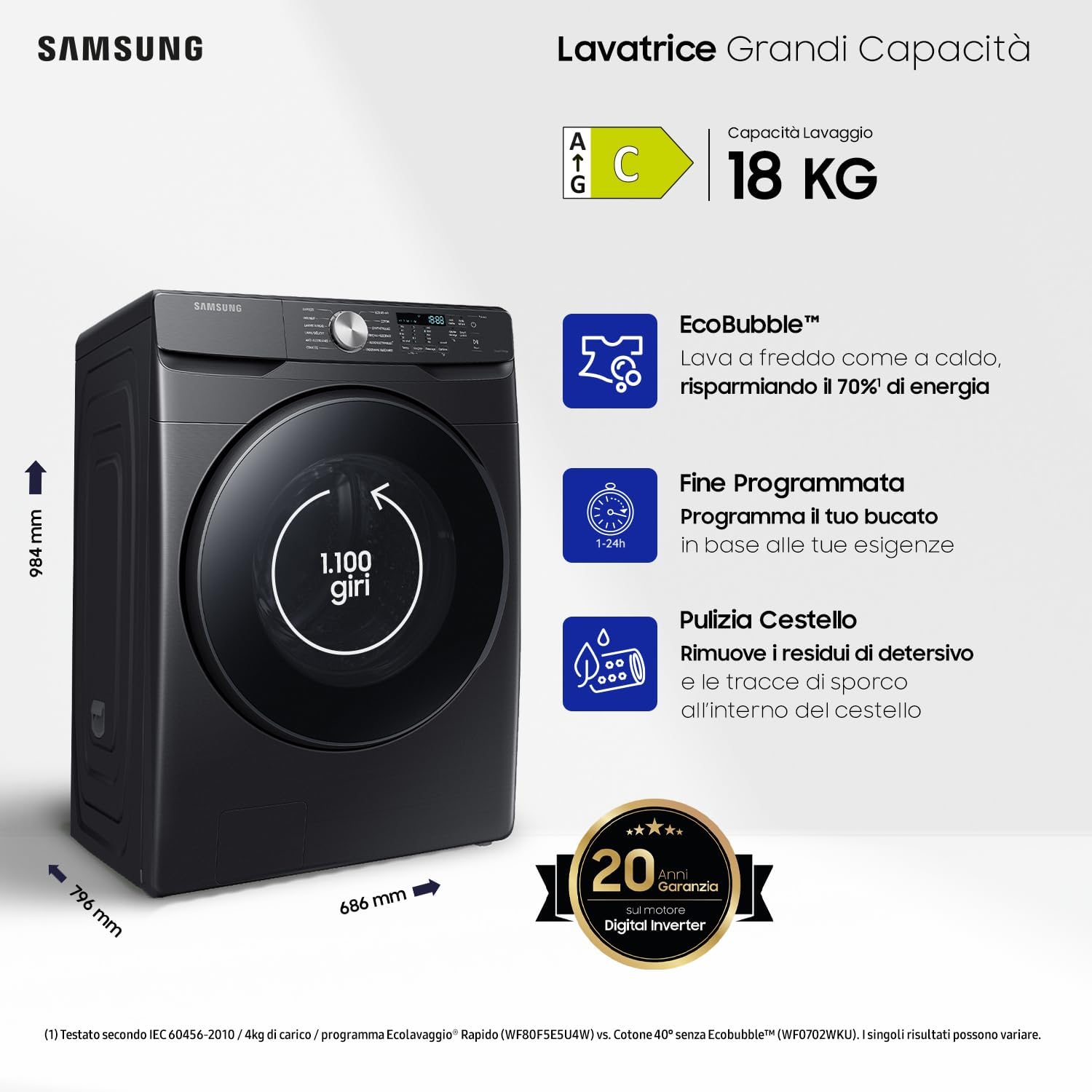
Figure 2.1: Front view of the Samsung WF18T8000GV/ET washing machine.
3. Installation and Setup
Proper installation is crucial for the optimal performance and longevity of your washing machine. Follow these steps carefully.
Unpacking
- Remove all packaging materials, including the shipping bolts from the rear of the machine. Keep the bolts for future transport.
- Inspect the machine for any damage.
Location Requirements
- Place the washing machine on a firm, level surface.
- Ensure adequate space around the machine for ventilation and maintenance.
- Avoid direct sunlight or extreme temperatures.
Dimensions and Leveling
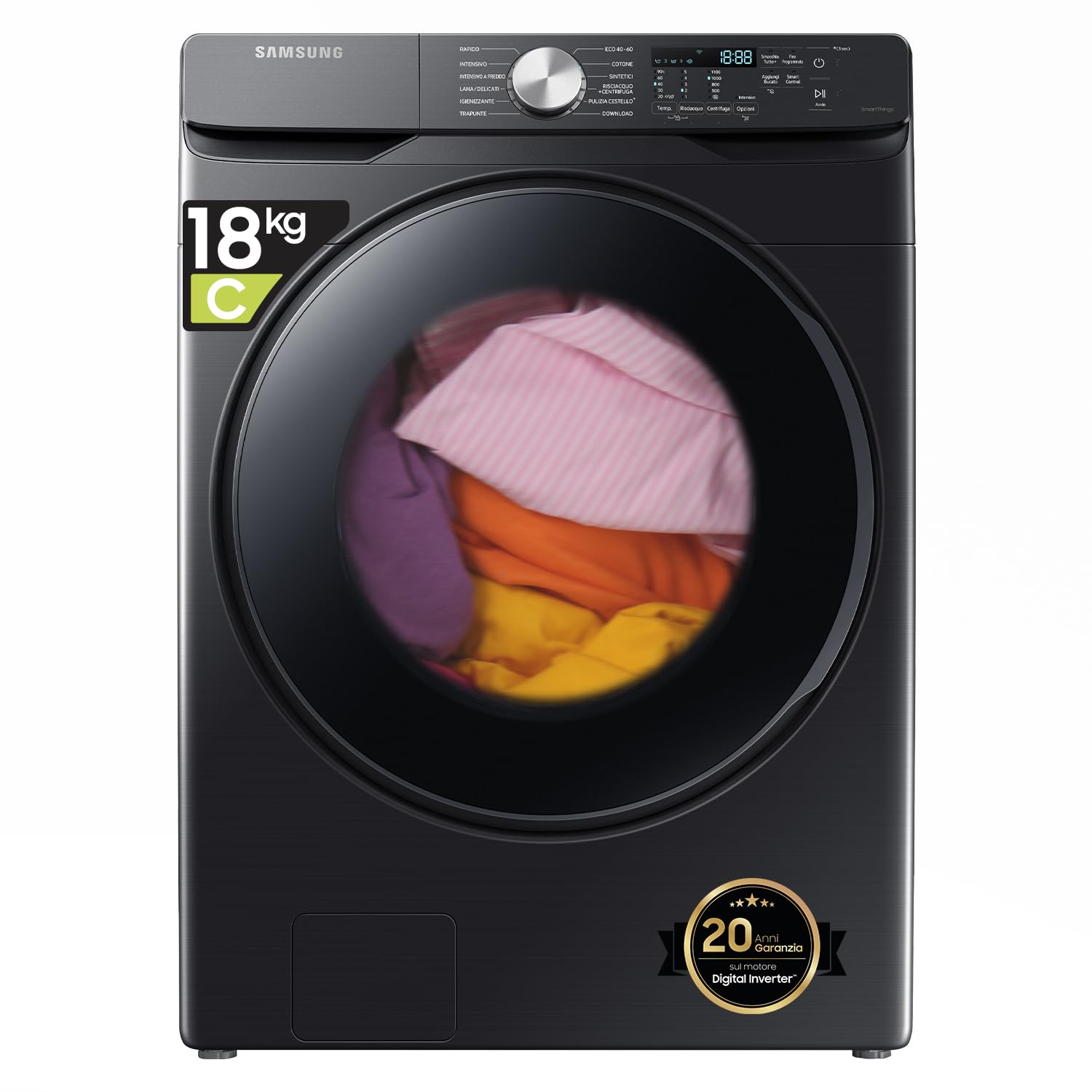
Figure 3.1: Washing machine with key dimensions (Width: 68.6 cm, Depth: 79.6 cm, Height: 98.4 cm).
- Dimensions (W x D x H): Approximately 68.6 cm x 79.6 cm x 98.4 cm.
- Adjust the leveling feet to ensure the machine is perfectly stable and level. Use a spirit level to verify.
Water Supply and Drain Connection
- Connect the water inlet hoses to the hot and cold water taps. Ensure connections are tight to prevent leaks.
- Securely attach the drain hose to a standpipe or laundry tub, ensuring it is not kinked or blocked.
Electrical Connection
- Plug the power cord into a grounded 220V electrical outlet.
- Do not overload the circuit.
4. Operating Instructions
This section guides you through the basic operation of your Samsung washing machine.
Control Panel Overview
The washing machine features a tactile control panel for easy program selection and setting adjustments.
Loading Laundry
- Open the door and load laundry into the drum. Do not overload the machine; ensure there is enough space for clothes to tumble freely. The maximum capacity is 18 kg.
- Close the door firmly.
Adding Detergent and Softener
- Pull out the detergent dispenser drawer.
- Add the appropriate amount of detergent to the main wash compartment (single-compartment dispenser).
- Add fabric softener to the designated compartment, if desired.
- Push the dispenser drawer back in completely.
Selecting a Wash Cycle
- Turn the cycle selector knob or use the touch controls to choose the desired wash program (e.g., Cotton, Synthetics, Delicates, Steam, EcoBubble).
- Adjust temperature, spin speed (up to 1100 rpm), and other options as needed.
Starting a Wash Cycle
- Press the Start/Pause button to begin the selected cycle.
Special Functions
EcoBubble Technology

Figure 4.1: EcoBubble technology allows effective cold water washing.
This feature pre-mixes detergent with air and water to create bubbles, which penetrate fabrics 40 times faster than conventional detergent. This allows for effective cleaning even in cold water, saving energy.
Disinfecting Steam Wash
Select a steam cycle to release powerful steam that helps remove stubborn stains, bacteria, and allergens from your laundry.
Delayed End

Figure 4.2: Program your wash cycle to end at a convenient time.
Use the Delayed End function to set a specific time for your wash cycle to finish, allowing you to manage your laundry more flexibly.
5. Maintenance
Regular maintenance ensures your washing machine operates efficiently and extends its lifespan.
Cleaning the Drum (Eco Drum Clean)

Figure 5.1: The Eco Drum Clean cycle removes detergent residue and dirt from the drum.
- The machine features an Eco Drum Clean cycle that cleans the drum without the need for chemical detergents.
- The machine will remind you when it's time to run this cycle for optimal maintenance.
Cleaning the Detergent Drawer
- The self-cleaning detergent drawer uses a powerful water jet to automatically remove detergent and softener residue, keeping the drawer clean and hygienic.
- Periodically remove and rinse the drawer manually for thorough cleaning.
Cleaning the Debris Filter
- Locate the debris filter, usually at the bottom front of the machine.
- Place a shallow container under the filter to catch any water.
- Unscrew the filter cap, drain the water, and remove any lint or debris.
- Clean the filter under running water and reinsert it securely.
6. Troubleshooting
If you encounter issues with your washing machine, refer to this section for common problems and solutions.
Smart Check System
The Smart Check automatic error monitoring system detects and diagnoses problems. It provides simple solutions through a smartphone application, helping you save time and avoid costly service calls.
Common Issues and Solutions
| Problem | Possible Cause | Solution |
|---|---|---|
| Machine does not start | Power cord unplugged; Door not closed properly; Start/Pause button not pressed. | Check power connection; Ensure door is latched; Press Start/Pause. |
| No water supply | Water taps closed; Water inlet hose kinked or blocked. | Open water taps; Straighten hose; Clean filter if necessary. |
| Water not draining | Drain hose kinked or blocked; Debris filter clogged. | Straighten drain hose; Clean debris filter. |
| Excessive vibration/noise | Machine not level; Shipping bolts not removed; Uneven load. | Adjust leveling feet; Remove shipping bolts; Redistribute laundry. |
7. Specifications
Detailed technical specifications for the Samsung WF18T8000GV/ET washing machine.
| Parameter | Value |
|---|---|
| Model Number | WF18T8000GV/ET |
| Capacity | 18 Kilograms |
| Maximum Spin Speed | 1100 rpm |
| Dimensions (D x W x H) | 79.6 cm x 68.6 cm x 98.4 cm |
| Weight | 169 Kilograms |
| Voltage | 220 Volts |
| Energy Efficiency Class | C |
| Annual Energy Consumption | 76 Kilowatt-hours |
| Water Consumption per Cycle (Eco 40-60) | 70 Liters |
| Noise Level (Spinning) | 72 dB |
| Drum Material | Stainless Steel |
| Control Type | Tactile (Touch) |
| Access Location | Front-Load |
Energy Label Information
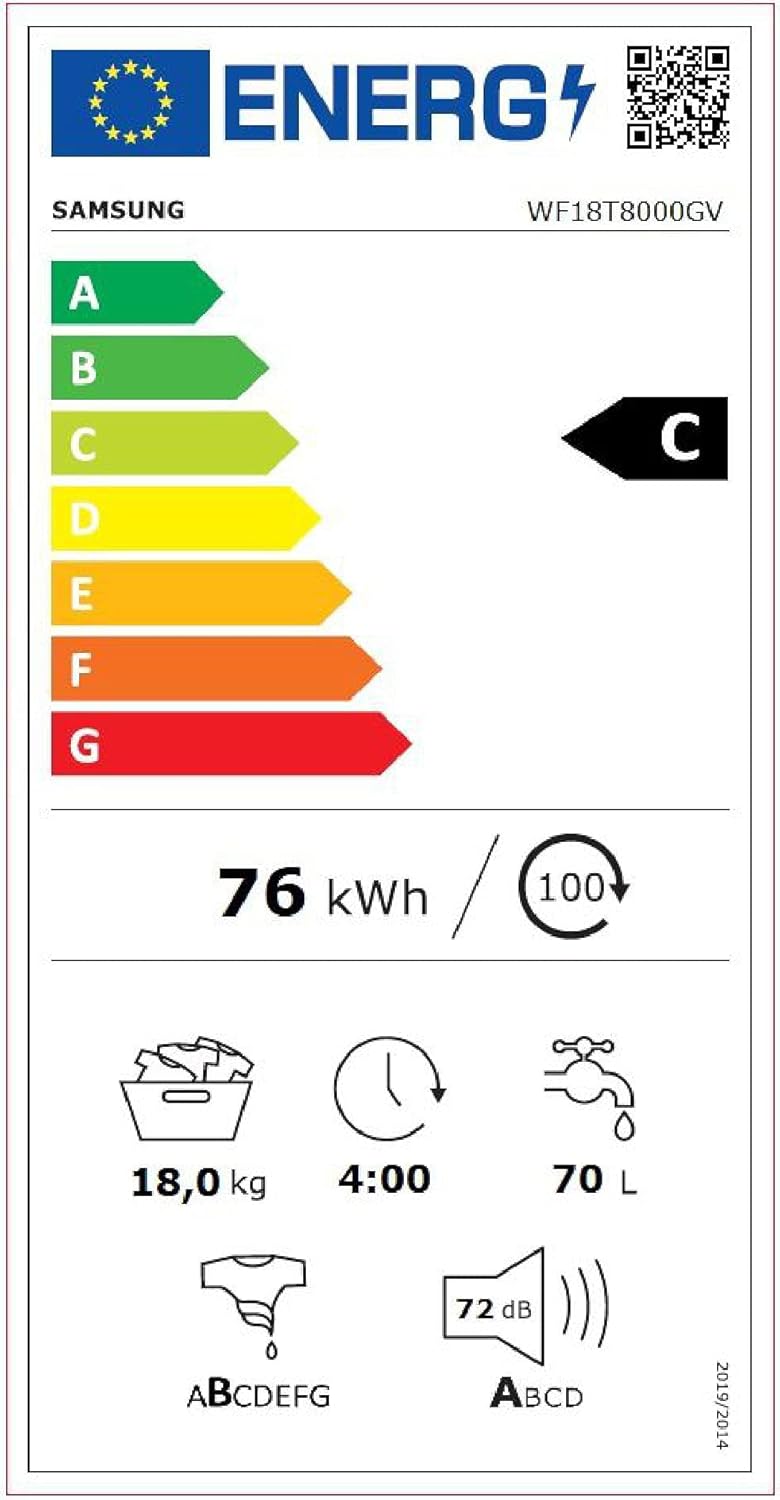
Figure 7.1: Energy label indicating efficiency class C and other consumption details.
For more detailed information, refer to the EPREL database: https://eprel.ec.europa.eu/qr/407130
8. Warranty and Support
Information regarding your product's warranty and how to obtain support.
Product Warranty
- The product comes with a minimum guarantee period of 24 months from the date of purchase.
- The Digital Inverter Motor is covered by an extended 20-year warranty, ensuring long-term reliability.

Figure 8.1: The Digital Inverter Motor is guaranteed for 20 years.
Customer Support
For technical assistance, service requests, or warranty claims, please contact Samsung customer support. Refer to the contact information provided with your purchase documentation or visit the official Samsung website for your region.


