
Introduction
This manual provides comprehensive instructions for the safe and efficient use of your Uleway W550 Basic Cell Phone. The W550 is a 3G feature phone designed for simplicity, featuring a 1.8-inch display, large icons, and soft buttons, making it suitable for users who prefer a straightforward mobile experience. Please read this manual carefully before operating your device.

Figure 1: Uleway W550 Basic Cell Phone. This image provides a general overview of the phone's design and interface.
Package Contents
Please check the box for the following items:
- 1 x Uleway W550 Feature Phone
- 1 x Battery (800 mAh)
- 1 x Charger
- 1 x User Manual
Setup
1. SIM Card and Micro SD Card Installation
The Uleway W550 supports Nano SIM cards and Micro SD memory cards up to 32GB (not included). Ensure the phone is powered off before installation.
- Remove the back cover of the phone.
- Insert the Nano SIM card(s) into the designated SIM card slot(s) with the gold contacts facing down.
- If using a Micro SD card, insert it into the Micro SD card slot.
- Replace the back cover.

Figure 2: SIM and Micro SD Card Installation. This image illustrates the internal layout of the phone's back compartment, showing where to insert Nano SIM cards and an optional Micro SD card.
2. Battery Installation
After installing the SIM and Micro SD cards, insert the battery.
- Align the battery contacts with the terminals inside the battery compartment.
- Gently press the battery down until it is securely in place.
- Replace the back cover.
3. Charging the Phone
Before first use, fully charge the phone's battery.
- Connect the charger to the charging port at the bottom of the phone.
- Plug the charger into a power outlet.
- The charging indicator on the screen will show the charging status.
- Once fully charged, disconnect the charger.
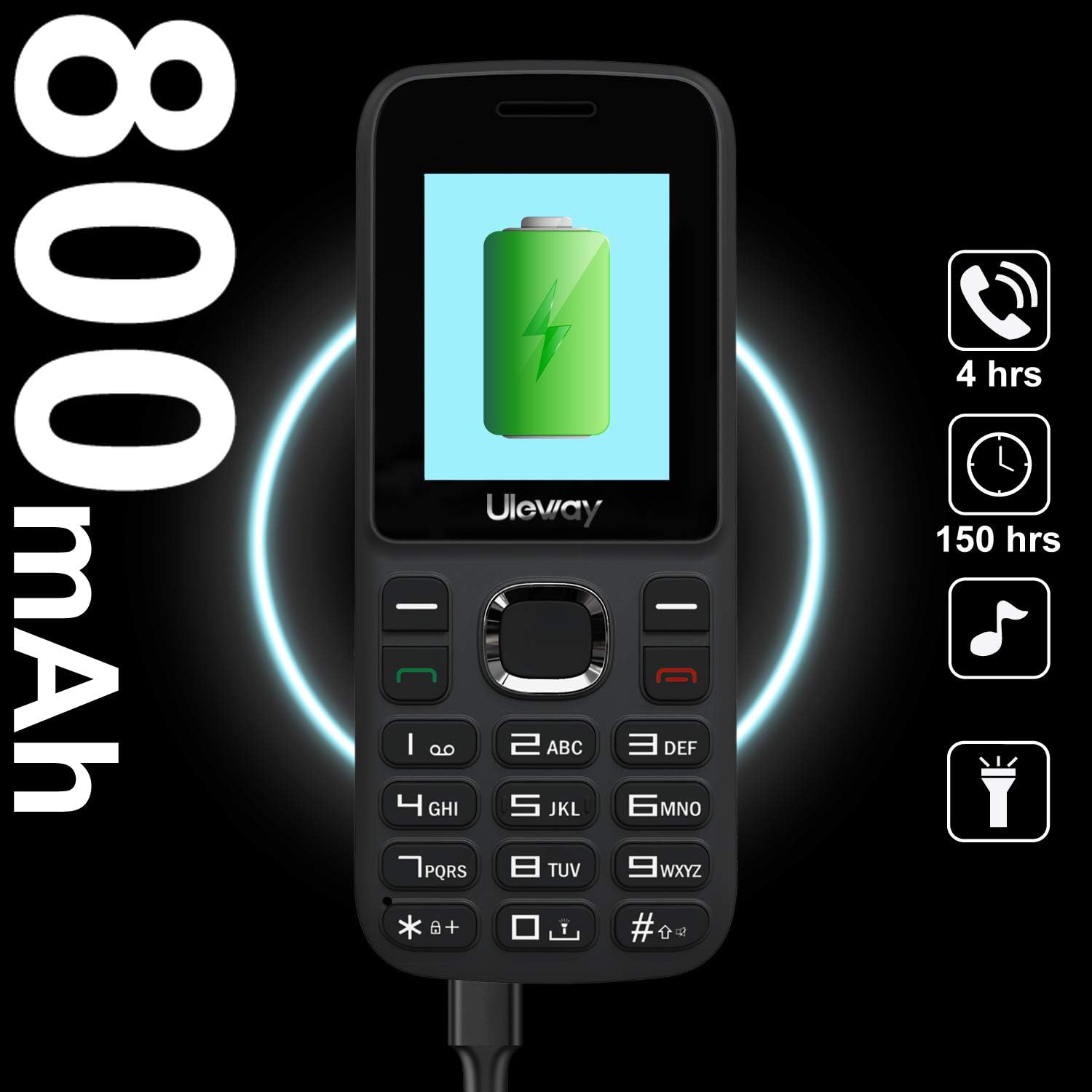
Figure 3: Charging the Uleway W550. This image highlights the phone's 800 mAh battery capacity and shows the charging process.
4. SIM Card Activation (Important)
The Uleway W550 is a 3G phone. Due to changes in carrier policies, activating a new SIM card directly with this device may be challenging. Please follow these instructions carefully:
- If you already have an active SIM card: Simply insert your active Nano SIM card into the Uleway W550. The phone should automatically connect to the network upon powering on.
- If you are activating a new SIM card:
- Do NOT provide the IMEI number of the Uleway W550 when activating a new SIM card with your carrier.
- Instead, provide the IMEI number of an older, active phone or any other compatible phone to your service provider to get the new SIM card activated.
- Once the SIM card is activated, insert it into your Uleway W550.
- Power on the Uleway W550. It will automatically detect and connect to the carrier's network.
Note: This phone is compatible with 2G/3G carriers like AT&T and its MVNOs (e.g., Cricket Wireless, Straight Talk, Tracfone, Pure TalkUSA). It is NOT compatible with CDMA networks like Verizon, Sprint, Boost, or PagePlus. For new SIM card purchases, consider AT&T prepaid services.

Figure 4: Important SIM Card Activation Information. This graphic emphasizes the critical steps for activating a new SIM card with a 3G device.
Operating Instructions
1. Power On/Off
- To Power On: Press and hold the Power/End Call button (red button) until the screen lights up.
- To Power Off: Press and hold the Power/End Call button until the power off options appear, then select "Power Off".
2. Making Calls
- From the home screen, enter the phone number using the keypad.
- Press the Call button (green button) to initiate the call.
- To end a call, press the Power/End Call button (red button).
- To answer an incoming call, press the Call button (green button).
3. Sending Messages
- Navigate to the "Messages" menu from the home screen.
- Select "Write Message" or "New Message".
- Enter the recipient's phone number or select from contacts.
- Type your message using the keypad.
- Press "Send".

Figure 5: Large Icon Display for Easy Viewing. This image demonstrates the phone's user-friendly interface with large icons, such as the 'Messages' icon.
4. Flashlight Function
The phone features a built-in LED flashlight.
- To Turn On/Off: Press and hold the "0" key for approximately 2 seconds.

Figure 6: Activating the LED Flashlight. This image shows the phone's flashlight in operation, activated by pressing the '0' key.
5. Other Functions
The Uleway W550 includes several other useful features:
- FM Radio: Access through the main menu. Requires headphones (not included) to act as an antenna.
- Camera: A 0.3MP camera is built-in. Access through the main menu.
- Bluetooth: For connecting to compatible Bluetooth devices. Access through the main menu.
- MP3 Player: Play audio files stored on a Micro SD card.
- Calculator, Alarm Clock, Calendar: Standard utility functions available in the main menu.
Maintenance
- Cleaning: Use a soft, dry cloth to clean the phone's surface. Avoid liquid cleaners.
- Storage: Store the phone in a cool, dry place away from direct sunlight and extreme temperatures.
- Battery Care: Do not expose the battery to high temperatures or dispose of it in fire. Use only the original charger.
- Water Resistance: This phone is not water-resistant. Avoid exposure to liquids.
Troubleshooting
| Problem | Possible Cause / Solution |
|---|---|
| Phone does not power on. | Battery may be depleted. Charge the phone for at least 30 minutes. Ensure battery is correctly installed. |
| Cannot make or receive calls. |
|
| Poor call quality. | Move to an area with better network reception. Check for obstructions. |
| Battery drains quickly. | Reduce screen brightness. Close unused applications. Limit background data usage. Battery life naturally decreases over time. |
| Phone freezes or becomes unresponsive. | Remove the battery, wait a few seconds, then reinsert it and power on the phone. |
Specifications
| Model Name | W550 |
| Dimensions | 107 x 45 x 14 mm (4.3 x 1.77 x 0.59 inches) |
| Weight | 72g (approx. 2.54 oz) |
| Display Size | 1.8 inches |
| Display Resolution | 128 x 160 pixels |
| Operating System | Nucleus OS |
| Cellular Technology | 3G WCDMA (900/2100MHz or 850/1900MHz), 2G GSM (850/900/1800/1900MHz) |
| SIM Card Support | Nano SIM (Dual SIM Dual Standby) |
| Memory | RAM 64MB + ROM 128MB |
| Expandable Storage | Up to 32GB Micro SD card (not included) |
| Battery Capacity | 800 mAh Lithium Ion |
| Talk Time | Up to 4 hours |
| Standby Time | Up to 160 hours |
| Camera | 0.3 MP |
| Connectivity | Bluetooth |
| Other Features | FM Radio, MP3 Player, Flashlight, Calculator, Alarm Clock, Calendar |
| Languages | English, French, Italian, German, Dutch |

Figure 7: Uleway W550 Dimensions. This image provides a visual representation of the phone's physical size.
Warranty and Support
For warranty information and customer support, please refer to the documentation included with your purchase or contact the retailer where the product was acquired. Keep your proof of purchase for warranty claims.
For further assistance, you may also visit the official Uleway website or contact their customer service department directly.