
1. Introduction
Thank you for choosing the Hoxida XHP90 Tactical Flashlight. This powerful and versatile flashlight is designed for various applications, offering exceptional brightness, multiple lighting modes, and convenient features like USB recharging and power bank functionality. Please read this manual carefully to ensure proper use, maintenance, and to maximize the performance and lifespan of your device.

Figure 1: Hoxida XHP90 Tactical Flashlight with included USB cable and lanyard.
2. Product Overview and Features
The Hoxida XHP90 Tactical Flashlight is engineered for durability and high performance. Key features include:
- High Brightness: Equipped with an XHP90 LED, delivering up to 90000 lumens for powerful illumination.
- COB Sidelight: Integrated COB (Chip-on-Board) sidelight for broader area illumination, including white and red light options.
- 7 Lighting Modes: Main light (High, Medium, Strobe) and COB sidelight (High, Medium, Red, Red Strobe).
- Telescopic Zoom: Adjustable focus from wide floodlight to narrow spotlight for various lighting needs.
- USB Rechargeable: Conveniently rechargeable via USB, with a 12-hour runtime.
- Power Bank Function: Features a USB output port to charge other devices in emergencies.
- Waterproof Design: IPX5 rated, suitable for use in various weather conditions.
- Rugged Construction: Durable design for reliable performance.
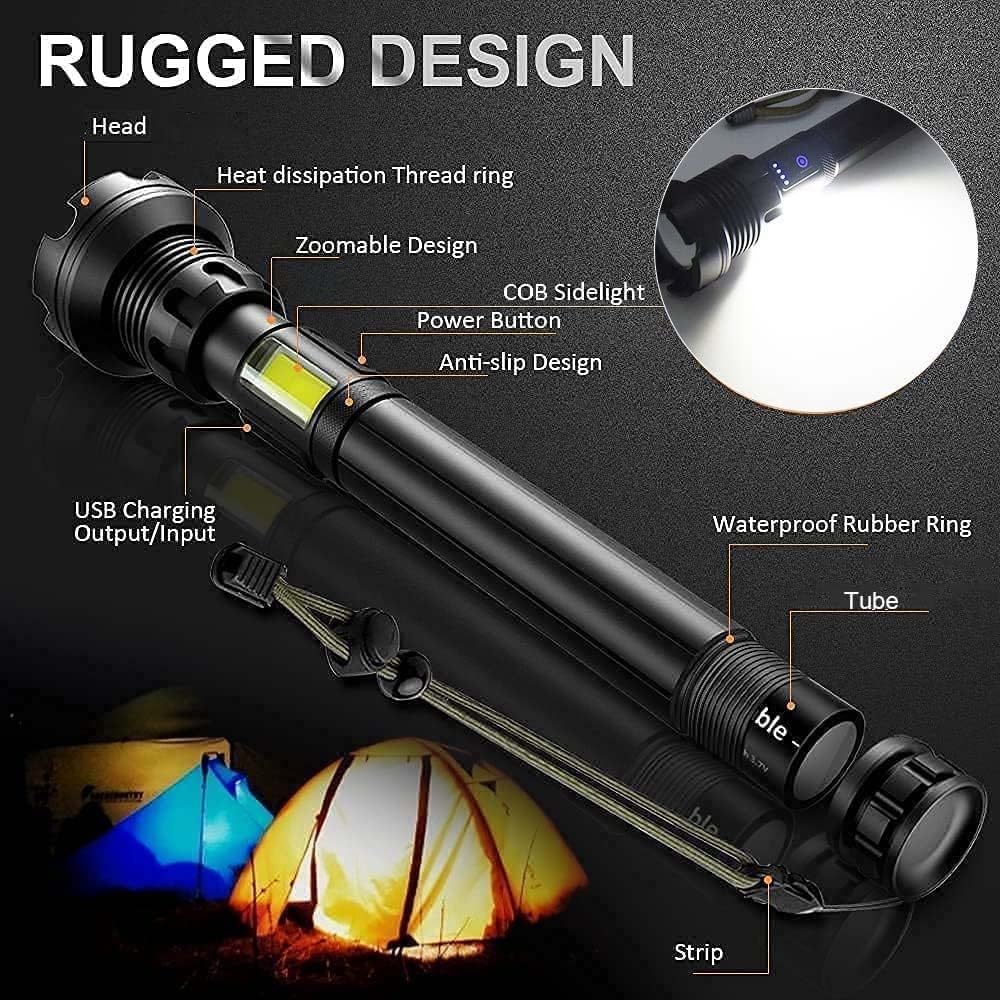
Figure 2: Key components of the flashlight, including the head, zoomable design, COB sidelight, power button, USB charging ports, and waterproof rubber ring.
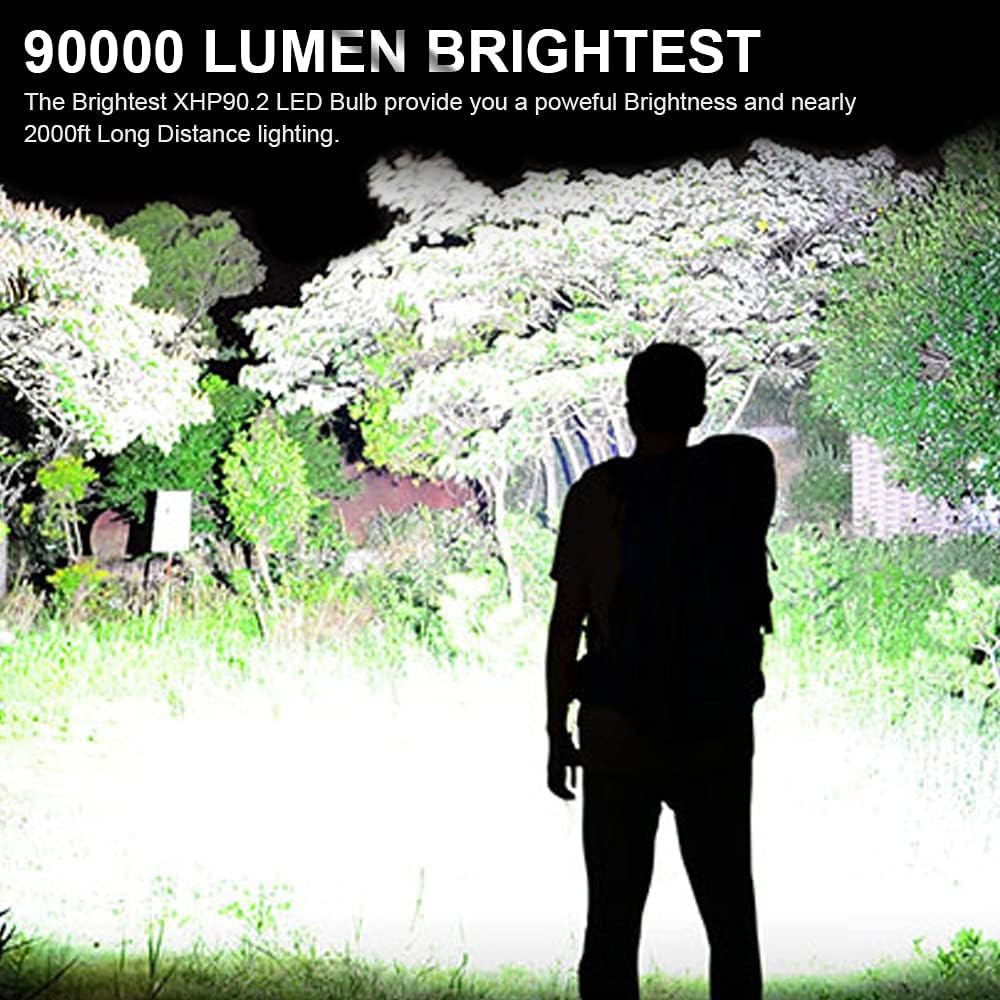
Figure 3: Demonstration of the flashlight's powerful 90000 lumen brightness illuminating a large area.
3. Setup
3.1 Battery Installation
To install the battery:
- Unscrew the tail cap of the flashlight.
- Insert the rechargeable battery into the battery compartment with the positive (+) end facing towards the flashlight head.
- Screw the tail cap back on securely.
3.2 Charging the Flashlight
The flashlight is equipped with a USB charging port. To charge:
- Locate the USB input port on the flashlight body, usually protected by a rubber cover.
- Connect the provided USB cable to the flashlight's input port.
- Plug the other end of the USB cable into a standard USB power adapter (e.g., phone charger, computer USB port, power bank).
- The blue indicator lights on the flashlight will illuminate to show charging progress. All four lights indicate a full charge.

Figure 4: The flashlight being charged via its USB input port, with blue indicator lights showing battery status.
4. Operating Instructions
4.1 Power On/Off and Main Light Modes
Press the power button to cycle through the main light modes:
- First press: High brightness mode.
- Second press: Medium brightness mode.
- Third press: Strobe mode.
- Fourth press: Turn off.
To turn off the flashlight from any main light mode, long-press the power button for 2 seconds. This allows you to turn off the light without cycling through all modes.
4.2 COB Sidelight Modes
To activate the COB sidelight modes, quickly double-click the power button. Subsequent presses will cycle through the COB modes:
- First double-click: COB High light.
- Second press: COB Medium light.
- Third press: COB Red light.
- Fourth press: COB Red Strobe.
- Fifth press: Turn off COB light.

Figure 5: Visual representation of the 7 available lighting modes, including main beam and COB sidelight options.
4.3 Telescopic Zoom Function
The flashlight features a telescopic head for adjusting the beam focus:
- Zoom In (Spotlight Longshot Mode): Extend the flashlight head outwards to narrow the beam for long-distance illumination.
- Zoom Out (Floodlight Highlight Mode): Retract the flashlight head inwards to widen the beam for broad area illumination.

Figure 6: How to adjust the beam from a wide floodlight to a focused spotlight using the telescopic zoom.
4.4 Power Bank Function (USB Output)
Your flashlight can serve as an emergency power bank to charge other USB-powered devices:
- Locate the USB output port on the flashlight body, usually protected by a rubber cover.
- Connect your device's charging cable to the flashlight's USB output port.
- Connect the other end of the cable to your device. The flashlight will begin charging your device.
Note: Using the power bank function will consume the flashlight's battery power.
Figure 7: The flashlight functioning as a power bank to charge a smartphone.
4.5 Official Product Video
For a visual guide on the flashlight's features and operation, please watch the official product video:
Video: High Lumen Tactical Flashlight. This video demonstrates the flashlight's rugged design, various lighting modes, adjustable focus, battery installation, and USB charging/power bank capabilities.
5. Maintenance
To ensure the longevity and optimal performance of your Hoxida XHP90 Tactical Flashlight, follow these maintenance guidelines:
- Cleaning: Wipe the flashlight body with a clean, soft cloth. For the lens, use a lens cleaning cloth to avoid scratches. Do not use abrasive cleaners.
- Battery Care: If storing the flashlight for an extended period, remove the battery to prevent leakage. Recharge the battery regularly, even if not in use, to maintain its health.
- Water Resistance: While waterproof (IPX5), avoid prolonged submersion. Ensure the USB port's rubber cover is securely closed when exposed to water.
- Storage: Store the flashlight in a cool, dry place away from direct sunlight and extreme temperatures.
6. Troubleshooting
If you encounter issues with your flashlight, please refer to the following common troubleshooting steps:
| Problem | Possible Cause | Solution |
|---|---|---|
| Flashlight does not turn on. | Low or depleted battery. Incorrect battery installation. Loose connections. | Charge the battery fully. Ensure battery is inserted with correct polarity. Tighten all parts of the flashlight. |
| Light is dim or flickers. | Low battery. Dirty contacts. | Recharge the battery. Clean battery contacts and flashlight terminals with a clean cloth. |
| USB charging not working. | Cable or adapter issue. Port obstruction. | Try a different USB cable and power adapter. Ensure the USB port is clean and free of debris. |
| Zoom function is stiff. | Dirt or debris in the mechanism. | Clean the zoom mechanism area. Avoid forcing the zoom. |
If the problem persists after trying these steps, please contact Hoxida customer support for further assistance.
7. Specifications
| Feature | Detail |
|---|---|
| Brand | Hoxida |
| Model | XHP90 Tactical Flashlight |
| Light Source Type | LED (XHP90) |
| White Brightness | 90000 Lumens |
| Light Path Distance | 2000 Feet |
| Power Source | Battery Powered |
| Battery Cell Composition | Lithium-Air |
| Runtime | 12 hours |
| Voltage | 3.7 Volts |
| Special Features | Adjustable, Rechargeable, COB Sidelight, Power Bank Function |
| Water Resistance Level | IPX5 (Waterproof) |
| Product Dimensions | 2.4"D x 10.2"W x 2.4"H |
| Item Weight | 1.18 pounds (535 Grams) |
8. Warranty and Support
Hoxida is committed to providing high-quality products. This product comes with a standard manufacturer's warranty against defects in materials and workmanship. For specific warranty terms, registration, or technical support, please refer to the warranty card included with your product or visit the official Hoxida website. Please retain your proof of purchase for warranty claims.
For further assistance, you may contact Hoxida customer service through their official channels.