
Introduction
This electronic hanging scale is designed for accurate and portable weighing. It features an exquisite appearance and is easy to carry. The scale includes functions such as tare, auto-zero, auto-off, unit conversion, a backlit LCD display, and data lock. It is suitable for various applications including travel, shopping, and outdoor activities.
Product Features
- LCD Display: Features a backlit LCD display for clear and easy reading, complemented by a red indicator light for convenience.
- Smart Functions: Incorporates a lock function that holds the weight for 10 seconds before automatically unlocking and returning to zero. It also includes zero tracking and automatic shutdown. A red lock indicator illuminates when the weight is locked.
- Easy Unit Conversion: Supports seamless conversion between kilograms (kg), grams (g), and ounces (oz).
- Compact Design: Its portable design allows for easy carrying in a pocket or handbag, minimizing travel burden.
- Versatile Use: An ideal weighing tool suitable for family use, shopping, and various outdoor activities.
Setup
1. Battery Installation
The scale requires one CR2032 button battery (not included). To install the battery:
- Locate the battery compartment cover on the back of the scale.
- Open the cover.
- Insert one CR2032 button battery, ensuring the correct polarity (+/-).
- Close the battery compartment cover securely.

Image: Back view of the digital hanging scale, indicating the location of the battery compartment.
2. Initial Power On
After installing the battery, press the 'ON/OFF' button to power on the scale. The LCD display will light up and show '0.00' or '0.0' indicating it is ready for use.
Operating Instructions
1. Power On/Off
- Press the 'ON/OFF' button to turn the scale on.
- Press and hold the 'ON/OFF' button for a few seconds to turn the scale off. The scale also features an auto-off function to conserve battery power.
2. Weighing Items
- Ensure the scale is powered on and displays '0.00'.
- Attach the item to be weighed to the hook.
- Lift the scale by its handle, holding it steady.
- The weight will be displayed on the LCD screen. The scale will automatically lock the reading after a few seconds, indicated by a red lock icon.
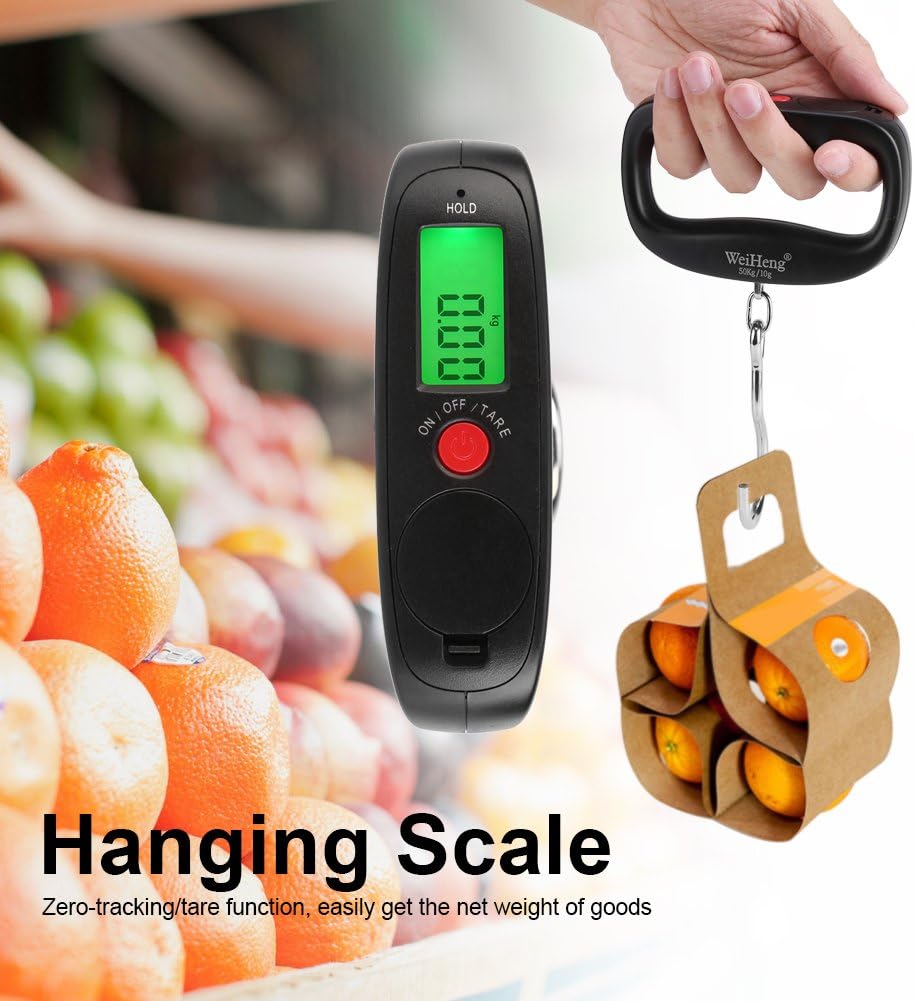
Image: Digital hanging scale in use, weighing a small package of oranges.
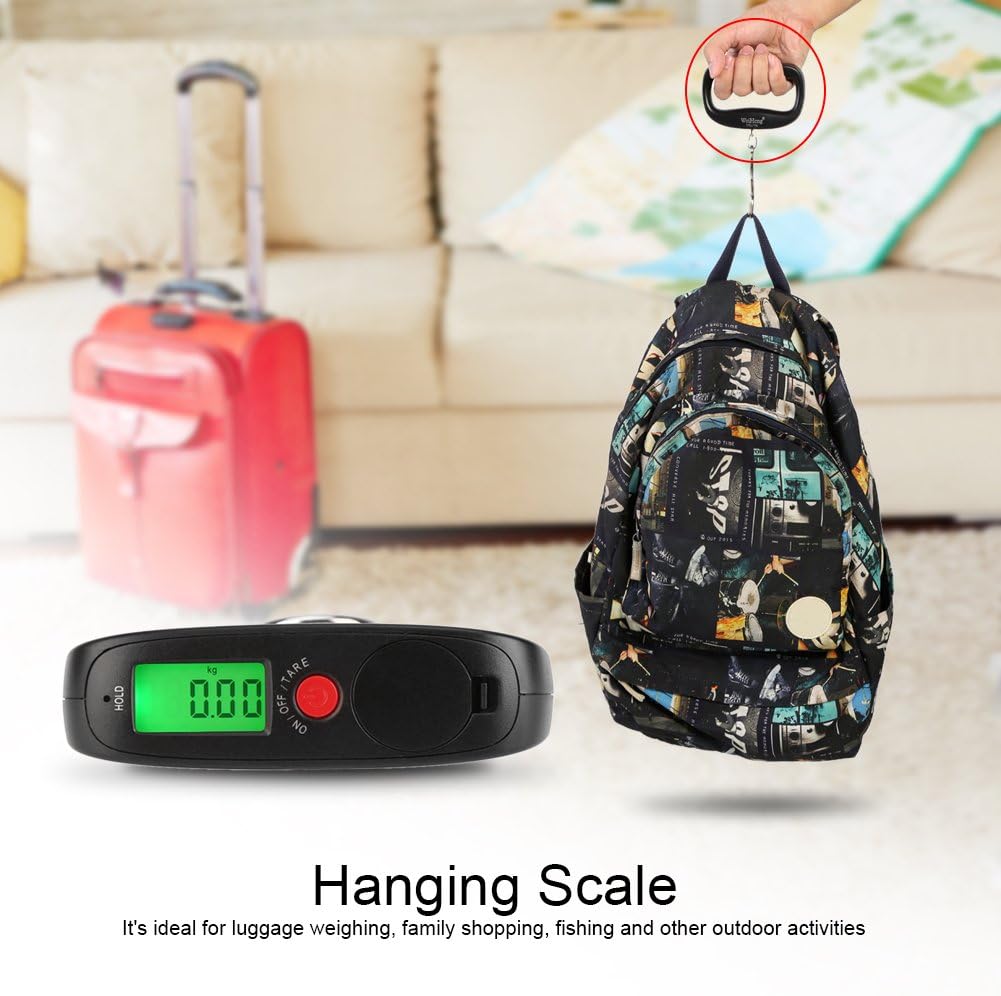
Image: Digital hanging scale being used to weigh a backpack.
3. Tare Function
The tare function allows you to subtract the weight of a container or bag, so you only measure the net weight of the contents.
- Hang the empty container or bag on the hook.
- Press the 'TARE' button. The display will reset to '0.00'.
- Place the items to be weighed into the container. The display will show only the weight of the items.
4. Unit Conversion
To change the weighing unit (kg, g, oz):
- With the scale powered on, press the 'UNIT' button (often combined with 'TARE' or 'ON/OFF' button, refer to button labels).
- Each press will cycle through the available units: kg, g, oz. Select your desired unit.
Maintenance
1. Cleaning
Wipe the scale with a soft, damp cloth. Do not use abrasive cleaners or immerse the scale in water.
2. Storage
Store the scale in a cool, dry place. If not in use for an extended period, remove the battery to prevent leakage.
3. Battery Replacement
When the battery is low, the display may show a low battery indicator or become dim. Replace the CR2032 button battery as described in the 'Setup' section.
Troubleshooting
- No Display / Dim Display: Check battery installation. Replace with a new CR2032 battery if necessary.
- Inaccurate Readings: Ensure the scale is held steady and not touching any surfaces during weighing. Recalibrate if possible (refer to specific model instructions if available, otherwise, new batteries often resolve minor inaccuracies).
- 'O-Ld' or 'Err' Message: Indicates overload. Remove the item immediately to prevent damage to the scale. The maximum capacity is 50 kg.
Specifications
| Material | ABS + Metal |
| Color | Black |
| Units | kg, g, oz |
| Measurement Range | 50 kg / 10 g (Max 50 kg, Min 10 g increments) |
| Battery | 1 x CR2032 Button Battery (not included) |
| Scale Dimensions | Approx. 11 x 6.8 x 3 cm (4.3 x 2.7 x 1.2 inches) |
| Hook Length | Approx. 8 cm (3.1 inches) |
| Product Weight | Approx. 142 g |

Image: Dimensions of the digital hanging scale.
Warranty and Support
Specific warranty information for this product is not provided in the available data. For warranty claims, technical support, or further assistance, please contact the retailer or the manufacturer, Fdit, directly.
You may find additional support information by visiting the Fdit store page or contacting their customer service channels.