
Holy Stone HS175D
Holy Stone HS175D Foldable Drone User Manual
Model: HS175D
1. Introduction
The Holy Stone HS175D is a high-performance foldable drone designed for both beginners and experienced pilots. Equipped with a 4K camera, GPS capabilities, and intelligent flight modes, it offers an exceptional aerial photography and flight experience. This manual provides detailed instructions for safe operation, setup, and maintenance of your HS175D drone.
Key features include a 4K Ultra Clear Camera with 110° wide-angle and 90° adjustable lens, GPS Auto Return for enhanced safety, extended flight time with two batteries, and intelligent functions like Follow Me, Circle Fly, and Waypoint Fly. Its foldable design and lightweight nature (under 250g) make it highly portable.
2. What's in the Box
Carefully unpack your Holy Stone HS175D drone and verify that all components are present and in good condition. The package should contain the following items:
- Holy Stone HS175D Drone ×1
- Remote Control ×1
- 7.6V 1700mAh Drone Batteries ×2
- USB Battery Charging Cables ×2
- Carrying Case ×1
- Extra Propellers ×2 (sets)
- Screwdriver ×1
- Instructions For Use ×1

Figure 2.1: Contents of the Holy Stone HS175D package.
3. Setup Guide
3.1 Battery Charging
The drone is powered by 7.6V 1700mAh Li-Po batteries. Two batteries are included, providing up to 46 minutes of total flight time. Use the provided USB charging cables to charge the batteries.
- Connect the USB charging cable to the drone battery.
- Plug the USB end of the cable into a USB power adapter (e.g., phone charger, computer USB port).
- The indicator light on the charging cable will show the charging status (refer to the cable's specific instructions for light indications).
- Once fully charged, disconnect the battery from the charging cable.

Figure 3.1: Charging the drone batteries.
3.2 Drone Preparation
Before flight, ensure the drone is properly unfolded and ready.
- Gently unfold the drone arms until they click into place. Ensure all four arms are fully extended.
- Insert a charged battery into the battery compartment on the drone until it is securely latched.
- Verify that the propellers are securely attached and free from any damage.

Figure 3.2: Foldable and lightweight design of the drone.
3.3 Remote Control Setup
The remote control requires a smartphone for full functionality, including FPV (First Person View) and intelligent flight modes.
- Pull out the phone holder on the remote control and securely place your smartphone.
- Ensure the remote control batteries are installed and charged.
- Download and install the 'HS GPS V5' application on your smartphone (available on app stores).
- Power on the remote control.
- Power on the drone.
- Connect your smartphone to the drone's Wi-Fi network (usually named 'HolyStone_HS175D_XXXXXX').
- Open the 'HS GPS V5' app and follow the on-screen instructions to connect to the drone.

Figure 3.3: Remote control and FPV setup.
4. Operating Instructions
4.1 Pre-Flight Checklist
- Ensure drone and remote control batteries are fully charged.
- Check propellers for any damage and ensure they are securely attached.
- Perform compass and gyroscope calibration as instructed by the app before each flight.
- Ensure you are in an open area, away from obstacles, people, and restricted airspace.
- Verify strong GPS signal (if flying outdoors with GPS mode).
4.2 Basic Flight Controls
- One Key Take Off/Landing: Press the dedicated button on the remote or in the app for automatic take-off or landing.
- Altitude Hold: The drone maintains a stable altitude, allowing for easier control of horizontal movement.
- Headless Mode: In this mode, the drone's orientation is relative to the pilot, making it easier to control regardless of the drone's front direction.
- Speed Adjust: Adjust flight speed for different flying conditions or skill levels.
4.3 GPS Intelligent Flight Modes
The HS175D features advanced GPS functions for a more intelligent and safer flight experience.
- GPS Auto Return (RTH): The drone will automatically return to its take-off point under the following conditions:
- Signal Loss RTH: If the drone loses connection with the remote control.
- Low-battery RTH: When the drone's battery level is critically low.
- Button Return: Manually initiated by pressing the Return to Home button on the remote control.
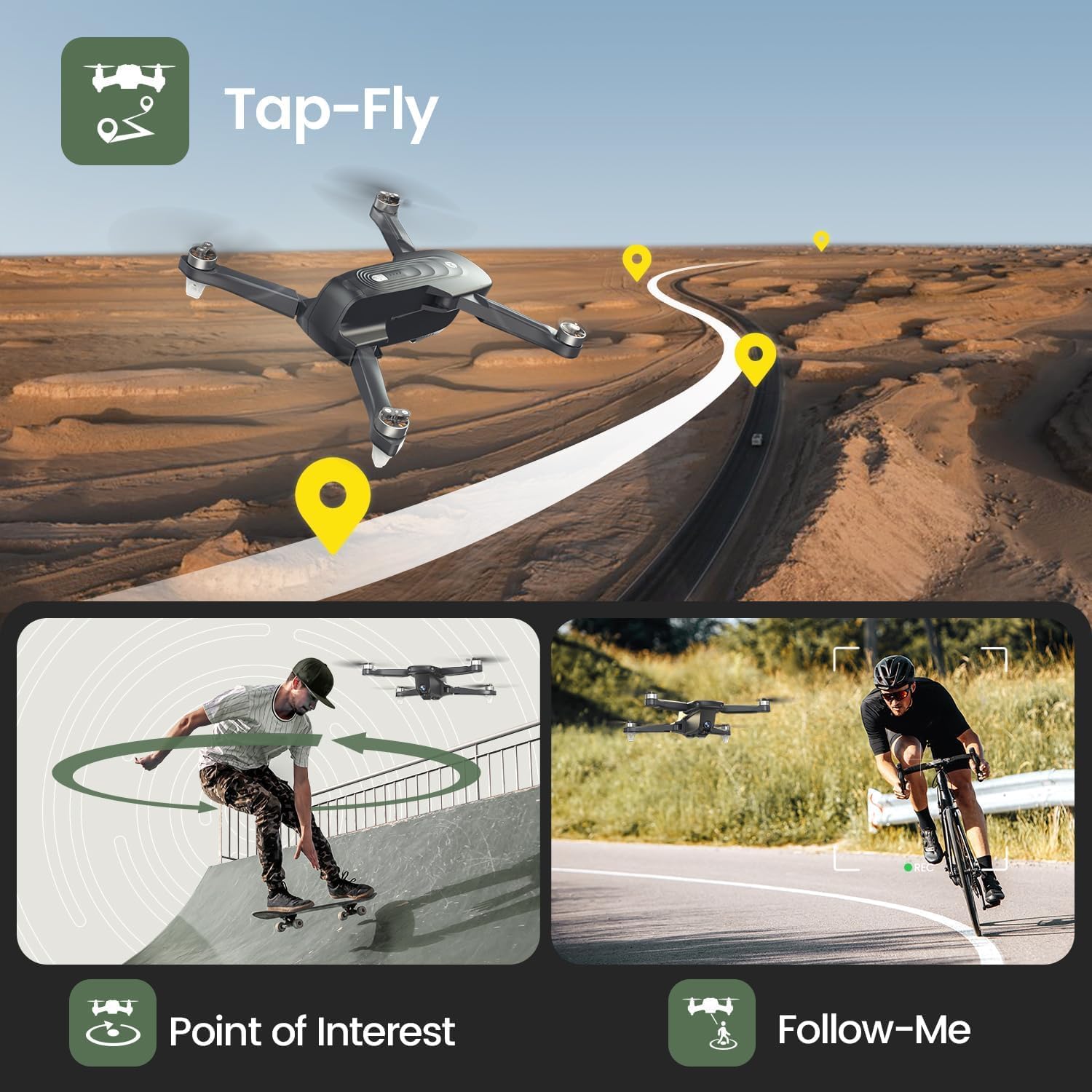
Figure 4.1: GPS Smart Return functionality.
- Follow Me: The drone will automatically follow the pilot, capturing video or photos as you move. Ensure the drone is at least 5 meters above ground level for this feature to engage.
- Circle Fly (Point of Interest): The drone will fly in a circular path around a designated point, allowing for dynamic shots of a subject.
- Waypoint Fly (Tap Fly): Draw a flight path on the app's map, and the drone will automatically fly along the specified route.
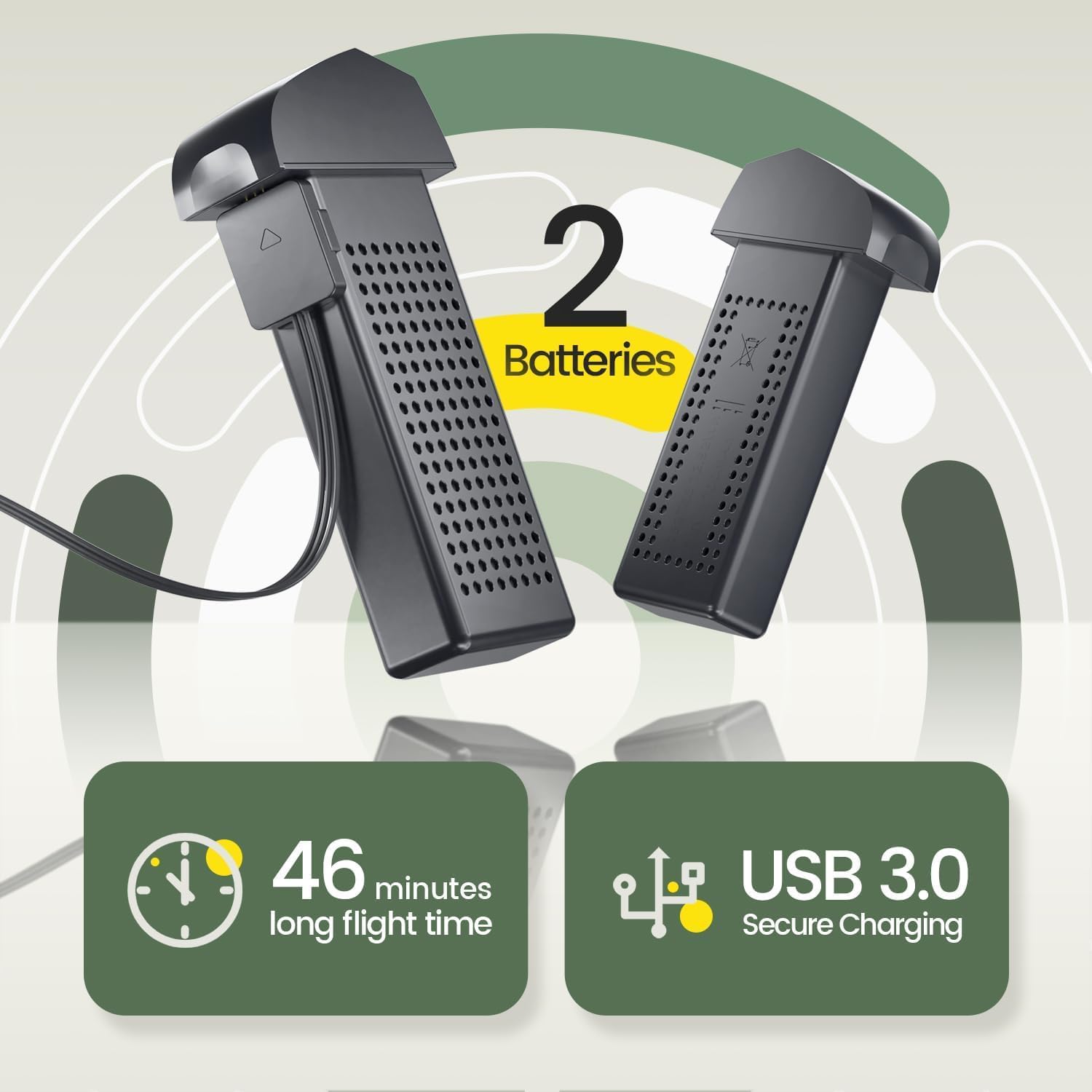
Figure 4.2: Intelligent flight modes: Tap-Fly, Point of Interest, and Follow-Me.
4.4 Camera Operation
The HS175D is equipped with a 4K camera for high-resolution imaging and video recording.
- 4K Ultra Clear Camera: Captures stunning 4K resolution photos and videos.
- 110° Wide-Angle Lens: Provides a broad field of view for expansive shots.
- 90° Adjustable Lens: The camera angle can be adjusted remotely via the controller or app to capture different perspectives.
- 5G FPV Transmission: Delivers smooth and stable real-time video feed to your smartphone, even in challenging conditions.

Figure 4.3: 4K Camera capabilities.
4.5 Brushless Motor
The drone utilizes brushless motors, which offer several advantages:
- More Powerful: Provides greater thrust and efficiency for stable flight.
- Quieter Operation: Reduces noise during flight compared to brushed motors.
- Longer Lifespan: More durable and requires less maintenance.
Figure 4.4: Brushless motor design.
5. Maintenance
Regular maintenance ensures the longevity and optimal performance of your drone.
- Propeller Inspection: Regularly check propellers for cracks, bends, or chips. Replace damaged propellers immediately using the provided extra sets and screwdriver. Ensure they are installed correctly (A and B propellers in their designated positions).
- Cleaning: Use a soft, dry cloth to clean the drone body and camera lens. Avoid using harsh chemicals or solvents.
- Storage: When not in use, store the drone in its carrying case in a cool, dry place, away from direct sunlight and extreme temperatures. Remove batteries if storing for extended periods.
6. Troubleshooting
This section addresses common issues you might encounter with your Holy Stone HS175D drone.
| Problem | Possible Cause | Solution |
|---|---|---|
| Drone does not power on | Battery not inserted correctly; Battery not charged; Damaged battery. | Ensure battery is fully inserted; Charge battery fully; Replace battery. |
| No FPV feed in app | Phone not connected to drone Wi-Fi; App not open or crashed; Weak Wi-Fi signal. | Connect phone to drone's Wi-Fi; Restart app and drone; Fly closer to drone. |
| Drone drifts during flight | Improper calibration; Wind interference; Uneven propeller wear. | Perform gyroscope and compass calibration; Fly in calm conditions; Check/replace propellers. |
| GPS Auto Return fails or is inaccurate | Weak GPS signal; Drone too close to obstacles; Compass not calibrated. | Ensure strong GPS signal (at least 7-8 satellites); Fly in open areas; Recalibrate compass. |
| Remote control not connecting to drone | Remote/drone not paired; Low remote battery; Interference. | Follow pairing instructions in the app; Replace/charge remote batteries; Move to an area with less interference. |
If you encounter issues not listed here or require further assistance, please contact Holy Stone customer support.
7. Specifications
Detailed technical specifications for the Holy Stone HS175D drone:
| Feature | Specification |
|---|---|
| Brand | Holy Stone |
| Model Name | HS175D |
| Product Dimensions (Unfolded) | 27.5 x 21 x 6 cm |
| Item Weight | 215 g |
| Batteries | 2 x 7.6V 1700mAh Li-Po (included) |
| Max Flight Time | Up to 46 minutes (with 2 batteries) |
| Video Capture Resolution | 4K |
| Effective Still Resolution | 4000 Pixels |
| Camera Features | 110° Wide-Angle, 90° Remote Adjustable |
| Connectivity Technology | Wi-Fi (5G transmission) |
| Max Flight Distance | 500m (outdoor and unobstructed) |
| Motor Type | Brushless |
| Skill Level | Beginner |
8. Warranty and Support
Holy Stone is committed to providing high-quality products and excellent customer service. For any inquiries, technical support, or warranty claims, please contact us using the information below.

Figure 8.1: Holy Stone Customer Support.
Contact Information:
- Phone: +1 (833) 766-4733
- Email (USA): usa@holystone.com
- Email (EU): eu@holystone.com
- Email (CA): ca@holystone.com
- Email (AU): au@holystone.com
Please have your model number (HS175D) and purchase details ready when contacting support for faster service.
Related documentsHS175D


Ask a question about this manual
Ask about setup, troubleshooting, compatibility, parts, safety, or missing instructions. Manuals+ will review the question and use this page’s manual context to help answer it.