
1. Introduction
This manual provides essential information for the proper installation, operation, and maintenance of your Dekain ELP-LP96 projector lamp. This replacement lamp module is designed for use with Epson H841A, H841B, and H841C projector models and features an original Philips bulb for optimal performance and longevity. Adhering to these instructions will help ensure the best possible viewing experience and extend the life of your projector lamp.
2. Product Specifications
| Specification | Detail |
|---|---|
| Brand | Dekain |
| Model Number | ELP-LP96 |
| Compatible Projector Models | Epson H841A, H841B, H841C |
| Bulb Type | Original Philips Bulb (Metal Halide) |
| Wattage | 210 watts |
| Bulb Shape Size | MR20 |
| Bulb Base | Prong |
| Item Weight | 14.4 ounces |
| Package Dimensions | 6 x 6 x 5 inches |
3. Safety Information
Please read and understand all safety precautions before handling or installing the projector lamp. Failure to do so may result in injury or damage to the product or projector.
- High Temperature: Projector lamps operate at very high temperatures. Always allow the projector to cool down completely (at least 30 minutes) before attempting to replace the lamp.
- Fragile Component: The lamp bulb is made of glass and contains high-pressure mercury vapor. Handle with extreme care to avoid breakage. Do not touch the glass bulb directly with bare hands, as oils can reduce lamp life.
- Eye Protection: Never look directly into the projector lens or the lamp when it is operating, as intense light can cause eye damage.
- Disposal: Dispose of old lamps according to local regulations, as they contain mercury.
- Power Off: Always ensure the projector is turned off and unplugged from the power outlet before opening the lamp compartment.
4. Installation Instructions
Follow these steps carefully to replace your projector lamp. Refer to your specific Epson projector manual for detailed instructions on accessing the lamp compartment.
- Power Down and Cool: Turn off your Epson projector and unplug it from the power outlet. Allow the projector to cool down for at least 30 minutes to prevent burns.
- Locate Lamp Compartment: Identify and open the lamp compartment cover on your projector. This usually involves unscrewing a few screws.
- Remove Old Lamp: Carefully loosen the screws securing the old lamp module in place. Gently pull the handle or tab on the lamp module to slide it out of the projector. Avoid forcing it.
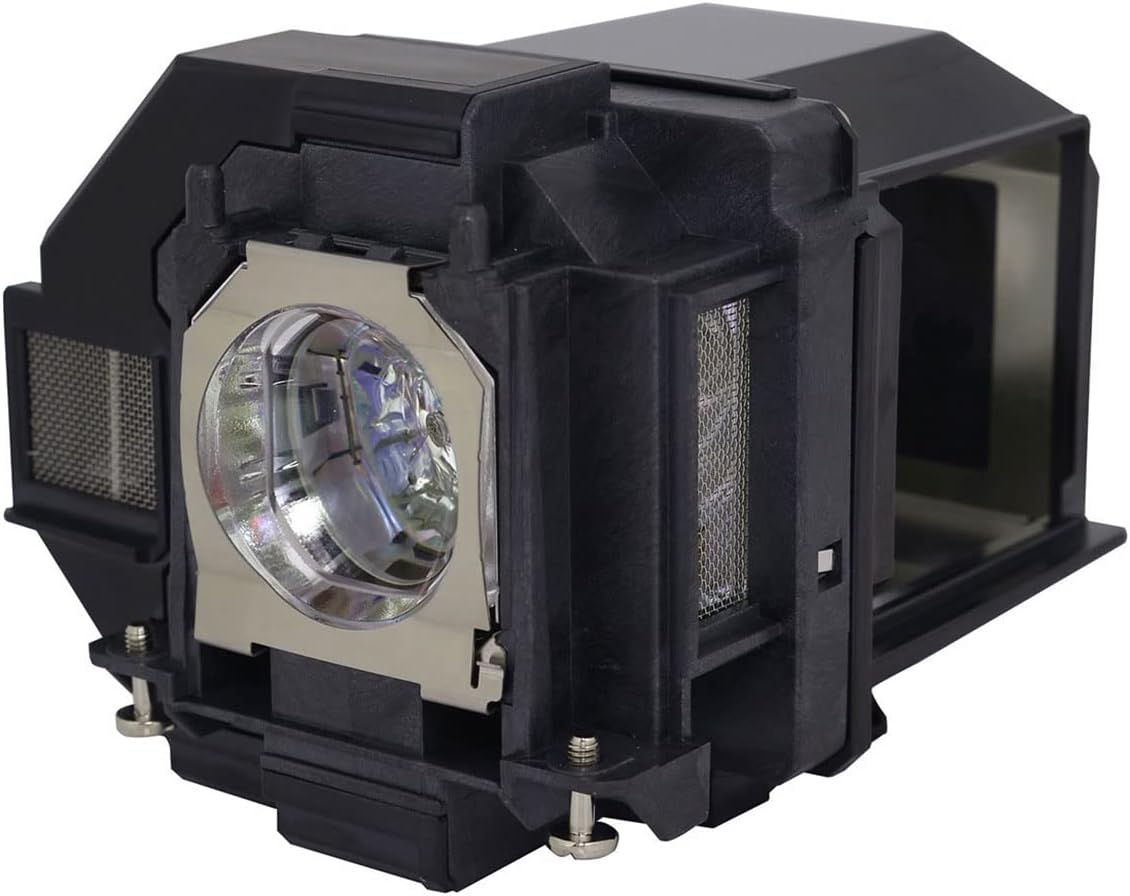
Image 1: Dekain ELP-LP96 projector lamp module, side view. This image shows the complete lamp module with its housing, ready for installation.
- Install New Lamp: Carefully insert the new Dekain ELP-LP96 lamp module into the projector's lamp slot. Ensure it slides in smoothly and is seated firmly. Do not force the lamp.
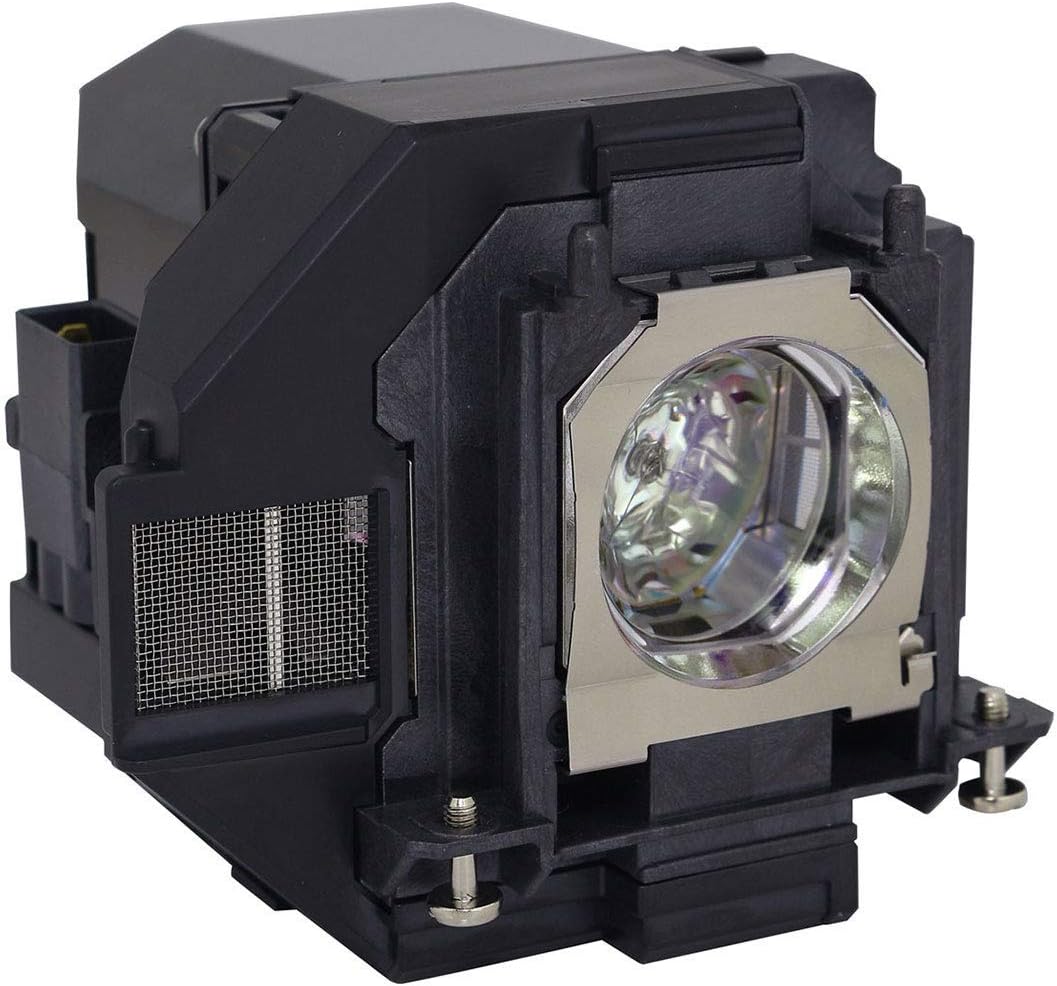
Image 2: Dekain ELP-LP96 projector lamp module, front-side view. This image highlights the bulb and the connection points on the module.
- Secure Lamp: Tighten the screws that secure the lamp module in place.
- Close Compartment: Reattach and secure the lamp compartment cover.
- Reset Lamp Timer: Plug the projector back in and turn it on. Navigate to the projector's menu settings and locate the "Lamp Reset" or "Lamp Timer Reset" option. Follow the on-screen prompts to reset the lamp timer. This is crucial for accurate lamp life tracking.
5. Operating Considerations
While the Dekain ELP-LP96 lamp is designed for durability, certain operating practices can significantly impact its lifespan:
- Normal Operating Conditions: For optimal lamp life, use your projector in a clean, relatively dust-free environment for no more than 3 to 5 hours per day.
- Power Saving Mode: Utilizing your projector's power-saving or eco-mode settings can extend the lamp's rated life, often from 3,000 hours to 5,000 hours or more.
- Avoid Frequent On/Off Cycles: Rapidly turning the projector on and off can stress the lamp and reduce its lifespan. Allow the projector to run for a reasonable period once started.

Image 3: A projector in operation. Proper operating conditions contribute to lamp longevity.
6. Maintenance
Regular maintenance helps prolong the life of your projector and its lamp.
- Clean Air Filter: Regularly clean or replace the projector's air filter as recommended by your projector's manufacturer. A clogged filter can lead to overheating, which significantly reduces lamp life.
- Dust Removal: Keep the projector and its surroundings free of dust. Dust accumulation can impede cooling and affect performance.
- Lamp Replacement: Replace the lamp when the projector indicates it is nearing the end of its life, or when brightness significantly diminishes. The lamp's rated life is based on "Half-Life," meaning the point at which its brightness is half of its original output.
7. Troubleshooting
If you encounter issues after installing your new lamp, consider the following:
- Lamp Not Turning On:
- Ensure the lamp module is fully seated and secured.
- Verify the lamp compartment cover is closed properly and all screws are tightened.
- Check that the projector is receiving power.
- Dim Image:
- Confirm the lamp timer was reset after installation.
- Check projector settings for brightness or lamp mode (e.g., ensure it's not in eco-mode if full brightness is desired).
- Ensure the projector lens is clean.
- Lamp Warning Light:
- If the warning light persists after installing a new lamp and resetting the timer, consult your projector's manual for specific error codes or contact Dekain support.
Why are quality projector lamps important? Projector lamps are complex components, and Dekain uses original bulbs from leading OEM manufacturers (such as Philips) in its assemblies. This ensures high quality, consistent performance, and a significantly longer lifespan compared to generic alternatives.
8. Warranty and Support
For warranty information, technical support, or any questions regarding your Dekain ELP-LP96 projector lamp, please refer to the documentation provided with your purchase or contact Dekain customer service directly. Contact details can typically be found on the product packaging or the seller's website.