
1. Introduction
This manual provides comprehensive instructions for the assembly, operation, and maintenance of your Waterdrop King Tank Series WD-TK-S 2.25G Gravity-Fed Stainless Steel Water Filter System. Please read these instructions carefully before use to ensure proper function and longevity of your product.

Figure 1: Waterdrop King Tank Series WD-TK-S Water Filter System.
2. Important Safety Information
- Use only with potable water. Do not use with water that is microbiologically unsafe or of unknown quality without adequate disinfection before or after the system.
- Ensure all connections are secure to prevent leaks.
- Do not expose the system to freezing temperatures. Freezing can damage the filters and housing.
- Keep the system clean and free from contaminants.
- Replace filters according to the recommended schedule to maintain optimal performance.
- The system is gravity-fed and requires no electricity.
3. Part List
Before assembly, verify that all components are present and undamaged.
- Lid with Knob
- Upper Chamber (2.25 Gallon capacity)
- Lower Chamber (2.25 Gallon capacity)
- Black Carbon Filters (2 included)
- Sight Glass Spigot
- Stand
- Wrench (for spigot/filter installation)
- Priming Washer

Figure 2: Components of the Waterdrop King Tank Series WD-TK-S.
4. Setup and Installation
Follow these steps to assemble your Waterdrop King Tank Series water filter system.
4.1. Lid Knob Assembly
- Insert the knob screw and washer through the lid.
- Fasten it securely with the knob.
4.2. Spigot Assembly
- Unscrew the hex nut from the spigot.
- Insert the spigot through the hole on the side of the lower chamber.
- Tighten it securely and ensure the spigot is in an upright position. Use the provided wrench if necessary.
4.3. Filter Flushing
Before installing, flush the black carbon filters:
- Hold the filter base in your hand.
- Screw down the wing nut, keeping the flat side upward.
- Screw it until the height of the priming washer can be attached.
- Press the priming washer onto the spigot and align it with the water outlet.
- Turn on the cold water outlet to flush the filter for 60 seconds.
4.4. Filters Installation
After flushing, install the filters into the upper chamber:
- Remove the wing nut and filter washer from the black carbon filter's threaded rod.
- Insert the black carbon filter's threaded rod into the holes in the upper chamber, ensuring the filter enters into the same chamber.
- Gently thread the black carbon filter washer and wing nut onto the threaded rod, just below the upper chamber.
- Tighten securely manually with your hand.
4.5. Final Assembly
- Place the upper chamber onto the lower chamber, ensuring the filters are properly seated.
- Place the entire water filter system onto the provided stand.
- Place the lid on top of the upper chamber.
4.6. Installation Video Guide
For a visual guide on the installation process, please refer to the official Waterdrop installation video:
Video 1: Waterdrop WD-TK-S Installation Instruction. This video demonstrates the step-by-step assembly of the water filter system, including lid, spigot, and filter installation.
5. Operation
Using your Waterdrop King Tank Series water filter system is straightforward:
- Filling the Upper Chamber: Pour potable water into the upper chamber. The water will gravity-feed through the filters into the lower chamber.
- Initial Discard: For the first fill, once the lower chamber is full, discard the filtered water. This helps remove any manufacturing dust or loose carbon particles.
- Dispensing Water: Use the spigot on the lower chamber to dispense filtered water. The visible water level spigot allows you to monitor the water level in real-time.
- Refilling: Refill the upper chamber as needed. Avoid overfilling the upper chamber if the lower chamber is already full to prevent overflow.
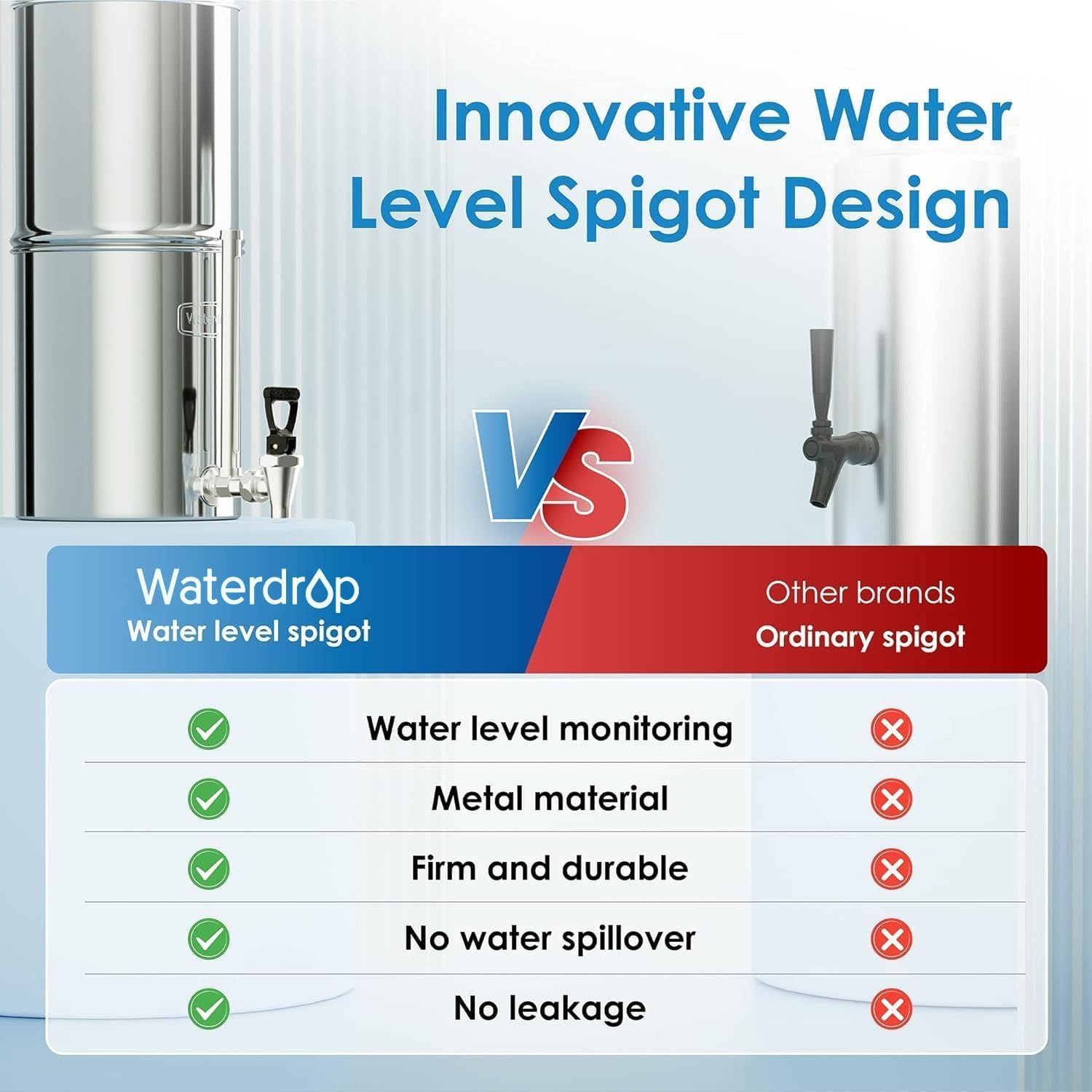
Figure 3: Innovative Water Level Spigot Design for easy monitoring.
6. Maintenance
Regular maintenance ensures the best performance and longevity of your water filter system.
6.1. Filter Replacement
- The two black carbon filters have a lifespan of up to 6,000 gallons of water.
- Replace filters when water flow significantly slows down or after the recommended gallon capacity is reached, whichever comes first.
- To replace, follow the "Filters Installation" steps in reverse to remove old filters, then flush and install new ones.
6.2. Cleaning the System
- Clean the stainless steel chambers periodically with mild soap and water. Rinse thoroughly.
- Do not use abrasive cleaners or scouring pads, as these can damage the stainless steel finish.
- Ensure the spigot is also cleaned to prevent mineral buildup.
7. Troubleshooting
| Problem | Possible Cause | Solution |
|---|---|---|
| Slow water flow | Filters are clogged or need priming. | Re-prime filters or replace them if they have reached their capacity. Ensure filters are fully submerged during initial filling. |
| Water leakage from spigot or seams | Loose connections or damaged washers. | Check and tighten all connections, especially the spigot nut. Ensure washers are correctly seated. Avoid overfilling the upper chamber if the lower chamber is full. |
| Unpleasant taste or odor in filtered water | New filters not properly flushed, or filters need replacement. | Ensure new filters are flushed for 60 seconds. If filters are old, replace them. |
8. Specifications
| Feature | Detail |
|---|---|
| Brand | Waterdrop |
| Model Name | WD-TK-S |
| Capacity | 2.25 Gallons |
| Material | 304 Food-Grade Stainless Steel |
| Installation Type | Countertop |
| Power Source | Gravity-fed (No electricity required) |
| Filter Lifespan (Black Carbon) | Up to 6,000 gallons per pair |
| Certification | NSF/ANSI 42 & 372 Certified |
| Product Dimensions | 9.44"L x 9.44"W x 15.74"H |
| Item Weight | 11.28 Pounds |
| Upper Temperature Rating | 100 Degrees Fahrenheit |
| Supported Water TDS Level Maximum (PPM) | 300 |

Figure 4: NSF/ANSI Certifications for Waterdrop King Tank Series.

Figure 5: 5-Stage Fine Filtration for improved taste and reduction of contaminants.
8.1. Filtration Effectiveness Demonstration
Observe the effectiveness of the black carbon filters in removing impurities through a dye test:
Video 2: Dye Test of Black Carbon Water Filters. This video visually demonstrates the filtration and decoloration capabilities of the black carbon filters.
9. Warranty and Support
For warranty information, product support, or to purchase replacement filters, please visit the official Waterdrop website or contact customer service. Keep your purchase receipt for warranty claims.
Contact Information: Refer to the product packaging or official Waterdrop website for the most up-to-date contact details.


