
1. Introduction
Thank you for choosing the Havells Induction Cooktop TC18. This manual provides essential information for the safe and efficient operation, maintenance, and troubleshooting of your new appliance. Please read it thoroughly before first use and keep it for future reference.
The Havells Induction Cooktop TC18 is designed for modern kitchens, offering 1800 watts of power for quick and efficient cooking. It features a single crystal glass panel with full digital touch control and 8 different cooking modes.
2. Important Safety Instructions
WARNING: To reduce the risk of fire, electric shock, injury to persons, or damage to the appliance, observe the following precautions:
- Read all instructions before using the appliance.
- Do not touch the hot glass plate immediately after cooking. The surface remains hot due to residual heat from the cookware.
- Ensure the appliance is placed on a stable, flat, heat-resistant surface.
- Do not immerse the appliance, power cord, or plug in water or other liquids.
- Keep the appliance away from children and pets.
- Use only induction-compatible cookware. Non-compatible cookware will not heat.
- Ensure proper ventilation around the cooktop. Do not block air vents.
- Do not place metallic objects such as knives, forks, spoons, lids, cans, or aluminum foil on the cooktop surface as they can become hot.
- Unplug the appliance from the outlet when not in use and before cleaning.
- Do not operate any appliance with a damaged cord or plug, or after the appliance malfunctions or has been damaged in any manner.
- Individuals with pacemakers or similar medical devices should consult their physician before using an induction cooktop.

3. Product Overview
3.1 Part List
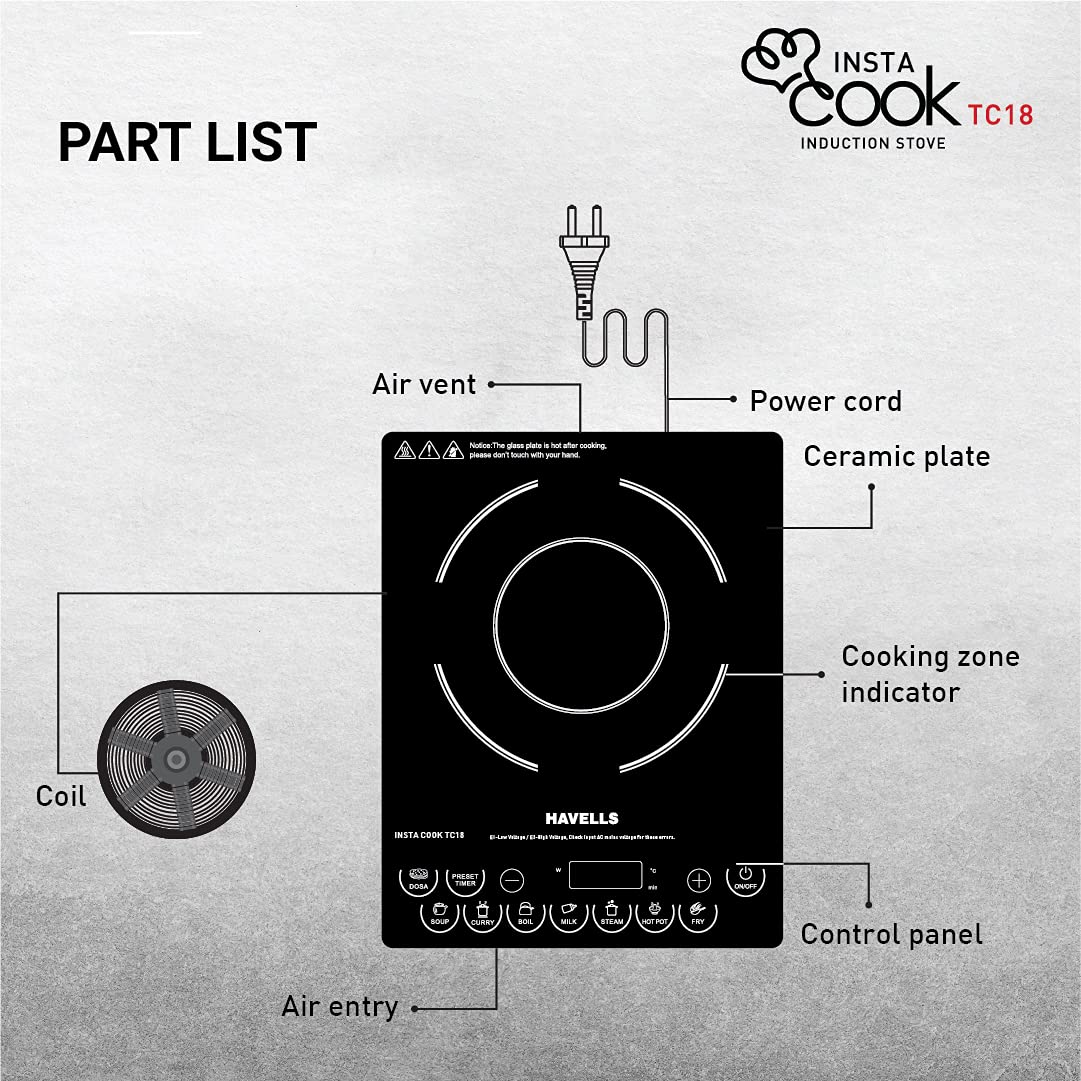
- Ceramic Plate: The cooking surface where cookware is placed.
- Cooking Zone Indicator: Marks the area for placing cookware.
- Control Panel: Digital touch interface for operating the cooktop.
- Air Entry/Vent: Essential for cooling the internal components. Do not obstruct.
- Power Cord: Connects the cooktop to the electrical outlet.
- Coil: Internal induction coil responsible for generating heat.
3.2 Key Features
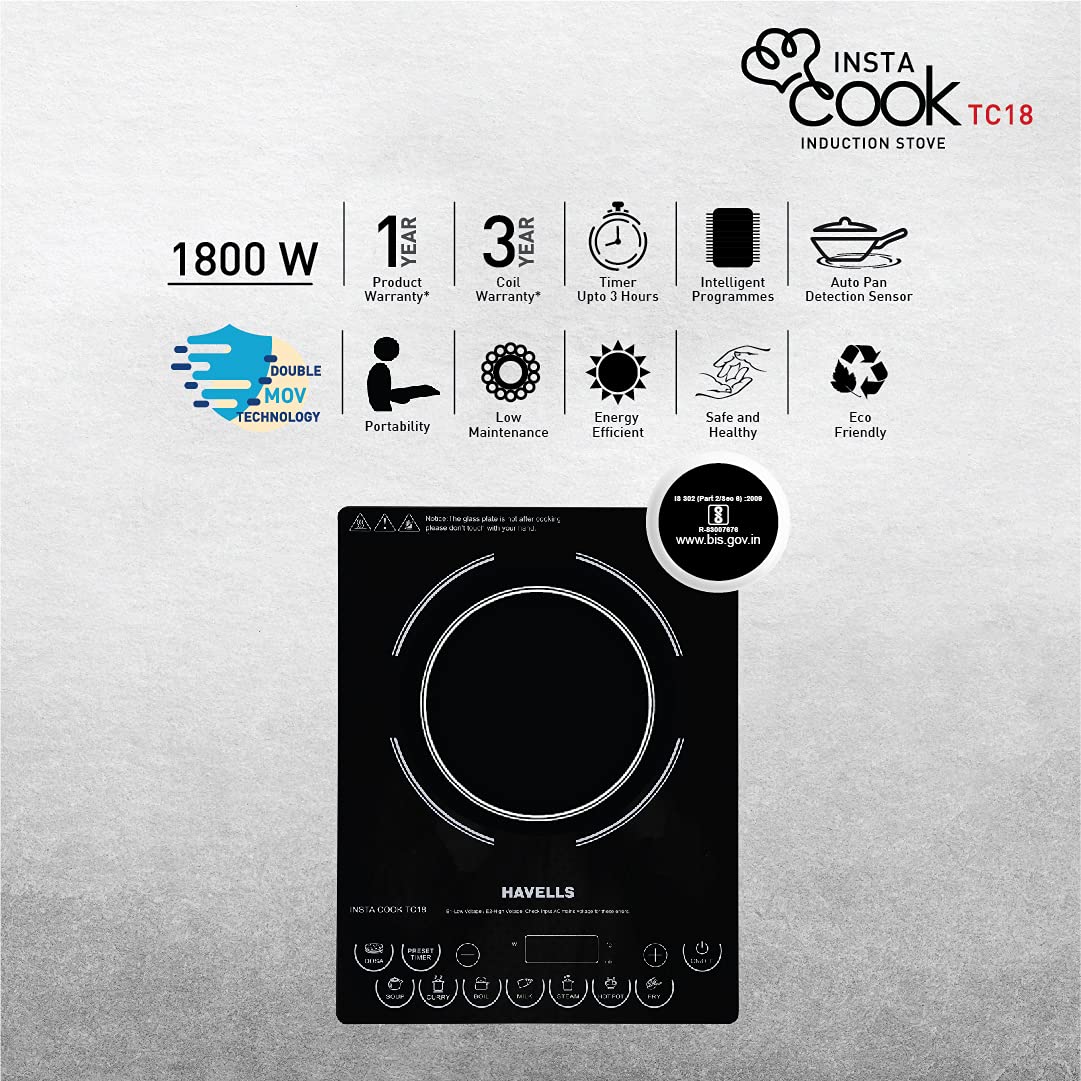
- 1800 Watt Power: Ensures rapid heating and efficient cooking.
- Single Crystal Glass Panel: Durable and easy to clean surface.
- Full Digital Touch Control: Intuitive and precise control over cooking settings.
- 8 Different Cooking Modes: Pre-set programs for various dishes (Dosa, Soup, Curry, Boil, Milk, Steam, Hot Pot, Fry).
- Variable Power Level Control: Adjust heat intensity as needed.
- Preset Timer: For timed cooking operations.
- Auto Pan Detection: Automatically detects compatible cookware.
- Auto Power Off: Enhances safety by turning off when no pan is detected or after a period of inactivity.
- Advanced Components: Equipped with 3 amp INFENION (Siemens) IGBT, Moiler sheet, Glass Fuse & Conformal Coating for enhanced durability.
4. Setup and Installation
4.1 Unpacking
- Carefully remove the induction cooktop from its packaging.
- Check for any damage during transit. If damaged, do not use and contact customer service.
- Ensure all components are present: 1N Induction Cooktop and 1N Instruction Manual.
- Retain the packaging for future transport or service needs.
4.2 Placement
- Place the cooktop on a dry, stable, and level surface.
- Ensure there is adequate space (at least 10-15 cm) around the cooktop for proper ventilation. Do not place it near heat sources or flammable materials.
- Avoid placing the cooktop on metallic surfaces that could interfere with induction.
4.3 Power Connection
- Plug the power cord into a grounded electrical outlet with the correct voltage (refer to specifications).
- Do not use extension cords or adapters unless absolutely necessary and ensure they are rated for the appliance's power consumption.
5. Operating Instructions
5.1 Compatible Cookware
For optimal performance, use cookware made of ferromagnetic materials such as cast iron, enameled iron, or stainless steel with a magnetic bottom. Cookware should have a flat bottom and a diameter suitable for the cooking zone indicator.
5.2 Basic Operation
- Place compatible cookware with food on the center of the ceramic plate.
- Plug the cooktop into a power outlet. The display will show standby mode.
- Press the ON/OFF button to turn on the cooktop.
- Select a desired cooking mode or adjust the power level manually.
- After cooking, press the ON/OFF button again to turn off the cooktop. Unplug from the power outlet.

5.3 Cooking Modes
The Havells TC18 offers 8 pre-set cooking modes for convenience:

- Dosa: Optimized for making dosas.
- Soup: Ideal for simmering soups.
- Curry: Suitable for cooking various curries.
- Boil: For boiling water or other liquids.
- Milk: Gentle heating for milk to prevent scorching.
- Steam: For steaming food.
- Hot Pot: Maintains a consistent temperature for hot pot dishes.
- Fry: High heat for frying.
5.4 Power Level and Timer Control
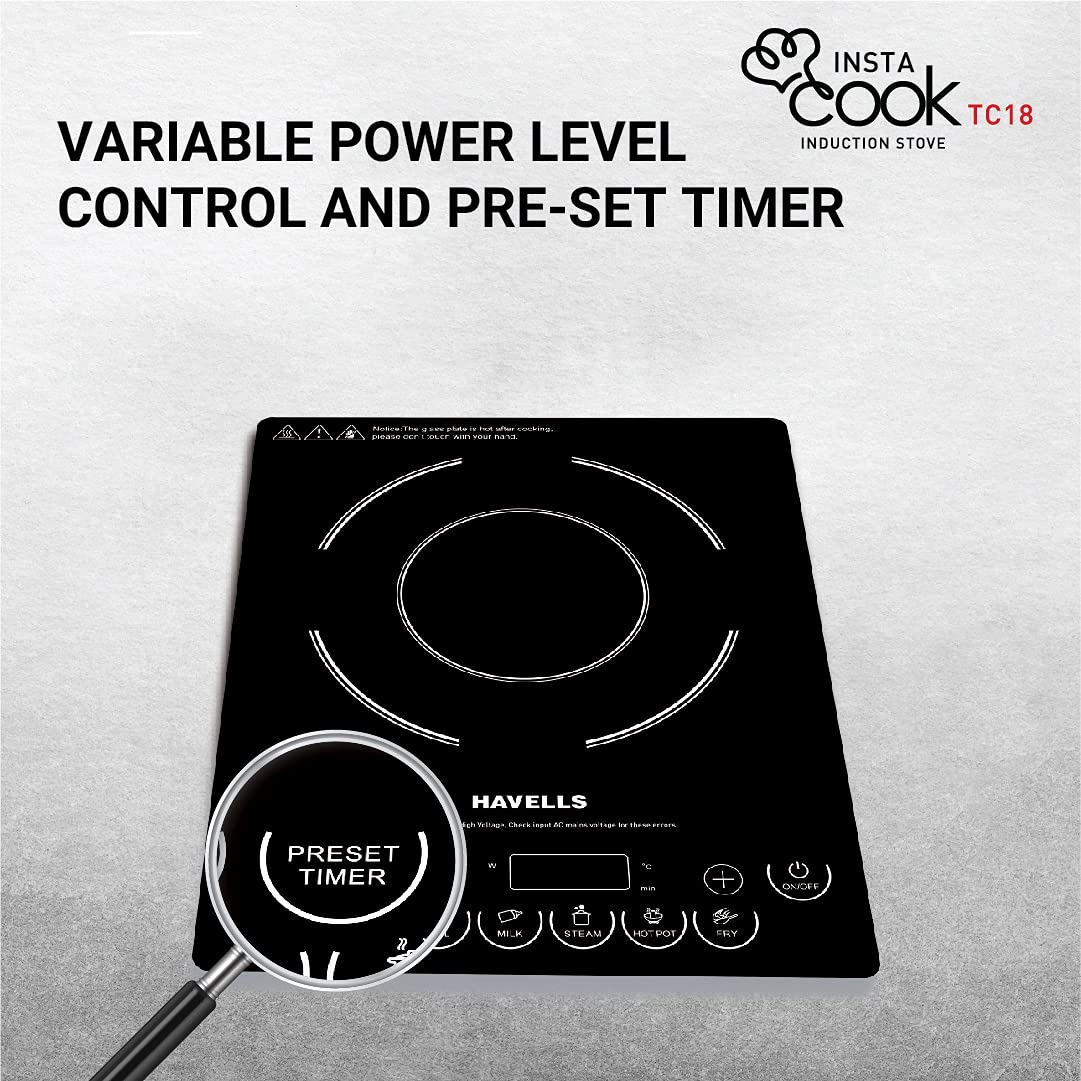
- Use the +/- buttons to adjust the power level manually when not using a pre-set mode.
- Press the PRESET TIMER button to set a cooking duration. Use the +/- buttons to adjust the time. The cooktop will automatically turn off once the timer expires.
5.5 Intelligent Programmes

The intelligent programs automatically adjust the temperature and power output to suit the selected cooking mode, ensuring consistent and efficient results.
6. Care and Maintenance
Regular cleaning and proper care will ensure the longevity and optimal performance of your Havells Induction Cooktop.
6.1 Cleaning the Cooktop

- Always unplug the cooktop and allow it to cool completely before cleaning.
- Wipe the ceramic glass surface with a soft, damp cloth and mild detergent. For stubborn stains, use a non-abrasive ceramic cooktop cleaner.
- Do not use abrasive cleaners, scouring pads, or harsh chemicals, as they can scratch or damage the surface.
- Clean the control panel with a soft, damp cloth. Ensure no water enters the control area.
- Wipe the exterior housing with a soft, damp cloth.
- Ensure the air vents are free from dust and debris to maintain proper airflow.
6.2 Storage
- Store the cooktop in a cool, dry place when not in use.
- Avoid placing heavy objects on the cooktop surface during storage.
7. Troubleshooting
If you encounter any issues with your Havells Induction Cooktop, please refer to the following table before contacting customer service.
| Problem | Possible Cause | Solution |
|---|---|---|
| Cooktop does not turn on. | No power supply; Power cord not properly plugged in; Main fuse tripped. | Check power outlet; Ensure power cord is securely plugged in; Check household fuse/circuit breaker. |
| Cooktop turns off automatically. | Overheating; No cookware or incompatible cookware detected; Timer expired. | Allow cooktop to cool; Use compatible cookware; Reset timer if needed. |
| Error Code F1 displayed. | Low voltage. | Check power supply voltage. If voltage is consistently low, consult an electrician. |
| Error Code F2 displayed. | High voltage. | Check power supply voltage. If voltage is consistently high, consult an electrician. |
| No heat or uneven heating. | Incompatible cookware; Cookware not centered; Cookware bottom is not flat. | Use induction-compatible cookware; Center cookware on the cooking zone; Ensure cookware has a flat bottom. |
| Fan continues to run after turning off. | Normal operation to cool internal components. | This is normal. The fan will stop automatically once the internal temperature has cooled sufficiently. |
8. Specifications
| Feature | Specification |
|---|---|
| Model | TC18 (GHCICDQK180) |
| Brand | Havells |
| Power Consumption | 1800 Watt |
| Heating Elements | 1 |
| Control Type | Full Digital Touch Control |
| Cooking Modes | 8 Pre-set Modes |
| Dimensions (LxWxH) | 30.5 x 29 x 42.2 Centimeters |
| Item Weight | 2 kg 700 g |
| Special Features | Auto Pan Detection, Auto Power Off, Preset Timer, 3 amp INFENION (Siemens) IGBT, Moiler sheet, Glass Fuse & Conformal Coating |
| Color | Black |
| Power Source | AC |
9. Warranty and Support
9.1 Warranty Information
- Product Warranty: 1 Year from the date of purchase.
- Coil Warranty: 3 Years from the date of purchase.
- The warranty covers manufacturing defects under normal use. It does not cover damage caused by misuse, accidents, unauthorized repairs, or normal wear and tear.
- The glass plate is typically not covered under warranty for physical damage.
9.2 Customer Support
For any service, repair, or warranty claims, please contact Havells customer service. Keep your purchase receipt and warranty card handy.
Manufacturer: Havells India Limited, Plot No 2 & 2A, Sector 12, IIE, Sidcul Industrial Area, Haridwar-249403, Uttarakhand. (India)


