Product Overview
The Imou Cue 2E Home Security Camera offers 1080P Full HD live monitoring, providing clear and detailed surveillance for your home. Designed for indoor use, this camera features superior night vision up to 33 feet, two-way audio communication, and intelligent human and sound detection capabilities. It integrates seamlessly with the Imou Life app for user-friendly control and smart alerts, ensuring you stay informed about activities in your monitored spaces. Data security is prioritized with advanced encryption technology, and flexible storage options include Micro SD card, Imou Cloud, or Network Video Recorder (NVR).

Figure 1: Key features of the Imou Cue 2E Home Security Camera.
What's in the Box
Upon unboxing your Imou Cue 2E Home Security Camera, verify that all components are present:
- 2x Imou Cue 2E Cameras
- 1x Power Adapter
- 1x Power Cable
- 1x Mounting Foam
- 1x Quick Start Guide

Figure 2: The Imou Cue 2E Home Security Camera (2-pack).
Setup Guide
Follow these steps to set up your Imou Cue 2E camera:
- Power On: Connect the camera to a power outlet using the provided power adapter and cable. The camera will power on automatically.
- Download Imou Life App: Download the Imou Life app from your device's app store (available on iOS, Android, and Windows).
- Create Account: Open the app and create a new account or log in to an existing one.
- Add Device: Tap the "+" icon in the app to add a new device. Scan the QR code located on the camera or its packaging.
- Connect to Wi-Fi: Follow the in-app instructions to connect the camera to your 2.4G Wi-Fi network. Ensure your Wi-Fi signal is strong at the camera's intended location.
- Mounting (Optional): The camera can be placed on a flat surface or mounted on a wall or ceiling using the included mounting foam. Rotate the pivot to achieve the desired viewing angle.

Figure 3: Flexible placement options for your Imou Cue 2E camera.
Video 1: Official product video demonstrating the features and ease of installation of the Imou Indoor Camera Cue 2E.
Operating Your Camera
The Imou Life app is your central control for managing your camera. Here are some key operational features:
- Live Monitoring: Access 1080P Full HD live video streams from anywhere, anytime.
- Night Vision: The camera automatically switches to superb night vision in low-light conditions, providing clear images up to 33 feet.
- Two-Way Audio: Use the built-in microphone and speaker to communicate with family members or pets through the camera.
- Human Detection: Receive instant alerts when human motion is detected, reducing false alarms from pets or other movements.
- Sound Detection: Get immediate notifications for unusual sounds like crying babies or barking dogs.
- Customizable Alerts: Adjust detection sensitivity, define specific detection regions, and set alarm schedules via the Imou Life app to minimize unwanted notifications.
- Storage Options: Recordings can be stored on a Micro SD card (up to 256GB, not included), the Imou Cloud (subscription service), or a Network Video Recorder (NVR).
- Voice Control: The camera works with Amazon Alexa, allowing for convenient voice commands to view live feeds.
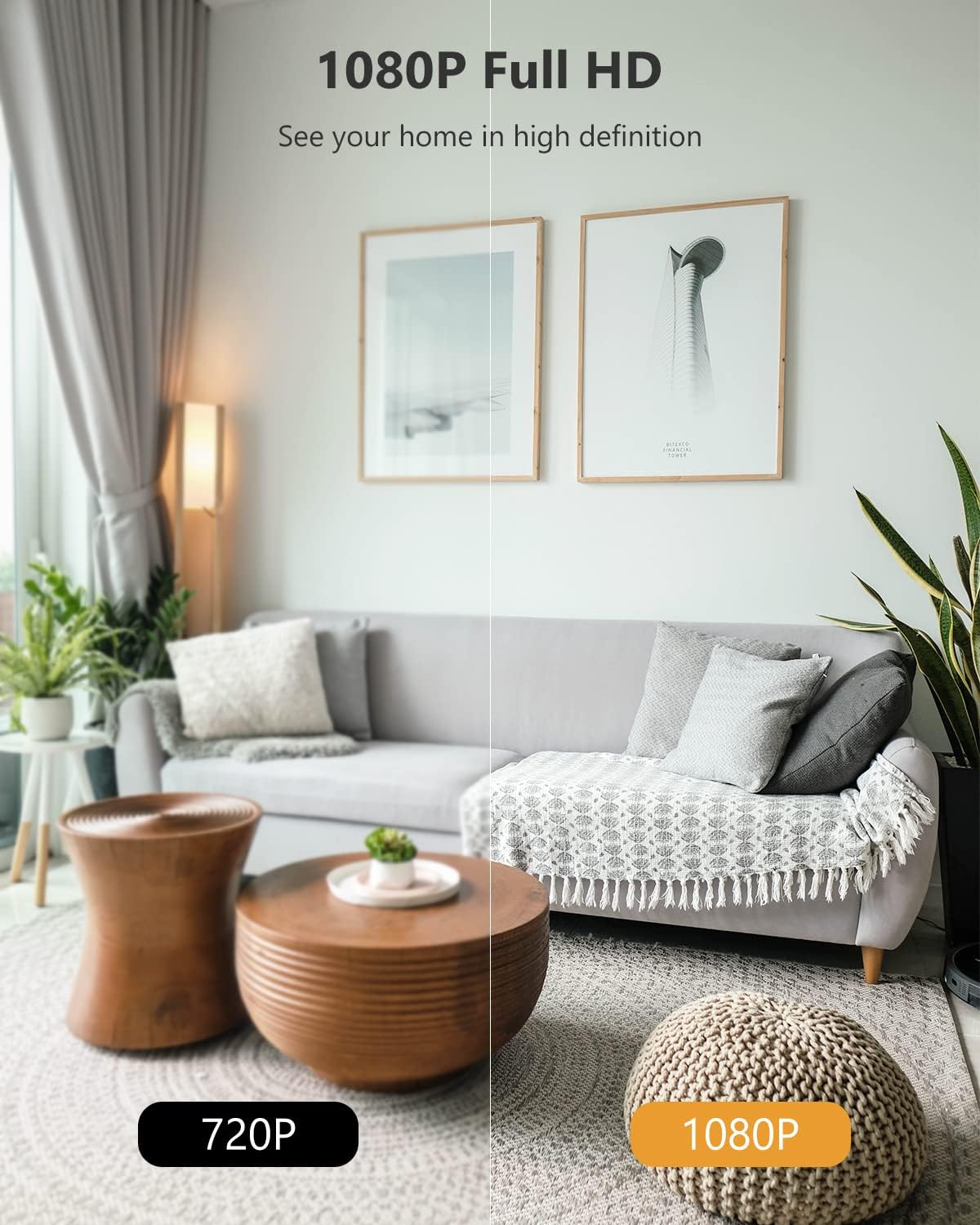
Figure 4: Experience 1080P Full HD clarity.

Figure 5: Superior night vision and two-way audio for monitoring.

Figure 6: Instant notifications for abnormal sound detection.

Figure 7: Receive smarter alerts with adjustable detection settings.

Figure 8: Diverse and secure storage options for your recordings.
Maintenance
To ensure optimal performance and longevity of your Imou Cue 2E camera, consider the following maintenance tips:
- Clean the Lens: Gently wipe the camera lens with a soft, lint-free cloth to remove dust or smudges that may affect image clarity.
- Firmware Updates: Regularly check for and install firmware updates via the Imou Life app. Updates often include performance improvements and security enhancements.
- Network Stability: Ensure your Wi-Fi network is stable and provides sufficient bandwidth for continuous streaming and reliable alerts.
- Power Supply: Use only the original power adapter and cable provided with the camera to prevent damage.
- SD Card Management: If using an SD card, periodically check its status and consider formatting it through the app to maintain recording efficiency.
Troubleshooting
If you encounter issues with your Imou Cue 2E camera, try the following common troubleshooting steps:
- Camera Offline:
- Check if the camera is powered on and the power adapter is securely connected.
- Verify your Wi-Fi router is working correctly and other devices can connect to the internet.
- Restart the camera by unplugging it for 10 seconds and plugging it back in.
- Ensure the camera is within range of your Wi-Fi router. Obstacles like thick walls can weaken the signal.
- Poor Video Quality:
- Clean the camera lens.
- Check your internet connection speed. A slow connection can affect streaming quality.
- Ensure the camera is receiving adequate light during the day.
- No Alerts Received:
- Check the alert settings in the Imou Life app to ensure human/sound detection is enabled and notification schedules are correctly set.
- Verify that your phone's notification settings allow alerts from the Imou Life app.
- Two-Way Audio Issues:
- Ensure the microphone and speaker volumes are not muted in the app.
- Check for any physical obstructions blocking the microphone or speaker on the camera.
Specifications
| Feature | Detail |
|---|---|
| Model Number | IPC-C22SP-D |
| Video Capture Resolution | 1080p Full HD |
| Night Vision Range | 33 Feet |
| Connectivity Technology | Wireless (2.4G Wi-Fi Only) |
| Two-Way Audio | Yes |
| Human Detection | Yes |
| Sound Detection | Yes |
| Storage Options | Micro SD Card (up to 256GB), Imou Cloud, NVR |
| Compatible Devices | Android, iOS, Windows (via Imou Life App) |
| Controller Type | Amazon Alexa, App |
| Power Source | Corded Electric (5V DC, 5W) |
| Dimensions (L x W x H) | 2.7 x 1.3 x 4.2 inches |
| Item Weight | 1.32 pounds (for 2 cameras) |
| Indoor/Outdoor Usage | Indoor |
Warranty and Support
Imou products typically come with a manufacturer's warranty. Please refer to the warranty card included in your product packaging for specific terms and conditions. For technical support, product inquiries, or warranty claims, please visit the official Imou support website or contact their customer service. Keep your purchase receipt as proof of purchase for warranty purposes.
You can find more information and support resources on the Imou Store on Amazon.


