
1. Introduction
Thank you for choosing the AQQA Aquarium Rechargeable Air Pump. This device is designed to provide essential oxygenation for your aquatic environment, offering both continuous and intermittent operation modes. Its rechargeable battery ensures functionality during power outages or for portable use, such as during fish transportation or outdoor fishing. Please read this manual thoroughly before use to ensure proper operation and longevity of your product.
2. Product Overview
2.1 Key Features
- Dual Power Modes: Operates via plug-in power or a built-in 2600mAh rechargeable lithium battery. Automatically switches to battery power during outages.
- Two Operating Modes: Choose between Normal (continuous) and Intermittent (10 seconds on, 10 seconds off) for energy saving.
- High Oxygen Dissolution: Equipped with dual air outlets, two air stones, and tubing to maximize oxygen content in water.
- Battery Level Display: Clear blue LED indicators show current battery status and active mode.
- Quiet Operation: Magnet driver design and rubber pads reduce noise to ≤30dB.
- Portable Design: Compact and lightweight with a portable hook for easy transport and placement.
2.2 Package Contents
Verify that all components are present in your package:
- 1 x AQQA Aquarium Rechargeable Air Pump (Model FUS-AQ012-4w)
- 2 x Check Valves
- 2 x Air Stones
- 1 x Air Line (tubing)
- 1 x USB Charging Cable

Image 2.1: AQQA Aquarium Rechargeable Air Pump with connected air stones and tubing, operating in an aquarium.
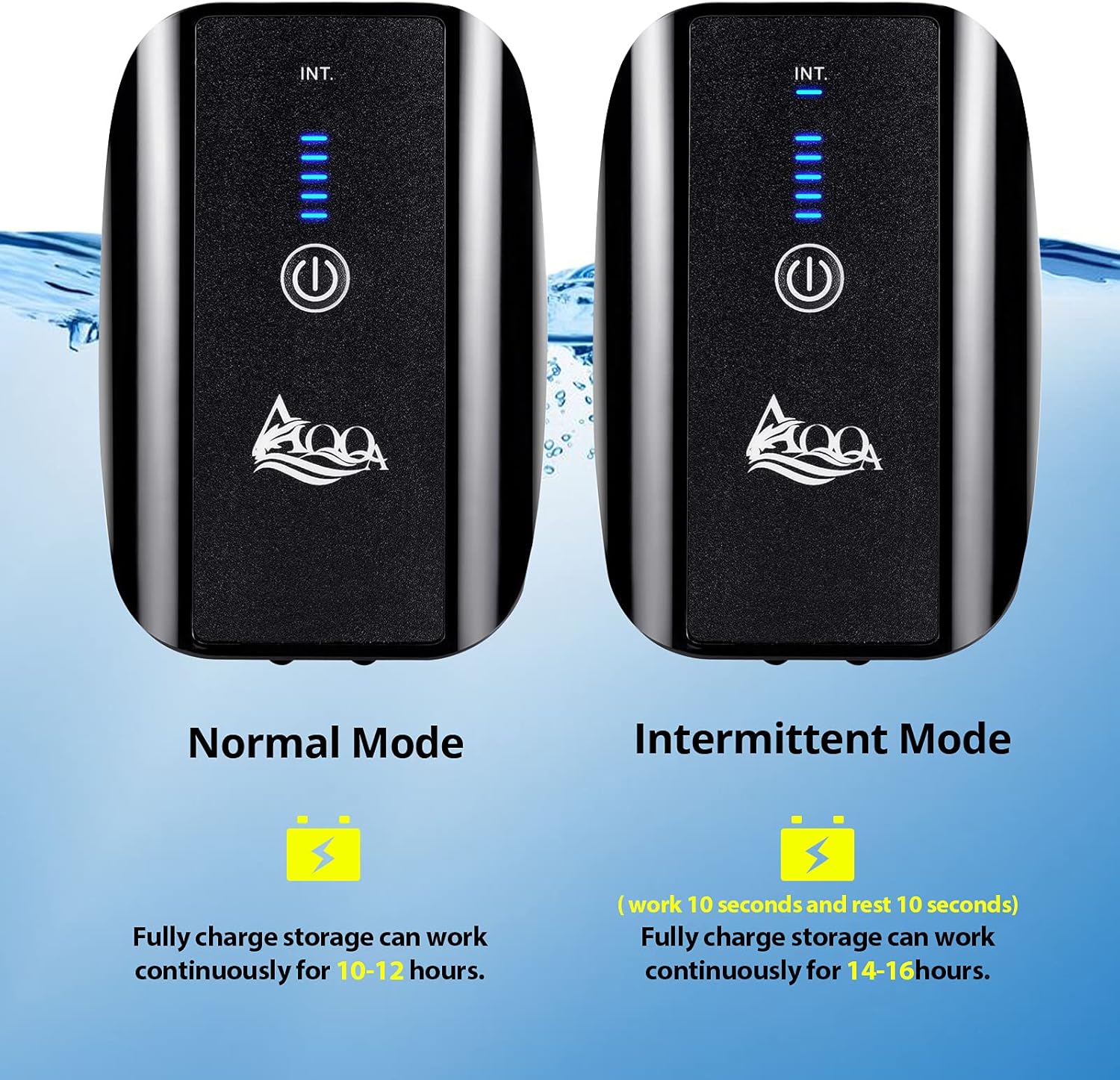
Image 2.2: Detailed view of the air pump's back panel and control interface, highlighting key features like the portable hook and battery display.
3. Setup Instructions
3.1 Initial Charging
Before first use, fully charge the air pump. Connect the provided USB cable to the pump's charging port and to a compatible USB power adapter (not included) or a computer USB port. The blue battery indicator lights will illuminate, showing the charging progress. A full charge is indicated when all five grid lights are solid blue.
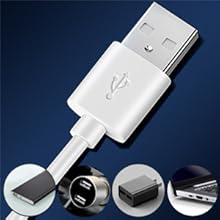
Image 3.1: The air pump can be charged using the included USB cable with various USB power sources.
3.2 Connecting Air Stones and Tubing
- Attach one end of the air line tubing to each of the two air outlets on the bottom of the pump.
- Connect an air stone to the other end of each air line tubing.
- Place the air stones at the desired location within your aquarium.
3.3 Placement and Safety
For optimal performance and safety, position the air pump above the water surface of your aquarium. If the air pump must be placed below the water surface, it is essential to install the included check valves in the air lines to prevent water backflow into the pump, which can cause damage.

Image 3.2: Proper air pump placement. Always use a check valve if the pump is below the water level to prevent water damage.
4. Operating Instructions
4.1 Powering On/Off
Press and hold the power button (①) on the front of the pump for approximately 3 seconds to turn the unit on or off.
4.2 Selecting Operating Mode
Once powered on, the pump will typically start in Normal (continuous) mode. To switch between modes:
- Normal Mode: Press the power button once. The pump will operate continuously. A fully charged battery provides approximately 14-18 hours of operation in this mode.
- Intermittent Mode: Press the power button a second time. The pump will operate for 10 seconds and then pause for 10 seconds. The 'INT.' indicator light will illuminate. This mode conserves battery power, offering approximately 25-28 hours of operation on a full charge.

Image 4.1: Switching between Normal and Intermittent operating modes.
4.3 Battery Level Indicator
The blue LED grid lights on the front panel indicate the remaining battery charge. Five lights represent a full charge (100%), while one light indicates a low battery level (20%).
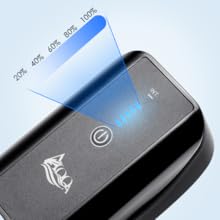
Image 4.2: The battery level display provides a clear indication of remaining power.
4.4 Power Outage Functionality
When the pump is plugged in and fully charged, it will automatically switch to battery power if the main power supply is interrupted. This ensures continuous oxygenation for your aquarium during power outages.

Image 4.3: The air pump offers both plug-in and rechargeable operation for continuous use.
5. Maintenance
5.1 Cleaning the Air Pump
Wipe the exterior of the air pump with a soft, dry cloth. Do not immerse the pump in water or use harsh chemicals for cleaning.
5.2 Air Stone and Tubing Maintenance
Periodically check the air stones and tubing for blockages or algae buildup. Clean or replace air stones as needed to maintain optimal airflow. Ensure tubing is free of kinks or damage.
5.3 Battery Care
To prolong battery life, avoid completely draining the battery frequently. If storing the pump for an extended period, charge it to approximately 50-70% and recharge every few months.
6. Troubleshooting
| Problem | Possible Cause | Solution |
|---|---|---|
| Pump does not turn on. | Battery is depleted. Power button not pressed correctly. | Charge the pump fully. Press and hold the power button for 3 seconds. |
| No air or weak airflow. | Air stones are clogged. Air line tubing is kinked or blocked. Pump is faulty. | Clean or replace air stones. Check and straighten tubing; clear any blockages. Contact customer support if other solutions fail. |
| Pump not charging or losing charge quickly when plugged in. | Faulty USB cable or power adapter. Charging port issue. Battery degradation. | Try a different USB cable and power adapter. Ensure the cable is securely connected. If the issue persists, contact customer support. |
| Excessive noise. | Pump not on a stable surface. Internal component issue. | Ensure the pump is placed on a flat, stable surface. The rubber feet are designed to reduce vibration. If noise is unusual or excessive, contact customer support. |
7. Specifications
| Feature | Detail |
|---|---|
| Model Number | FUS-AQ012-4w |
| Power (This Model) | 5W |
| Air Flow Capacity (This Model) | 3.5 Liters Per Minute |
| Maximum Pressure (This Model) | 0.03 MPa (2E+4 Pascal) |
| Noise Level | ≤30dB |
| Battery Type | 1 Lithium Ion battery (included) |
| Battery Capacity | 2600mAh |
| Continuous Operation Time (Normal Mode) | 14-18 hours (approx.) |
| Intermittent Operation Time (Intermittent Mode) | 25-28 hours (approx.) |
| Product Dimensions (LxWxH) | 3.35" x 1.4" x 4.7" |
| Item Weight | 15.5 ounces |
| Material | Acrylonitrile Butadiene Styrene (ABS) |
| Color | Black |
| UPC | 761344478794 |

Image 7.1: Detailed specifications for various AQQA air pump models.
8. Warranty and Support
8.1 Warranty Information
The AQQA Aquarium Rechargeable Air Pump comes with a 1-year warranty from the date of purchase, covering manufacturing defects. This warranty does not cover damage caused by misuse, accident, unauthorized modification, or normal wear and tear.
8.2 Customer Support
For any questions, technical assistance, or warranty claims, please contact AQQA customer support. You can find contact information on the official AQQA website or through your purchase platform.
Visit the AQQA Brand Store for more information and products.

Image 8.1: AQQA commitment to quality and customer support.