
1. Introduction
This manual provides essential information for the safe and efficient use of your GAGGIA Magenta Milk Automatic Espresso Machine, model SUP051P. Please read all instructions carefully before operating the appliance and retain this manual for future reference.
The GAGGIA Magenta Milk is designed to deliver a variety of coffee and milk-based beverages with ease, featuring a ceramic grinder and an integrated milk frother for a premium coffee experience.
2. Important Safety Information
Always follow basic safety precautions when using electrical appliances to reduce the risk of fire, electric shock, and injury.
- Ensure the appliance is connected to a grounded power outlet with the correct voltage (AC100V, 50/60Hz).
- Do not immerse the appliance, power cord, or plug in water or other liquids.
- Keep hands and cords away from hot surfaces and steam.
- Unplug the machine before cleaning and when not in use.
- Do not operate the appliance with a damaged cord or plug, or if it malfunctions or has been damaged in any way.
- This appliance is for household use only.
3. Product Overview
Familiarize yourself with the components of your GAGGIA Magenta Milk espresso machine.
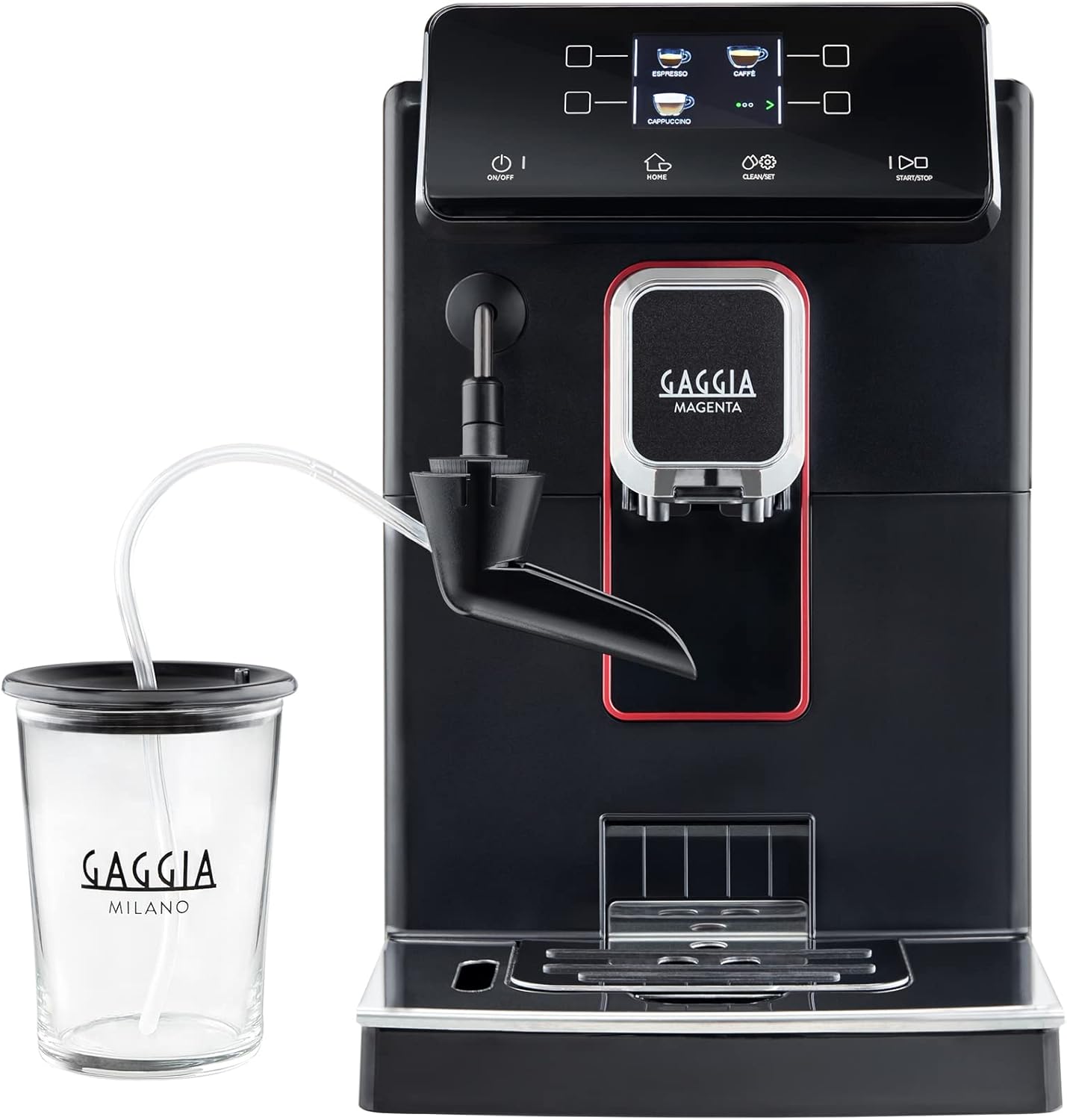
Figure 1: GAGGIA Magenta Milk Automatic Espresso Machine with Milk Carafe. This image displays the front view of the black espresso machine, featuring the control panel, coffee dispenser, and an attached milk carafe.
Key Features:
- Ceramic Grinder: Ensures consistent grinding without overheating the beans, preserving aroma and flavor.
- Integrated Milk Frother: Automatically froths milk for lattes and cappuccinos.
- Intuitive Control Panel: Easy selection of 9 different beverages, including Espresso, Coffee, Americano, Cappuccino, Latte Macchiato, Froth Milk, and Hot Water.
- Compact Design: With a width of 22.4 cm, it fits easily into various kitchen spaces.

Figure 2: Close-up of the GAGGIA Magenta Milk control panel. The digital display shows options for Espresso, Coffee, and Cappuccino, along with 'ON/OFF', 'HOME', 'CLEAN/SET', and 'START/STOP' buttons.
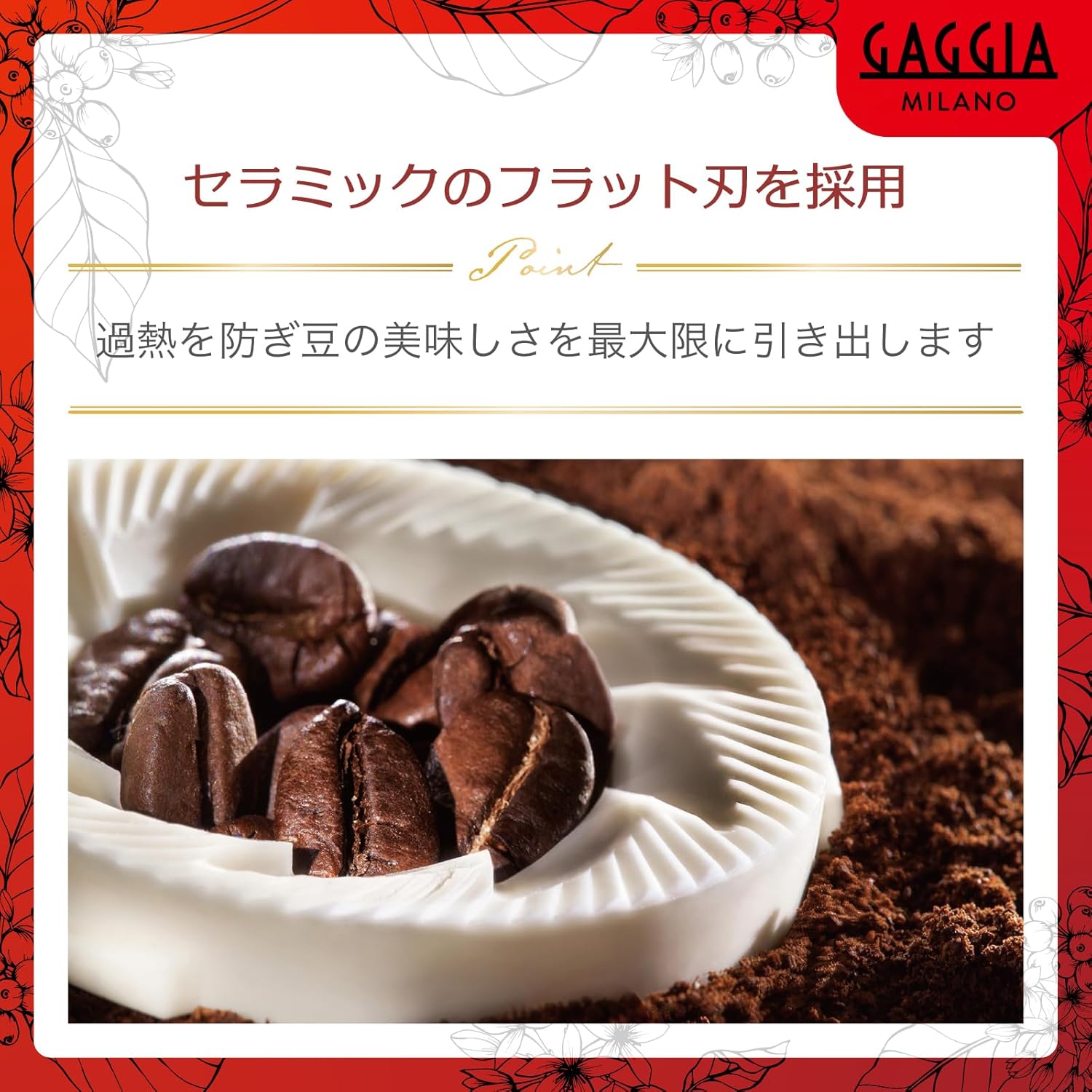
Figure 3: A close-up view of the ceramic grinder component, surrounded by whole coffee beans and ground coffee, highlighting its role in preserving coffee flavor.
4. Setup
4.1 Unpacking and Placement
- Carefully remove all packaging materials.
- Place the machine on a stable, level surface, away from heat sources and water. Ensure adequate ventilation around the appliance.
4.2 Initial Cleaning
- Wash the water tank, drip tray, and milk carafe with warm water and mild detergent. Rinse thoroughly.
- Wipe the exterior of the machine with a damp cloth.
4.3 Water Tank and Filter Installation
- Remove the water tank from the machine.
- Install the provided Intenza water filter into the water tank according to the filter instructions.
- Fill the water tank with fresh, cold tap water up to the MAX level.
- Reinsert the water tank securely into the machine.

Figure 4: This image shows hands pouring water into the water tank on the left and coffee beans into the bean hopper on the right, illustrating the process of preparing the machine for use.
4.4 Filling the Bean Hopper
- Open the lid of the coffee bean hopper.
- Pour fresh coffee beans into the hopper. Do not overfill.
4.5 Power Connection and Initial Rinse
- Connect the power cord to the machine and then to a wall outlet.
- Turn on the machine. It will likely prompt you to perform an initial rinse cycle. Follow the on-screen instructions.
5. Operating Instructions
5.1 Making Espresso or Coffee
- Ensure the water tank is filled and the bean hopper contains coffee beans.
- Place a cup under the coffee dispenser.
- Select your desired beverage (e.g., Espresso, Coffee) from the control panel.
- Press the 'START/STOP' button to begin brewing.
5.2 Making Milk-Based Beverages (Latte, Cappuccino)
- Fill the milk carafe with fresh, cold milk.
- Connect the milk carafe to the machine's milk frother tube.
- Place a cup under the coffee dispenser.
- Select your desired milk-based beverage (e.g., Cappuccino, Latte Macchiato) from the control panel.
- Press the 'START/STOP' button. The machine will automatically froth the milk and dispense coffee.
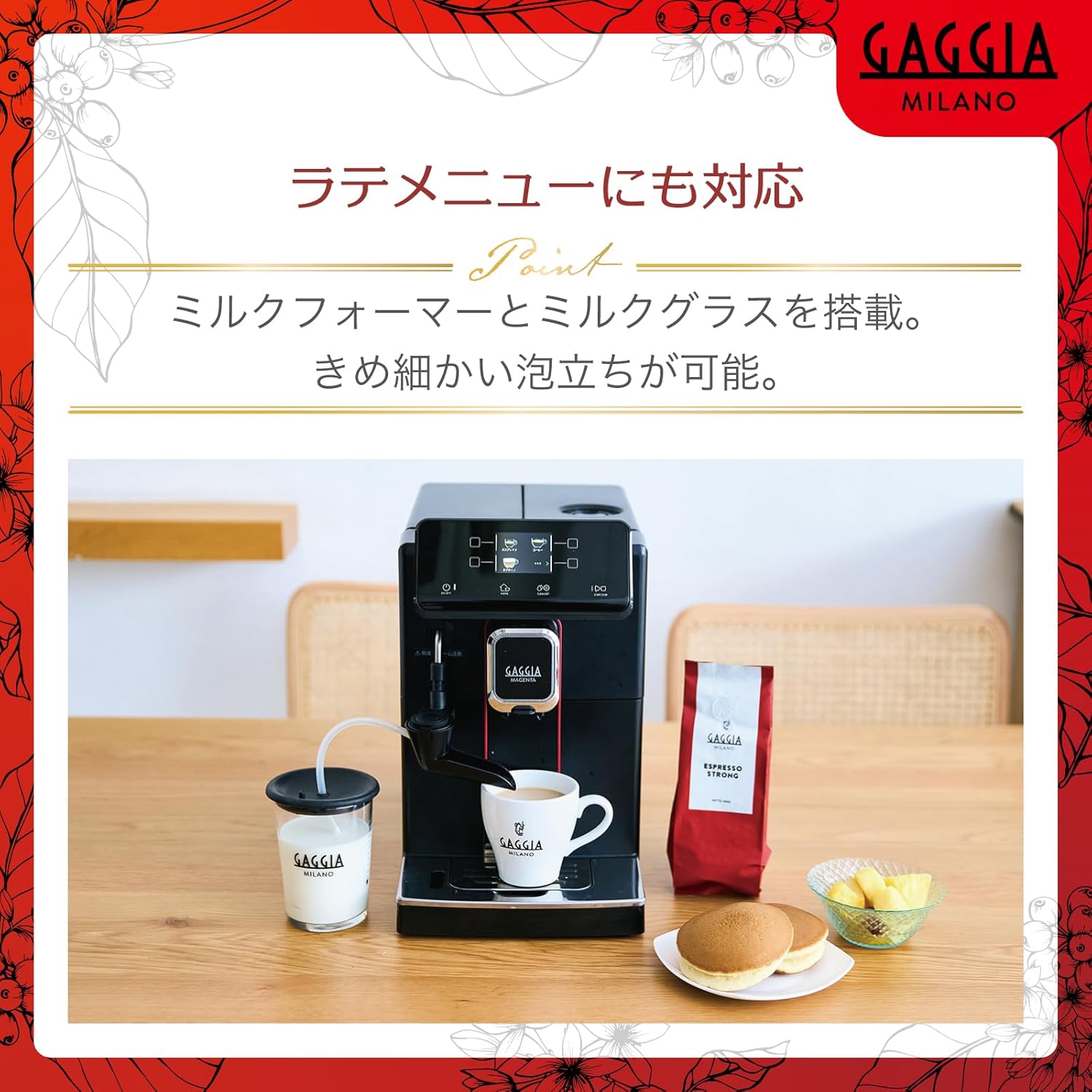
Figure 5: The GAGGIA Magenta Milk machine dispensing a milk-based coffee into a cup, with the milk carafe connected and visible on the left.
5.3 Hot Water Dispensing
- Place a cup under the hot water spout.
- Select the 'Hot Water' option from the menu.
- Press the 'START/STOP' button to dispense hot water.
5.4 Adjusting Settings
The machine allows for customization of beverage parameters such as coffee strength, volume, and milk foam quantity. Refer to the 'CLEAN/SET' menu on the control panel for detailed options.
6. Maintenance
Regular cleaning and maintenance ensure optimal performance and longevity of your espresso machine.
6.1 Daily Cleaning
- Drip Tray: Empty and rinse the drip tray daily.
- Milk Carafe/System: After each milk-based beverage, perform the automatic milk system cleaning cycle if prompted. Disassemble and wash the milk carafe components with warm water and mild detergent.

Figure 6: A hand removing the drip tray from the front of the espresso machine, indicating a routine cleaning step.
6.2 Weekly/Monthly Cleaning
- Brew Unit: Remove the brew unit and rinse it under lukewarm running water. Allow it to air dry before reinserting. Apply brew unit grease (5g) as needed.
- Coffee Grounds Container: Empty and clean the coffee grounds container.
- Bean Hopper: Periodically clean the bean hopper to remove any oil residue.
6.3 Descaling
The machine will indicate when descaling is required. Use the provided GAGGIA descaling solution (MEL-F2000).

Figure 7: Two bottles of GAGGIA MEL-F2000 descaling solution, essential for maintaining the machine's internal components.
- Follow the on-screen prompts for the descaling process.
- Mix the descaling solution with water as instructed in the descaling solution bottle.
- Place a large container under the coffee dispenser and hot water spout.
- Start the descaling cycle and follow all instructions until complete.
6.4 Water Filter Replacement
Replace the Intenza water filter every 2-3 months, or as indicated by the machine, to ensure optimal water quality and reduce limescale buildup.
7. Troubleshooting
This section addresses common issues you might encounter with your GAGGIA Magenta Milk machine.
| Problem | Possible Cause | Solution |
|---|---|---|
| No coffee is dispensed. | Water tank empty, bean hopper empty, brew unit clogged. | Fill water tank/bean hopper. Clean the brew unit. |
| Coffee is too weak or too strong. | Grind setting incorrect, coffee strength setting incorrect. | Adjust grind setting (finer for stronger, coarser for weaker). Adjust coffee strength via menu. |
| Milk is not frothing properly. | Milk system clogged, milk type/temperature. | Clean the milk system thoroughly. Use fresh, cold milk. |
| Machine displays a descaling alert. | Limescale buildup. | Perform a descaling cycle as per instructions. |
8. Specifications
| Feature | Detail |
|---|---|
| Model Number | SUP051P |
| Dimensions (W x D x H) | Approx. 22.4 x 43.5 x 35.7 cm |
| Weight | Approx. 7.7 kg |
| Power Supply | AC100V (50/60Hz) |
| Power Consumption | 1200W |
| Water Tank Capacity | 1.8 L |
| Coffee Bean Container Capacity | 250 g |
| Coffee Bean Quantity per Cup | Approx. 7.5 - 10 g |
| Included Accessories | Power cord (1.2m), Instruction manual, Maintenance booklet, Powdered coffee spoon, Cleaning brush, Brew unit grease (5g), Descaling solution (MEL-F2000) x2, Milk cleaning solution (MEL-F1000), Coffee line cleaning tablets, Water filter (Intenza), Water hardness test strip. |

Figure 8: A diagram illustrating the dimensions of the GAGGIA Magenta Milk machine: 224mm width, 435mm depth, and 357mm height.
9. Warranty and Support
For detailed warranty information and customer support, please refer to the warranty card included with your product or visit the official GAGGIA website. Keep your proof of purchase for any warranty claims.


