
TOTAL TMT46003
TOTAL TMT46003 Clamp Ammeter User Manual
Model: TMT46003 | Brand: TOTAL
1. Introduction
This manual provides essential instructions for the safe and effective operation of your TOTAL TMT46003 Clamp Ammeter. Please read this manual thoroughly before use and retain it for future reference.
Safety Information
- Always adhere to local and national safety codes.
- Do not use the device if it appears damaged or is not operating correctly.
- Ensure the battery compartment is securely closed before operation.
- Avoid contact with live circuits when replacing batteries or opening the case.
- Use appropriate personal protective equipment (PPE) when working with electricity.
- This device is designed for measuring AC current, AC/DC voltage, resistance, and continuity. Do not attempt to measure parameters beyond its specified ranges.
2. Setup
2.1 Battery Installation
The TOTAL TMT46003 Clamp Ammeter requires two (2) AAA batteries for operation. Batteries are not included with the device.
- Locate the battery compartment cover on the back of the device.
- Use a screwdriver to loosen the screw securing the battery cover.
- Remove the cover.
- Insert two AAA batteries, observing the correct polarity (+/-) as indicated inside the compartment.
- Replace the battery cover and tighten the screw securely.

Figure 2.1: Rear view of the clamp meter, highlighting the battery compartment and safety labels.
2.2 Connecting Test Leads
For voltage, resistance, and continuity measurements, connect the included test leads:
- Insert the red test lead into the "VΩ" input jack.
- Insert the black test lead into the "COM" (common) input jack.
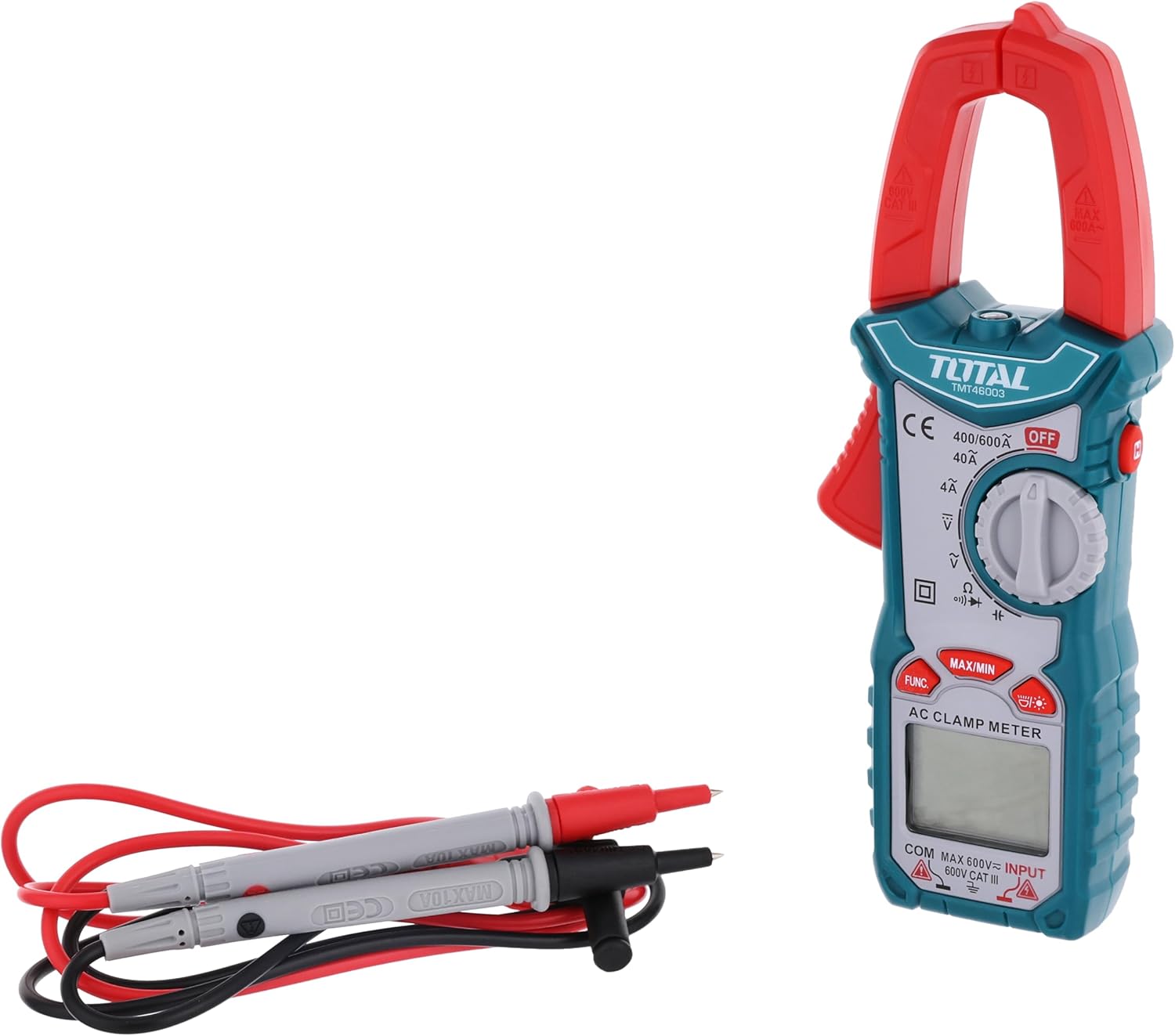
Figure 2.2: The clamp meter shown with its test leads, ready for use.
3. Operating Instructions
Familiarize yourself with the controls before operation.

Figure 3.1: Detailed view of the clamp meter's control panel.
3.1 Function Dial
Rotate the central dial to select the desired measurement function:
- OFF: Powers off the device.
- 40A/600A (AC Current): For measuring alternating current using the clamp jaw.
- V (Voltage): For measuring AC or DC voltage using test leads.
- Ω (Resistance): For measuring resistance using test leads.
- Continuity: For checking circuit continuity using test leads.
3.2 Buttons
- FUNC: Toggles between different functions within a single dial position (e.g., AC/DC voltage if applicable, or resistance/continuity).
- MAX/MIN: Displays the maximum or minimum measured value during a measurement session. Press to cycle through MAX, MIN, and current readings.
- Backlight Button: Activates or deactivates the display backlight for improved visibility in low-light conditions.
3.3 Measuring AC Current (Clamp Function)
- Rotate the function dial to the "40A/600A" position.
- Press the clamp trigger to open the clamp jaw.
- Enclose a single conductor (not a bundle of wires) within the clamp jaw. Ensure the jaw is fully closed.
- Read the AC current value displayed on the screen.
Note: For accurate readings, ensure only one conductor is inside the clamp jaw. Clamping around multiple conductors carrying current in opposite directions will result in a zero or incorrect reading.
3.4 Measuring Voltage, Resistance, and Continuity
- Ensure test leads are correctly connected (red to VΩ, black to COM).
- Rotate the function dial to the desired measurement: "V" for voltage, "Ω" for resistance, or "Continuity" for continuity test.
- For voltage, connect the test probes in parallel with the circuit or component to be measured.
- For resistance and continuity, ensure the circuit is de-energized before connecting the test probes across the component.
- Read the value on the display. For continuity, an audible beep indicates a continuous circuit.
4. Maintenance
4.1 Cleaning
To clean the device, wipe the exterior with a soft, damp cloth. Do not use abrasive cleaners or solvents. Ensure the device is powered off and disconnected from any circuits before cleaning.
4.2 Battery Replacement
Replace batteries when the low battery indicator appears on the display. Follow the steps outlined in Section 2.1 Battery Installation. Always use new AAA batteries of the same type.
4.3 Storage
When not in use for extended periods, remove the batteries to prevent leakage. Store the clamp ammeter in a cool, dry place, away from direct sunlight and extreme temperatures.
5. Troubleshooting
| Problem | Possible Cause | Solution |
|---|---|---|
| Device does not power on. | Dead or incorrectly installed batteries. | Check battery polarity and replace batteries if necessary. |
| No reading or "OL" (Overload) displayed. | Measurement range exceeded, incorrect function selected, or open circuit. | Select a higher range, verify function dial position, or check for an open circuit. |
| Inaccurate AC current reading. | Multiple conductors within the clamp jaw. | Ensure only a single conductor is enclosed by the clamp jaw. |
| Continuity test does not beep. | Open circuit or high resistance. | Verify the circuit is closed and resistance is within the continuity threshold. |
6. Specifications
| Feature | Detail |
|---|---|
| Brand | TOTAL |
| Model Number | TMT46003 |
| Measurement Type | Ammeter (AC Current), Voltmeter (AC/DC Voltage), Ohmmeter (Resistance), Continuity Tester |
| Max AC Current | 600A |
| Batteries Required | 2 x AAA batteries (not included) |
| Item Weight | 2 g (device only) |
| Product Dimensions | 10 x 20 x 37 cm |
| Color | Green |
| Material | Stainless Steel |
| Power Source Type | Battery Powered |
| Safety Standard | CE, EN 61010-1 |
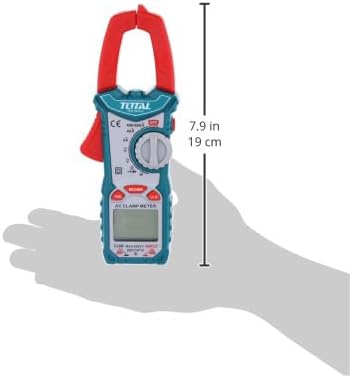
Figure 6.1: Dimensional overview of the clamp meter.
7. Warranty Information
For specific warranty terms and conditions, please refer to the warranty card included with your product or contact your point of purchase. Warranty details may vary by region and retailer.
8. Customer Support
If you encounter any issues or have questions regarding the TOTAL TMT46003 Clamp Ammeter that are not covered in this manual, please contact the retailer or visit the official TOTAL website for support.
Related documentsTMT46003

Ask a question about this manual
Ask about setup, troubleshooting, compatibility, parts, safety, or missing instructions. Manuals+ will review the question and use this page’s manual context to help answer it.