
Introduction
Thank you for purchasing the VoltEdge CX40 Classic Black Controller. This manual provides essential information for setting up, operating, and maintaining your new controller. The VoltEdge CX40 is designed to provide optimal performance and full functionality, featuring built-in dual vibration for an immersive gaming experience and ergonomics tailored for long hours of gaming.
Package Contents
Please ensure all items are present in the package:
- VoltEdge CX40 Classic Black Controller
- User Manual (this document)

Image: The retail packaging box for the VoltEdge CX40 controller, showing the controller and key features like 2m cable, ergonomic design, and dual vibration.
Product Overview
The VoltEdge CX40 controller features a classic layout with all standard buttons and analog sticks. It is designed for comfortable use during extended gaming sessions.

Image: Top-down view of the VoltEdge CX40 controller, showcasing the D-pad, analog sticks, action buttons (triangle, circle, cross, square), Share, Options, and PS buttons.

Image: Front view of the VoltEdge CX40 controller, highlighting the ergonomic grips and the central PS button.
Controller Features:
- Dual Vibration Feedback
- Turbo Function
- 2-meter Cable Length
- Ergonomic Design
- Compatible with PS4, PS3, and PC
Setup
The VoltEdge CX40 is a wired controller, offering a simple plug-and-play setup.
Connecting to PS4/PS3/PC:
- Locate an available USB port on your PS4, PS3, or PC.
- Insert the USB connector of the VoltEdge CX40 controller into the USB port.
- The system should automatically detect and install the necessary drivers. This may take a few moments.
- Once detected, the controller is ready for use.
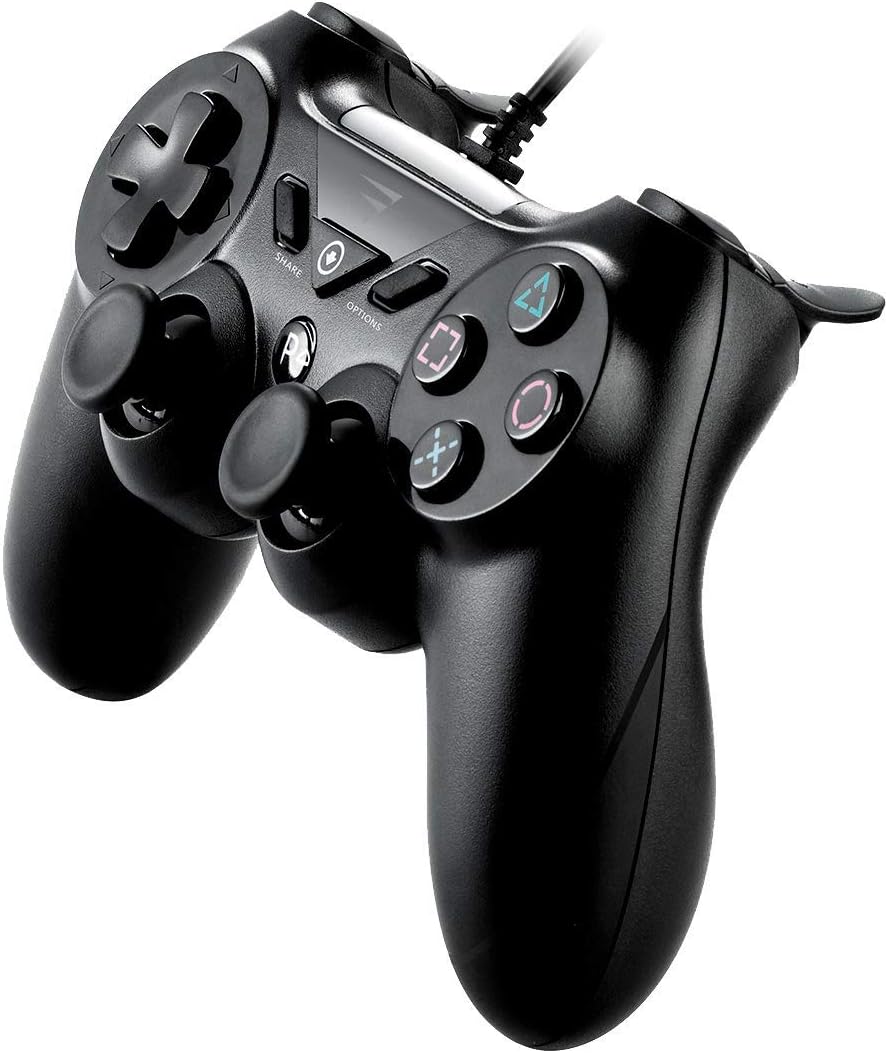
Image: Side view of the VoltEdge CX40 controller, illustrating the attached USB cable extending from the top of the controller.
Operating Instructions
The VoltEdge CX40 controller functions similarly to standard game controllers. Familiarize yourself with the button layout for optimal gameplay.
Button Functions:
| Button/Component | Function |
|---|---|
| D-Pad | Directional input for movement or menu navigation. |
| Left/Right Analog Sticks | Precise directional control, camera movement, or character movement. Press down for L3/R3 functions. |
| Action Buttons (Triangle, Circle, Cross, Square) | Primary in-game actions (e.g., jump, attack, interact). |
| L1/R1 Buttons | Shoulder buttons, often used for secondary actions or weapon switching. |
| L2/R2 Triggers | Analog triggers, often used for aiming, shooting, or acceleration/braking. |
| SHARE Button | (PS4) Share gameplay moments, screenshots, or video clips. |
| OPTIONS Button | (PS4) Access in-game menus, pause, or settings. |
| PS Button | (PS4/PS3) Access the system menu or turn on/off the console. |

Image: Angled view of the VoltEdge CX40 controller, showing the layout of the D-pad, left analog stick, Share, Options, PS buttons, and the right analog stick and action buttons.
Turbo Function:
The Turbo function allows a button to be pressed repeatedly as long as it is held down. To activate/deactivate Turbo for a specific button:
- Press and hold the Turbo button (if present, or a designated combination).
- While holding Turbo, press the desired action button (e.g., Cross, Circle).
- Release both buttons. The Turbo function is now active for that action button.
- Repeat the process to deactivate Turbo for the same button.
Note: Specific Turbo button location or activation method may vary. Refer to the controller's physical markings if a dedicated Turbo button is present.
Maintenance
Proper maintenance ensures the longevity and optimal performance of your VoltEdge CX40 controller.
Cleaning:
- Disconnect the controller from the console/PC before cleaning.
- Use a soft, dry cloth to wipe down the surface of the controller.
- For stubborn dirt, slightly dampen the cloth with water or a mild, non-abrasive cleaning solution. Avoid excessive moisture.
- Do not use harsh chemicals, solvents, or abrasive cleaners, as these can damage the controller's finish.
- Use cotton swabs or compressed air to clean around buttons and analog sticks.
Storage:
- Store the controller in a cool, dry place away from direct sunlight and extreme temperatures.
- Avoid placing heavy objects on the controller, which could damage the analog sticks or buttons.
- Keep the cable neatly coiled to prevent tangling or damage.
Troubleshooting
If you encounter issues with your VoltEdge CX40 controller, refer to the following common solutions:
| Problem | Possible Solution |
|---|---|
| Controller not recognized by console/PC. |
|
| Buttons or analog sticks are unresponsive. |
|
| Vibration not working. |
|
Specifications
| Feature | Detail |
|---|---|
| Model Name | VoltEdge CX40 Classic Black Controller |
| Model Number | 850021579128 |
| Connectivity | Wired USB |
| Cable Length | 2 meters |
| Vibration | Dual Vibration |
| Compatibility | PS4, PS3, PC |
| Dimensions (L x W x H) | 17 x 6.2 x 14.5 cm |
| Weight | 400 g |
Warranty and Support
VoltEdge products are designed for durability and performance. For warranty information and technical support, please refer to the official VoltEdge website or contact their customer service directly.
Keep your proof of purchase for any warranty claims.
For further assistance, visit: www.voltedge.com