
Introduction
Thank you for purchasing the Comfee CMSRO 20 Retro Microwave Oven. This manual provides essential information for the safe and efficient operation of your appliance. Please read it thoroughly before use and keep it for future reference.
The Comfee CMSRO 20 is a stylish 20-liter microwave oven with 800W power, designed for convenient and quick meal preparation. It features a retro design, 8 preset automatic menus, 5 power levels, and user-friendly controls.
Safety Instructions
Always follow basic safety precautions when using electrical appliances to reduce the risk of fire, electric shock, injury to persons, or exposure to excessive microwave energy.
- Do not attempt to operate this oven with the door open as this can result in harmful exposure to microwave energy.
- Do not place any object between the oven front face and the door or allow soil or cleaner residue to accumulate on sealing surfaces.
- Do not operate the oven if it is damaged. It is particularly important that the oven door closes properly and that there is no damage to the: (1) door (bent), (2) hinges and latches (broken or loosened), (3) door seals and sealing surfaces.
- The oven should not be adjusted or repaired by anyone except properly qualified service personnel.
- Ensure the power cord is correctly connected and the outlet is functioning.
- Do not use the microwave for purposes other than heating food.
- Always use microwave-safe cookware.
- Liquids or other foods must not be heated in sealed containers since they are liable to explode.
- The contents of feeding bottles and baby food jars shall be stirred or shaken and the temperature checked before consumption, in order to avoid burns.
Product Components
The Comfee CMSRO 20 microwave oven includes the main unit and essential accessories for operation.
- Microwave Oven Body
- Glass Turntable
- Turntable Ring (under the glass turntable)

Setup and Installation
Proper installation ensures optimal performance and safety of your microwave oven.
- Unpacking: Carefully remove the microwave oven and all packing materials from the carton.
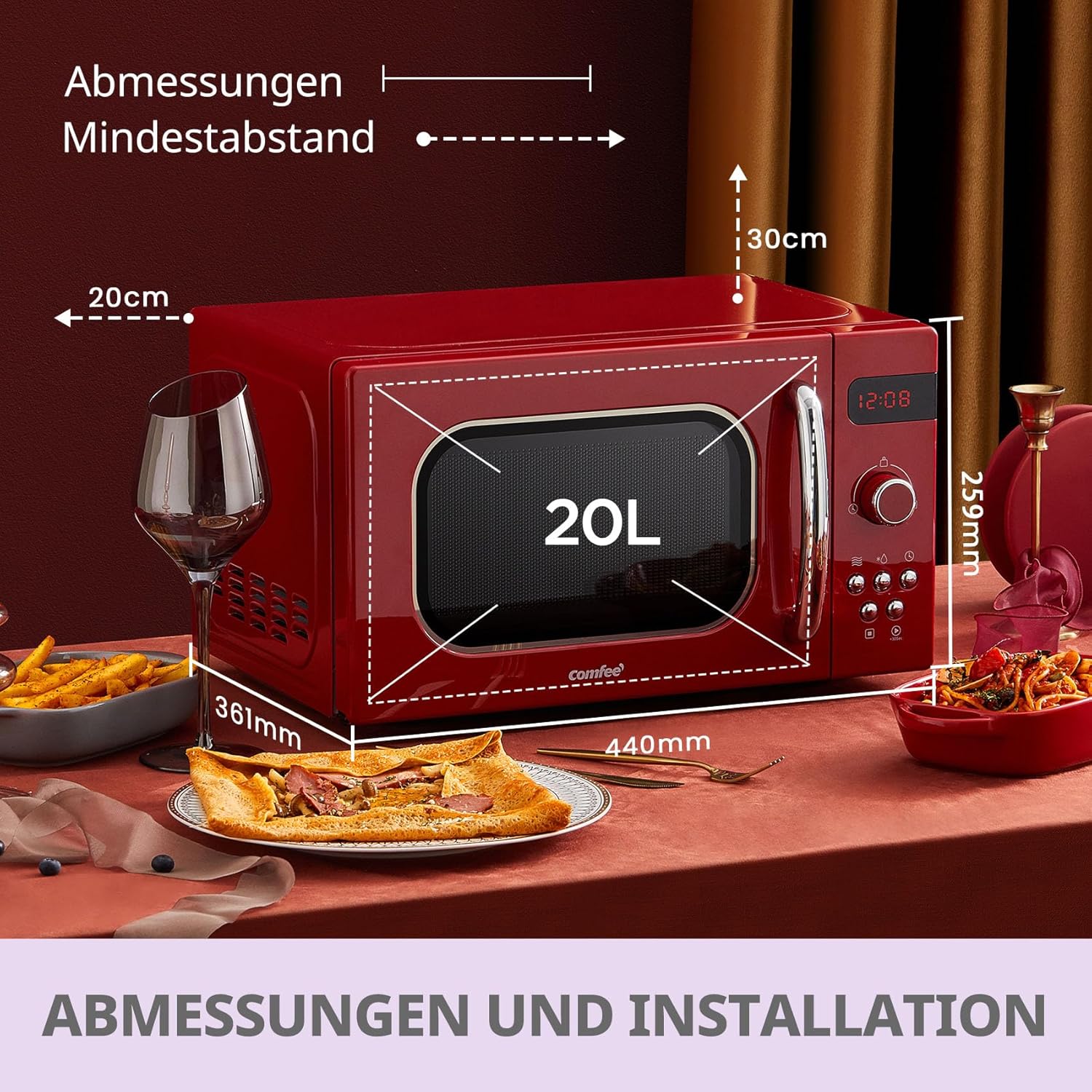
- Placement: Place the oven on a flat, stable surface that can withstand the weight of the oven and the heaviest food likely to be cooked in it. Ensure there is adequate ventilation around the unit.
- Ventilation: Maintain a minimum clearance of 20 cm (7.9 inches) from the top, 10 cm (3.9 inches) from the rear, and 5 cm (2 inches) from the sides of the oven to allow for proper airflow. Do not block any ventilation openings.
- Power Connection: Plug the power cord into a grounded electrical outlet. Ensure the voltage matches the specifications on the oven's rating label.
- Turntable Assembly:
- Place the turntable ring inside the oven cavity.
- Position the glass turntable securely on top of the turntable ring. Ensure it sits correctly in the center.
Operating Instructions
The Comfee CMSRO 20 features an intuitive control panel with both a rotary knob and push buttons for easy operation.

Setting the Clock (Kitchen Timer)
- Press the Kitchen Timer/Clock button once.
- Turn the rotary knob to set the desired time.
- Press the Start/+30Sec. button to confirm.
Microwave Cooking
The microwave offers 5 power levels for various cooking needs.
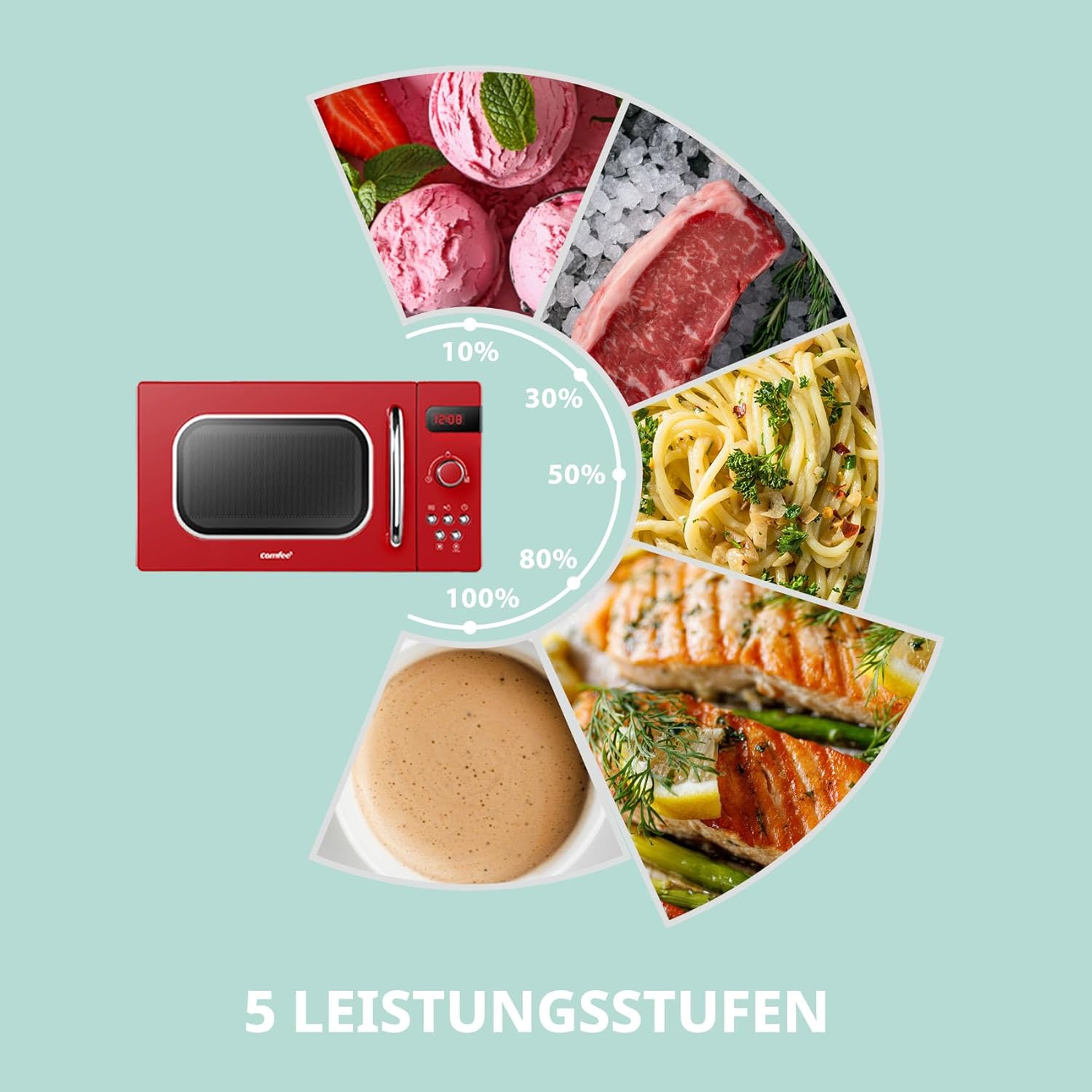
- Place food in a microwave-safe container on the glass turntable. Close the door.
- Press the Microwave button repeatedly to select the desired power level (e.g., 100% for high power, 80% for medium-high, etc.).
- Turn the rotary knob to set the cooking time.
- Press the Start/+30Sec. button to begin cooking.
Automatic Menus (Preset Programs)
The microwave features 8 convenient preset programs for common food items.

- Place food in the oven. Close the door.
- Turn the rotary knob to select one of the 8 automatic menus (e.g., "Auto Reheat", "Vegetables", "Fish", "Meat", "Pasta", "Potatoes", "Pizza", "Soup"). The display will show the selected menu.
- Press the Start/+30Sec. button to start the program. The oven will automatically set the appropriate cooking time and power level based on the selected menu.
Defrosting Function
The microwave offers defrosting by time or by weight.
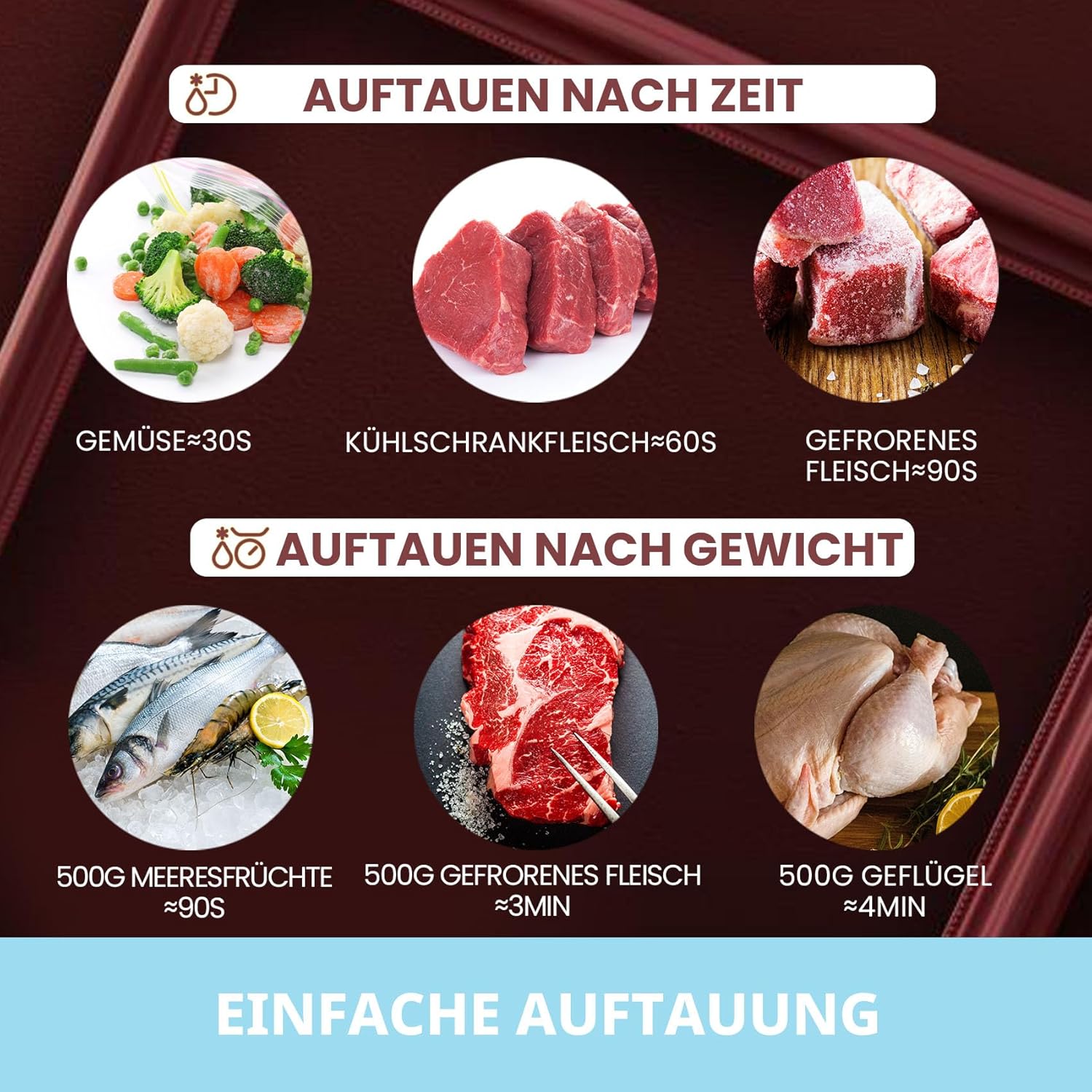
- Place the frozen food in the oven. Close the door.
- Press the Defrost button.
- Turn the rotary knob to select the defrosting time or weight.
- Press the Start/+30Sec. button to begin defrosting.
Child Lock Function
The child lock prevents unintended operation of the microwave, especially by children.

- To activate: Press and hold the Stop/Clear button for 3 seconds. A lock indicator will appear on the display.
- To deactivate: Press and hold the Stop/Clear button for 3 seconds again. The lock indicator will disappear.
Quick Start (+30 Seconds)
For quick heating, simply press the Start/+30Sec. button to start cooking at full power for 30 seconds. Each subsequent press adds 30 seconds to the cooking time.
Product Video Overview
Watch this official product video for a visual guide on the basic operation of the Comfee microwave oven, including opening and closing the door, setting defrost functions, and using the quick start feature.
Maintenance and Cleaning
Regular cleaning and maintenance will prolong the life of your microwave oven.
- Cleaning the Exterior: Wipe the exterior with a damp cloth and mild detergent. Avoid abrasive cleaners.
- Cleaning the Interior: For spills and splatters, wipe the interior with a damp cloth immediately after use. For stubborn stains, place a bowl of water with lemon slices inside and microwave for a few minutes to loosen residue, then wipe clean.
- Turntable and Ring: The glass turntable and turntable ring can be removed and washed in warm soapy water or in a dishwasher. Ensure they are completely dry before placing them back in the oven.
- Door Seals: Keep the door seals and adjacent parts clean. Use a soft cloth and mild soap. Do not use harsh sprays or abrasive cleaners.
- Odor Removal: To remove odors from the oven, combine a cup of water with the juice and skin of one lemon in a microwave-safe bowl. Microwave for 5 minutes. Wipe the interior with a soft cloth.
- Always unplug the microwave before cleaning.
Troubleshooting
If you encounter issues with your microwave, refer to the following common problems and solutions:
| Problem | Possible Cause | Solution |
|---|---|---|
| Oven will not start. |
|
|
| Microwave output low. | Incorrect power level selected. | Ensure the correct power level is selected for your cooking needs. |
| Food is not heating evenly. |
|
|
| Light not working. | Bulb needs replacement. | Contact customer service for bulb replacement. Do not attempt to replace it yourself. |
If the problem persists after trying these solutions, please contact Comfee customer support.
Specifications
| Feature | Specification |
|---|---|
| Brand | Comfee |
| Model Number | 4048164108022 |
| Color | Red |
| Product Dimensions (W x D x H) | 439.5 x 358.5 x 258.2 mm |
| Internal Dimensions (W x D x H) | 306 x 303.6 x 205.2 mm |
| Capacity | 20 Liters |
| Power Output | 800 Watts |
| Voltage | 240 Volts |
| Material | Glass (turntable) |
| Special Features | Timer, 8 Automatic Menus, 5 Power Levels, Child Lock |
| Item Weight | 11.2 Kilograms |
Warranty and Support
Comfee products are designed for reliability and performance. For warranty information and customer support, please refer to the warranty card included with your purchase or visit the official Comfee website.
For technical assistance or service requests, please have your model number (CMSRO 20 or 4048164108022) and purchase date ready.
You can find more information and contact details on the Comfee Brand Store on Amazon.


