
1. Introduction
This manual provides comprehensive instructions for the installation, configuration, operation, and maintenance of the D-Link DGS-1250-28X-6KV 28-Port Gigabit Smart Managed Switch. This device is designed to offer a flexible and cost-efficient solution for expanding business networks, featuring high port density and advanced Layer 2 and Layer 3 Lite capabilities.
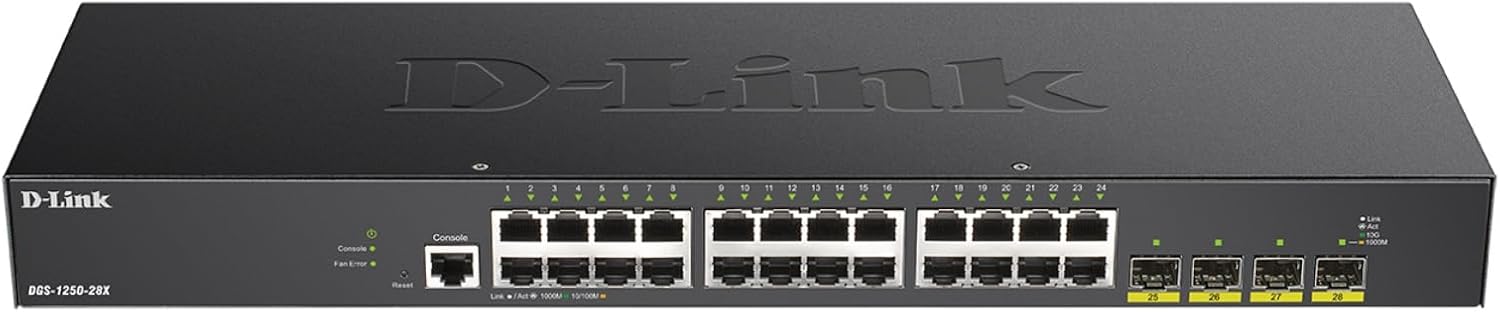
Figure 1: Front view of the D-Link DGS-1250-28X-6KV switch.
2. Product Overview
The DGS-1250-28X-6KV is a smart managed switch equipped with 24 Gigabit Ethernet ports and 4 10G SFP+ uplink ports. It supports a range of Layer 2 and Layer 3 Lite features, including VLANs, QoS, and static routing, making it suitable for various network environments. Key features include:
- 24 Gigabit Ethernet Ports: Provides high-speed connectivity for network devices.
- 4 10G SFP+ Uplink Ports: Offers flexible, high-speed fiber connectivity for network expansion.
- Layer 3 Lite Features: Includes IPv4/IPv6 static routing, IP interfaces, IPv6 Neighbor Discovery (ND), ARP-Snooping Prevention, IGMP and MLD Snooping, LLDP, and LLDP-MED.
- Advanced Traffic Management: Features bandwidth control, Quality of Service (QoS), VLAN support, Port Mirroring, Link Aggregation, Spanning Tree Protocol (STP), and IGMP Snooping.
- Comprehensive Security: Incorporates Access Control List (ACL), Port Security, 802.1X/RADIUS, ARP Spoofing Prevention, and D-Link Safeguard Engine.
- Surveillance Mode with ONVIF Support: Streamlines IP surveillance network deployment and management by automatically detecting ONVIF-compliant devices.
- Embedded 6kV Surge Protection: Safeguards all Gigabit Ethernet access ports against voltage spikes and electrical surges.
- Dual Configuration Files and Software Images: Enhances system reliability for updates and backups.
- Loopback Detection & Cable Diagnostics: Tools for identifying and resolving network issues.
- NDAA Compliant: Meets regulatory standards for government and high-security projects.

Figure 2: Overview of the DGS-1250-28X-6KV's primary features.
Video 1: An overview of D-Link Gigabit Smart Managed and Surveillance Switches, highlighting their capabilities and applications.
3. Setup
3.1. Unboxing and Package Contents
Carefully unpack the switch and verify that all components are present. The package should include:
- DGS-1250-28X-6KV Device
- DC Power Cord
- Rackmount Kit
- Rubber Feet
- Ethernet Cable
- Quick Installation Guide
3.2. Physical Installation
The DGS-1250-28X-6KV is designed for rackmount installation. Attach the provided rackmount brackets to the sides of the switch using the included screws. Secure the switch into a standard 19-inch equipment rack. Alternatively, for desktop use, attach the rubber feet to the bottom of the device to prevent scratching and ensure stability.
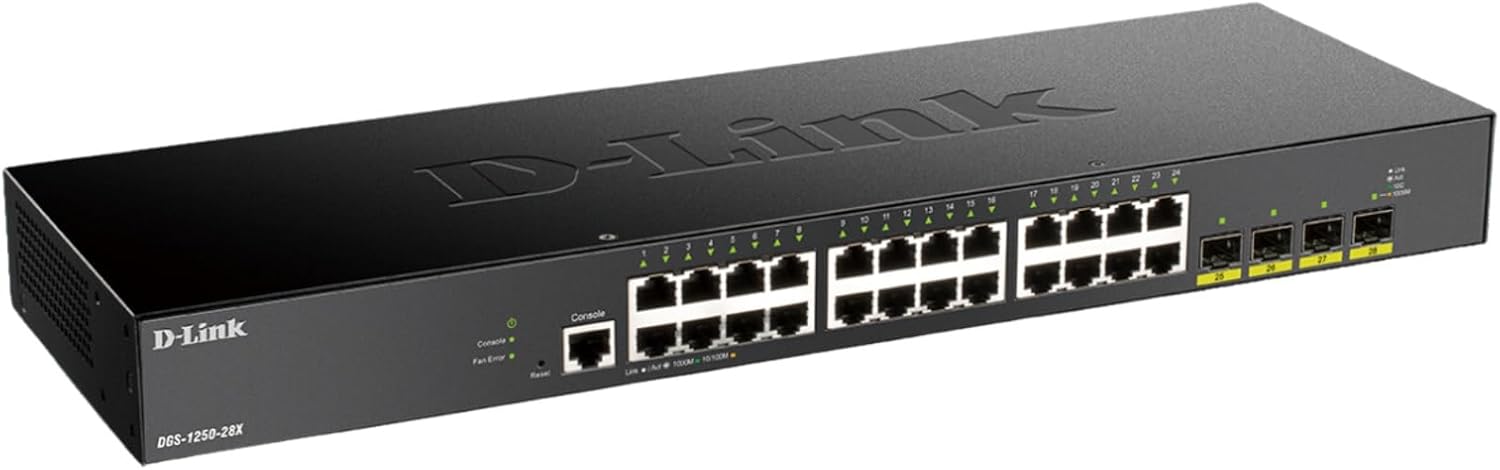
Figure 3: Rear panel of the switch, indicating power input and grounding point.
3.3. Connecting Power and Network Cables
- Connect the DC power cord to the power inlet on the rear panel of the switch and then to a suitable power outlet.
- Connect your network devices (servers, workstations, access points, IP cameras) to the 24 Gigabit Ethernet ports (RJ45) on the front panel.
- For high-speed uplinks or fiber connections, insert compatible SFP+ transceivers into the 4 10G SFP+ slots and connect appropriate fiber optic cables.
- Ensure proper grounding of the device for optimal performance and safety.
3.4. Initial Configuration
The switch can be managed via an intuitive web-based interface or a comprehensive Command Line Interface (CLI). Refer to the Quick Installation Guide for initial IP address and login credentials. Connect a management workstation to any of the Gigabit Ethernet ports to access the web UI or console port for CLI access.
4. Operating
4.1. Web-Based Management
The web-based management interface provides a user-friendly platform for configuring and monitoring the switch. It offers various settings for network management, security, and traffic control.

Figure 4: Example of the web-based management interface for switch configuration.
4.2. Advanced Network Features
Utilize the switch's advanced features to optimize network performance and security:
- VLANs: Segment your network into virtual local area networks to improve security and performance.
- Quality of Service (QoS): Prioritize critical network traffic to ensure consistent performance for applications like VoIP and video streaming.
- Link Aggregation: Combine multiple physical links into a single logical link to increase bandwidth and provide link redundancy.
- Layer 3 Lite Routing: Configure static routes for efficient data forwarding between different IP subnets.
4.3. Surveillance Mode
The dedicated Surveillance Mode simplifies the deployment and management of IP surveillance networks. It automatically detects ONVIF-compliant devices and segments them into a dedicated Auto Surveillance VLAN, optimizing video traffic and enhancing security.

Figure 5: The Surveillance Mode interface, showing automatic device detection and VLAN segmentation.
5. Maintenance
5.1. Firmware Updates
Regularly check for and apply firmware updates to ensure optimal performance, security, and access to new features. The switch supports dual configuration files and software images, allowing for seamless updates and easy rollback if necessary.
5.2. Troubleshooting
The DGS-1250-28X-6KV includes built-in tools to assist with network diagnostics:
- Loopback Detection: Helps identify and prevent network loops that can cause broadcast storms and network instability.
- Cable Diagnostics: Provides information on the status of connected Ethernet cables, helping to pinpoint cable faults such as open circuits or short circuits.
6. Specifications
| Attribute | Value |
|---|---|
| Model Number | DGS-1250-28X-6KV |
| Number of Ports | 28 (24 Gigabit Ethernet, 4 10G SFP+) |
| Interface Type | RJ45, SFP+ |
| Data Transfer Rate | 128 Gigabits Per Second |
| Case Material | Metal |
| Color | Black |
| Product Dimensions | 17.3 x 5.51 x 1.73 inches |
| Item Weight | 4 pounds |
| Included Components | Device, DC Power Cord, Rackmount Kit, Rubber Feet, Ethernet Cable, Quick Installation Guide |
| Manufacturer | D-Link Systems, Inc. |
| UPC | 790069458811 |

Figure 6: Physical dimensions of the DGS-1250-28X-6KV switch.
7. Safety and Compliance
The DGS-1250-28X-6KV switch is designed with robust safety features and complies with industry standards:
- 6kV Surge Protection: All Gigabit Ethernet access ports are equipped with 6kV surge protection to guard against electrical surges, such as lightning strikes or unstable electrical currents.
- NDAA Compliant: This device meets the strict regulatory standards of the National Defense Authorization Act, making it suitable for government and high-security enterprise projects.
8. Warranty and Support
The D-Link DGS-1250-28X-6KV is backed by D-Link's Lifetime Protection, ensuring long-term confidence in the quality and reliability of your network infrastructure. For technical assistance, product registration, or warranty claims, please visit the official D-Link support website or contact their customer service.


