
Introduction
This manual provides instructions for the installation, setup, and operation of the weelye RX25 12V Bluetooth Remote Control and Receiver Kit. This kit is designed as a replacement part for specific children's electric ride-on cars.
Compatibility Note: To ensure this control box fits your vehicle, open your electric ride-on car and compare the appearance of your existing control box with the images provided in this manual. If the appearance matches, this part should be compatible.
Before installation, please verify that other functions of your car, such as motors and batteries, are operating correctly.
The weelye RX25 kit includes a slow start function, eliminating the need for additional slow starter installations.

Image: Front view of the weelye RX25 12V Control Box, showing the 'weelye' brand logo and ventilation slots.
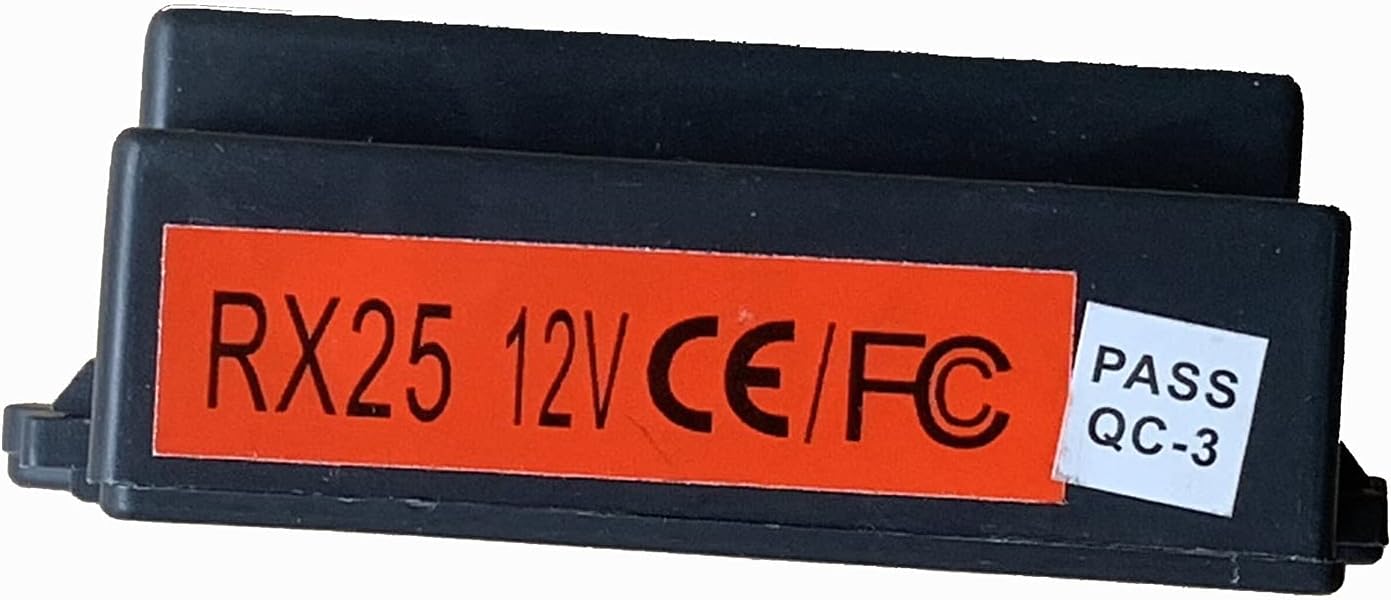
Image: Side view of the weelye RX25 12V Control Box, featuring a red label with 'RX25 12V CE/FC' and a 'PASS QC-3' sticker, indicating model number and certifications.
Setup and Frequency Binding
1. Remote Control Battery Installation
The remote control requires two AAA 1.5V batteries. Follow these steps for installation:
- Use a Phillips screwdriver to unscrew the screw on the back of the remote control.
- Remove the battery cover.
- Install two AAA 1.5V batteries, ensuring correct positive and negative polarity inside the battery chamber.
- Close the battery cover and secure it with the screw. The indicator light will flash three times, confirming correct battery installation.
Important: Do not mix old and new batteries, or different types of batteries. Exhausted batteries should be removed promptly.

Image: Rear view of the blue weelye TX4 remote control, displaying the battery compartment, FCC ID (2AJ2H-WYTX4), and compliance information.
2. Frequency Binding (First Use or Battery Replacement)
Perform the following steps to bind the remote control to the receiver:
- Ensure the remote control has fresh batteries installed (as per the previous section).
- Press and hold the frequency key (often labeled "car select" or "M") on the remote control for approximately 2 seconds. The indicator light on the remote will begin to flash.
- While the remote's indicator light is flashing, turn on the power supply of the electric ride-on car.
- The indicator light on the remote control should turn off, indicating successful frequency binding.
If the matching frequency is unsuccessful (the indicator light does not turn off), turn off the power supply of the car and repeat steps 2 and 3.

Image: A printed instruction label, possibly from product packaging, detailing the operation manual for the TX3 remote control, including frequency binding steps and button descriptions.
Operating Instructions
Remote Control Button Functions:
- △ (Up Arrow): Forward movement.
- ▽ (Down Arrow): Backward movement.
- ◁ (Left Arrow): Turn left.
- ▷ (Right Arrow): Turn right.
- S (Speed): Adjusts the speed setting of the ride-on car.
- P (Emergency Brake): Press this button to immediately stop the ride-on car. Press it again to release the brake and resume normal operation.
Power Saving Mode:
If the remote control is left without operation for approximately 10 seconds, its indicator light will turn off, and it will enter power-saving mode to conserve battery life.
Maintenance
To ensure the longevity and proper functioning of your weelye RX25 kit:
- Keep the control box and remote control clean and dry. Avoid exposure to moisture or extreme temperatures.
- Regularly check battery compartments for corrosion and ensure batteries are installed correctly.
- Remove batteries from the remote control if it will not be used for an extended period.
Troubleshooting
- Remote Control Not Responding:
- Check if the remote control batteries are correctly installed and have sufficient charge. Replace if necessary.
- Ensure the remote control is properly bound to the receiver by following the "Frequency Binding" steps in the Setup section.
- Car Not Moving or Responding Erratically:
- Verify that the control box is securely connected to the car's wiring harness.
- Confirm that the car's main power switch is on.
- Check the car's battery for charge and proper connection.
- Ensure other components of the car, such as motors, are functioning correctly.
- Frequency Binding Unsuccessful:
- If the remote's indicator light does not turn off after attempting to bind, turn off the car's power and repeat the frequency binding steps carefully.
- Ensure no other 2.4Ghz devices are causing interference during the binding process.
Specifications
| Brand | weelye |
| Model Number | RX25 FCC/CE |
| Voltage | 12V |
| Material | Plastic |
| Item Weight | 4.16 ounces (118 grams) |
| Item Dimensions (L x W x H) | 5 x 3 x 2.4 inches (12.7 x 7.6 x 6.1 cm) |
| Recommended Age | 14 years and up |
| UPC / GTIN | 767581741929 |