
Demeyere 174837
Demeyere Genius Wardrobe Instruction Manual
Model: 174837
Introduction
Thank you for choosing the Demeyere Genius Wardrobe. This manual provides detailed instructions for the safe assembly, operation, and maintenance of your new wardrobe. Please read all instructions carefully before beginning assembly and retain this manual for future reference.
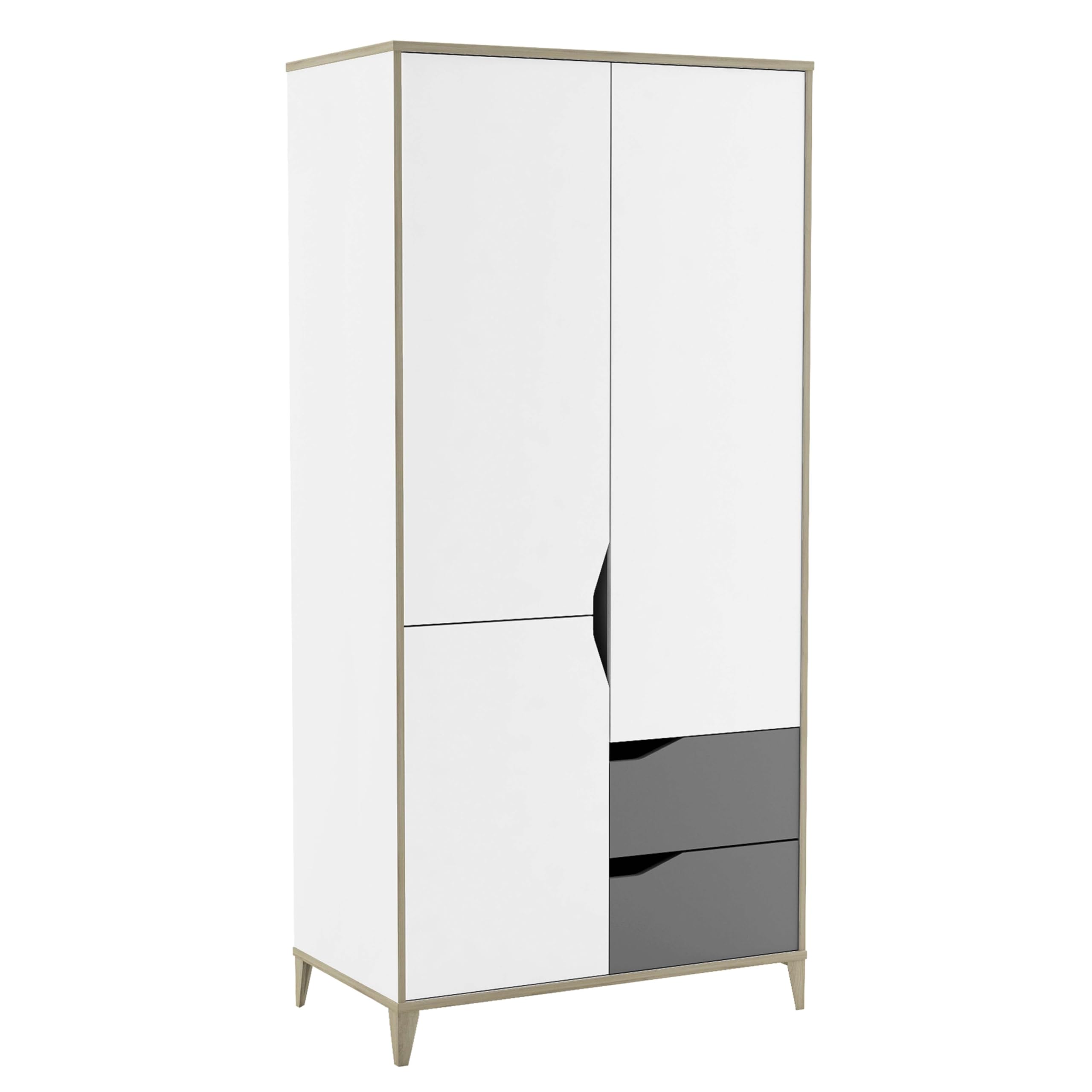
Image 1: The Demeyere Genius Wardrobe (Model 174837) in a typical bedroom setting.
Safety Information
Please observe the following safety precautions to prevent injury or damage to the product:
- Assemble carefully according to the provided instructions.
- Keep all small parts and assembly tools out of reach of children.
- Do not overload the wardrobe to prevent tipping. Ensure the wardrobe is stable and securely placed on a level surface.
- If wall anchoring hardware is included, it is highly recommended to secure the wardrobe to a wall to prevent tip-over accidents, especially in households with children.
- Always lift with assistance when moving the assembled wardrobe.
Package Contents
Before assembly, verify that all components are present. If any parts are missing or damaged, please contact customer support.
- Wardrobe panels (sides, top, bottom, back)
- Doors (3 doors)
- Drawers (2 drawers)
- Shelves (4 shelves)
- Legs (Included components: Legs)
- Hardware pack (screws, dowels, hinges, drawer slides, handles, etc.)
- Assembly instructions (this manual)
Setup and Assembly
Assembly of the Demeyere Genius Wardrobe requires two people and basic household tools (e.g., screwdriver, hammer). Follow the step-by-step diagrams provided in the separate assembly guide included in your package.
- Prepare the Area: Clear a spacious, clean, and level area for assembly. Lay down a blanket or cardboard to protect the furniture pieces and your floor.
- Identify Components: Unpack all parts and identify them using the parts list in the assembly guide.
- Assemble the Frame: Attach the side panels to the base and top panels using the provided hardware. Ensure all connections are secure.
- Install Back Panel: Secure the back panel to the assembled frame.
- Insert Shelves: Place the 4 shelves into the designated slots or attach them with shelf pins.
- Assemble and Install Drawers: Follow the instructions to assemble the 2 drawers and install the drawer slides. Insert the assembled drawers into their compartments.
- Attach Doors: Mount the 3 doors using the hinges. Adjust hinges as necessary for proper alignment.
- Attach Legs: Secure the legs to the bottom of the wardrobe.
- Final Placement and Stability Check: Carefully move the assembled wardrobe to its final position. Ensure it is level and stable. If wall anchoring hardware is provided, install it now.

Image 2: Interior view of the Demeyere Genius Wardrobe, highlighting shelves and storage compartments.
Operating Instructions
The Demeyere Genius Wardrobe is designed for storing clothing and other personal items.
- Doors: Gently open and close the three doors using the integrated handles. Avoid forcing the doors.
- Drawers: Pull the two drawers open and push them closed smoothly. Do not slam the drawers.
- Shelves: Utilize the four shelves for folded clothing, accessories, or other items. Distribute weight evenly across shelves.
- Weight Capacity: Do not exceed the recommended weight capacity for shelves and drawers to prevent damage or instability. Specific weight limits are typically found in the detailed assembly guide.
Maintenance
Proper care will ensure the longevity of your Demeyere Genius Wardrobe.
- Cleaning: Wipe surfaces with a soft, damp cloth. Avoid abrasive cleaners or harsh chemicals, as these can damage the melamine finish. Dry immediately with a clean cloth.
- Dusting: Regularly dust with a dry, soft cloth.
- Hardware: Periodically check all screws and fittings to ensure they are tight. Retighten if necessary.
- Sunlight Exposure: Avoid prolonged exposure to direct sunlight to prevent fading or discoloration of the finish.
- Moisture: Protect the wardrobe from excessive moisture and humidity.
Troubleshooting
If you encounter any issues with your wardrobe, refer to the following common solutions:
- Wobbly Wardrobe: Ensure the wardrobe is on a level surface. Adjust the legs if they are adjustable, or place shims under the base if needed. Check that all assembly screws are securely tightened.
- Doors Not Aligning: Adjust the door hinges. Most hinges allow for minor adjustments in height, depth, and side-to-side movement. Refer to the hinge manufacturer's instructions if available.
- Drawers Sticking: Check that the drawer slides are properly installed and free of obstructions. Ensure the drawer is not overloaded. Lubricate slides with a silicone-based lubricant if necessary.
- Missing Parts: If you discover missing parts during assembly, do not proceed. Contact Demeyere customer support immediately.
Specifications
| Brand | Demeyere |
| Model Number | 174837 |
| Dimensions (D x W x H) | 50D x 89W x 185H cm (19.7D x 35W x 72.8H inches) |
| Weight | 70 kg (154.3 lbs) |
| Color | White and Light Grey |
| Material | Melamine |
| Number of Doors | 3 |
| Number of Drawers | 2 |
| Number of Shelves | 4 |
| Assembly Required | Yes |
| Mounting Type | Floor Mount (Freestanding) |

Image 3: Dimensional overview of the Demeyere Genius Wardrobe.
Warranty and Support
For warranty information or customer support, please refer to the documentation included with your purchase or visit the official Demeyere website. Keep your proof of purchase for any warranty claims.
If you require assistance with assembly or have questions about your product, please contact Demeyere customer service.
no relevant documents
Ask a question about this manual
Ask about setup, troubleshooting, compatibility, parts, safety, or missing instructions. Manuals+ will review the question and use this page’s manual context to help answer it.