
EPOS 1000631
EPOS SDW 10 HS DECT WRLS Office Headset User Manual
Comprehensive guide for your EPOS SDW 10 HS DECT Wireless Office Headset.
Introduction
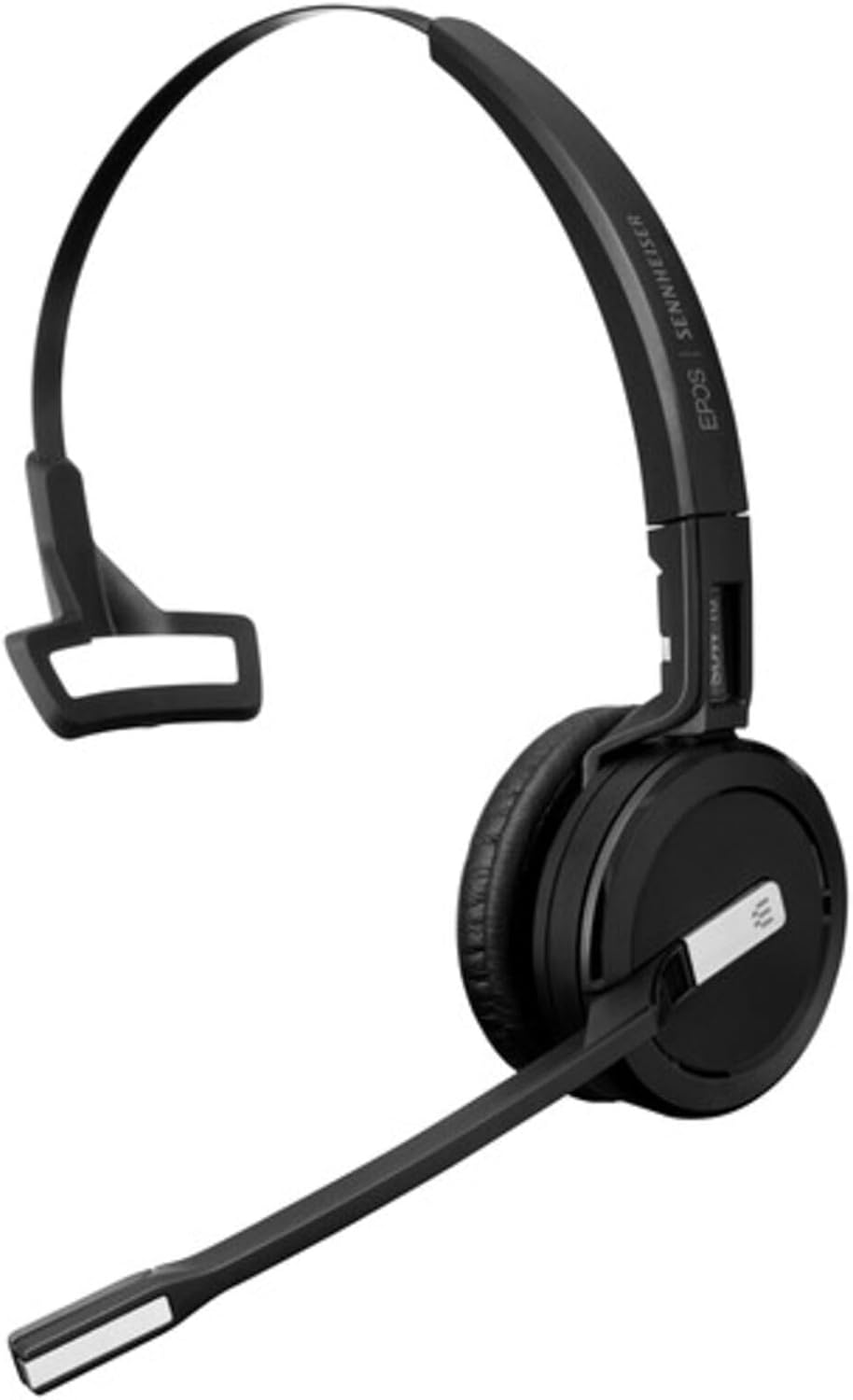
The EPOS SDW 10 HS is a premium, single-sided, wireless DECT headset designed for professional office environments. It is part of the IMPACT 5000 Series and offers exceptional audio quality and flexibility. This headset is designed to work without a base station, connecting seamlessly to various devices for efficient call management.
Key features include an adaptable FlexFit™ system for three wearing styles, superior EPOS sound with super wideband audio and noise-cancelling, extensive wireless range, and enhanced security features. It is optimized for UC and Skype for Business, providing a versatile solution for your communication needs.
Setup Guide
Wearing Styles
The SDW 10 HS features the adaptable FlexFit™ system, allowing you to choose the most comfortable wearing style for all-day use. The headset supports three distinct wearing options:
- Headband: For traditional over-the-head wear, providing stability and comfort.
- Ear Hook: A discreet option that hooks over the ear.
- Neckband: Worn around the neck, offering an alternative to the headband.
To change the wearing style, carefully detach the earpiece from the current attachment and secure it to your preferred FlexFit™ accessory (headband, ear hook, or neckband).
Connectivity and Pairing
The SDW 10 HS is a DECT wireless headset designed to pair with an IMPACT 5000 Series base station (not included with this headset). Ensure your base station is properly set up and connected to your desired devices (PC/softphone, desk phone, mobile phone).
- Power On: Ensure your headset is charged and powered on.
- Initiate Pairing: Follow the pairing instructions for your specific IMPACT 5000 Series base station. Typically, this involves pressing a pairing button on the base station.
- Headset Pairing: The headset will automatically attempt to pair with the base station when in pairing mode. A successful connection will be indicated by a status light or audio prompt.
- EPOS Manager: For advanced setup, configuration, and management of your DECT system, utilize the EPOS Manager software. This tool provides easy control and optimization of your headset and base station.
Operating Your Headset
Call Management
Manage your calls directly from the headset for seamless communication:
- Answer/End Call: Press the dedicated call control button on the headset.
- Volume Control: Use the volume up/down buttons to adjust listening volume.
- Mute Microphone: Press the mute button to temporarily disable your microphone.
- Busy Light: The integrated busy light indicates when you are on a call, preventing interruptions.
Audio Performance
Experience superior audio quality with your EPOS SDW 10 HS headset:
- Super Wideband Audio: Provides rich, natural sound for both speech and multimedia.
- Noise-Cancelling Microphone: Ensures clear speech transmission by filtering out background noise in busy office environments.
- Own-Voice Detection: Advanced feature for improved call clarity.
Wireless Freedom
Enjoy extensive wireless freedom and flexibility:
- Range: Up to 180 meters (590 feet) in office use, and up to 591 feet line of sight.
- Multi-Device Connectivity: Seamlessly switch between PC/softphone, desk phone, and mobile phone calls via your IMPACT 5000 Series base station.
Maintenance and Care
To ensure the longevity and optimal performance of your EPOS SDW 10 HS headset, follow these maintenance guidelines:
- Cleaning: Gently wipe the headset and ear pads with a soft, dry cloth. Do not use liquid cleaners or abrasive materials.
- Storage: Store the headset in a cool, dry place away from direct sunlight and extreme temperatures.
- Battery Care: For optimal battery life, avoid fully discharging the battery frequently. Charge the headset regularly.
- Temperature Range: Operate the headset within the specified temperature range of 41°F - 113°F (5°C - 45°C).
Troubleshooting
If you encounter issues with your headset, refer to the following common problems and solutions:
| Problem | Possible Solution |
|---|---|
| No audio from headset | Ensure the headset is powered on and paired with the base station. Check volume levels on both the headset and the connected device. Verify the correct audio output device is selected on your computer/phone. |
| Microphone not working | Check if the microphone is muted on the headset or the connected device. Ensure the microphone boom is positioned correctly. Verify the correct input device is selected on your computer/phone. |
| Cannot pair with base station | Ensure both the headset and base station are in pairing mode. Move the headset closer to the base station. Restart both devices and attempt pairing again. Consult your IMPACT 5000 Series base station manual for specific pairing steps. |
| Short battery life | Ensure the headset is fully charged before use (approx. 1 hour for full charge). Battery performance may degrade over time. Reduce wireless range if possible. |
| Poor sound quality / Static | Move closer to the base station to improve signal strength. Avoid sources of interference (e.g., Wi-Fi routers, microwaves). Ensure the headset is fully charged. |
Technical Specifications
| Feature | Detail |
|---|---|
| Model Name | 1000631 |
| Connectivity Technology | DECT (Wireless) |
| Wearing Style | Headband (adaptable FlexFit™ system for ear hook, neckband) |
| Color | Black |
| Material | Faux Leather (ear pads) |
| Item Weight | 2 Ounces (approx. 57g) |
| Product Dimensions (L x W x H) | 8 x 5.9 x 2.6 inches |
| Talk Time | Up to 10 hours |
| Standby Time | 48 hours |
| Charge Time | 1 hour |
| Operating Temperature Range | 41°F - 113°F (5°C - 45°C) |
| Storage Temperature Range | -4°F - 158°F (-20°C - 70°C) |
| Wireless Range (Line of Sight) | 591 ft. (180 m) |
| Wireless Range (Office Use) | 180 ft. (55 m) |
| Frequency Range | 50 Hz - 7 kHz |
| Ear Coupling | On ear |
| Transducer Principle | Dynamic open |
| Certification | DECT Security Certified, Optimized for UC and Skype for Business |
| UPC Code | 840064404327 |
| Article No. | 1000631 |
Warranty Information
The EPOS SDW 10 HS DECT WRLS Office Headset comes with a 2-year manufacturer's warranty from the date of purchase. This warranty covers defects in materials and workmanship under normal use. Please retain your proof of purchase for warranty claims.
For detailed warranty terms and conditions, please refer to the official EPOS website or contact EPOS customer support.
Customer Support
For further assistance, technical support, or to download the latest version of EPOS Manager software, please visit the official EPOS website:
You may also find helpful resources and FAQs on their support pages. When contacting support, please have your product model number (1000631) and serial number (if applicable) ready.
Related documents1000631


Ask a question about this manual
Ask about setup, troubleshooting, compatibility, parts, safety, or missing instructions. Manuals+ will review the question and use this page’s manual context to help answer it.