
Introduction
The Cherry AC 3.3 Aluminium Ergonomic Palm Rest and Detachable Feet are designed as original accessories for the Cherry MX Board 3.0 S Gaming Keyboard. This product enhances typing comfort and promotes a natural hand position, reducing strain during extended use. This manual provides instructions for proper installation, usage, and maintenance.
Safety Information
- Handle with care to avoid scratches or damage to the aluminum surfaces.
- Ensure the palm rest and feet are securely attached to prevent accidental detachment during use.
- Keep out of reach of small children to prevent choking hazards from small parts.
Package Contents
- 1x Cherry AC 3.3 Aluminium Ergonomic Palm Rest
- 2x Cherry AC 3.3 Detachable Feet (Aluminium)
Setup
Attaching the Palm Rest
The palm rest attaches to the Cherry MX Board 3.0 S keyboard via designated slots. Align the hooks on the palm rest with the recesses on the front edge of the keyboard. Gently push down until the palm rest clicks securely into place.
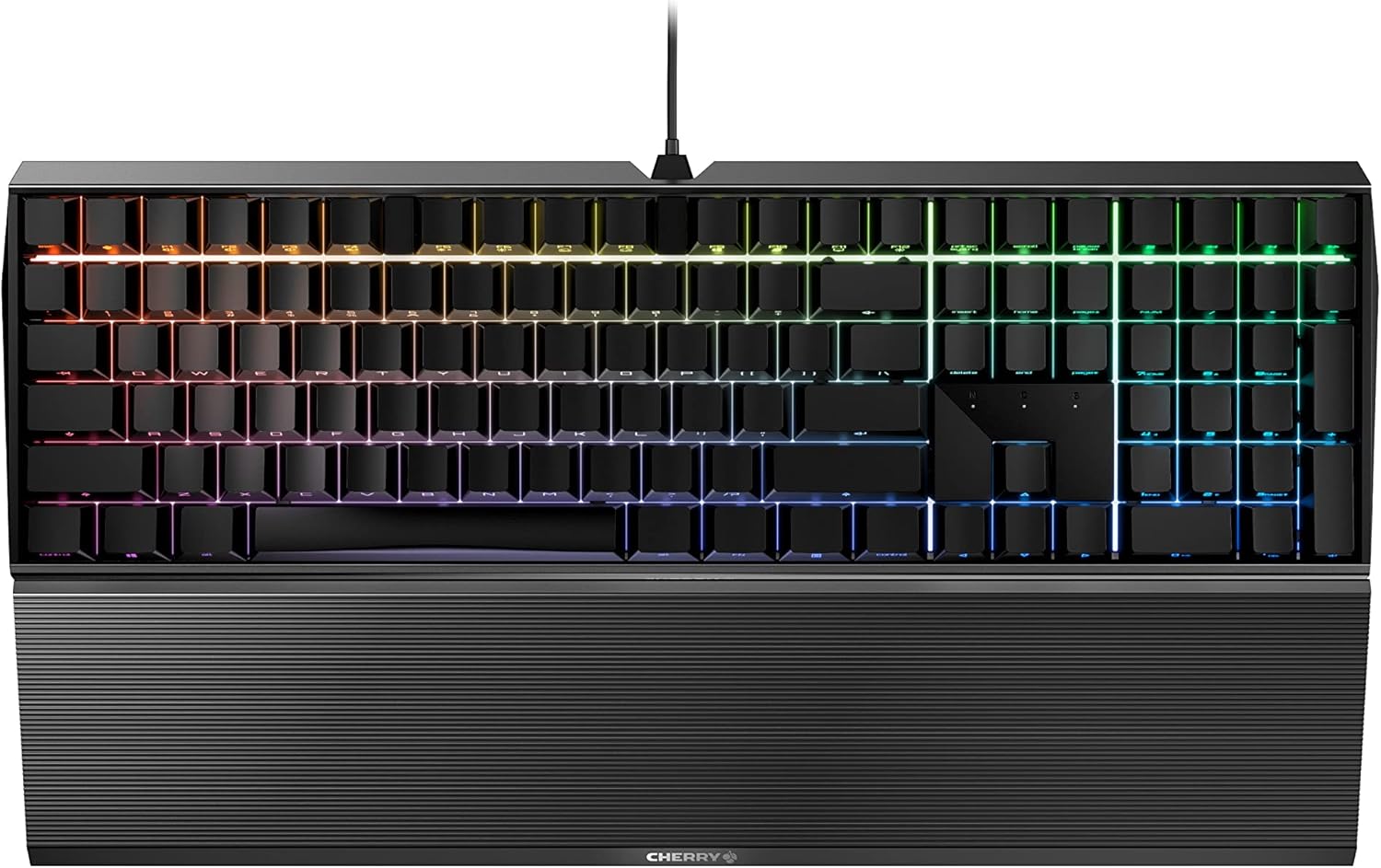
Image: Cherry MX Board 3.0 S keyboard with the AC 3.3 Aluminium Palm Rest securely attached. This image shows the Cherry AC 3.3 Aluminium Palm Rest connected to the front edge of a Cherry MX Board 3.0 S keyboard, illustrating the correct attachment.
Attaching the Detachable Feet
The detachable feet screw into the underside of the Cherry MX Board 3.0 S keyboard. Locate the two threaded holes on the bottom of the keyboard. Insert the threaded end of each foot into a hole and turn clockwise until snug. No tools are required for this process. The feet allow for two different inclination angles.

Image: Close-up view of the Cherry AC 3.3 Detachable Feet screwed into the underside of a Cherry MX Board 3.0 S keyboard. This image provides a close-up of the detachable aluminum feet screwed into the base of the keyboard, demonstrating how they provide an elevated angle.
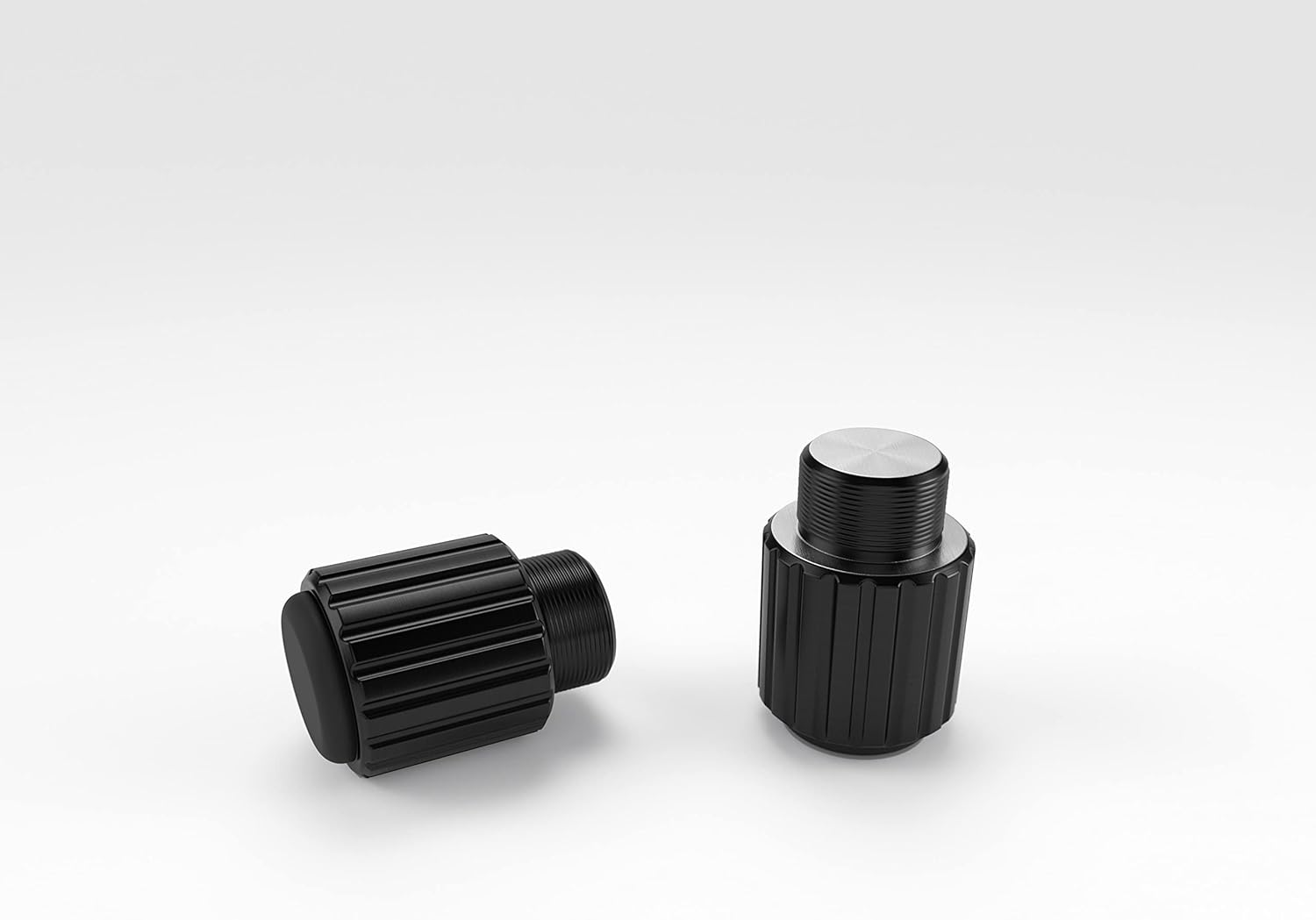
Image: Detailed view of the Cherry AC 3.3 Detachable Feet, showing the threaded design for tool-free installation. This image displays the two detachable aluminum feet, highlighting their threaded design for easy, tool-free attachment to the keyboard.
Operating Instructions
Once installed, the Cherry AC 3.3 palm rest provides a comfortable surface for your wrists, promoting a natural and relaxed hand position. This helps to alleviate wrist strain during prolonged typing or gaming sessions. The detachable feet allow you to adjust the keyboard's tilt to your preferred ergonomic angle, further enhancing comfort and reducing wrist fatigue.
Maintenance
To clean the aluminum palm rest and feet, use a soft, damp cloth. Avoid abrasive cleaners or solvents, as these may damage the finish. Ensure the product is completely dry before reattaching it to the keyboard.
Troubleshooting
| Issue | Possible Cause | Solution |
|---|---|---|
| Palm rest does not attach securely | Incorrect alignment or debris in slots | Ensure hooks are properly aligned with keyboard recesses. Check for and remove any debris. |
| Detachable feet are loose | Not fully tightened | Screw the feet clockwise until they are snug. |
| Discomfort during use | Incorrect posture or angle | Adjust your chair height and keyboard position. Experiment with the keyboard's tilt using the detachable feet. |
Specifications
| Feature | Detail |
|---|---|
| Model Name | CHERRY PALMREST 3.0 S |
| Model Number | JA-0330-2 |
| Material | Aluminum |
| Color | Black |
| Compatible Devices | Cherry MX Board 3.0 S Gaming Keyboard |
| Style | Ergonomic |
| Item Weight | 374 Grams |
Warranty and Support
This product comes with a standard manufacturer's warranty. For detailed warranty information, please refer to the official Cherry website or contact Cherry customer support. For technical assistance or further inquiries, please visit the Cherry support page or contact their customer service department.


