
Introduction to eero Pro 6E
The eero Pro 6E is eero's first Wi-Fi 6E router, designed to deliver fast speeds and direct access to the new 6 GHz band for Wi-Fi 6E compatible devices. This results in lower latency and improved performance, ideal for demanding applications like 8K streaming, AR/VR, and gaming. It is backwards compatible with previous-generation eero devices and supports network speeds up to 2.3 Gbps, combining wired and wireless capabilities. With coverage up to 190 m² per unit, it can support over 100 connected devices, making it suitable for modern smart homes.

Image: The eero Pro 6E router, a compact white device, showcasing its design and the PCMag Readers' Choice badge.
Key Features
- Wi-Fi 6E Technology: Utilises the new 6 GHz band for faster speeds and lower latency with compatible devices.
- Gigabit+ Speeds: Supports combined wired (up to 1 Gbps) and wireless (up to 1.3 Gbps) speeds, totalling up to 2.3 Gbps.
- Extensive Coverage: A single unit covers up to 190 m² and supports over 100 connected devices.
- eero TrueMesh: Patented technology intelligently routes traffic, reducing drops and dead zones.
- Easy Setup: Guided setup via the eero app allows network management from anywhere.
- Built-in Smart Home Hub: Functions as a hub for compatible Thread and Zigbee devices, controllable with Alexa.
- eero Built-in: Extends Wi-Fi coverage when paired with compatible Echo devices.

Image: Visual representation of the eero Pro 6E providing comprehensive Wi-Fi coverage throughout a multi-story home, supporting numerous devices.

Image: A graphic demonstrating the increased bandwidth and faster speeds offered by Wi-Fi 6E, particularly highlighting the new 6 GHz band compared to 2.4 GHz and 5 GHz.

Image: A user engaged in high-performance gaming on a monitor, with the eero Pro 6E router positioned nearby, illustrating its capability for demanding applications like 8K streaming and AR/VR.
Setup Guide
What's in the Box
- eero Pro 6E Router Unit
- Power Adapter
- Ethernet Cable
Requirements for Setup
- Supported iOS or Android device (for the eero app)
- Internet service (with cable or DSL modem, if required by your ISP)
- An active internet connection
Initial Setup Steps
- Download the eero App: Search for "eero" in your device's app store and download the official eero app.
- Create an eero Account: Open the app and follow the prompts to create a new eero account.
- Unplug Your Old Router/Modem: Disconnect your existing router and modem from power.
- Connect Your eero: Connect one end of the provided Ethernet cable to the 2.5 Gbps Ethernet port on your eero Pro 6E and the other end to your modem.
- Power On: Plug in your eero Pro 6E and your modem. Wait for them to power on completely.
- Follow In-App Instructions: The eero app will guide you through the rest of the setup process, including naming your network and setting a password.
- Add Additional eero Devices (if applicable): If you have multiple eero units, the app will guide you on how to add them to your network to expand coverage.
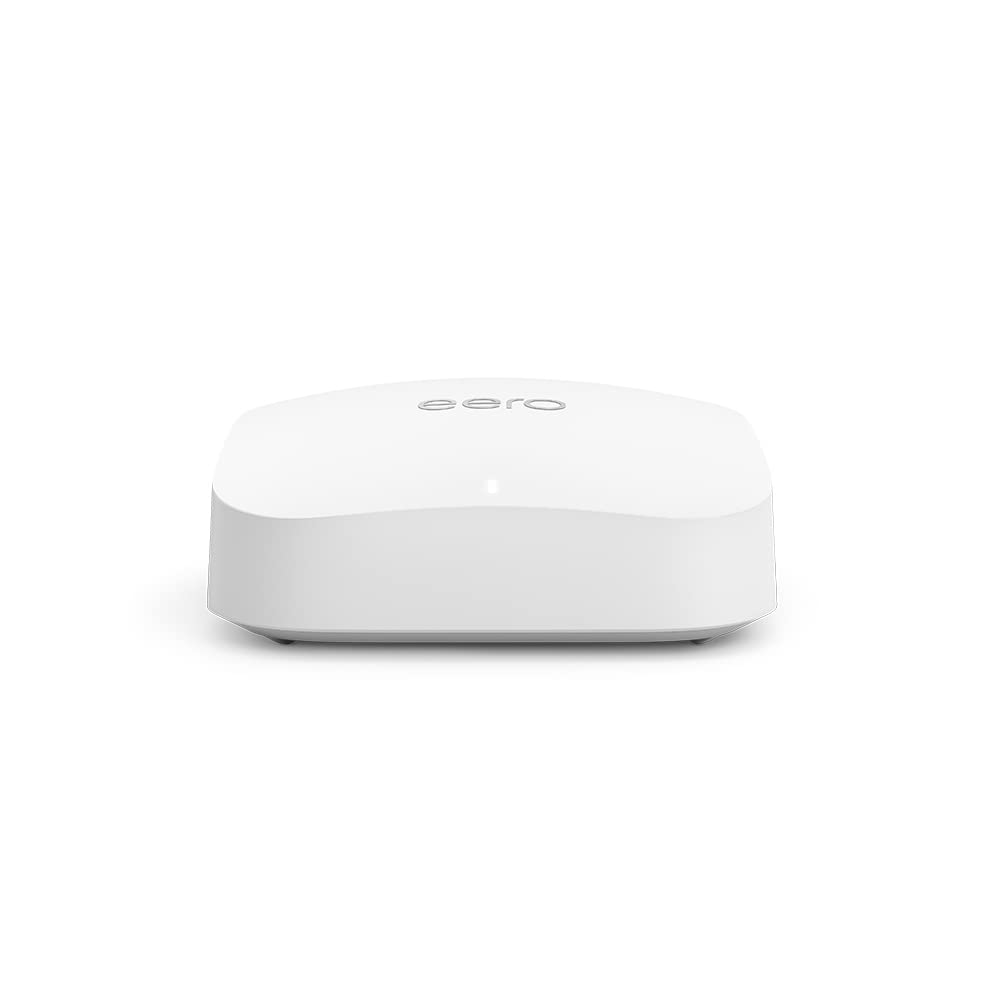
Image: A detailed view of the eero Pro 6E router, highlighting its compact design and connectivity ports for easy setup.
Operating Your eero Pro 6E
Network Management via eero App
The eero app is your central control panel for your Wi-Fi network. From the app, you can:
- View connected devices and their activity.
- Create guest networks for visitors.
- Manage parental controls and content filtering (with eero Plus subscription).
- Run speed tests to check your internet performance.
- Configure advanced network settings like port forwarding and DNS.
- Receive notifications about network status and updates.
Smart Home Connectivity
The eero Pro 6E includes a built-in smart home hub, supporting Thread and Zigbee devices. This allows you to connect and control compatible smart home devices directly through your eero network, often via Alexa. It also acts as a border router for Thread-enabled devices, enhancing your smart home ecosystem.
Maintenance
Software Updates
eero devices automatically receive software security updates to ensure optimal performance and security. These updates are typically applied in the background. It is recommended to keep your eero devices connected to power and the internet to receive these updates promptly. You can check the update status via the eero app.
Physical Care
- Keep your eero unit in a well-ventilated area, away from direct sunlight and heat sources.
- Clean the exterior with a soft, dry cloth. Do not use liquid cleaners or aerosols.
- Ensure cables are securely connected and not strained.
Troubleshooting Common Issues
No Internet Connection
- Check if your modem is working correctly. Try restarting your modem and then your eero unit.
- Ensure all Ethernet cables are securely connected between your modem and eero, and between eero units if applicable.
- Verify your internet service is active with your provider.
Slow Speeds or Poor Coverage
- Relocate eero units to central locations, away from obstructions like thick walls or large appliances.
- Ensure your eero units are within optimal range of each other for mesh connectivity.
- Check for potential interference from other electronic devices (e.g., microwaves, cordless phones).
- Run a speed test via the eero app to diagnose network performance.
Device Not Connecting to Wi-Fi
- Ensure you are entering the correct Wi-Fi password.
- Restart the device you are trying to connect.
- Check if the device's Wi-Fi adapter is enabled and functioning correctly.
- Temporarily disable any VPN or proxy settings on the device.
Technical Specifications
| Feature | Description |
|---|---|
| Wi-Fi Coverage | Up to 190 m² per unit |
| Type | Router (connects to modem as primary router) |
| Supported Speeds | Up to 2.3 Gbps (1 Gbps wired, 1.3 Gbps wireless); ideal for gigabit+ internet plans (up to 2.5 Gbps via 2.5 Gb Ethernet port) |
| Wi-Fi Connectivity | Wi-Fi 6E tri-band concurrent 2:2:2 (802.11ax); compatible with older Wi-Fi standards |
| Wired Connectivity | One auto-sensing 2.5 gigabit Ethernet port and one auto-sensing 1 gigabit Ethernet port |
| Speed Rating | AX5400 |
| Smart Home Connectivity | Amazon Frustration-Free Setup, 802.15.4 radio (Zigbee, Thread), Bluetooth Low Energy 5.0 |
| Electrical Rating | 100–240 V AC, 50-60 Hz |
| Processor, Memory, Storage | 1 GHz dual-core processor, 1024 MB RAM, 4 GB flash storage |
| Network Security & Services | Profiles, WPA3 (eero Labs feature), WPA2, TLS v1.2+, VPN pass-through, IPv6, NAT, UPnP, port forwarding, DHCP, static IP, cloud connectivity |
| Required for Setup | Supported iOS or Android device and internet service |
| Temperature Rating | Operating: 0°C to 40°C; Storage: −25°C to 60°C |
| Dimensions | 142 x 138 x 51 mm |
Warranty and Support
Product Warranty
The eero Pro 6E is sold with a limited warranty of one year provided by the manufacturer. As a consumer, your statutory rights are not affected by this limited warranty. For detailed terms of service, please refer to the official eero website.
Customer Support
For any questions or assistance with your eero Pro 6E, expert Wi-Fi troubleshooters are available to help. You can reach customer support by phone or email:
- Phone (UK): +44 800 048 9127
- Email: support@eero.com
Additional resources and information can be found on the official eero website: eero.com/support.


