
1. Important Safety Information
Please read these instructions carefully before using the Wixann HS-001A Smart Bedside Lamp. Retain this manual for future reference.
- Ensure the lamp is connected to a stable 5V/1.5A USB power source.
- Do not expose the lamp to water or excessive humidity.
- Avoid disassembling or modifying the lamp, as this may void the warranty and pose safety risks.
- Keep the lamp away from direct heat sources.
- This lamp is designed for indoor use only.
- Clean the lamp with a soft, dry cloth. Do not use abrasive cleaners.
2. Package Contents
Verify that all items are present in the package:
- Wixann HS-001A Smart Bedside Lamp
- USB Data Cable (1.5 meters)
- Charging Adapter (Power Adapter)
- User Manual (this document)
3. Product Overview
The Wixann HS-001A is a versatile smart bedside lamp offering touch control, RGB color options, and smart home integration. Its compact design makes it suitable for various settings.
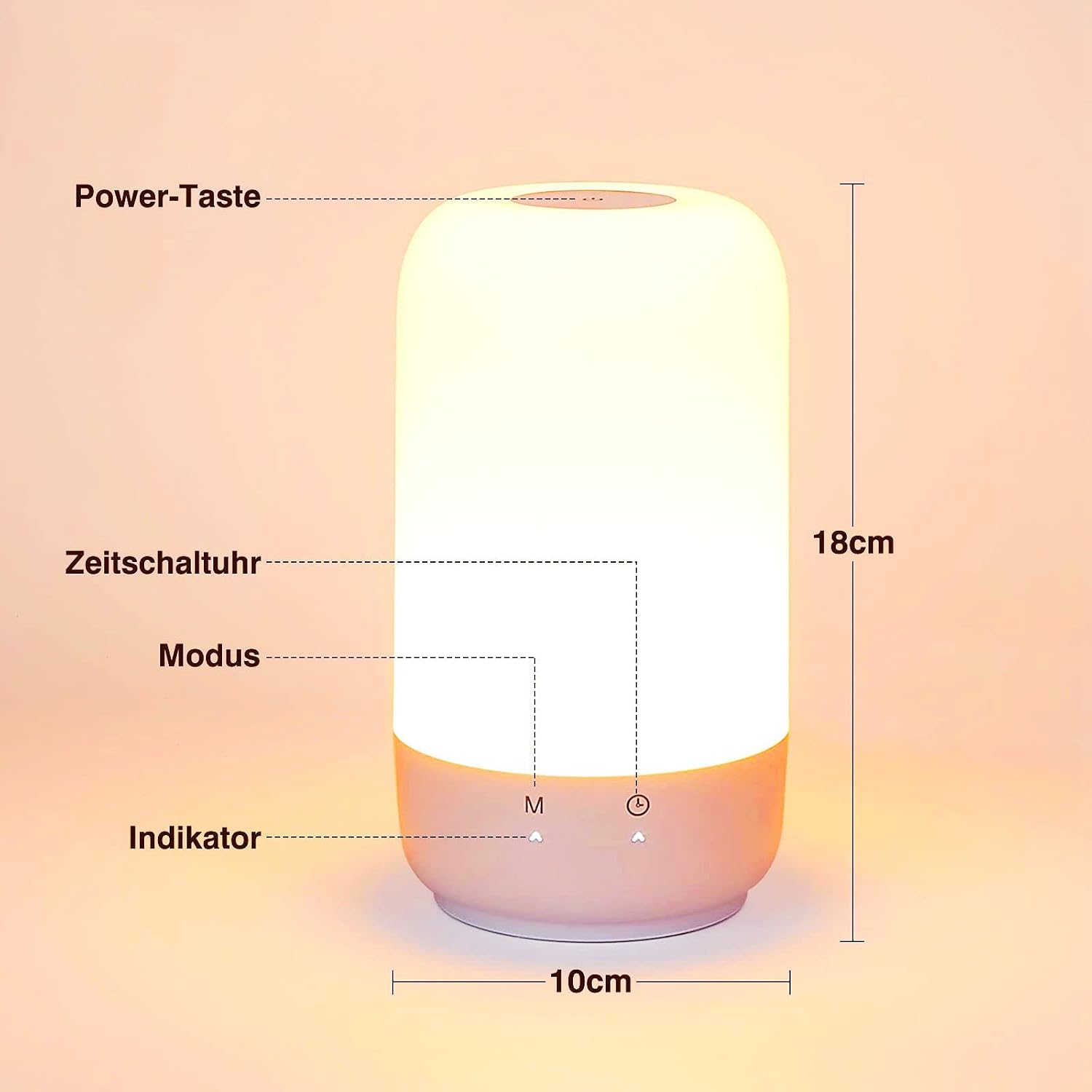
Image 3.1: Lamp Components and Dimensions. This image displays the Wixann HS-001A Smart Bedside Lamp, highlighting its power button, mode button ('M'), timer button, and indicator light. The lamp measures approximately 18cm in height and 10cm in width. The base is light grey, and the main body emits a warm light.
Key Features:
- Touch Control: Intuitive touch interface for power, mode, and brightness adjustments.
- Dimmable White Light: Adjustable color temperature from 2700K (warm white) to 5700K (cool white).
- RGB Color Options: Access to 16 million colors and dynamic auto-cycling RGB modes.
- Smart Home Compatibility: Works with Alexa, Google Assistant, and Siri Shortcuts for voice control.
- App Control: Manage settings and features via the Smart Life app.
- Timing Function: Schedule automatic on/off times.
- USB Powered: Convenient power supply via USB cable.
4. Setup and Installation
4.1 Power Connection
- Connect the provided USB data cable to the lamp's USB port.
- Plug the other end of the USB cable into the charging adapter.
- Insert the charging adapter into a standard wall outlet. Alternatively, you can power the lamp using a power bank.
4.2 App Installation
To unlock smart features, install the "Smart Life" app:
- Download the "Smart Life" app from the Apple App Store (for iOS) or Google Play Store (for Android).
- Alternatively, scan the QR code provided in the quick start guide (if available) to download the app.
- Register or log in to your Smart Life account.
4.3 Device Pairing
Follow these steps to connect your lamp to the Smart Life app:
- Ensure your smartphone is connected to a 2.4GHz Wi-Fi network. The lamp does not support 5GHz Wi-Fi.
- Enable Bluetooth on your smartphone.
- Open the Smart Life app. The app may automatically detect the new device. If not, tap "+" to add a device.
- Select "Lighting" or "Light Source (Wi-Fi)" from the device list.
- Follow the on-screen instructions to put the lamp into pairing mode (usually by pressing and holding the power button or a specific combination until the light blinks).
- Confirm your Wi-Fi network and enter the password in the app.
- Once connected, you can rename the device for easier control (e.g., "Bedside Lamp").
5. Operation
5.1 Basic Touch Control
- Power On/Off: Briefly touch the power button (top surface) to turn the lamp on or off.
- Change Mode: Briefly touch the "M" button on the base to cycle through different light modes (white light modes, RGB mode, auto-cycling RGB mode).
- Adjust Brightness/Color:
- In white light mode, press and hold the power button to adjust brightness from 3% to 100%.
- In RGB mode, press and hold the power button to select a desired color from 16 million options.
- In auto-cycling RGB mode, briefly press the power button to change the speed of the color transition. There are three different speeds.
5.2 White Light Modes
The lamp offers three distinct white light color temperatures:
- 2700K Warm White: Ideal for relaxation and creating a cozy atmosphere.
- 4000K Neutral White: Suitable for general illumination and reading.
- 5700K Cool White: Provides bright, clear light for tasks requiring focus.

Image 5.1: White Light Color Temperatures. This image illustrates the lamp's ability to produce different white light temperatures: 2700K warm white for a cozy setting, 4000K neutral white for reading, and 5700K cool white for focused work.
5.3 RGB Color Modes
Explore a spectrum of colors to match your mood or decor:
- Static RGB: Choose from 16 million colors via the Smart Life app or by pressing and holding the power button in RGB mode.
- Auto-Cycling RGB: The lamp transitions through colors automatically. Press the power button to adjust the speed of these transitions.
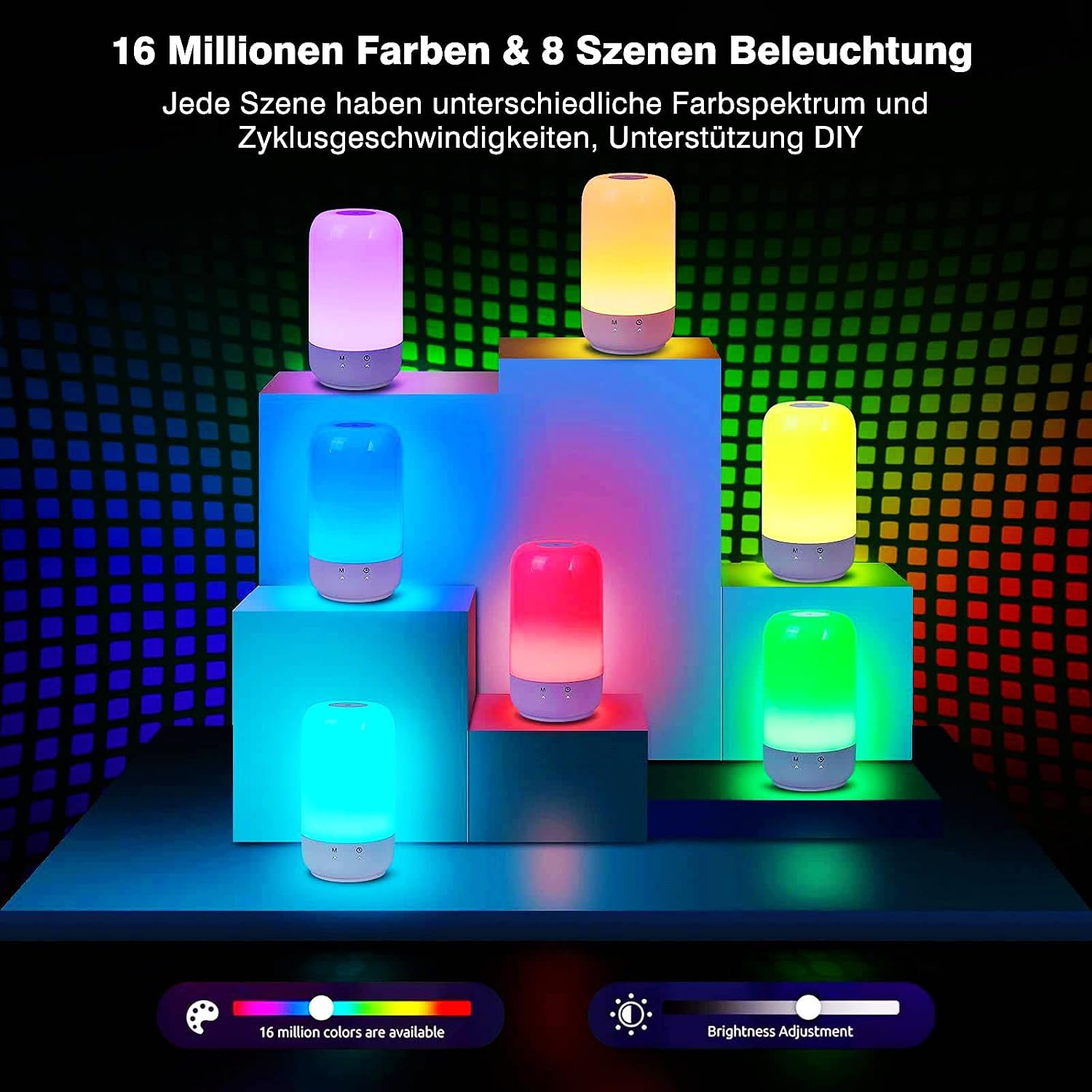
Image 5.2: RGB Color Spectrum. This image shows several lamps illuminated in various vibrant RGB colors, demonstrating the wide range of 16 million color options available and different scene settings.
5.4 Smart Control (Voice & App)
Once paired with the Smart Life app, you can control your lamp using voice commands or the app interface.
- Voice Control:
- Alexa: "Alexa, turn on [Lamp Name]," "Alexa, set [Lamp Name] to 50% brightness," "Alexa, change [Lamp Name] to blue."
- Google Assistant: "Hey Google, turn off [Lamp Name]," "Hey Google, dim [Lamp Name]," "Hey Google, make [Lamp Name] red."
- Siri Shortcuts: Configure custom shortcuts in the Smart Life app to control the lamp with Siri.
- App Control: Use the Smart Life app to precisely adjust brightness, color, set scenes, and manage schedules from anywhere.

Image 5.3: Voice Control Integration. This image shows a user comfortably controlling the smart lamp using voice commands through an Alexa device, demonstrating compatibility with Alexa, Google Assistant, and Siri Shortcuts.
5.5 Timing Function
The lamp can be programmed to turn on or off automatically at specified times.
- Setting Schedules: Use the Smart Life app to create custom schedules for the lamp to turn on or off. For example, set it to turn on at 8:00 AM and turn off at 10:30 PM.
- Sleep Mode: The lamp can retain its last state settings before being turned off, eliminating the need for recurring adjustments.
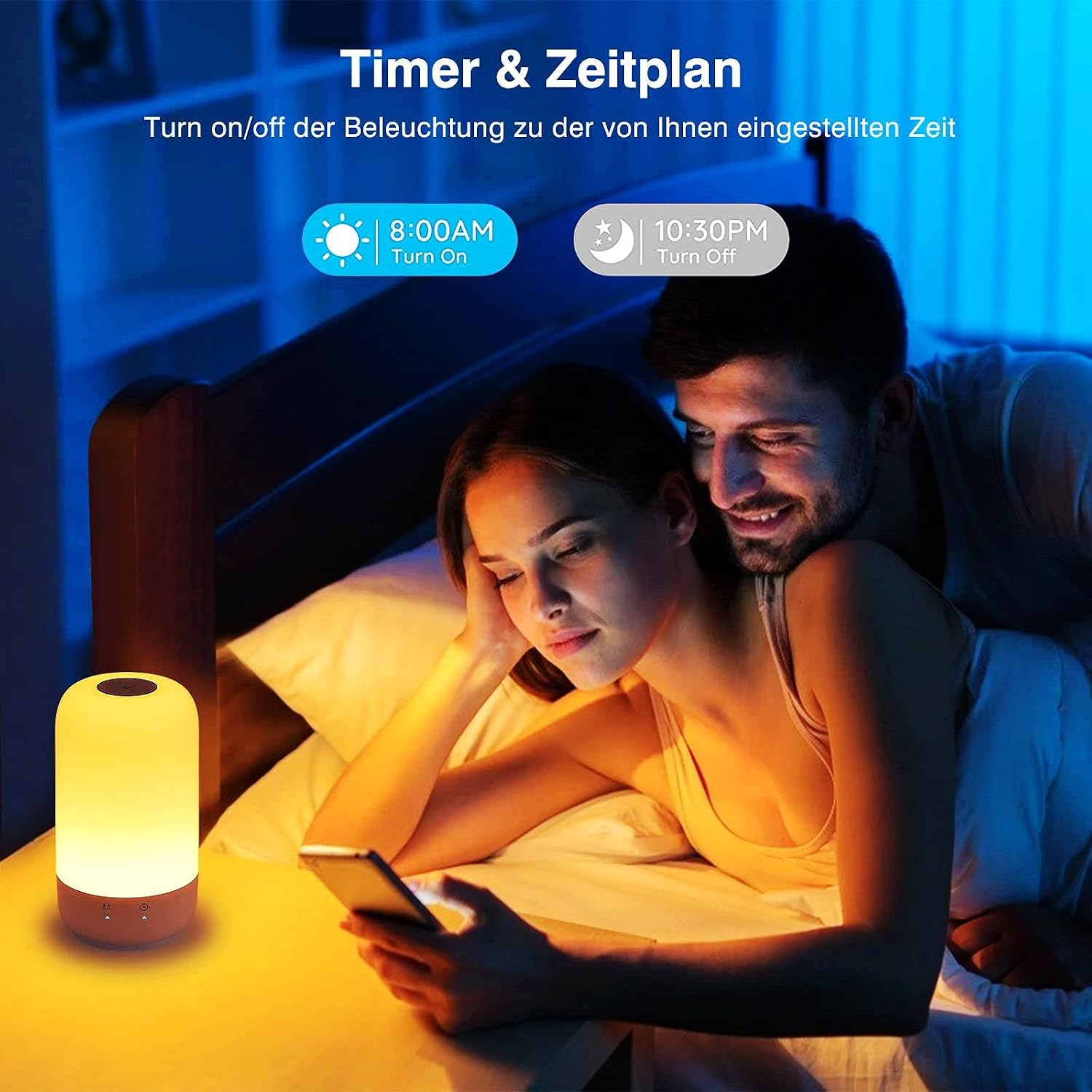
Image 5.4: Timer and Schedule Function. This image illustrates the lamp's timing function, allowing users to set specific on/off times, such as turning on at 8:00 AM and off at 10:30 PM, for convenience.
6. Maintenance
- Cleaning: Disconnect the power before cleaning. Wipe the lamp's surface with a soft, dry, lint-free cloth. Do not use liquid cleaners, aerosols, or abrasive materials.
- Storage: If storing the lamp for an extended period, ensure it is clean and dry. Store it in a cool, dry place away from direct sunlight.
- Light Source: The LED light source is integrated and not user-replaceable.
7. Troubleshooting
| Problem | Possible Cause | Solution |
|---|---|---|
| Lamp does not turn on. | No power connection or faulty adapter. | Check if the USB cable and adapter are securely connected. Try a different USB port or power adapter. |
| Cannot connect to Wi-Fi. | Incorrect Wi-Fi band (5GHz), wrong password, or lamp not in pairing mode. | Ensure your phone is on a 2.4GHz Wi-Fi network. Verify Wi-Fi password. Put the lamp into pairing mode as per app instructions. |
| Voice control not working. | Incorrect device name, smart assistant not linked, or internet connectivity issues. | Check the device name in the Smart Life app. Ensure your smart assistant (Alexa/Google Home) is linked to your Smart Life account. Verify internet connection. |
| Touch control unresponsive. | Temporary software glitch or power issue. | Disconnect and reconnect the power to reset the lamp. Ensure your fingers are clean and dry when touching the controls. |
8. Specifications
| Feature | Detail |
|---|---|
| Brand | Wixann |
| Model Number | HS-001A |
| Dimensions | 10 x 10 x 10 cm (approximate) |
| Weight | 500 g |
| Wattage | 7W |
| Luminous Flux | 350 Lumen |
| Color Temperature | 2700K-5700K (White Light) |
| Color Options | RGB (16 Million Colors) |
| Dimmable | Yes (3% to 100%) |
| Input Voltage | 5V (AC) |
| Adapter Output | 5V/1.5A |
| Lifespan | 30,000 hours |
| Connectivity | 2.4GHz WLAN, Bluetooth |
| Control Methods | Touch, Smart Life App, Voice (Alexa, Google Home, Siri) |

Image 8.1: EU Energy Label. This label indicates the energy efficiency class of the Wixann HS-001A lamp, rated G with an energy consumption of 6 kWh/1000h. More details can be found at eprel.ec.europa.eu/qr/1261411.
9. Warranty and Support
Wixann products are designed for reliability and performance. For any questions or issues regarding your HS-001A Smart Bedside Lamp, please contact Wixann customer support.
- Customer Support: If you encounter any problems, please contact us via the Amazon messaging system. We aim to resolve your issue within 24 hours.
- Warranty Information: Specific warranty details may vary by region. Please refer to your purchase documentation or contact customer support for more information.

