
1. Introduction
Thank you for choosing the Ingco HLDD0601 Laser Distance Meter. This device is designed for precise and rapid distance measurements, offering a range of up to 60 meters. It is an essential tool for professionals and DIY enthusiasts requiring accurate measurements in various applications. Please read this manual thoroughly before using the device to ensure safe and optimal operation.
2. Safety Information
WARNING: This device emits a Class 2 laser. Observe the following safety precautions:
- Do not stare directly into the laser beam.
- Do not point the laser beam at people or animals.
- Avoid direct eye exposure.
- Do not disassemble or modify the device. Unauthorized modifications can lead to hazardous laser radiation exposure.
- Keep the device out of reach of children.
- Use the device only for its intended purpose as described in this manual.
The laser type is 635nm, <1mW, Class 2.
3. Product Overview
Familiarize yourself with the components of your Ingco HLDD0601 Laser Distance Meter.
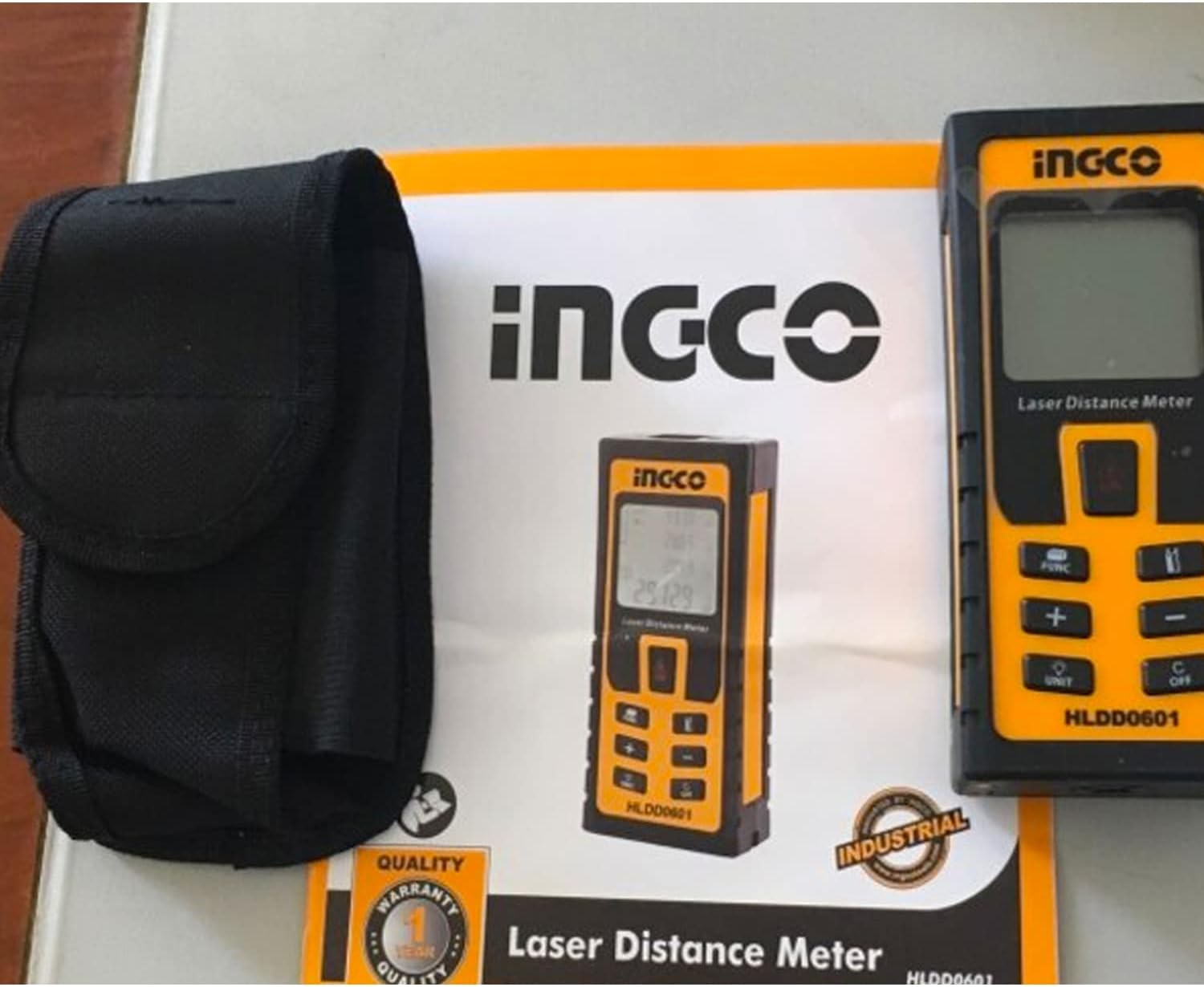
Figure 1: Ingco HLDD0601 Laser Distance Meter, carrying case, and included manual.

Figure 2: The Ingco HLDD0601 Laser Distance Meter shown in its retail box, highlighting its compact design.
Key Components:
- Laser Emission Aperture: Where the laser beam exits.
- Laser Receiving Lens: Detects the reflected laser beam.
- LCD Display: Shows measurements, modes, and battery status.
- Measurement Buttons: For single, continuous, area, and volume measurements.
- Unit Button: To change measurement units (e.g., meters, feet, inches).
- Clear/Off Button: To clear the last measurement or power off the device.
- Battery Compartment: Located at the rear of the device.
4. Setup
4.1 Battery Installation
The Ingco HLDD0601 requires two AAA 1.5V batteries for operation. Ensure correct polarity when inserting.
- Locate the battery compartment cover on the back of the device.
- Slide or unclip the cover to open it.
- Insert two AAA 1.5V batteries, matching the positive (+) and negative (-) terminals as indicated inside the compartment.
- Close the battery compartment cover securely.
Note: Remove batteries if the device will not be used for an extended period to prevent leakage.
5. Operating Instructions
5.1 Power On/Off
- To Power On: Press the MEAS button (usually the main measurement button). The laser will activate.
- To Power Off: Press and hold the CLEAR/OFF button for a few seconds. The device will also automatically power off after a period of inactivity to save battery.
5.2 Basic Single Measurement
- Power on the device.
- Aim the laser beam at the target point.
- Press the MEAS button once. The laser will flash, and the measured distance will appear on the display.
5.3 Continuous Measurement (Tracking)
This mode allows you to track distances in real-time as you move the device.
- Power on the device.
- Press and hold the MEAS button (or a dedicated continuous measurement button, if available) until the display shows "MIN/MAX" or a similar indicator.
- Move the device slowly. The display will continuously update with the current distance, often showing minimum and maximum values recorded during the session.
- Press the MEAS button again to stop continuous measurement.
5.4 Unit Conversion
To change the measurement unit (e.g., meters, feet, inches):
- Press the UNIT button repeatedly to cycle through available units. The selected unit will be displayed on the screen.
5.5 Historical Measurements
The device can store up to 50 historical measurement values.
- To access historical data, press the MEM or HISTORY button (button label may vary).
- Use the arrow buttons (if available) to scroll through the stored measurements.
6. Maintenance
- Cleaning: Use a soft, damp cloth to clean the device casing. Do not use abrasive cleaners or solvents. Clean the laser lens with a soft cloth, similar to cleaning camera lenses.
- Storage: Store the device in its protective pouch in a cool, dry place, away from direct sunlight and extreme temperatures. The recommended storage temperature is -20°C to +65°C.
- Battery Care: Remove batteries if the device is not used for extended periods to prevent corrosion.
- Protection: The device has an IP54 rating, meaning it is splash-proof and dust-protected. However, do not immerse it in water or expose it to heavy rain.
7. Troubleshooting
| Problem | Possible Cause | Solution |
|---|---|---|
| Device does not power on. | Dead or incorrectly inserted batteries. | Replace batteries with new AAA 1.5V batteries, ensuring correct polarity. |
| Inaccurate measurements. | Obstruction in laser path, unstable surface, or extreme environmental conditions. | Ensure a clear path to the target. Measure from a stable surface. Avoid measuring in conditions outside the operating temperature range (10°C to +50°C). |
| "Error" message on display. | Measurement out of range, laser signal too weak/strong, or internal error. | Ensure target is within 0.05-60m range. Try measuring a different surface. Power off and restart the device. If the problem persists, contact support. |
| Display is dim or flickering. | Low battery power. | Replace batteries. |
8. Specifications
| Model Number | HLDD0601 |
| Measuring Range | 0.05 - 60 meters |
| Measuring Accuracy | ±1.5 mm |
| Laser Type | 635 nm, <1 mW, Class 2 |
| Operating Temperature | 10°C to +50°C |
| Storage Temperature | -20°C to +65°C |
| Historical Measurements | Up to 50 values |
| Protection Rating | IP54 (Splash Proof / Dust Protected) |
| Batteries | 2 x AAA 1.5V |
| Battery Life | Up to 5000 measurements |
| Item Weight | 209 g |
| Product Dimensions | 10 x 20 x 37 cm |
| Material | Plastic |
9. Warranty and Support
Ingco products are manufactured to high-quality standards. For warranty information, please refer to the warranty card included with your purchase or visit the official Ingco website. For technical support, troubleshooting assistance, or spare parts, please contact your local Ingco dealer or customer service center. Keep your purchase receipt as proof of purchase for warranty claims.
Online Resources: For additional information and support, please visit the official Ingco website.

