
1. Introduction
This manual provides detailed instructions for the installation, operation, and maintenance of your XTRONS PSP10ISL Android 10 Car Stereo. Designed specifically for Lexus IS250, IS300, and IS350 models from 2006 to 2012, this head unit enhances your driving experience with advanced features and a user-friendly interface.
Please read this manual thoroughly before using the product to ensure proper functionality and to prevent damage.
2. Key Features
- Android 10.0 OS: Experience a faster and smoother interface with the latest Android operating system.
- 10.1-inch IPS Touch Screen: Enjoy a high-definition 1024x600 display with a 2.5D curved capacitive touch screen for sensitive and scratch-resistant interaction.
- Built-in Wired CarAutoPlay: Seamlessly integrate your iPhone for navigation, calls, music, and voice assistants.
- Built-in DSP (Digital Sound Processor): Customize your audio experience with a 30-band EQ, fader, balance, and digital time delay.
- Bluetooth 5.0: Connect your mobile phone for hands-free calls, phonebook access, and Bluetooth music streaming.
- GPS Navigation: Supports various Android navigation software including Google Maps, Waze, Sygic, and IGO.
- Screen Mirroring: Display your smartphone's content directly on the car stereo screen.
- Full RCA Output: Share all features simultaneously with rear-seat passengers.
- Dual Zone Function: Transmit videos to rear monitors while navigating on the head unit.
- Dual Channel CANbus: Integrates with vehicle information and steering wheel controls.
- PIP Mode (Picture-in-Picture): Watch videos while multitasking (supports built-in video player only).
- Dual Theme UI: Choose between two user interface themes.
- 1080P Video Support: Play high-definition video formats.
- Thickened Heat Sink: Efficient heat dissipation for reliable performance.
3. Specifications
| Feature | Detail |
|---|---|
| Brand | XTRONS |
| Model Number | PSP10ISL |
| Operating System | Android 10 |
| Processor | Quad Core CPU |
| RAM | 2GB |
| ROM | 32GB |
| Screen Size | 10.1 inches |
| Screen Resolution | 1024x600 HD |
| Screen Type | IPS 2.5D Curved Capacitive Touch Screen |
| Bluetooth Version | 5.0 |
| Connectivity Technology | Bluetooth, Wi-Fi (Built-in), USB, RCA |
| Audio Output Mode | Stereo |
| Supported Internet Services | Maps, YouTube |
| Control Method | Touch |
| Audio Output Type | Speakers |
| Compatible Devices | Smartphone (iPhone for CarAutoPlay) |
| Power Output | 4x50W |
4. Setup & Installation
The XTRONS PSP10ISL is designed for a specific fit in Lexus IS250, IS300, and IS350 models (2006-2012). Professional installation is recommended due to the complexity of car stereo wiring and vehicle integration.
4.1 Package Contents
Before installation, verify that all components are present:
- 1 × ISO Wiring Harness
- 1 × RCA Cable
- 2 × USB Cable
- 1 × Camera Cable
- 1 × CANbus Box
- 1 × GPS Antenna
- 1 × OBD Cable
- 2 × Installation Kit
- 10 × Screws
- 1 × User Manual (this document)

Image: Included accessories for the XTRONS PSP10ISL car stereo. This image displays the ISO wiring harness, RCA cable, USB cables, camera cable, CANbus box, GPS antenna, OBD cable, installation kit, screws, and user manual.
4.2 Wiring Diagram
Refer to the detailed wiring diagram for correct connections. Ensure all cables are securely connected to their corresponding ports to avoid malfunctions.

Image: Comprehensive wiring diagram for the XTRONS PSP10ISL car stereo, showing connections for power, speakers, USB, camera, and other peripherals.
4.3 Compatibility Notes
This unit is compatible with Lexus IS200/IS220/IS250/IS300/IS350 Convertible (2-door) models from 2006-2012. If your car has an original navigation or fiber amplifier system, an extra cable (XTRONS AK/PSP10ISL/MOST) may be required for installation.

Image: A side-by-side comparison showing the car's dashboard before and after the installation of the XTRONS PSP10ISL car stereo, highlighting the integrated look and larger screen.
5. Operating Instructions
5.1 Basic Navigation
The unit features a 10.1-inch IPS touch screen. Tap icons to open applications. Swipe left or right to access additional screens or menus.
5.2 Bluetooth 5.0
To connect your mobile phone via Bluetooth:
- Tap the "Bluetooth" icon on the home screen.
- Ensure Bluetooth is enabled on your mobile device.
- Search for "DEV:XTRONS" in your phone's Bluetooth settings and pair.
- Once connected, you can make/receive hands-free calls, access your phone book, call logs, and stream Bluetooth music.
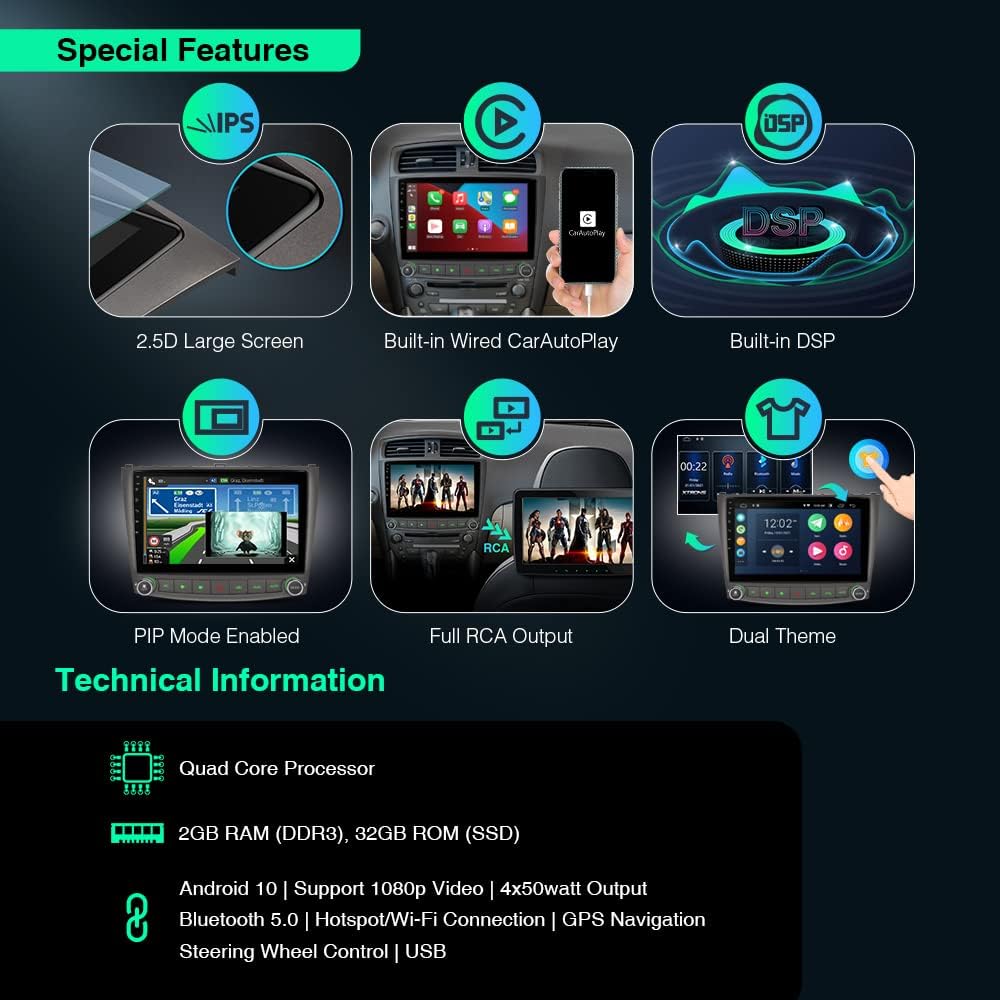
Image: An overview of the XTRONS PSP10ISL's special features, including 2.5D large screen, built-in wired CarAutoPlay, built-in DSP, PIP mode, full RCA output, and dual theme options.
5.3 GPS Navigation
The unit supports various Android navigation software. Tap the "Maps" or your preferred navigation app icon to start. Ensure the GPS antenna is properly installed for optimal signal reception.
5.4 Built-in Wired CarAutoPlay
Connect your iPhone to the designated USB port (often labeled "mirrorlink" or similar) using a compatible iPhone cable. This allows you to safely access GPS, calls, music, Google Assistant, or Siri directly from the car stereo screen.

Image: The XTRONS PSP10ISL displaying the CarAutoPlay interface, with a smartphone connected via USB, demonstrating seamless integration for navigation, music, and calls.
5.5 Built-in DSP (Digital Sound Processor)
Access the DSP settings to fine-tune your audio. You can adjust the 30-band equalizer, fader, balance, and digital time delay to optimize sound quality for your vehicle's interior.

Image: The XTRONS PSP10ISL screen showing the Digital Sound Processor (DSP) interface with options for 30-band EQ, fader and balance, and digital time delay adjustments.
5.6 Screen Mirroring
This feature allows you to mirror your smartphone's screen onto the head unit. Follow the on-screen instructions within the "PhoneLink" or "Screen Mirroring" app to establish a connection.
5.7 PIP Mode (Picture-in-Picture)
When playing a video using the built-in video player, you can enable PIP mode by tapping the down arrow on the screen. This allows the video to float over other applications, enabling multitasking.
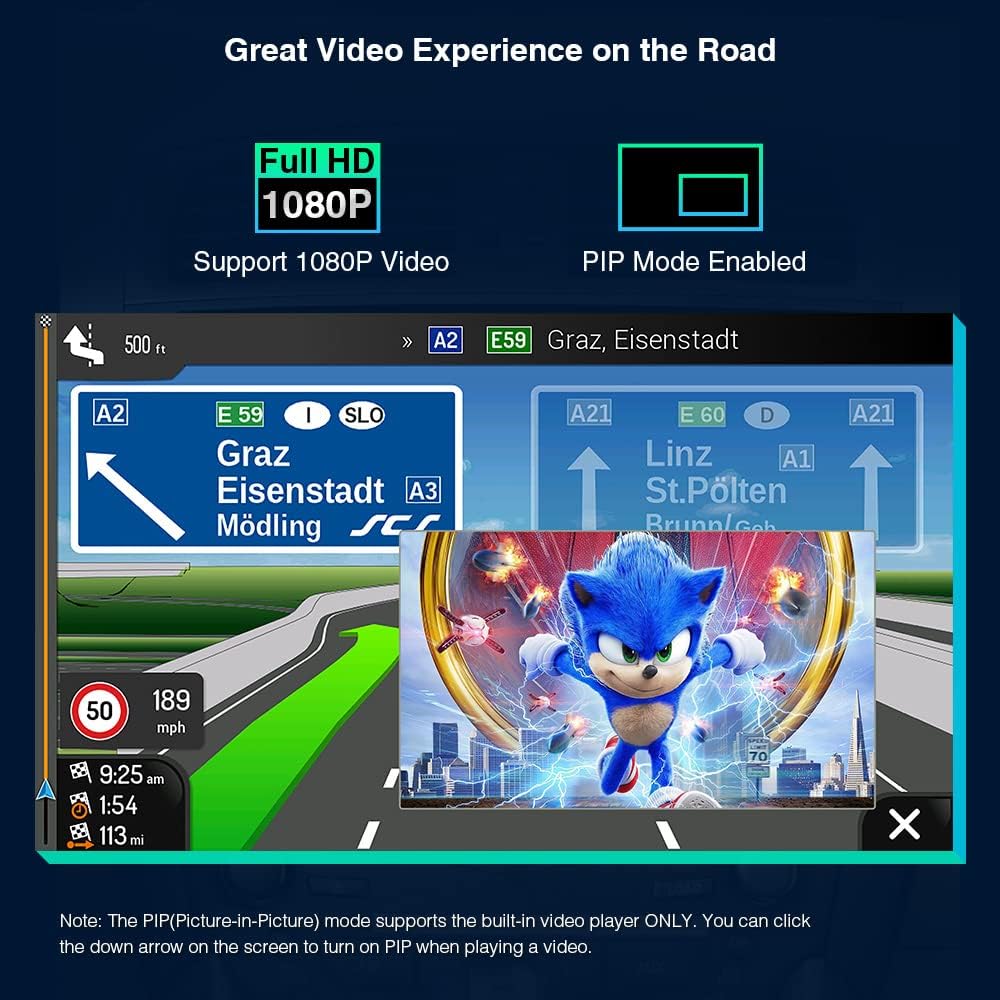
Image: The XTRONS PSP10ISL screen demonstrating Picture-in-Picture (PIP) mode, where a video is playing in a smaller window while a navigation app is active in the background.
5.8 Dual Theme UI
Customize the look of your user interface by selecting one of the two available themes. Navigate to the settings menu to switch themes.

Image: The XTRONS PSP10ISL displaying two different user interface themes, showing how users can customize the visual appearance of the system.
5.9 Optional Accessories
Enhance your experience with optional accessories:
- OBD2: Connect an OBD2 adapter (e.g., ASIN: B015MU8UN6 / B08HQ9LQ9X) for real-time vehicle diagnostics.
- TPMS: Integrate a TPMS system (e.g., ASIN: B07WQFKV5G) for tire pressure monitoring.
- Cameras: Add front or reversing cameras (e.g., ASIN: B07HMLYLJJ / B00GY3BVT6) for improved safety.
- External DVR: Connect an external DVR (e.g., ASIN: B07MBYCG4C / B08ZN33K1M) for driving recording.
6. Maintenance
To ensure the longevity and optimal performance of your XTRONS PSP10ISL car stereo, follow these maintenance guidelines:
- Screen Cleaning: Use a soft, lint-free cloth slightly dampened with water or a screen cleaner specifically designed for electronics. Avoid abrasive materials or harsh chemicals.
- Software Updates: Periodically check for software updates from XTRONS to ensure you have the latest features and bug fixes. Follow the instructions provided with the update package carefully.
- Avoid Extreme Temperatures: While the unit is designed for automotive environments, prolonged exposure to extreme heat or cold can affect performance.
- Cable Connections: Regularly check all cable connections to ensure they are secure and free from damage. Loose connections can lead to intermittent issues.
- Ventilation: Ensure the unit's ventilation areas are not blocked to allow for proper heat dissipation.
7. Troubleshooting
If you encounter issues with your XTRONS PSP10ISL, refer to the following common problems and solutions:
| Problem | Possible Cause | Solution |
|---|---|---|
| Unit does not power on. | Loose power connection, blown fuse, vehicle battery issue. | Check power cables and fuse. Ensure vehicle battery is charged. Consult a professional installer if issues persist. |
| No sound from speakers. | Incorrect speaker wiring, volume too low, mute activated, DSP settings. | Verify speaker connections. Increase volume. Check if mute is active. Adjust DSP settings. |
| GPS signal is weak or inaccurate. | GPS antenna not properly installed or obstructed. | Ensure GPS antenna is placed in a clear location with an unobstructed view of the sky. Check antenna connection. |
| Bluetooth connection issues. | Device not discoverable, incorrect pairing, interference. | Ensure Bluetooth is enabled on both devices and the unit is in pairing mode. Try unpairing and re-pairing. Move closer to the unit. |
| CarAutoPlay not connecting. | Faulty USB cable, incorrect USB port, phone software issue. | Use a high-quality, original USB cable. Ensure you are using the correct USB port. Restart your phone and the head unit. |
| Touch screen unresponsive or lagging. | Temporary software glitch, excessive background apps. | Restart the unit. Close unnecessary background applications. Perform a factory reset if the issue persists (note: this will erase all data). |
If the problem persists after trying these solutions, please contact XTRONS customer support or a qualified technician.
8. Warranty Information
XTRONS products are covered by a limited warranty. The specific terms and duration of your warranty may vary based on your region and point of purchase. Please retain your proof of purchase for warranty claims.
For detailed warranty information, please refer to the warranty card included with your product or visit the official XTRONS website.
9. Customer Support
For technical assistance, product inquiries, or service requests, please contact XTRONS customer support through the following channels:
- Website: Visit the official XTRONS website for FAQs, support articles, and contact forms.
- Email: Refer to your product packaging or the XTRONS website for the appropriate support email address.
- Phone: Check the XTRONS website for regional customer service phone numbers.
When contacting support, please have your product model number (PSP10ISL) and proof of purchase readily available.
10. Product Video Demonstration
Video: Official XTRONS demonstration of the Android 10 Car Stereo (PSP10ISL) for Lexus IS models, showcasing its features, interface, and functionality.


