
Introduction
This manual provides essential instructions for the safe and efficient use of your TOPK Portable Charger 20000mAh Power Bank, model I2006P. Please read this manual thoroughly before operating the device and retain it for future reference.
Package Contents
Verify that all items are present in your package:
- 1x TOPK Portable Charger (Model I2006P)
- 1x USB Charging Cable
- 1x User Manual
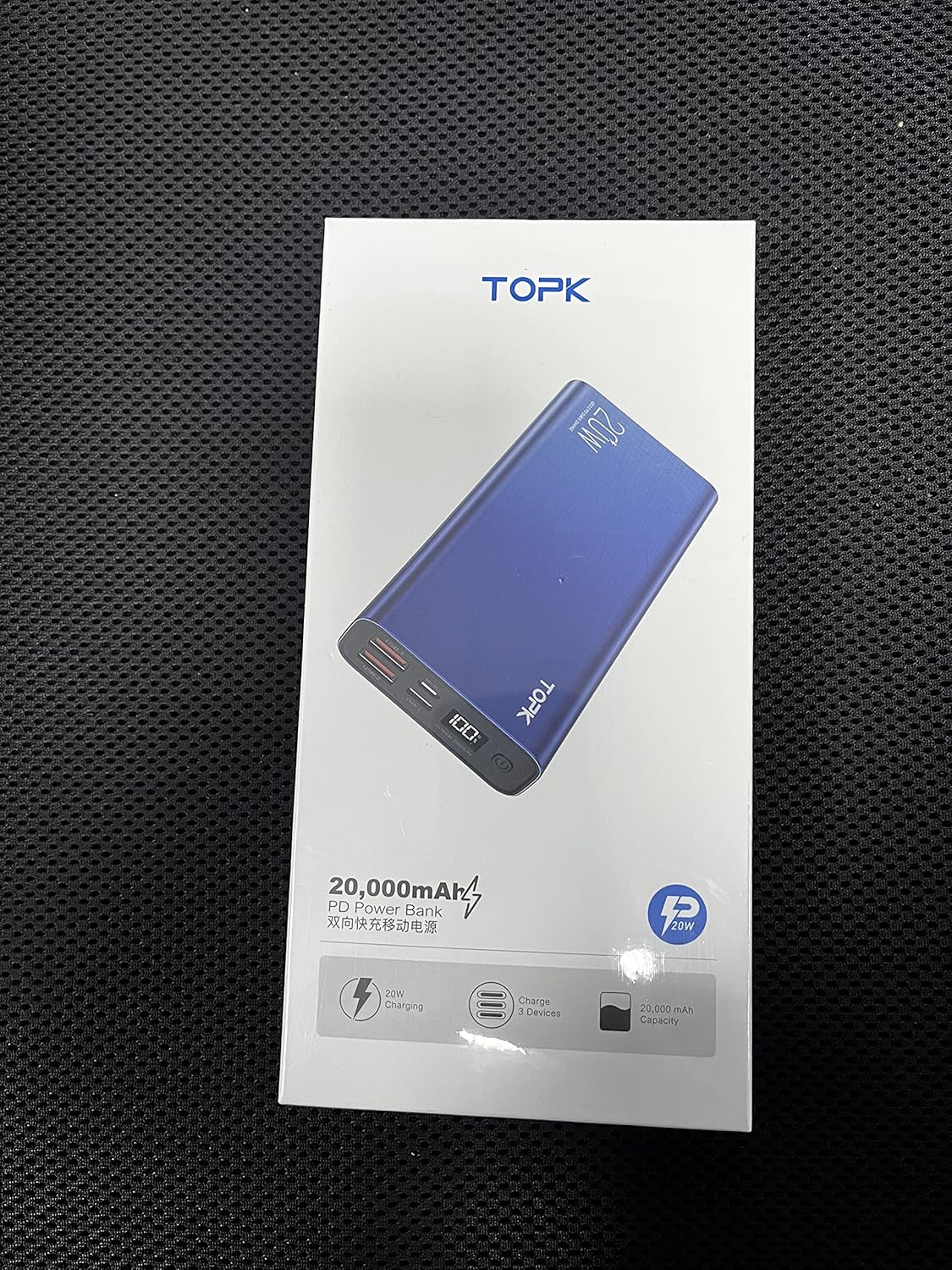
Image: The TOPK Portable Charger I2006P and its included USB charging cable, displayed within its retail packaging.
Product Overview
The TOPK Portable Charger features multiple ports and an LED display for convenient power management.

Image: Front view of the TOPK Portable Charger I2006P, highlighting its sleek design, LED power display, and various charging ports.
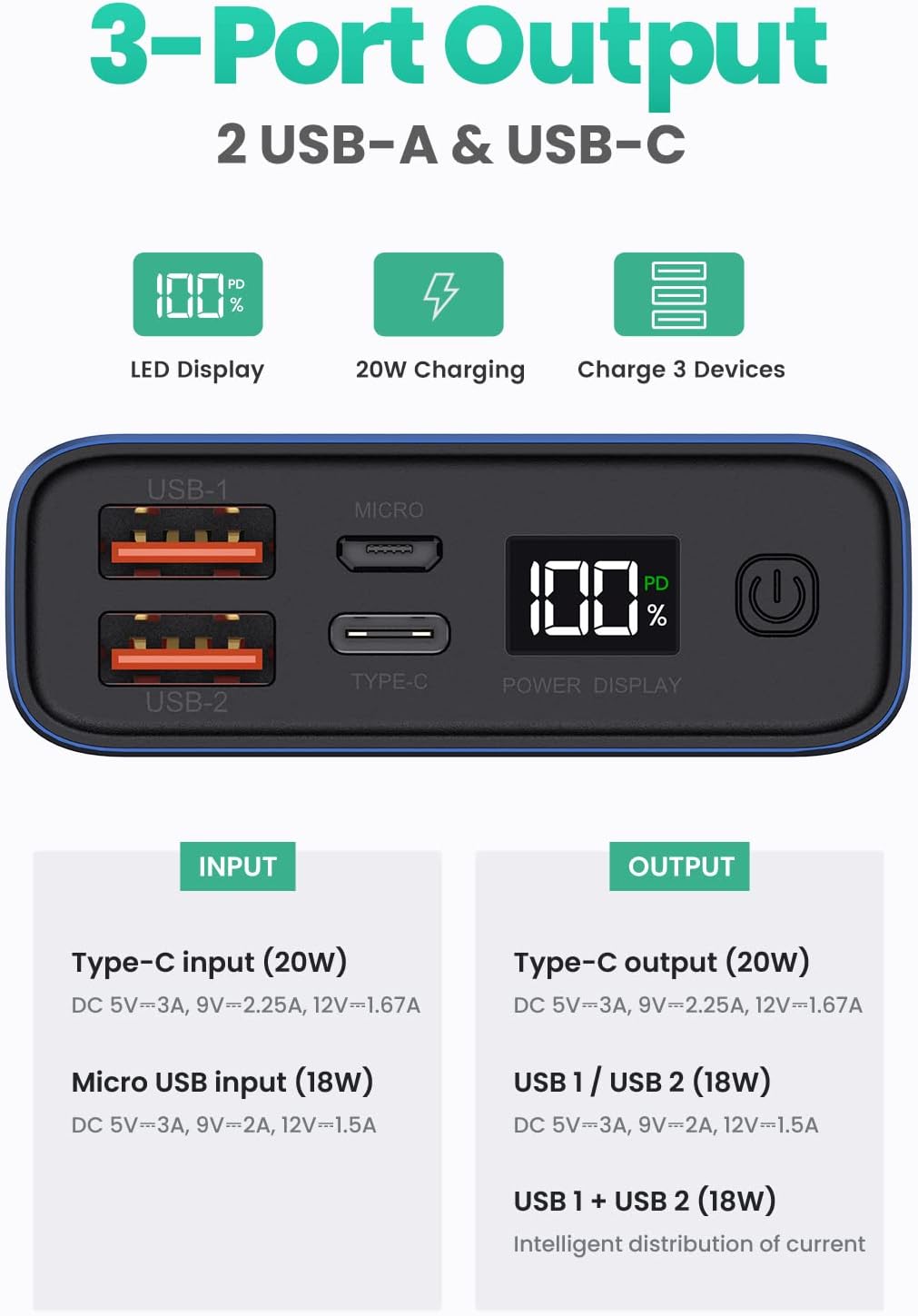
Image: Detailed diagram illustrating the input and output ports (USB-A, Micro USB, Type-C) and the LED power display on the TOPK Portable Charger I2006P.
Port Identification:
- USB-1 Output: Standard USB-A port for charging devices.
- USB-2 Output: Standard USB-A port for charging devices.
- Micro USB Input: Port for recharging the power bank.
- Type-C Input/Output: Versatile port for both recharging the power bank and charging compatible devices.
- Power Display: Digital LED screen indicating remaining battery percentage.
- Power Switch: Button to activate the power bank or check battery level.
Setup: Initial Charging
Before first use, fully charge your TOPK Portable Charger.
- Connect the provided USB charging cable to the Micro USB or Type-C input port on the power bank.
- Connect the other end of the cable to a compatible USB wall charger (not included).
- The LED display will show the charging progress. The power bank is fully charged when the display shows "100%".

Image: The TOPK Portable Charger I2006P connected to a wall adapter via its Type-C port for recharging, indicating 20W fast charging input.
Operating Instructions
Charging Your Devices:
- Connect your device's charging cable to one of the output ports (USB-1, USB-2, or Type-C) on the power bank.
- Connect the other end of the cable to your device.
- The power bank will automatically begin charging your device. If charging does not start, press the power button once to activate the output.
- The LED display will show the remaining battery percentage of the power bank.

Image: The TOPK Portable Charger I2006P connected to an iPhone 13 via a USB-C cable, demonstrating 20W fast charging capabilities.
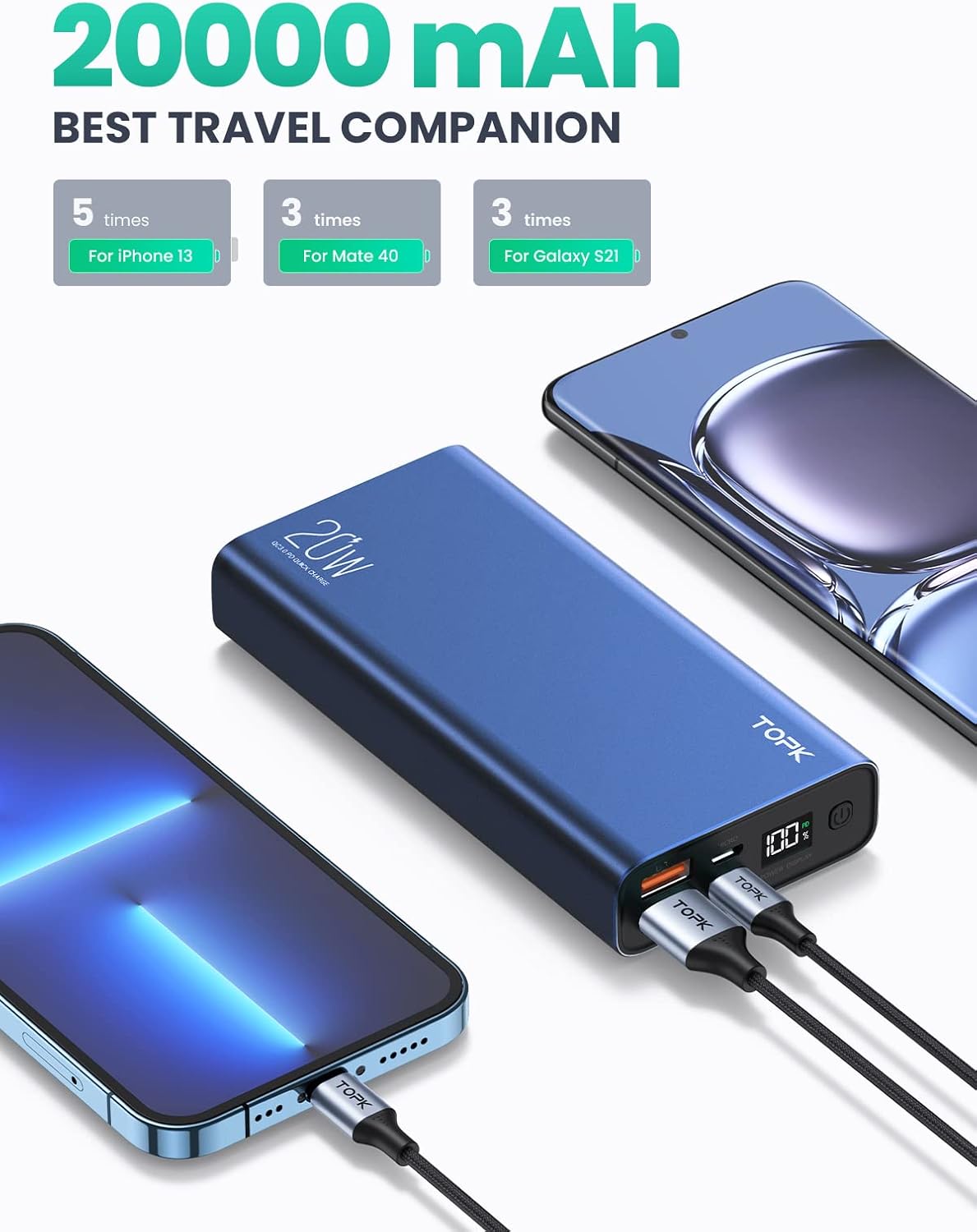
Image: The TOPK Portable Charger I2006P simultaneously charging an iPhone and a Samsung Galaxy device, showcasing its 20000mAh capacity.
LED Display Information:
The integrated LED display provides real-time information about the power bank's status:
- Percentage (%): Indicates the remaining battery charge level of the power bank.
- PD Indicator: Illuminates when Power Delivery (PD) fast charging is active via the Type-C port.

Image: The TOPK Portable Charger I2006P demonstrating compatibility with a range of devices including iPhones, Samsung phones, iPads, and AirPods.
Safety Information
To ensure safe operation and prolong the life of your power bank, please observe the following:
- Do not drop, knock, or shake the device.
- Avoid exposing the power bank to extreme temperatures (e.g., direct sunlight, heat sources).
- Do not expose the power bank to liquids or moisture.
- Do not attempt to disassemble, repair, or modify the device.
- Keep out of reach of children.
- Dispose of the power bank according to local regulations for electronic waste.

Image: An internal view of the TOPK Portable Charger I2006P, illustrating its multiple safety features including over-voltage, short-circuit, over-discharge, fire and flame retardant, over-temperature, over-charge, and over-current protection.
Maintenance
Proper care helps maintain the performance and longevity of your power bank:
- To prolong battery life, fully charge and discharge the power bank at least once every three months.
- Clean the device with a soft, dry cloth. Do not use harsh chemicals or abrasive materials.
- Store the power bank in a cool, dry place away from direct sunlight and extreme temperatures.
Troubleshooting
Common Issues and Solutions:
- Power bank not charging:
Ensure the charging cable is securely connected to both the power bank's input port and the wall charger. Try a different cable or wall charger. If the power bank is new, it may need to be activated by fully charging it first. - Device not charging from power bank:
Ensure the power bank is turned on by pressing the power button. Verify that the charging cable is securely connected to both the power bank's output port and your device. Try a different cable or output port. Ensure the power bank has sufficient charge. - LED display not showing 100% when new:
This is normal. Fully charge the power bank before its first use.
If you encounter any other problems with the product, please discontinue use and contact customer support for assistance.
Specifications
| Feature | Specification |
|---|---|
| Model | I2006P |
| Battery Capacity | 20000mAh |
| Rated Energy | 74Wh / 3.7V |
| Micro USB Input | 5V=3A, 9V=2A (18W Max) |
| Type-C Input | 5V=3A, 9V=2A (18W Max) |
| Type-C Output | 5V=3A, 9V=2.25A, 12V=1.67A (20W Max) |
| USB-1 / USB-2 Output | 5V=3A, 9V=2A, 12V=1.5A (18W Max) |
| Product Dimensions | 5.31 x 2.61 x 1.06 inches |
| Item Weight | 1.08 pounds |
| Material | Aluminum Alloy Shell |
| Certifications | CE, FC, RoHS |
Warranty and Support
TOPK products are designed for reliability and performance. For warranty information or technical support, please contact TOPK customer service through the retailer where the product was purchased or visit the official TOPK website. Please have your model number (I2006P) and purchase details available when contacting support.