
Introduction
Thank you for choosing the Casio CSN 316 Calculator. This manual provides essential information to help you get the most out of your device, including setup instructions, operational guidance, maintenance tips, and troubleshooting solutions. Please read this manual thoroughly before using the calculator and keep it for future reference.
Product Overview
The Casio CSN 316 is a reliable 12-digit calculator designed for everyday use. It features dual power sources, ensuring consistent performance in various environments. Its clear LCD display makes calculations easy to read.
Key Features:
- 12-digit display capacity
- Dual power (Solar and Battery)
- Clear LCD display
- Standard arithmetic functions
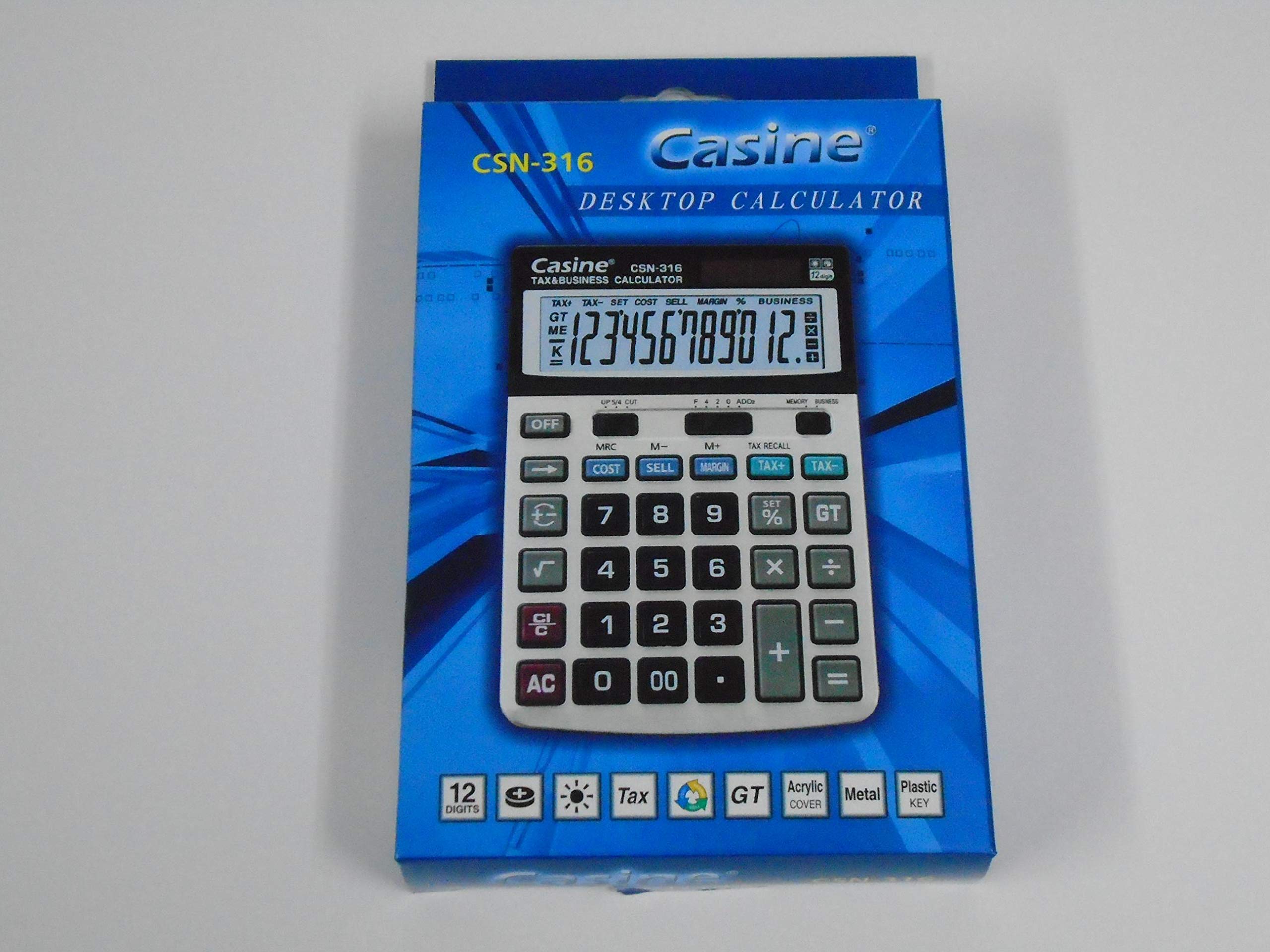
Figure 1: Front view of the Casio CSN 316 Calculator, showing the 12-digit LCD display and key layout.
Setup
1. Power Source
The Casio CSN 316 calculator operates on dual power: solar power and battery power. Under sufficient lighting, the calculator will primarily use solar power. In low light conditions, it will automatically switch to battery power.
2. Battery Installation/Replacement
- Ensure the calculator is turned off.
- Locate the battery compartment cover on the back of the calculator.
- Using a small screwdriver, carefully remove the screw(s) securing the battery compartment cover.
- Remove the cover.
- Insert a new battery (type specified in Specifications section) with the correct polarity (+/-) as indicated inside the compartment.
- Replace the battery compartment cover and secure it with the screw(s).
Note: Dispose of used batteries according to local regulations.
Operating Instructions
Basic Calculations
- Addition (+): Enter the first number, press +, enter the second number, press =.
- Subtraction (-): Enter the first number, press -, enter the second number, press =.
- Multiplication (×): Enter the first number, press ×, enter the second number, press =.
- Division (÷): Enter the first number, press ÷, enter the second number, press =.
Clearing Entries
- Press AC (All Clear) to clear all entries and reset the calculator.
- Press CE (Clear Entry) to clear the last entered number without affecting previous calculations.
Memory Functions
- M+: Adds the displayed value to the memory.
- M-: Subtracts the displayed value from the memory.
- MR: Recalls the value stored in memory to the display.
- MC: Clears the memory.
Maintenance
Cleaning
To clean your calculator, wipe it gently with a soft, dry cloth. Do not use abrasive cleaners, solvents, or spray directly onto the calculator, as this may damage the display or internal components.
Storage
Store the calculator in a cool, dry place away from direct sunlight and extreme temperatures. Avoid placing heavy objects on top of the calculator.
Troubleshooting
| Problem | Possible Cause | Solution |
|---|---|---|
| Display is blank or dim. | Insufficient light for solar power, or low battery. | Move to a brighter area or replace the battery. |
| Incorrect calculation results. | Incorrect key input or previous calculation not cleared. | Press AC to clear all and re-enter the calculation carefully. |
| Keys are unresponsive. | Calculator may be frozen or battery is completely drained. | Replace the battery. If problem persists, contact customer support. |
Specifications
- Brand: Casio
- Model Name: CSN 316
- Display Type: LCD
- Number of Digits: 12
- Power Source: Dual Power (Solar and Battery Powered)
- Manufacturer Part Number: 2724633395248.0
- ASIN: B091BPDPC4
- First Available Date: March 30, 2021
Warranty and Support
For detailed warranty information, please refer to the warranty card included with your product packaging or visit the official Casio website. If you require further assistance or have questions not covered in this manual, please contact Casio customer support through their official channels.
You can often find support contact information on the manufacturer's website: www.casio.com


