
Hinkley 1639BZ-LL
Hinkley Atlantis Extra Large Wall Mount Outdoor Lantern Instruction Manual
Model: 1639BZ-LL
Introduction
Thank you for purchasing the Hinkley Atlantis Extra Large Wall Mount Outdoor Lantern. This manual provides essential information for the safe installation, operation, and maintenance of your new lighting fixture. Please read all instructions carefully before beginning installation and retain this manual for future reference.
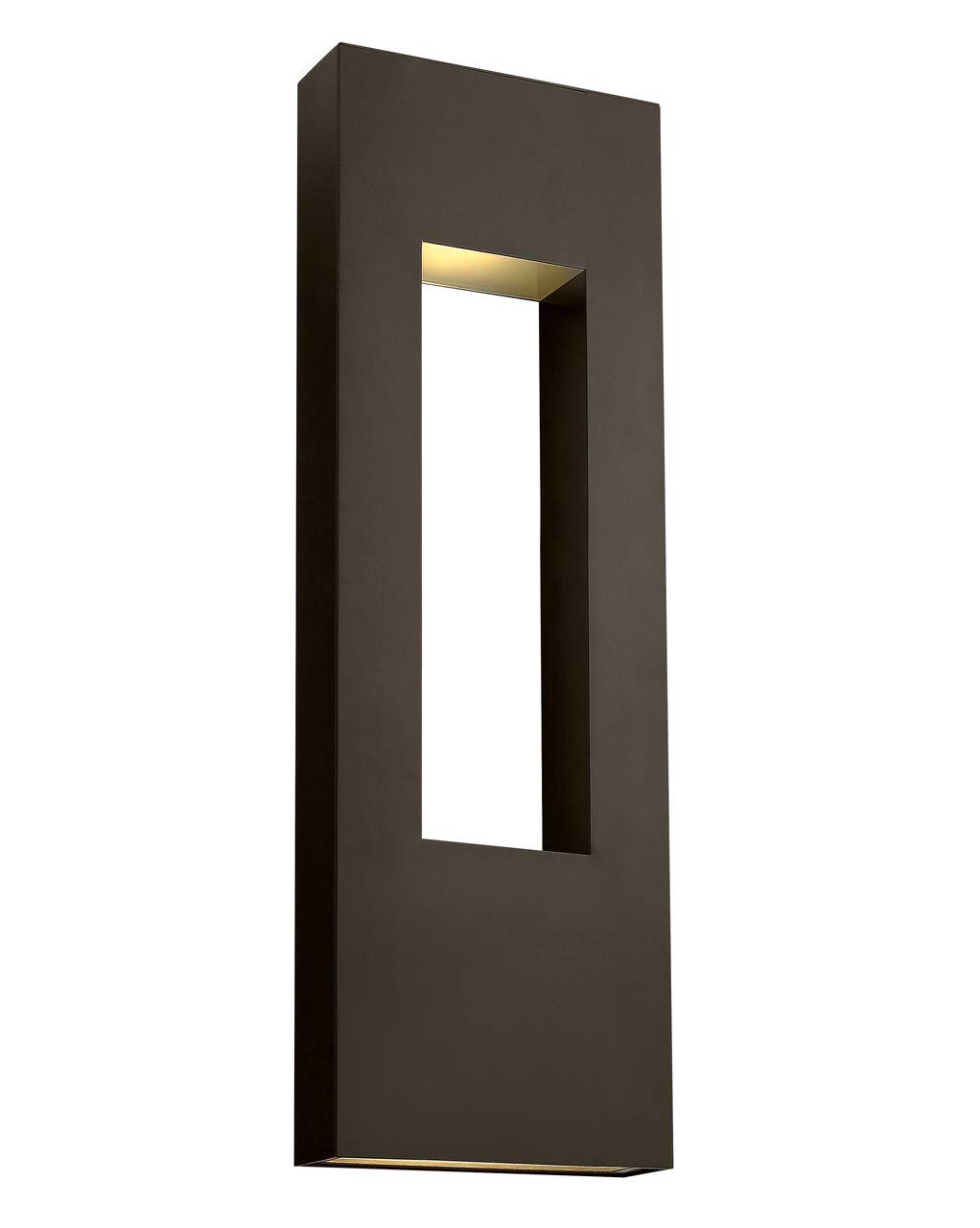
Image: Hinkley Atlantis Extra Large Wall Mount Outdoor Lantern (Model 1639BZ-LL).
Safety Information
- WARNING: Risk of electric shock. Disconnect power at the fuse box or circuit breaker before installation or servicing.
- All electrical connections must be in accordance with local codes, ordinances, or the National Electric Code (NEC) and Canadian Electrical Code (CEC). Consult a qualified electrician if you are unfamiliar with proper electrical wiring.
- This fixture is suitable for wet locations. Ensure all connections are properly sealed to prevent water intrusion.
- Do not install any fixture assembly closer than 6 inches from any combustible material.
- Always wear safety glasses and appropriate protective gear during installation.
- Handle the fixture and glass components with care to avoid breakage.
Package Contents
Verify that all components are present before beginning installation:
- Hinkley Atlantis Extra Large Wall Mount Outdoor Lantern Fixture
- Mounting Hardware Kit (crossbar, mounting screws, wire nuts)
- (3) GU10 LED Bulbs
- Instruction Manual (this document)
Setup and Installation
Professional installation is recommended. Ensure power is disconnected at the circuit breaker before proceeding.
- Prepare the Mounting Surface: Ensure the electrical box is securely mounted and capable of supporting the fixture's weight (16 lbs).
- Attach Mounting Crossbar: Secure the mounting crossbar to the electrical box using the provided screws.
- Make Electrical Connections:
- Connect the fixture's black wire to the supply circuit's black (hot) wire.
- Connect the fixture's white wire to the supply circuit's white (neutral) wire.
- Connect the fixture's ground wire (bare copper or green) to the supply circuit's ground wire and to the mounting crossbar.
- Secure all connections with approved wire nuts and wrap with electrical tape for added safety.
- Mount the Fixture: Carefully align the fixture with the mounting screws on the crossbar. Secure the fixture to the mounting surface using the provided cap nuts or screws.
- Install Bulbs: Insert the three (3) GU10 LED bulbs into their respective sockets. Ensure they are fully seated.
- Restore Power: Once installation is complete and all connections are secure, restore power at the circuit breaker.

Image: Product dimensions for installation planning.


Images: Details of the light openings and etched glass lenses.
Operating Instructions
This fixture is designed for standard wall switch operation. It is also dimmable when used with compatible dimming switches (sold separately).
- Turning On/Off: Use the wall switch connected to the fixture to turn the light on or off.
- Dimming Function: If a compatible dimmer switch is installed, adjust the dimmer to control the light intensity. Ensure the GU10 LED bulbs used are dimmable.
Maintenance
Regular maintenance will help preserve the appearance and functionality of your fixture.
- Cleaning: Clean the fixture with a soft, damp cloth. Do not use abrasive cleaners or solvents, as these may damage the finish or etched glass.
- Bulb Replacement:
- Disconnect power to the fixture at the circuit breaker.
- Allow bulbs to cool completely before handling.
- Carefully remove the old GU10 LED bulb by twisting it counter-clockwise.
- Insert a new 6.5W GU10 LED bulb by aligning the pins and twisting clockwise until secure.
- Restore power to the fixture.
- Inspection: Periodically inspect the wiring and connections for any signs of wear or damage.
Troubleshooting
| Problem | Possible Cause | Solution |
|---|---|---|
| Light does not turn on. |
|
|
| Light flickers. |
|
|
| Water inside fixture. |
|
|
Specifications
| Model Number | 1639BZ-LL |
| Brand | Hinkley |
| Dimensions (L x W x H) | 4" x 12" x 36" |
| Weight | 16 lbs |
| Material | Aluminum |
| Finish | Bronze |
| Light Source | (3) GU10 LED Bulbs (included) |
| Wattage (Total) | 22.5 Watts (3 x 6.5W) |
| Voltage | 120 Volts |
| Brightness | 1500 Lumens |
| Indoor/Outdoor Use | Outdoor (Wet Location Rated) |
| Special Features | Dimmable, Hardwired, Water Resistant |
| Certifications | UL & CSA Product Safety Standards |
Official Product Video
Video: An overview of Hinkley outdoor lighting, showcasing thoughtful design and quality craftsmanship. This video provides a general look at the brand's outdoor lighting philosophy.
Warranty and Support
Hinkley products are manufactured to the highest standards and are backed by a limited warranty. For specific warranty details, please refer to the warranty card included with your purchase or visit the official Hinkley website.
If you require technical assistance, replacement parts, or have questions regarding your Hinkley Atlantis fixture, please contact Hinkley Customer Support:
- Website: www.hinkley.com
- Phone: Refer to the Hinkley website for current contact numbers.
- Email: Refer to the Hinkley website for current contact email.
Please have your model number (1639BZ-LL) and purchase date available when contacting support.
Related documents1639BZ-LL


Ask a question about this manual
Ask about setup, troubleshooting, compatibility, parts, safety, or missing instructions. Manuals+ will review the question and use this page’s manual context to help answer it.