
1. Introduction
This manual provides essential information for the proper installation, maintenance, and safe operation of the TUXING 12V Air Compressor Crankshaft, models TXET061 and TXET062. This crankshaft is a critical spare part designed for compatibility with TUXING TXET series PCP air compressors. Please read this manual thoroughly before attempting any installation or maintenance procedures to ensure safety and optimal performance of your equipment.
2. Product Specifications
- Brand: TUXING
- Model Name: TXET
- Material: Iron
- Color: Black
- Item Weight: 7 ounces
- Product Dimensions: 3.15 x 1.89 x 0.31 inches
- Compatibility: TUXING TXET series PCP Air Compressors
3. Safety Information
Always prioritize safety when handling air compressor components. Failure to follow safety guidelines can result in serious injury or equipment damage.
- Ensure the air compressor is completely powered off and disconnected from all power sources before beginning any work.
- Depressurize the air compressor system fully before disassembling any components.
- Wear appropriate personal protective equipment (PPE), including safety glasses and gloves.
- Use the correct tools for each task to prevent damage to parts or injury.
- Keep all small parts away from children.
- If you are unsure about any step, consult a qualified technician.
4. Installation and Replacement
The TUXING Crankshaft TXET061/TXET062 is designed for direct replacement in compatible TUXING TXET series PCP air compressors. The following images illustrate the crankshaft component:


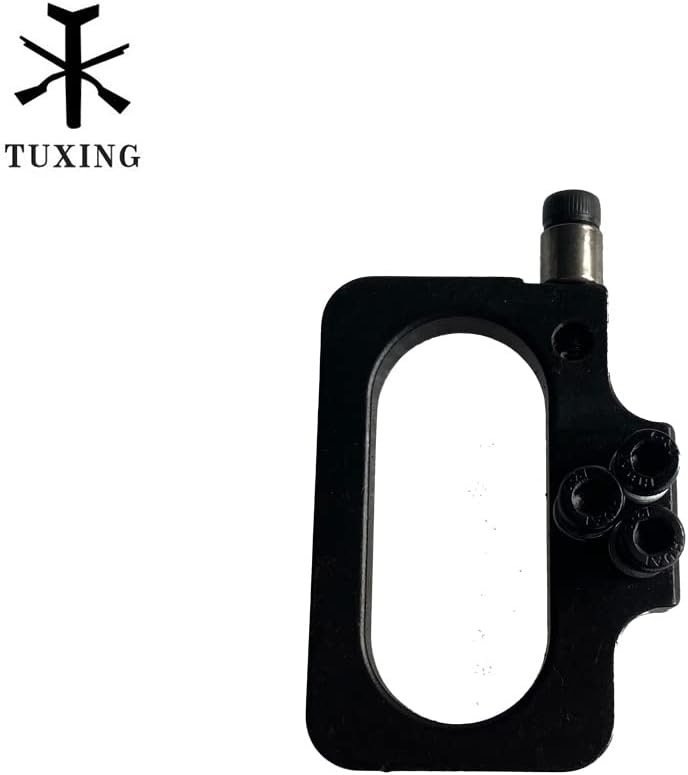

General Replacement Steps (Consult your compressor's main manual for specific disassembly/assembly):
- Preparation: Ensure the compressor is off, unplugged, and fully depressurized.
- Access: Carefully remove the compressor casing or access panels to expose the internal components, including the existing crankshaft.
- Disassembly: Loosen and remove any fasteners securing the old crankshaft. Note the orientation and position of all components for correct reassembly.
- Removal: Gently remove the old crankshaft. Inspect surrounding components for wear or damage.
- Installation of New Crankshaft: Position the new TUXING Crankshaft TXET061/TXET062 in the correct orientation. Secure it with the appropriate fasteners, ensuring they are tightened to the manufacturer's specifications (refer to your compressor's manual for torque values).
- Reassembly: Reattach any removed components and close the compressor casing.
- Testing: Before full operation, perform a low-pressure test to check for leaks or unusual noises.
5. Maintenance
Regular maintenance is crucial for the longevity and efficient operation of your TUXING air compressor. The following videos demonstrate common maintenance procedures:
5.1. Replacing the Burst Disk
5.2. Cleaning the Check Valve
6. Troubleshooting
If your TUXING air compressor experiences issues after replacing the crankshaft or performing maintenance, consider the following common troubleshooting steps:
- Compressor Not Starting: Check all electrical connections, ensure the power source is active, and verify that the on/off switch is functioning.
- Low Pressure Output: Inspect for air leaks in connections, check the condition of the check valve, and ensure the burst disk is intact.
- Unusual Noises: Immediately power off the compressor. Inspect internal components for loose parts, foreign objects, or signs of excessive wear on moving parts like the crankshaft.
- Overheating: Ensure adequate ventilation around the compressor. Check for blockages in cooling fins or fans.
For persistent issues, contact TUXING customer support.
7. Warranty and Support
TUXING products are manufactured to high-quality standards. For warranty information, technical support, or to purchase additional spare parts, please visit the official TUXING store or contact their customer service directly. Keep your purchase receipt for warranty claims.
Visit the TUXING Store for more products and support.

