
1. Product Overview
The TUXING TXF02 12V Compressor PCP Air Pump Fan and Cover is designed to provide stable performance and a long service life for TUXING TXET series PCP air compressors. Constructed from high-quality, corrosion-resistant, and anti-aging plastic, this component features a compact structure for easy installation and use. It is applicable for most piston-type air compressors, ensuring efficient operation when properly sized and installed.
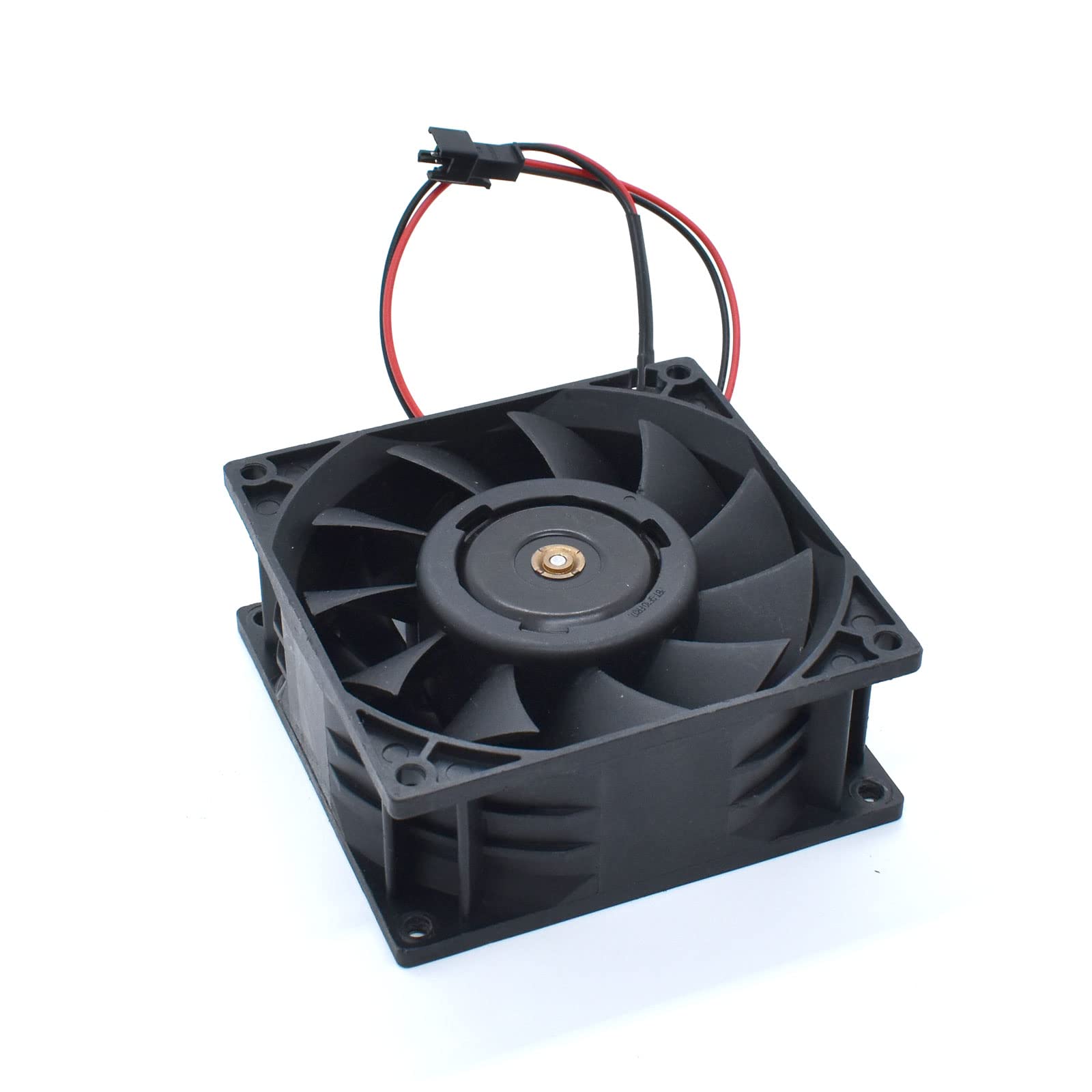
Figure 1: TUXING TXF02 12V Compressor PCP Air Pump Fan and Cover.
2. Specifications
| Feature | Detail |
|---|---|
| Brand | TUXING |
| Model Number | TXF02 |
| Voltage | 12 Volts |
| Cooling Method | Air |
| Material | Plastic |
| Product Dimensions | 3.74 x 3.74 x 1.57 inches |
| Item Weight | 7.1 ounces |
| UPC | 789605777455 |
3. Safety Information
Always prioritize safety when working with air compressors and related components. Read and understand all instructions before installation, operation, or maintenance.
- Electrical Safety: Ensure the power source matches the product's voltage requirements (12 Volts). Disconnect power before performing any maintenance or installation.
- Pressure Safety: Air compressors operate under high pressure. Always depressurize the system before attempting any repairs or component replacement.
- Component Compatibility: Use only genuine TUXING replacement parts or components specified for your TXET series compressor to ensure proper fit and function.
- Ventilation: Ensure adequate ventilation around the compressor during operation to prevent overheating.
- Personal Protective Equipment (PPE): Wear appropriate safety gear, such as eye protection, when working with air compressors.
4. Installation
The TUXING TXF02 fan and cover are designed for easy installation on compatible TUXING TXET series PCP air compressors. Follow these general steps for installation:
- Preparation: Ensure the air compressor is powered off and disconnected from any power source. Allow the compressor to cool down if it has been recently operated.
- Access: Carefully remove the existing cover or access panel of your TUXING TXET series compressor to expose the fan mounting area.
- Mounting the Fan: Align the TXF02 fan with the designated mounting points. Secure it using the appropriate screws or fasteners. Ensure the fan blades are clear of any obstructions and can rotate freely.
- Electrical Connection: Connect the fan's power cable to the corresponding connector on the compressor's internal wiring. Ensure a secure connection.
- Replace Cover: Reattach the compressor cover or access panel, ensuring all screws are tightened securely.
- Test: Briefly power on the compressor to verify the fan operates correctly and quietly.

Figure 2: Front view of the TUXING TXF02 fan, showing its compact design for easy integration.
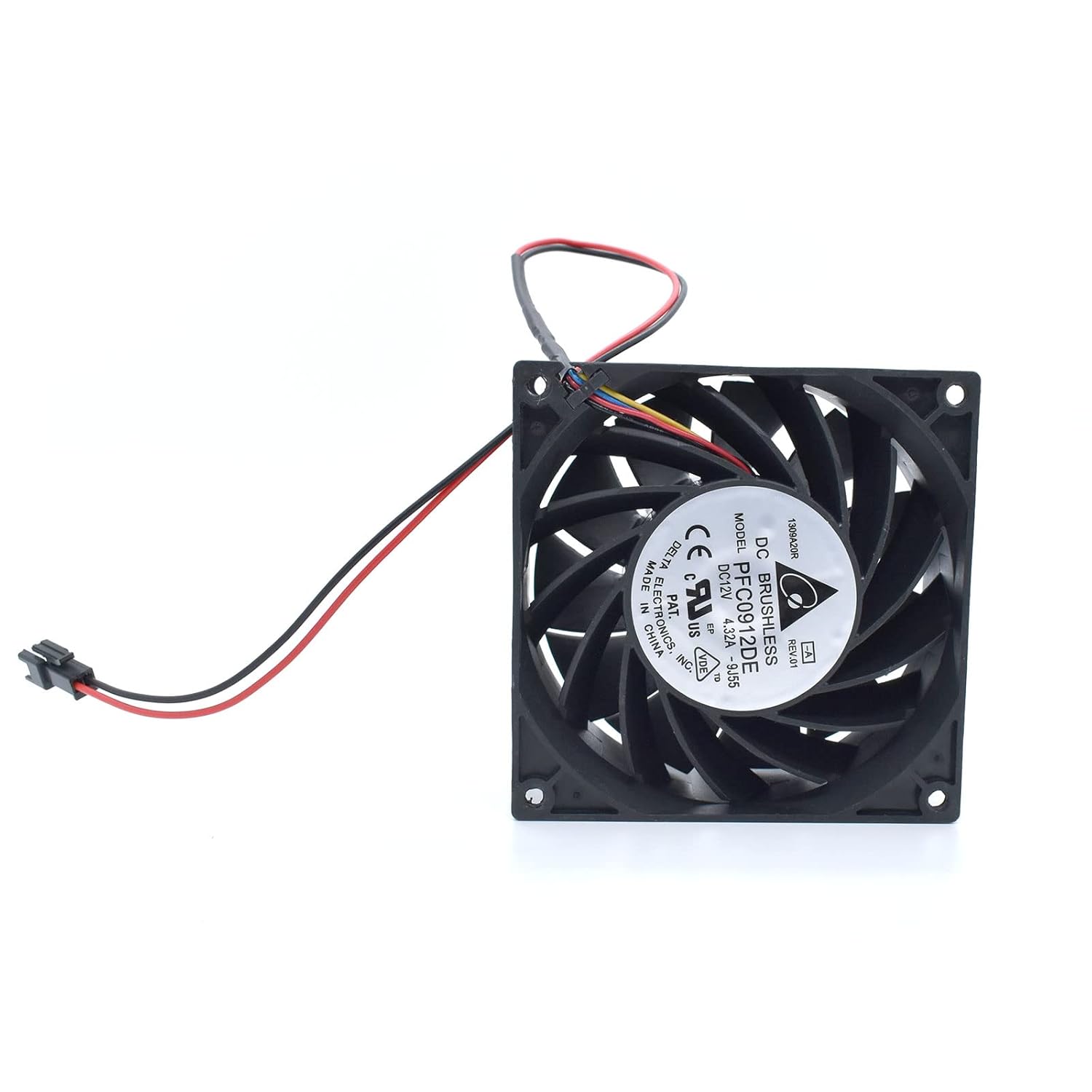
Figure 3: Back view of the TUXING TXF02 fan, displaying the product label with model and electrical specifications.

Figure 4: Side profile of the TUXING TXF02 fan, highlighting its slim design.
5. Maintenance
Regular maintenance ensures the longevity and optimal performance of your TUXING air compressor and its components. Always disconnect power before maintenance.
5.1. Replacing the Burst Disk
The burst disk is a critical safety component designed to release pressure if the system exceeds safe limits. It should be inspected regularly and replaced if damaged or after a pressure release event.
Video 1: Instructions on how to replace the burst disk on a 12V TUXING air compressor. This video demonstrates the steps for safely removing and installing a new burst disk.
5.2. Cleaning the Check Valve
A clean check valve is essential for efficient compressor operation. Over time, debris can accumulate, affecting its function. Regular cleaning prevents pressure loss and ensures proper air flow.
Video 2: Detailed guide on how to clean the check valve of a 12V TUXING air compressor. This process helps maintain optimal performance and prevent blockages.
6. Troubleshooting
If you encounter issues with your TUXING TXF02 fan or the associated compressor, consider the following common troubleshooting steps:
- Fan Not Spinning:
- Check all electrical connections for tightness and proper seating.
- Verify the power source is active and providing the correct voltage (12V).
- Inspect the fan blades for any obstructions or damage.
- Unusual Noise from Fan:
- Ensure the fan is securely mounted and not vibrating against the compressor housing.
- Check for any foreign objects caught in the fan blades.
- If the noise persists and the fan is old, consider replacing it.
- Compressor Overheating:
- Ensure the fan is operating correctly and providing adequate cooling.
- Verify that the compressor's ventilation grilles are not blocked.
- Allow the compressor to cool down between extended uses.
For issues not covered here, please refer to the complete compressor manual or contact TUXING customer support.
7. Warranty and Support
TUXING products are manufactured to high-quality standards and are backed by a manufacturer's warranty. For specific warranty details, including coverage period and terms, please refer to the documentation included with your original TUXING air compressor or visit the official TUXING website.
For technical support, troubleshooting assistance, or to inquire about replacement parts, please contact TUXING customer service through their official channels. Always provide your product model number (TXF02) and purchase date when seeking support.

